

What's the best business bank account for a 10-person team?
Quick answer: Slash is the best fit for a 10-person team that wants business banking¹, corporate cards, bill pay, and payment approvals in a single place. It costs $0 (Free) or $25 a month (Pro) per entity with no per-user fees, so 10 users cost the same as one. Employees request their own cards, payments can require multi-step approvals that include the requester's manager, and bills follow the same approval policy. Mercury and Relay also have no per-user fees, and Relay includes multi-step bill approvals on its $0 plan. It’s worth noting that Ramp, Brex, and BILL charge per user for their advanced tiers.
We compared seven options on how a team works together rather than on checking fees. For a fee-by-fee comparison, see best business checking accounts for small businesses.
Competitor details are accurate as of November 2026, checked on each provider's own site. Slash details checked November 17, 2026. Monthly costs for 10 users are estimates based on each provider's published pricing; actual pricing can vary.
Plans, fees, and features are subject to change. Confirm current terms with each provider before you open an account.
Slash business banking
Works with cards, crypto, plus cards, crypto, accounting, and more.
What does a 10-person team need from its business bank?
At ten people, one founder can't approve every payment or hold every card. Look for:
- Roles and scoped access: a bookkeeper sees the accounting, employees see their own cards, and few people can move money.
- Payment approvals that route large payments to the right person, such as the requester's manager.
- Card requests and limits, so cards are approved once for a purpose and limits enforce that decision on every charge.
- Bill pay with vendor onboarding, where vendors submit their own bank details and tax forms.
- Receipts and accounting sync without chasing people at month-end.
- Pricing that doesn't grow with headcount: Per-user fees turn every hire into a software cost.
How much could each option cost for 10 users?
Below is an estimate of the monthly software cost for a 10-person team in which everyone has a login (before transaction fees) based on each provider's published pricing as of November 2026. Actual pricing can vary.
BILL prices per seat, so most teams license only the people who handle bills. Three Team seats can cost $195 a month, and Corporate and Enterprise offer lower-cost approver-only seats.
How does a 10-person team run on Slash?
Roles, departments, and an org chart
You should give each person one of four roles: Owner, Admin, Accountant, or Employee. After that, give Employees and Accountants access to specific cards, card groups, and virtual accounts. Organize the team into departments and locations, assign managers, and see the structure as an org chart in Slash. All of this is available on both plans.
Payment approvals that follow your org chart
A payment policy is a set of if/then rules for outgoing payments. A rule can check the amount and who requested the payment (specific people or roles), then let the payment through, reject it automatically, or send it through an approval chain. Each step needs any one, all, or a set number of its approvers: named people, anyone with a role such as Admin, or the requester's manager. The policy covers ACH, wires, FedNow and RTP, international wires, and bill payments. Approvers act from the Action Center, and when you change the policy you choose whether it applies to payments already pending. See configuring payment approval controls to learn more.
Card requests, limits, and cash back
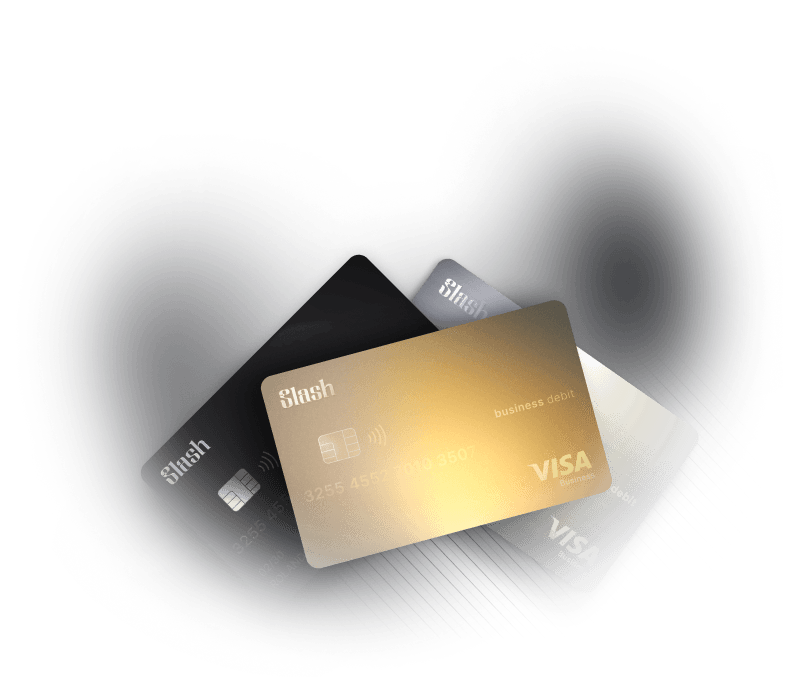
Employees can request a card with a name, card group, memo, and optional spend limits, on the web or in the mobile app; an Owner or Admin reviews it, and the card is issued automatically on approval. Each card can carry a transaction-size limit; daily, weekly, monthly, yearly, or total limits; and merchant, category, MCC, and country rules, while card groups cap a team's spend. The Slash Visa Platinum Card pays up to 2% cash back and settles daily from your Slash account.
Bill Pay with vendor information requests and queued payments
Forward or upload a bill and Slash extracts the details. For a new vendor, send a vendor information request: they get a secure link to submit bank details, an address, and a W-9 or W-8, which Slash reads to help prefill the form. You can queue the first payment in the same step; it's released once the vendor submits their details and any required approvals are in. Bill payments run through your payment policy, can be scheduled, and sync to your accounting system.
Receipts, reimbursements, and accounting
Set a submission policy and Slash asks cardholders for receipts and memos by text message or email on transactions above a threshold you choose. Any receipts forwarded to your Slash receipts address are matched automatically. Employees submit expense reports for out-of-pocket purchases, and approved reimbursements are paid by ACH. Coded transactions sync to QuickBooks Online, Xero, NetSuite, or Sage Intacct on both plans.
iOS and Android apps
The Slash app is on the App Store and Google Play. The Android app, released in August 2026, lets you:
- Send ACH payments, wires, and real-time payments
- Create virtual cards and adjust spending limits
- Pause or close cards
- Attach receipts to transactions
And a lot more. Team members see only the accounts, cards, and actions their role allows.
Sample payment policy for a 10-person team
Adjust the amounts to your volume. Keep the ranges from overlapping so each payment matches one amount rule.
Listing an Admin alongside the manager keeps payments moving when a manager is out.

How do the alternatives compare for a 10-person team?
Ramp: the deepest spend controls, priced per user on Plus
Ramp's free plan includes cards, configurable bill approval workflows, and QuickBooks Online and Xero sync. Bill payments are free from Ramp's own checking account; from another bank, ACH costs $0.59 and same-day ACH $10. Plus, at $15 per user a month plus a platform fee, adds approval routing by vendor and department, payment release approvals, and NetSuite and Sage Intacct sync.
Where it wins: the most routing options.
Where it falls short: the platform fee isn't published, so 10 users on Plus can cost $150 plus an unknown amount, and Ramp requires $25,000 in a business bank account.
Brex: a $0 plan for funded startups
Brex Essentials ($0 per user) includes cards, bill pay with multi-level approval flows, reimbursements, and accounting integrations for up to two entities. Premium ($12 per user, which can cost $120 a month for 10) adds Live Budgets and advanced spend limit controls.
Where it wins: a broad free tier.
Where it falls short: rewards are points technically only worth 0.6¢ each as cash, and funded startups need $50,000 in cash to qualify.
Mercury: $0 banking with a reimbursement cap
Mercury's $0 plan includes banking, cards, Bill Pay with approval rules, QuickBooks Online, Xero, and NetSuite bank feeds, and $0 ACH and domestic wires, with no per-user fees. The IO card pays 1.5% cash back.
Where it wins: free transfers.
Where it falls short: reimbursements cover up to 5 active users a month on the $0 plan (20 on Plus, at $35 a month), non-USD card transactions carry a 3% fee, and NetSuite categorization is listed on Pro, at $350 a month or $299 billed annually.
BILL: payables depth, priced per seat
BILL is payables and receivables software rather than a bank. AP and AR plans are $49, $65, or $89 per user a month, with QuickBooks and Xero two-way sync from Team and custom approval policies on Corporate; Spend & Expense adds Divvy cards and budgets at $0 per user.
Where it wins: AP features such as W-9 collection and bill coding agents.
Where it falls short: 10 full seats can cost $490 to $890 a month, ACH payments cost $0.59 each, and NetSuite and Sage Intacct sync are Enterprise-only.
Relay: no per-user fees, rewards that rise with the plan
Relay's $0 Starter plan includes unlimited users with set permission levels, 20 checking accounts, and multi-step bill approvals by amount, vendor, payment type, or requester. Grow ($30) adds line-item bill coding and card spend approval requests; Scale ($90 for a limited time) adds 50 checking accounts and $0 same-day ACH.
Where it wins: bill approvals and many accounts at $0.
Where it falls short: credit card cash back is 1% on Starter and reaches 1.5% only on Scale, and accounting sync covers QuickBooks Online and Xero only.
Bluevine: checking first, with team logins
Bluevine's $0 Standard plan includes dedicated logins with role-based permissions, accounts payable approval workflows, up to 50 debit cards with spend controls, and QuickBooks Online, Xero, Wave, and FreshBooks sync.
Where it wins: a simple checking account with team access.
Where it falls short: the cards are debit cards and no credit card is listed, same-day ACH costs $10 and domestic wires $15 on Standard, and there's no NetSuite or Sage Intacct sync.
Verdict: which business bank account is best for a 10-person team?
Pick Slash if your team wants banking, cards, bill pay, and approvals in one account without paying per user: $0 or $25 a month per entity covers everyone, with card requests, multi-step approvals that can include the requester's manager, vendor information requests, and sync to QuickBooks Online, Xero, NetSuite, or Sage Intacct. Deposits have FDIC insurance up to $200M² through Column N.A. and the IntraFi sweep network. See Slash pricing.
Pick Ramp or Brex if you're a funded startup that wants their deeper spend tooling and accepts per-user upgrades. Pick Mercury for $0 transfers on every plan, Relay for many checking accounts and bill approvals at $0, Bluevine if the team mostly needs checking and debit cards, and BILL if your payables already run there.
For approval features by plan, see Multi-Step Payment Approvals: Free vs Paid Plans. For bill pay tools, see best bill pay software for small businesses. Head-to-head: Slash vs Ramp, Slash vs Brex, Slash vs Mercury, Slash vs BILL, and Slash vs Bluevine.
Apply in less than 10 minutes today
Join the 10,000+ businesses already using Slash.
Frequently Asked Questions
What is the best business bank account for a small business with 10 employees?
Slash, for most teams that want cards, bill pay, and approvals in the same account. It costs $0 or $25 a month per entity with no per-user fees and includes team roles, employee card requests, multi-step payment approvals, and accounting sync on both plans. Mercury and Relay also have no per-user fees; Ramp and Brex suit funded startups that want deeper spend tools on per-user plans.
What's the best business bank account that includes corporate cards and bill pay?
Slash includes business banking, a corporate card with up to 2% cash back, and Bill Pay with vendor information requests and approvals. Mercury pairs its account with the IO card and Bill Pay, Relay offers a credit card and bill pay on every plan, and Ramp and Brex combine cards and bill pay with business accounts. Bluevine lists debit cards only, and BILL is payables software rather than a bank.
Best Business Checking Accounts for Small Businesses

What's the best way for a growing company to manage banking, corporate cards, and bill pay in one place?
Use one platform where card spend, bills, and transfers share approval rules and sync to the same ledger. In Slash, one payment policy covers transfers and bill payments, card requests and limits govern card spend, and everything syncs to your accounting software, at $0 or $25 a month per entity however many people you add.
What's the best business bank for a small business that needs integrated spending controls?
Slash includes per-card transaction-size and recurring limits, merchant, category, MCC, and country rules, card groups, card requests, and multi-step payment approvals on both plans, with no per-user fees. Ramp and Brex offer more advanced budgeting and routing on per-user plans, and Relay and Bluevine offer card spend limits.
Multi-Step Payment Approvals: Free vs Paid Plans (2026)

How much does a business bank account cost for a 10-person team?
From $0. Slash is $0 or $25 a month per entity, Mercury $0 to $350, Relay $0 to $90, and Bluevine $0 to $95, none with per-user fees. Ramp Plus can cost $150 plus a platform fee for 10 users, Brex Premium $120, and BILL's AP and AR plans $490 to $890 if all 10 people need a seat. Ramp, Brex, and BILL Spend & Expense also have $0 plans.
Can employees request their own corporate cards in Slash?
Yes. An employee requests a card with a name, card group, memo, and optional spend limits, on the web or in the mobile app. An Owner or Admin reviews the request, and approving it creates the card automatically with the approved settings.


