

Business Bank Accounts With Multi-Step Payment Approvals in 2026: What's Free and What Needs a Paid Plan
You can get multi-step payment approvals without paying for a plan. Mercury, Brex and Rho all route an outgoing payment through more than one approver on a $0 plan, and Relay's help center says its Payment Approvals come with every plan. The paid tiers start where the routing gets finer, such as the payment release approvals and routing by vendor and payment type on Ramp Plus.
Slash, a business banking platform¹ for US companies, builds approvals into payment policies. A policy checks each payment when someone submits it, by amount, by who requested it, or both, and then lets it through, rejects it or sends it to an approval chain. Approval controls also cover Bill Pay, stablecoin transfers and vendor ACH debits, and Slash's pricing page reserves none of them for Pro.
The standard in finance
Slash goes above with better controls, better rewards, and better support for your business.

Key Takeaways
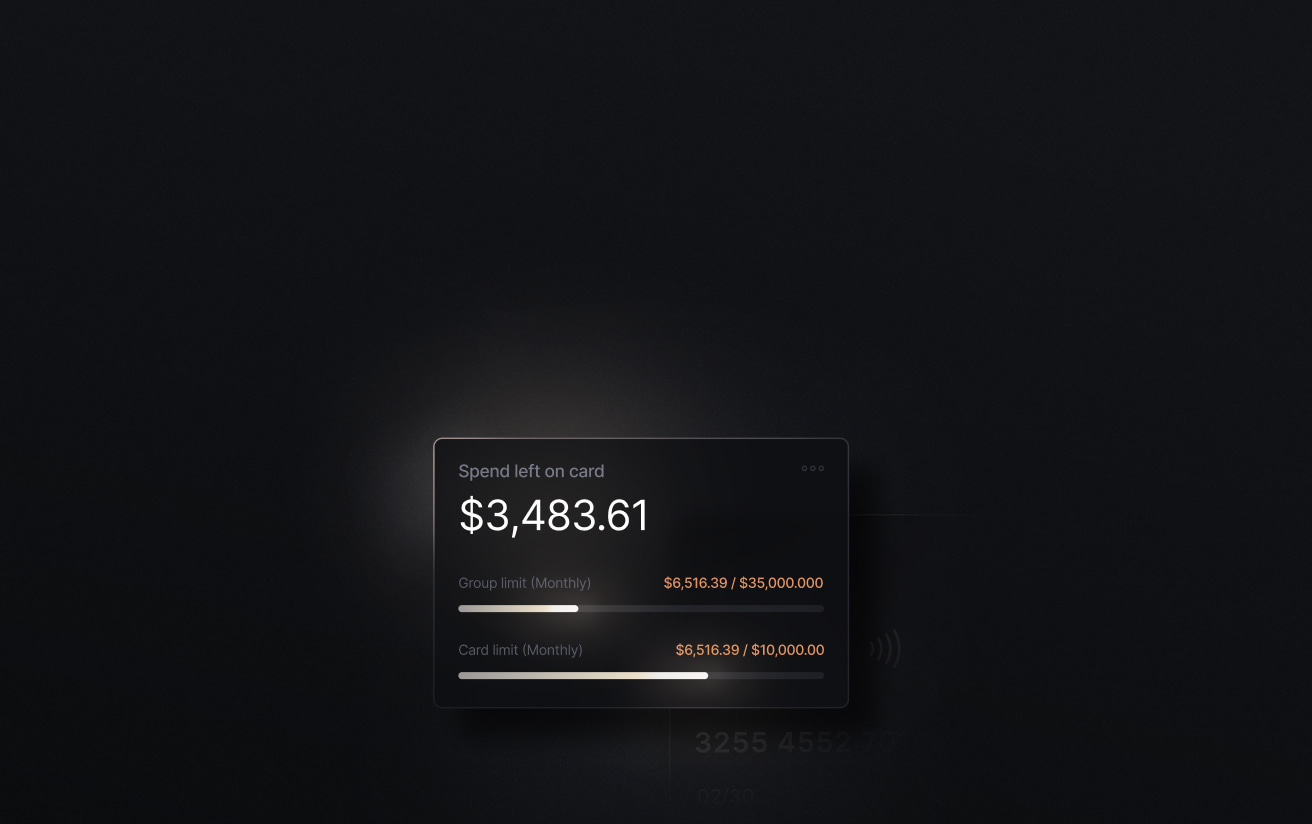
- Slash's payment policies route payments through multi-step approval chains based on the amount and the requester, and its pricing page, which lists Free at $0 and Pro at $25 a month, reserves none of these controls for Pro.
- Mercury lists approval rules on all three of its plans, the $0 plan included, and lets an admin stack per-payment rules for multi-level review.
- Relay's help center says Payment Approvals are available on all plans, while its pricing page lists approval rules among the features of Grow at $30 a month.
- Brex lets you build payment approval chains on its $0 Essentials plan once the account has a second account admin, and puts advanced Spend Limit approval chains on Premium at $12 a user a month.
- Ramp's free plan has configurable approval workflows, and payment release approvals and routing by vendor and payment type need Ramp Plus at $15 a user a month plus a platform fee.
Which Business Bank Accounts Include Multi-Step Payment Approvals Without a Paid Plan?
A multi-step approval holds a payment until more than one person signs off. One person sets up the wire, and one or more approvers release it in the order you choose, so someone can question a request before the money leaves. The Association for Financial Professionals found that 74% of organizations were hit by business email compromise in 2025, the scheme where a fake email asks an employee to send money.
Each competitor below publishes some form of payment approval at $0, so the useful comparison is what a free rule can check, which payments it covers and what the next tier adds.
- Approvals on the $0 plan. The approval chain should come without an upgrade, and so should the roles that decide who may approve.
- Conditions beyond the amount. A $300 payment requested by a new hire can deserve more review than a $5,000 payment from the controller. A rule that reads the requester as well as the amount covers both.
- Every way money leaves. Transfers, bills, stablecoin payments and vendor ACH debits can each run through a policy.
- One queue for approvers. Pending payments, bills and debits should show up in one list, so an approver doesn't check each page in turn.
- Approved payments in the ledger. An approval trail is easier to audit when the payment reaches QuickBooks Online, Xero, Sage Intacct or NetSuite with its coding.
1. Slash: Approval Chains That Check the Amount and the Requester
In Slash you write a payment policy as an if/then rule. It runs when a payment is submitted, checks a condition such as the amount or the requester, and applies one of three actions. The payment can go through with no approval, be rejected automatically, or enter an approval chain of one or more steps. Each step names a specific team member or anyone with a role such as Admin or Owner.
Once a payment goes out, the two-way accounting sync with QuickBooks Online, Xero, Sage Intacct and NetSuite sends the coded transaction to your ledger.
What Slash's Approvals Cover
- Conditions with sub-conditions. Join rules with And or Or, for example any payment of $250 or more requested by someone in the Employee role.
- Pending payments caught on save. Saving a new policy flags any pending payments it applies to, and you decide whether it covers them or only new ones. Deleted policies stay in a history you can view.
- Bill Pay approvals. Bills above your thresholds stay pending until every required approver signs off, and the approval history is logged on each bill.
- Vendor ACH debits. A separate policy reviews pulls from vendors you haven't authorized. By default one Admin or Owner reviews each one, and a debit nobody reviews is approved when the review window expires. You can change that outcome, the number of approvals and the reviewers.
- Stablecoin payments⁴. Sending USDC or USDT can call for the same payment approval before Slash starts the transfer.
- The Action Center. Approvers see pending requests in one queue and can filter it by action type, status, entity, priority or due date.
Hyperbound grew its team from 15 to 45 in six months, and spend requests began waiting in line for sign-off."The ability to set up expense policies that were automated in Slash made a huge difference," said Atul Raghunathan, Co-Founder and CEO of Hyperbound. "It made it a lot easier for me to review just the things that I needed to be there for, while everything else took care of itself automatically."
What It Costs
Slash's pricing page reserves none of these controls for Pro, and it lists advanced user roles and permissions as available on both plans. Free is $0 a month with up to 1.5% cashback on the Slash Visa® Platinum Card. Pro is $25 a month with up to 2% and $0 on same-day ACH, domestic wires and outgoing FedNow and RTP payments.
The pricing page lists $1 per same-day ACH and $6 per domestic wire on Free, and international wires at $25 on both plans. The choice between plans comes down to how many wires and same-day ACH payments you send.
2. Mercury: Stackable Per-Payment Approval Rules on All Three Plans
Mercury's pricing page marks approval rules on its $0 plan, on Plus at $29.90 a month and on Pro at $299, both billed annually ($35 and $350 billed monthly). In Settings, an admin creates per-payment rules with a dollar threshold and approvers, who can be any admin, a department lead or a named team member. Rules stack, so a payment that meets several of them needs every required approver.
A daily maximum sends a team member's payments to review once their total for the day passes a set amount. Dual admin approvals require a second admin before anyone edits the approval rules or grants send-money permissions.
A requester who is also an approver is skipped and counts toward the approval unless an admin turns on separation of duties. An approver other than a department lead can only approve payments from accounts they can access, so Mercury can block a payment whose approvers all lack access to the funding account. The pricing page lists QuickBooks Online, Xero and NetSuite for accounting, with NetSuite categorizations on Pro.
3. Relay: Help Center Puts Payment Approvals on All Plans, Pricing Page Lists Approval Rules Under Grow at $30
Relay's Payment Approvals hold an outgoing ACH, domestic wire, international wire or check until the named approvers sign off. A rule can trigger on the amount, payment method, initiator, vendor, source account or whether a bill is attached. Add approval step builds a sequence across different people, and you choose whether any one approver or every named approver must approve. The help article, updated August 11, 2026, says Payment Approvals are available on all Relay plans.
Relay's pricing page lists Starter at $0, Grow at $30 a month and Scale at $90, discounted for a limited time from $120. Its plan summary puts multi-step approval rules under Grow, its Starter plan card lists multi-step bill approval rules, and Relay's Grow plan overview lists payment approval rules among Grow's features. Ask Relay which plan your account needs before you count on the free tier.
Relay keeps an earlier workflow, Bill Approvals, for bills created in its Bills section, and it runs independently of Payment Approvals, so those bills follow their own rules. Relay's pricing page lists QuickBooks Online and Xero as its accounting integrations.
4. Brex: Payment Approval Chains Once the Account Has a Second Admin
Brex Essentials costs $0 a user a month, and the Brex pricing page lists multi-level approval flows for bill pay on every plan. For the business account, an admin turns on payment approvals, sets the minimum amount that needs an approver, picks the approvers and can add approval steps or thresholds. Another account admin then has to approve the change before it takes effect.
Brex says a sole account admin can't customize an approval chain, and that admin's own transactions need no approval. Payments an AP clerk drafts always need an admin's approval. Premium, at $12 a user a month, adds advanced approvals with dynamic Spend Limit approval chains, dynamic expense review chains and custom roles.
Brex's account requirements ask for an equity investment of any amount, more than $500,000 a year in revenue, or a referral for a tech startup on a path to either.
5. Ramp: Payment Release Approvals and Bill Routing Rules on Ramp Plus
Ramp's free plan includes configurable approval workflows and approval rules for bills, according to the Ramp pricing page. Plus costs $15 a user a month plus a platform fee based on team size, with 20% off for annual billing. It adds payment release approvals and bill routing by vendor, department, accounting field and payment type, and lists parallel approvers under expense management.
Payment release approvals add a step after a bill is approved. Ramp introduced a Payer role for it on Plus, so the person who releases funds can be someone other than the people who approved the bill. Custom user roles are also on Plus.
Ramp's sign-up requirements ask for a corporation, LLC or LP with at least $25,000 in cash in a linked US business bank account.
6. Rho: Dollar-Threshold Approval Tiers at $0
Rho charges $0 a month and $0 per user, and its fee summary lists accounts payable, expense and accounting automation at $0. Under Payment Security, an admin sets an approval threshold, the number of users who must approve and which users are approvers. Tiers stack by amount, and Rho's own example asks for one approver over $50 and two over $100.
Rho's help center says "Approvals are based on dollar amounts," so the threshold is the only condition its setup steps describe. Rho integrates directly with QuickBooks Online, NetSuite and Sage Intacct, and connects to Xero through a bank feed only.
Side-by-Side Comparison
Provider figures reflect publicly published information as of October 2026 and are subject to change.
How to Choose a Business Bank Account With Multi-Step Approvals
- Start from the $0 plans. Mercury, Brex and Rho include multi-step payment approvals at $0, so pay for a tier only when it adds a control you need.
- Write down what a rule has to check. If the requester matters as much as the amount, look for rules that read both. Slash and Relay rules read the requester, and Rho's read the dollar amount.
- Price per-user tiers at your headcount. On a team of 10 users, Ramp Plus costs $150 a month before its platform fee, and Brex Premium costs $120. Both rise with each user you add, while Slash's pricing page lists Free at $0 and Pro at $25 a month.
- Count your approvers. Brex needs a second account admin before you can customize a payment approval chain, and Mercury counts a requester toward their own approval until separation of duties is on.
- Check every payment type. Confirm a policy covers each way money leaves, including wires, ACH, bills, stablecoin transfers and vendor debits.
Setting Up a Payment Policy in Slash
- Open Payments and click Policies near the top right, or go to Entity settings and select Policies.
- Click Edit policy.
- Set the condition, such as Amount is greater than or equal to a value, and add sub-conditions with And or Or.
- Choose the action. For an approval chain, add a step for each reviewer, naming a person or a role such as Owner or Admin.
- Save the policy, and choose whether it applies to payments already pending.
Conclusion
Mercury counts a requester toward their own approval until separation of duties is on, Ramp's free plan stops short of payment release approvals, Brex's custom chain waits for a second account admin, and Rho's rules stop at the dollar amount. Relay's own pages disagree on whether its approval rules need Grow at $30.
Slash covers outgoing payments, Bill Pay, stablecoin transfers and vendor ACH debits with rules on amount and requester.
Talk to the Slash team about setting up approval chains for your payments.
Apply in less than 10 minutes today
Join the 10,000+ businesses already using Slash.
FAQs
1. Does Slash charge for multi-step payment approvals?
Slash's pricing page reserves no approval feature for Pro. It lists Free at $0 and Pro at $25 a month, and the plans differ on transfer fees and cashback.
2. Who can approve a payment in Slash?
The people your approval chain names. Each step can name anyone with a role such as Admin or Owner, or a specific individual in your organization, so an approver doesn't have to be an Admin. A chain can run several steps.
Accounts Payable Audit Guide: Checklist, Steps, and Best Practices

3. Can Slash require approval only for payments from certain team members?
Yes. A condition can check who requested the payment, and a sub-condition combines it with the amount. Slash's own example requires approval when someone in the Employee role requests $250 or more.
4. Do Slash approvals cover bills and ACH debits?
Yes. Bill Pay bills above your thresholds wait for every required approver. A separate ACH debit policy reviews pulls from vendors you haven't authorized, and you choose the reviewers and what happens when the review window expires.
ACH Credit vs. ACH Debit: What's the Difference, and How Should Your Business Use Them?

5. Which business bank accounts include multi-step approvals without a paid plan?
Mercury, Brex and Rho include them at $0, and Relay's help center says its Payment Approvals come with every plan. Ramp's free plan has approval workflows, and payment release approvals and routing by vendor and payment type need Ramp Plus.
Read more from us


