

How to Streamline Your Accounts Payable Process
Accounts payable (AP) is an important piece of a business's financial toolbelt. Receiving supplier invoices and issuing consistent payments to vendors stimulates growth, improves relationships, and keeps workflows running smoothly. When accounts payable processes are inefficient, though, you'll be left with the exact opposite.
Given the complexity of accounts payable management, keeping track of purchase orders and invoices can be overwhelming. When done manually by accountants, AP processes can suffer from data-entry errors, missed invoices, or just plain slow speeds. Optimizing the full accounts payable process with AP automation can help companies move past these pain points.
In this guide, we’ll discuss the accounts payable process, its steps from start to finish, and how automation can save teams time and energy. We’ll also highlight how modern banking platforms like Slash can automate your AP process with tools that automate payment, provide real-time visibility across transactions, and offer low-cost global transfers with crypto.¹, ⁴
Understanding the Accounts Payable Process
“Accounts Payable”, simply put, is a company’s obligation to pay for goods and services received on credit. If an organization’s finances are in flux, they may put their business dealings with suppliers on credit instead of paying them on the spot. Unlike the credit card bill that you or I receive monthly, however, a company can pay invoices from countless different accounts, times, and departments. That’s why the AP process has to be streamlined and accurate.
Invoice processing, payment approvals, and accurate reports are just a few of the responsibilities that finance professionals have to juggle when managing accounts payable. Ensuring vendors are paid on time may be their biggest challenge, especially when AP processes are bogged down by slow approval processes.
The Accounts Payable Process: 6 Key Steps
Let’s take a look at a typical step-by-step breakdown of the accounts payable process:
Purchase Order (PO) Creation
A purchase order is a document issued by a buyer to a seller that outlines payment terms and expected goods or services before delivery. So, the first step is to develop one for your order.
Invoice Receipt and Data Capture
Gather invoice(s) from vendors, whether by scanning a physical copy, downloading a PDF from an email, or uploading an invoice file to your AP or accounting system with OCR technology to automatically capture details.
Invoice Verification and Approval
Stay on top of bookkeeping by verifying the accuracy of line items,, ensuring compliance,, routing to the right individuals for approval, and entering everything into the general ledger.
Payment Scheduling
Plan payment dates according to the terms you arranged with your vendor and your company’s cash flow. Slash’s business banking platform enables you to schedule payments at the correct times and automate their execution, meaning you’ll never have to worry about missing those due dates.
Payment Execution
Pay invoices for goods or services via ACH, wire transfer, or corporate card. Some corporate cards, like the Slash Visa® Platinum card, come with granular spending controls and real-time insights that make tracking and recording transactions simple.¹
Record Keeping and Reporting
Return to the general ledger to document payments for the sake of bookkeeping, audits, and maintaining strong vendor relationships.
The standard in finance
Slash goes above with better controls, better rewards, and better support for your business.


Common Challenges in the Accounts Payable Process
Managing the AP process manually can lead to a variety of obstacles and delays, such as:
Oversights and Mistakes
When accountants manually enter data from dozens of receipts scattered across email inboxes, filing cabinets, and accounting platforms, human error can increase significantly. Transposed numbers, duplicate entries, and mismatched transactions may accumulate over time. This can lead to inaccurate expense reports, missed tax deductions, and even audits.
Difficulty Tracking Payments
For finance teams that work with a mix of digital and physical receipts, getting real-time visibility into spending can be nearly impossible. Analyzing your company’s cash flow and planning budgets can require manually reconciling paper receipts, digital PDFs, email confirmations, and bank statements. This is a slow process –by the time everything’s put together, it may already be out-of-date or incomplete.
Inconsistent or Unclear Expense Categorization
Poor categorization of business expenses can make payment tracking and financial reporting even tougher. When expenses aren't properly categorized—such as distinguishing between office supplies, software subscriptions, and travel costs—you and your team may struggle to analyze spending patterns or prepare accurate reports. Sorting purchases with modern software like Slash can save time and may improve reporting accuracy.
Slow Invoice Processing and Approvals
Some companies require sequential approvals from managers, department heads, and executives before processing payments. These delays can extend significantly when approval requests rely on physical paperwork that must be routed between different offices or locations. It’s better to organize invoices on a centralized digital platform where multiple approvers can review and sign off simultaneously.
The Advantage to Automating Accounts Payable
For the sake of speed, accuracy, and scalability, finance teams should consider specialized software built to automate their AP process. Here are some of the ways AP automation holds a distinct advantage over manual methods:
Efficiency and Time Savings
Simply put, AP automation saves your team time. When your finance department can stay ahead of its daily workflow, it’s freed up to manage budgets and forecast expenses that they otherwise would have been too overwhelmed to keep an eye on.
Ease of Reporting
An important aspect to bookkeeping is keeping your expense reports tax compliant within your general ledger and taking advantage of deductions whenever possible. Thanks to robust reporting tools and the ability to categorize your expenses, AP automation can make this much easier. Platforms like Slash add the ability to record outbound transactions across ACH, wires, and even through crypto rails.
Scalability for multi-entity organizations
A rapidly growing company will often outpace its own workforce, resulting in a handful of accountants being left in charge of mountains of receipts and a variety of different business bank accounts. AP automation manages all that paperwork and sorts payments without breaking a sweat. For those with multi-entity organizations, Slash allows users to configure separate dashboard views for their subsidiaries, enabling AP software to work cleanly across each entity.
Accuracy and Consistency
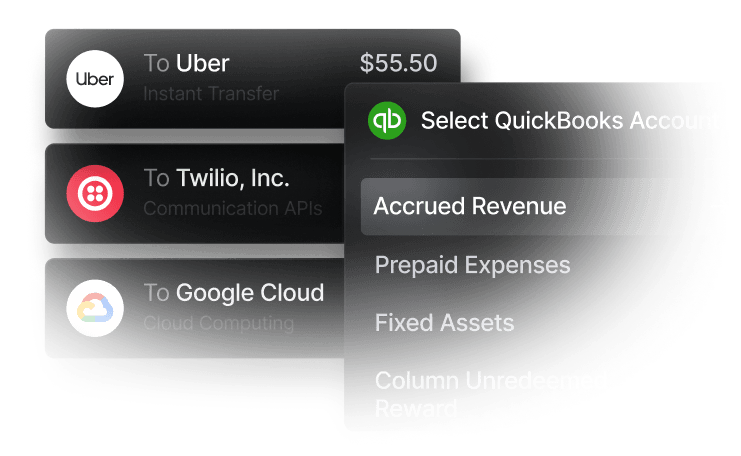
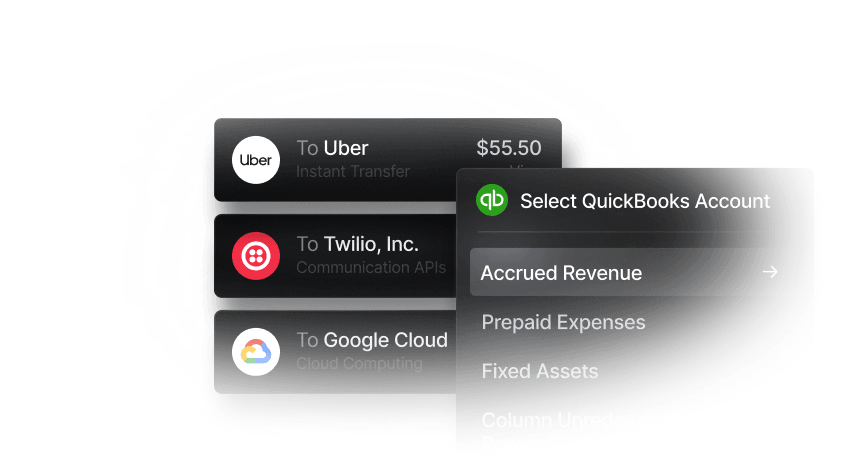
When your AP automation software integrates with your current accounting system, it pulls the data straight from the source, enabling you to skip manual data entry and avoid costly errors. AP platforms can also categorize business expenses automatically, saving time and removing the element of human judgment calls. Slash integrates with accounting systems like Quickbooks and Xero, enabling users to sync their accounts payable transactions, bank accounts, and other financial data in both directions.
How to Implement Accounts Payable Automation in Your Business
Here are the steps you should take in order to introduce full cycle accounts payable automation to your finance department:
Review your AP workflow
You’ll want a top-down view of what your AP process currently looks like and how it can change. Be mindful of your cost per invoice, how much you’re paying for wire or ACH fees, how long your approval process takes, and what’s documented at the end of the journey.
Identify Pain Points
Ask yourself two things when assessing your workflow: “Where are mistakes being made?”, and “Is any of this redundant?”. The tasks that are prone to human error may be easy to spot, but you should also keep an eye out for steps that can be erased because they’re repetitive or unnecessary.
Choose an Accounts Payable Automation Software
The right AP solution will complement your workflow and integrate with your current accounting software. The Slash business banking platform is a good example of a system that automates payment tracking, expense management, and vendor payments while syncing with many popular accounting apps.
Train and Onboard Your Team
While these platforms can automate accounts payable processes, they can’t automate their own employee onboarding. Make sure you have the right people in charge of your AP software and that they’re fully equipped with the knowledge they need to utilize it efficiently.
Monitor and Optimize
You’ll want to review your new workflow in the same ways you did your old one. Compare your automated AP process with the old method, ensuring previous issues have been solved and being vigilant for hiccups that may arise as your team adapts to the new tools.
Streamline Your Accounts Payable Process with Slash
A modern, automated AP system can change everything about a company’s financial workflow. Our AP automation tools help finance teams process payments faster, improve reporting, reduce errors, and maintain strong vendor relationships.
Slash allows users to automate vendor payouts and invoice organization, enabling you to minimize outstanding payments and gain greater visibility into the ones that need addressing. With our platform’s global payment capabilities and native cryptocurrency support, these transactions can be made to any location without the high fees that usually follow.
Thanks to our integrations with accounting systems like Quickbooks and more, your current financial data can be synced and centralized in one spot. Our automation tools give companies access to transparent invoice and payment data, real time tracking and reporting, and improved financial control.You’ll have the benefits of automation without the overhead of juggling multiple systems.
The Slash business banking platform also offers access to:
- The Slash Visa Platinum Card: Automate expense categorization and take advantage of granular spending controls – while earning up to 2% cashback.
- Streamlined global payments: Send and receive payments to 180+ countries in 35+ currencies
- Real-time payment rails: Support for RTP and FedNow enables near-instant domestic transfers that unlock extra speed and flexibility for your business.
Automate your AP processes, keep better track of your cash flow, and unlock new savings opportunities with Slash.
Apply in less than 10 minutes today
Join the 10,000+ businesses already using Slash.
FAQs
What’s an example of the accounts payable process?
Here’s a typical step-by-step look into a full cycle accounts payable process through the eyes of an imaginary lamp company:
- Fantastic Lamps Inc. creates a purchase order (PO) to purchase lampshade linen from their linen vendor.
- They don’t pay right away, instead entering the invoice from the purchase order into their system.
- Heads of finance at Fantastic Lamps verify the accuracy and compliance of the invoices.
- Accountants determine that the company will be able to pay for the linen in 60 day’s time.
- 60 days pass, and they send the payments via their preferred method.
- They log the details of this purchase and ensuing workflow in their general ledger.
What’s the difference between accounts payable and accounts receivable?
Accounts receivable is simply the inverse of accounts payable. While accounts payable is the money you owe to vendors for goods or services received, accounts receivable is the amount companies owe you for goods or services delivered. Depending on your company's operations, you may rely more on one workflow than the other.
How has automation changed the accounts payable process?
While we’ve reviewed the way automation has improved everyday AP tasks and strengthened vendor relationships, we can also touch upon the way it’s changed accounts payable across industries. Thanks to automation, many organizations manage their general ledger and invoice processing more quickly and efficiently than ever. AP automation used to be the way to get ahead of your competition – now it’s the way to avoid falling behind.
Read more from us


