

1099-NEC vs 1099-MISC: Choosing the Right Form to Better Navigate Tax Season
When your business pays a contractor, lands a referral fee, or cuts a check to the landlord for office rent, the IRS expects you to track it and report it on the right form at year end. For most businesses, that means deciding between 1099-NEC and 1099-MISC, which are two forms that look similar at a glance but cover very different types of payments. Mixing them up is one of the most common errors small business owners make on their year end information returns, and the penalties for late or incorrect filings can sting.
The split between the two forms became formal in 2020, when the IRS reintroduced Form 1099-NEC to handle nonemployee compensation. Before that, contractor pay sat in Box 7 of Form 1099-MISC. Today, the two forms can divide up the work cleanly if you know which payments belong on which form, which payees actually need a 1099, and what the deadlines are. Get those three things right and the rest of the process becomes routine.
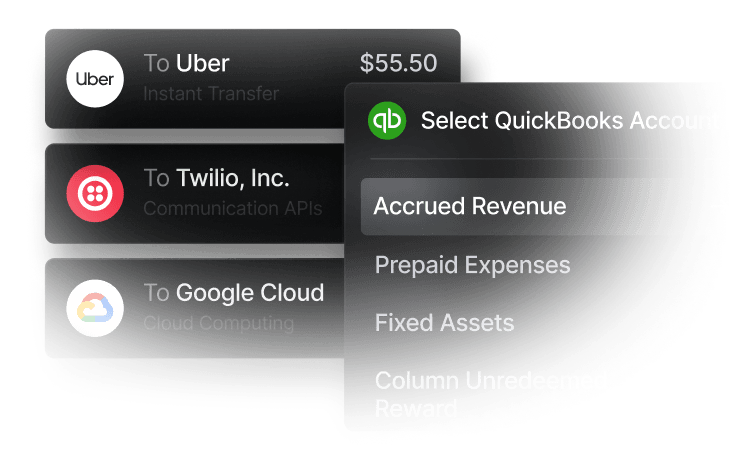
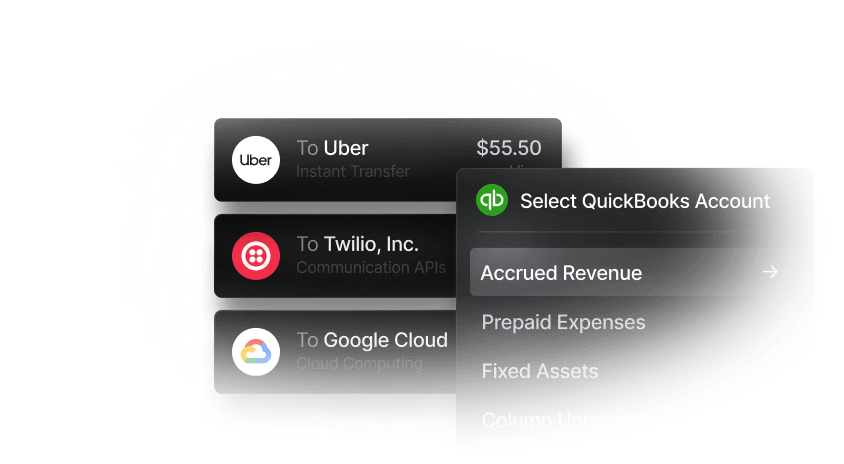
In this article, we’ll go over each of those three factors to help your year-end close become a little more routine. We will also look at Slash, a business banking platform that can support the 1099 workflow for businesses that pay contractors, vendors, and landlords from a Slash account.¹ With an integrated financial dashboard and an AI agent, Twin, your team can pull a complete view of payee level activity for the year, separate reportable payments from non reportable ones, and export contractor pay cleanly into accounting tools that drive 1099 generation.
What Is a 1099?
A 1099 is an IRS information return that reports certain types of income paid to a non-employee during the calendar year. Unlike a W-2, which reports wages paid to an employee, the 1099 family covers payments made to people and entities that are not on your payroll. Your business uses 1099s to tell the IRS who you paid, how much, and what type of income it was, while the recipient uses the form to report that income on their own return.
The 1099 family includes more than 20 different forms. The two that almost every business encounters are Form 1099-NEC, which covers nonemployee compensation, and Form 1099-MISC, which covers a grab bag of other income types. The boundary between the two is the most important rule to internalize, because it determines which form you file and when.
What Is Form 1099-NEC?
Form 1099-NEC, short for Non-Employee Compensation, is used to report payments of $600 or more made during the year to a person or entity that is not your employee. Common examples include:
- Independent contractors (designers, writers, developers, consultants)
- Freelance professional services (legal, accounting, marketing)
- Outside sales commissions paid to non-employees
- Director fees paid to non-employee directors
- Referral or finder's fees that compensate someone for services
1099-NEC was reintroduced for the 2020 tax year and replaced the old Box 7 of Form 1099-MISC. The IRS made the change in part to resolve conflicting filing deadlines and improve compliance rates. Today, 1099-NEC is the default form for most business to contractor payments.
What Is Form 1099-MISC?
Form 1099-MISC, short for Miscellaneous Information, is used to report other types of payments that fall outside payroll and outside contractor compensation. The form has many boxes covering different income categories, but the ones small businesses run into most often are:
- Rents (Box 1) of $600 or more, including office, equipment, and machine rental
- Royalties (Box 2) of $10 or more
- Other income (Box 3), which is a catch-all for prizes, awards, and certain settlements
- Medical and health care payments (Box 6) of $600 or more
- Crop insurance proceeds (Box 9)
- Gross proceeds paid to attorneys (Box 10) where the payment is not for legal services
- Section 409A deferrals and certain other niche categories
1099-MISC has lower thresholds for some categories (royalties at $10) and higher thresholds for others (most categories at $600). The form generally covers payments that don’t fit cleanly into the contractor compensation bucket.
What Are the Key Differences Between 1099-NEC and 1099-MISC?
Here are the three ways the two forms differ:
What kind of payment they report
1099-NEC reports payments for services rendered by non-employees in the course of your trade or business. 1099-MISC may report rents, royalties, prizes, settlements, certain medical payments, certain attorney payments, and other miscellaneous income.
Who the payee usually is
1099-NEC payees are typically individuals and pass-through entities (sole proprietors, single member LLCs, partnerships) that performed work for your business. 1099-MISC payees can be landlords, royalty holders, attorneys (for gross proceeds), and recipients of prizes, awards, or certain settlements.
When the form is due
1099-NEC is due to recipients and to the IRS by January 31st (paper or electronic). 1099-MISC is due to recipients by February 2nd, but the IRS deadline is later, typically March 2nd for paper filings and March 31st for electronic filings, with some box-specific exceptions.
These three points are usually enough to decide which form a payment belongs on. If your business paid a designer $5,000 for a website refresh, that will be 1099-NEC. If your business paid $24,000 in office rent to an unincorporated landlord, that will be 1099-MISC.
See the ROI behind your spend
Use this calculator to understand impact, then manage and track it all in Slash.


Who Has to File a 1099?
Not every payment requires a 1099. The general rule is that your business must file a 1099 when all of the following are true:
- You made the payment in the course of your trade or business
- The payment was made to a non employee, non corporate payee (with limited exceptions)
- The total paid to that payee for the year met the form's threshold ($600 for most categories on 1099-NEC and 1099-MISC, $10 for royalties)
- The payment was for the type of income covered by the form
There are several common exceptions. Payments made to most C corporations and S corporations typically do not require a 1099, with notable exceptions for medical and legal services (which are reportable regardless of corporate status) and certain attorney payments. Payments made by personal credit card, debit card, or third party payment networks (such as PayPal Goods and Services) are generally reported by the card processor on Form 1099-K rather than by your business on a 1099-NEC or 1099-MISC. Payments to employees go on a W-2, not a 1099.
A W-9 collected from each payee at the start of the relationship is the practical tool for sorting all of this out. The W-9 captures the payee's tax classification (individual, partnership, C corp, S corp), legal name, and TIN. Your accounts payable system can then flag corporations as non reportable and non corporate payees as reportable.
What Are the 1099 Form Filing Deadlines and Penalties?
The deadlines for tax year filings (covering payments made in the prior calendar year) are:
- 1099-NEC: Due to recipients and to the IRS by January 31, whether you file on paper or electronically.
- 1099-MISC: Due to recipients by February 2nd. The IRS copy is due March 2nd for paper filers and March 31st for electronic filers.
- State copies: Many states have separate 1099 filing requirements with their own deadlines, often through the Combined Federal/State Filing Program.
Late or incorrect 1099s carry tiered penalties under IRC Section 6721. For tax year 2025 filings, penalties typically range from about $60 per form for filings up to 30 days late to $680 or more per form for intentional disregard, with annual caps that scale by business size. The IRS adjusts these amounts each year for inflation.
A common cause of penalties is missing or incorrect TINs (Taxpayer Identification Numbers). The IRS may issue a CP2100 or CP2100A notice if the TIN on your filing does not match its records, which can trigger backup withholding obligations on future payments to that payee. Collecting and validating W-9s up front is the most effective way to avoid this.
How to File 1099-NEC and 1099-MISC: A 5 Step Process
Most small businesses can run the full year end 1099 process in five practical steps, which include:
- Identifying reportable payees: Pull a vendor list with totals for the year, then filter to payees who are not corporations and where total payments meet the threshold.
- Verify W-9s on file. For every reportable payee, confirm you have a current, complete W-9 with a valid TIN. If a W-9 is missing, request one immediately. The IRS allows you to begin backup withholding at 24% on payments to payees who refuse to provide a TIN.
- Categorize each payment by box: Decide whether the payment belongs on 1099-NEC (services performed by a non employee) or 1099-MISC (rent, royalties, attorney gross proceeds, and so on). Map the payment to the correct box on the correct form.
- Generate and distribute recipient copies: By January 31, send each payee their copy of the form, either by mail or electronically with the payee's consent. Some accounting platforms, such as QuickBooks, will generate and e-deliver the forms for you.
- File with the IRS. Submit copies to the IRS by the applicable deadline. Businesses filing 10 or more information returns in aggregate (across all 1099 types) are required to file electronically through the IRS FIRE system or IRIS portal. Smaller filers can still file on paper, but electronic filing is generally faster and less error prone.
With Slash's accounting integrations, contractor and vendor payments made from your Slash account can flow into QuickBooks, Xero, or Sage Intacct with payee level detail attached. That makes it easier to generate accurate 1099s from your accounting platform of choice rather than reconstructing the year's activity by hand.
How Slash Helps Businesses Manage 1099 Workflows
Most 1099 errors start months before tax season, when a vendor is onboarded without a W-9, a payment is miscoded in the books, or a contractor is paid across different systems. Slash is a neobank that addresses those gaps by giving your team a single financial surface for paying contractors and vendors. Every ACH transfer, wire, and card payment is captured with payee-level metadata, which means your bookkeeping has a clean trail by the time year end arrives.
The Slash platform pairs that data with Twin, an AI financial agent that can read across your entire payment history. Twin can answer questions like "which contractors did we pay more than $600 this year?" or "break down our office rent payments by quarter," then export that view into a CSV or push it into your accounting integration. For finance teams that historically spent the back half of January on 1099 prep, that is a meaningful time saver.
Slash also fits into the broader AP stack by supporting reimbursements for contractor and team expenses, scheduled transfers for recurring payments, and accounting integrations that map payments to the right GL codes and contractor records. The result is a payment workflow where the data needed for 1099-NEC and 1099-MISC is organized as you go rather than reassembled at the deadline.
Here's what else you get with Slash:
- High-yield treasury: Earn up to 3.82% annualized yield on idle funds with money market investments from BlackRock and Morgan Stanley, managed directly within your Slash account.⁶
- Native cryptocurrency support: Hold, send, and receive USD-pegged stablecoins USDC and USDT across eight supported blockchains for faster, lower-cost global payments.⁴
- Global USD: The Slash Global USD Account enables non-U.S. businesses to access, hold, receive, and send U.S. dollars without forming a U.S. entity.³ Customers can move funds through ACH, domestic and international wires, and supported stablecoin networks.
- Slash Visa® Platinum Card: The Slash Card allows you to set customizable spending controls and issue unlimited virtual cards for handling team expenses, vendor payments, subscriptions, and more. Users can also earn up to 2% cash back on business purchases.
Slash can provide enhanced visibility into your non-payroll payments while connecting to the accounting platforms that allow you to generate 1099 forms automatically. If you’re looking to simplify reporting and compliance, check out Slash today.
Apply in less than 10 minutes today
Join the 10,000+ businesses already using Slash.
Frequently Asked Questions
Do I need to send a 1099 to a corporation?
Generally, no. Payments to most C corps and S corps are exempt from 1099-NEC and 1099-MISC reporting. The two big exceptions are payments for medical and health care services, which are reportable regardless of corporate status, and certain attorney-related payments, which can be reportable even when the law firm is a corporation. The W-9 you collect from each payee should indicate the payee's tax classification.
S-Corp vs C-Corp: Key Differences Explained

What if I paid a contractor through a credit card or PayPal?
If you paid a contractor through a credit card, debit card, or third party network, the payment processor is generally responsible for reporting that payment on Form 1099-K, and you should not report it on a 1099-NEC. Be careful to exclude card and processor payments from the totals you put on 1099-NEC, otherwise the same income may be double reported.
6 PayPal alternatives for International Payments: Top Picks

What if I made an error on a 1099 I already filed?
You can correct a previously filed 1099 by submitting a corrected return to the IRS and providing a corrected copy to the recipient. The exact process depends on whether you filed on paper or electronically and on the type of error (incorrect amount, wrong TIN, wrong recipient). Filing the correction promptly may reduce the penalty exposure.


