

Top 5 Automated Payment Reminder Systems for Small Businesses
While there are a lot of challenges associated with running a brick-and-mortar storefront, waiting for your customers’ payments to execute and settle isn’t one of them. If your revenue largely comes through invoices and contractual agreements, however, that waiting period could be your biggest headache.
Even if your business has earned a payment, it can’t cover payroll, advertising, or other operating expenses until it actually reaches your account. You can certainly follow up on those late invoices yourself, but you risk frustrating your clients or forgetting to send a message entirely.
That’s why we have automated payment reminder systems. These platforms can monitor invoices, contact customers at predetermined times, and update the reminder sequence as payment statuses change. In this guide, we’ll explain how these systems work, the benefits they offer, and the features you should compare when choosing one for your business. If you’re looking for a reminder system that handles a lot more than accounts receivable, you might want to learn about Slash. Not only does Slash allow users to send customizable payment reminders for unpaid invoices, but it can automate most AP, AR, and accounting processes.¹
Key Takeaways
- A good reminder sequence sends someone a friendly reminder before the due date, a simple reminder on the due date, and a more stern message days later.
- Slash combines payment reminders with a full business banking suite, checking account included.
- HoneyBook gates workflow automations and SMS reminders behind the $49 Essentials tier, so its $29 Starter plan doesn’t actually automate anything.
- FreshBooks prices by billable client count, capping Lite at five clients and Plus at 50, then adds $11 per month for each extra team member.
- Debiting an account (when possible) means you don’t have to send reminders at all, as you can grab the payment when it’s due.
What is an Automated Payment Reminder System?
An automated payment reminder system connects with your invoicing, billing, or accounting software and monitors outstanding balances. Once it recognizes an approaching or missed due date, it can send the customer a message based around rules and thresholds you establish beforehand.
For example, you might schedule a friendly reminder seven days before an invoice is due, another on the due date, and a slightly less friendly notice five days later. More advanced platforms can also respond to failed/partial payments, opened invoices, or customer disputes. In any case, after the customer pays, the system should stop the sequence automatically. If the client doesn’t respond, it can send another reminder or assign the account to an employee for personal follow-up.
Another word for this procedure is “dunning”: the series of communications businesses use to collect overdue payments. With typical dunning, employees have to monitor each account and decide when to send the next message. Automation gives you a more consistent process while still allowing your team to intervene when an account requires extra attention.
The most immediate benefit is time savings, since employees won’t have to search through schedules and manually write dozens of follow-up emails. Automation also reduces the likelihood that an invoice will be forgotten or that a customer will receive a reminder after already paying.
Consistent communication can also help you maintain a good rapport with your customers. Late payments aren’t always intentional; an invoice may have gone to the wrong person, been overlooked, or gotten stuck in an approval queue. A timely reminder gives the customer an opportunity to resolve the issue without an awkward phone call. Another benefit is the shortened time between invoicing and payment, which can give you a more predictable cash flow and allow you to forecast future liquidity more clearly.
Features of Top Automated Payment Reminder Systems
Generally speaking, an automated payment reminder system will cover most of the accounts receivable workflow. If all it did was send reminders, it wouldn’t actually be that helpful. Here are some of the main features a good reminder system should come with:
Multi-Channel Communication (Email, SMS, etc.)
While email’s the standard channel for most business invoices, it isn’t always the best way to reach a customer. Some platforms also support SMS, automated phone calls, and customer portals.
A multi-channel sequence could begin with email and then send a text if the invoice remains unpaid. When your messages come from multiple directions, your customer’s more likely to see the reminder and your employees don’t have to spend their own time monitoring separate communication tools. That said, you should still consider customer preferences, consent requirements, and applicable communication laws before enabling automated texts or calls.
Customizable Reminder Templates
A good piece of reminder software should let you create different templates for each point in the payment cycle. A message sent before the due date should generally sound like a courteous heads-up, while a notice for an invoice that’s 30 days overdue might need to be a little more direct.
Templates should support customer names, invoice numbers, balances, due dates, payment links, and other automatically populated fields. Some systems also let you adjust messages by customer segment or invoice size. This level of customization helps a business remain professional without making every reminder feel robotic/impersonal.
Integration With Accounting Software
Your reminder system needs access to accurate invoice data, otherwise messages could go out to the wrong clients at the wrong times. Direct integrations with accounting and invoicing platforms allow the software to automatically recognize new invoices, due dates, payments, credits, and outstanding balances as they exist in the system.
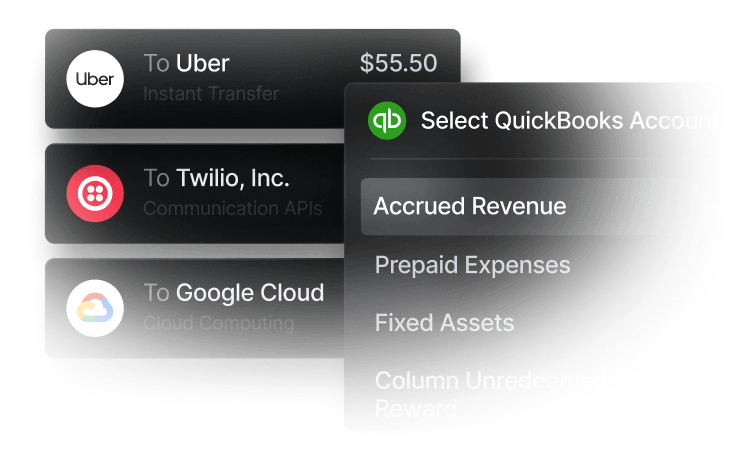
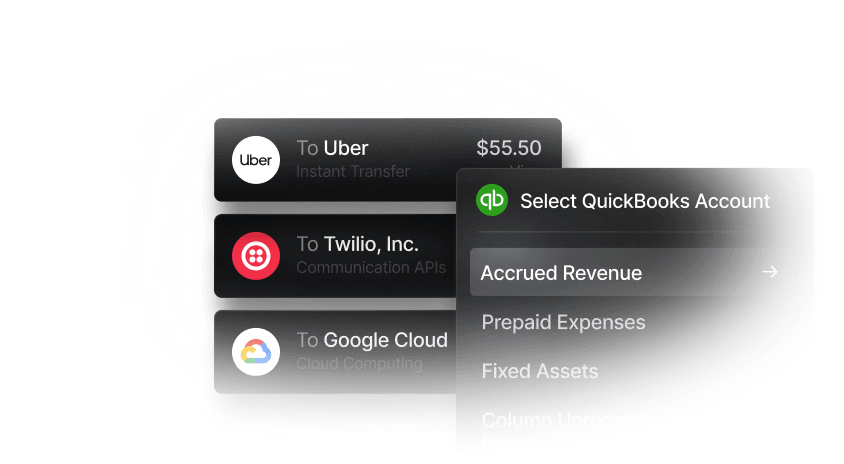
Two-way synchronization is particularly helpful, since both systems can cross-reference each other’s records and update when a task is completed outside of their domain. Slash integrates two-ways with accounting apps like QuickBooks Online and Sage Intacct, which opens up more tracking and reporting flexibility.
Reporting and Analytics Capabilities
Reporting tools are meant to help you understand whether your reminder strategy is actually making a positive impact. Dashboards can track overdue balances, average payment time, reminder delivery rates, customer responses, and the percentage of invoices paid after each message. These insights can reveal where customers tend to fall behind and what sort of strategy produces the best results. AR teams can then refine their schedules, adjust the way they word messages, or step in earlier when an account is identified as a procrastinator.
The Best Automated Payment Reminder Systems in 2026
At their core, the following platforms are built to send reminders and help make the accounts receivable process more efficient. What sets them apart from each other is actually the range of other features they support. Let’s take a look:
Slash
Slash combines automated invoicing with business banking, corporate cards, expense management, treasury tools, stablecoin support, and more.⁴,⁶ Businesses can create branded invoices and send them via email or an embedded payment link. Customers can then pay by card, ACH transfer, or wire, while customizable reminders are automatically sent to those with outstanding balances. Each invoice is tracked in real time as Draft, Sent, Viewed, Paid, Overdue, or Cancelled.
Overall, this type of automation is only a small part of Slash’s all-in-one business banking solution. Along with AR and AP support, Slash works as an expense management platform with a corporate card program. The Slash Visa® Platinum Card is a charge card that offers up to 2% cash back on eligible business purchases. Each time your employees use the Slash Card to spend company money, that expense is tracked in real time on the Slash dashboard alongside outgoing transfers, incoming payments, and outstanding invoices. Each purchase is also automatically categorized, which can make reconciliation a lot easier.
- Strength: Slash is the only option here that combines automated reminders with business banking, corporate cards, treasury, and stablecoin support. All these tools are also available for free, though fees and cashback rates vary between Slash’s Free and Pro plans.
- Weakness: At this time, Slash is not available for sole proprietors.
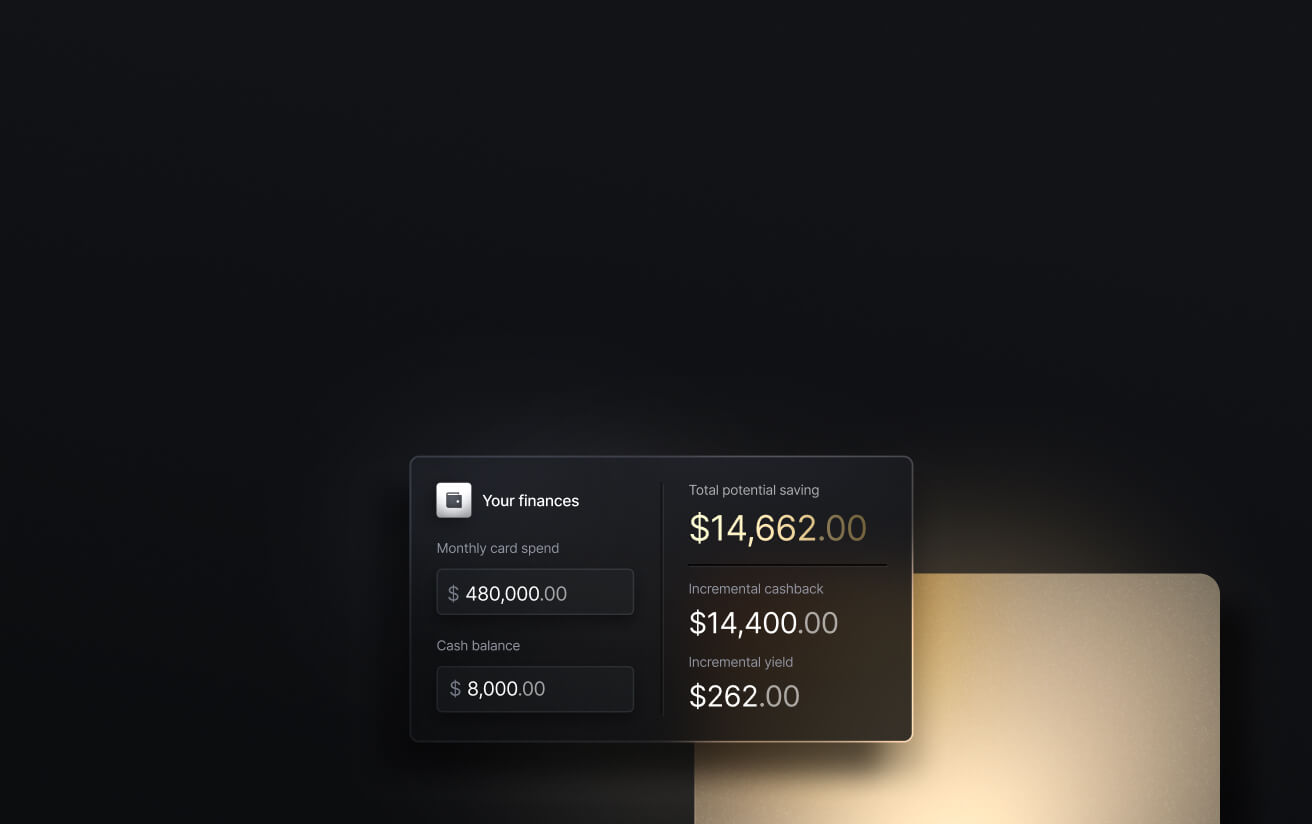
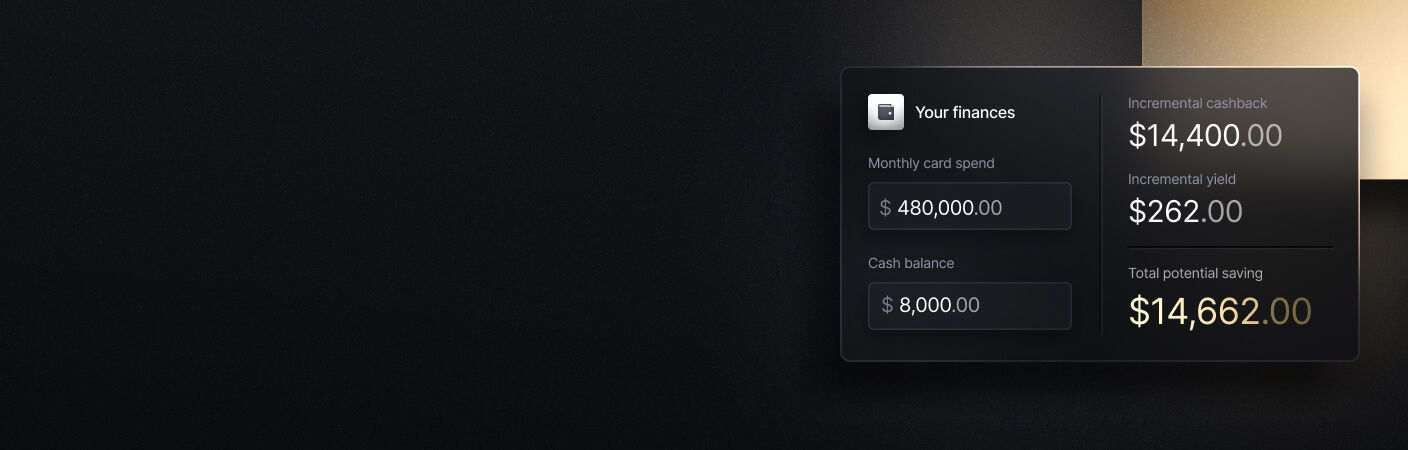
See the ROI behind your spend
Use this calculator to understand impact, then manage and track it all in Slash.
Zoho Invoice
Zoho Invoice is a free invoicing platform mostly aimed at freelancers and small businesses. Users can customize invoice templates, schedule recurring invoices, track time and expenses, create quotes, and collect card, ACH, or digital wallet payments through compatible gateways. Its payment reminders can follow up with customers before or after an invoice becomes due.
Invoices can be delivered by email or SMS, while PDFs can also be shared through services such as WhatsApp and iMessage. Through Zoho’s reporting, users can assess statistics regarding AR aging, sales, expenses, taxes, and customer activity. It also comes with built-in AI tools that can help identify potential payment delays and generate follow-up emails.
- Strength: Zoho Invoice is a solid invoicing and reminder system that comes with no monthly subscription fee.
- Weakness: It mostly handles processes strictly relating to invoicing. Businesses that need full bookkeeping and accounting will have to add Zoho Books or another platform.
HoneyBook
HoneyBook is a client management platform designed primarily for independent service businesses. Unlike our previous two platforms, it isn’t free; the Starter plan costs $29 per month when billed annually and includes invoices, online payments, templates, a client portal, basic reports, and unlimited clients and projects. Workflow automations and SMS reminders require Essentials, which costs $49 per month. Their $109/mo Premium tier comes with multi-entity support, advanced reports, unlimited team members, and priority customer service.
One of HoneyBook’s perks is its native payment processor, which you don’t see in all automated reminder systems. Card processing fees start at 2.7% plus 10 cents, while bank transfers cost 1.5%.
- Strength: HoneyBook manages more of the client relationship than simpler platforms do, and it also comes with a payment processor.
- Weakness: Payment automation requires a higher plan, and processing fees come on top of that subscription. Some of its Premium perks, such as multi-entity support, are actually free on platforms like Slash.
Stripe Billing
As a PayFac (payment facilitator) first and foremost, Stripe Billing is designed for businesses that need to manage subscriptions, recurring invoices, usage-based billing, and/or more complex pricing models. It supports flat-rate, tiered, per-seat, metered, and hybrid billing structures, with both no-code tools and APIs for custom implementation.
On the automated reminder side, you get customer emails, “Smart Retries” for unsuccessful charges, card account updates, and customized dunning flows. Businesses can also provide a hosted customer portal where users can review invoices and update payment methods.
Stripe’s pricing is a bit complex. Pay-as-you-go pricing costs 0.7% of Billing volume, excluding one-time invoices. You’ve also got contract plans that begin at $620/mo for up to $100,000 in monthly Billing volume. If none of that sounds quite right, you can also negotiate a custom package. Payment processing is separate, with standard online card payments costing 2.9% plus 30 cents.
- Strength: Stripe is a decent choice for subscription, usage-based, and developer-customized billing, especially if you use their other services.
- Weakness: Billing and processing fees can become expensive, and advanced implementations may require technical support.
FreshBooks
FreshBooks is an accounting platform that comes with invoicing and payment reminders. Like HoneyBook, there are three pricing tiers, each of which include customizable invoices, recurring billing, automated reminders, expense tracking, time tracking, and online payments.
The main difference between the platform’s tiers is in the number of supported clients. With Lite ($23/mo), you get five billable clients, with Plus ($43/mo), you get 50, and with Premium ($70/mo), the number is uncapped. Additionally, extra team members cost $11 per person per month, which can make the total price especially high for growing businesses.
FreshBooks also comes with a native payment processor called FreshBooks Payments, which, funny enough, is powered by Stripe. Processing fees are fairly standard, at 2.9% + 30 cents for typical cards and 3.5% + 30 cents for most other transactions.
- Strength: If you’re looking for a solid accounting solution with automated reminders and payment processing, FreshBooks is a good pick.
- Weakness: With low client limits on cheaper tiers and an $11 per person charge on extra members, it’s also one of the most expensive picks on the list.
How Slash Can Optimize Your Accounts Receivable Process
Most payment reminder systems do a lot more than give your customers a poke on the shoulder when an invoice is overdue. However, not many of them go beyond AR or basic accounting/bookkeeping. With Slash, you get an all-in-one system that encompasses AP, AR, accounting, invoice management, corporate cards, and almost every payment rail you can think of.
Slash users can send custom-branded invoices that include instructions and an embedded payment link directly from their Slash dashboard. To help ensure those bills are paid on time, you can automate customizable payment reminders at the cadence of your choice. Our platform also handles ACH collection; customers can connect a business bank account and authorize a debit to occur at a preset time or trigger, and an authorized auto-pull can also be initiated when sending an invoice. There’s no need to send a reminder when you have the ability to debit the account yourself.
Along with these automation features, Slash users can also manage their money with the following tools:
- Card controls and spend policies: Issue unlimited virtual and physical cards, set limits by card, team, or individual, and see every transaction post in real time. Slash texts employees for receipts and matches them automatically to transactions. Eligible business spend earns up to 2% cash back with the Slash Visa Platinum Card.
- Business banking: FDIC-insured business checking, protected up to $150M through Column N.A.'s insured cash sweep network.²
- Global USD: The Slash Global USD account is designed as an alternative for foreign founders who want access to USD without forming a US entity.³ Accounts are backed on Base by a balance held in USDC, which is designed to maintain a one-to-one value with the US dollar.
- Reimbursements: Instead of managing reimbursements across multiple tools, teams can submit, review, and approve reimbursements directly inside the Slash dashboard. Connect your bank account, upload your receipt, and let Slash capture the details.
- The Action Center: A one-stop spot for employees to see pending tasks assigned to them. These may include card requests, expense submissions, reimbursement reviews, and more.
Apply in less than 10 minutes today
Join the 10,000+ businesses already using Slash.
FAQs
How can I automate accounts payable?
AP automation is sort of like the reverse of AR automation. It starts with capture, where software reads an incoming bill and extracts the vendor, amount, due date, and line items. From there, it routes the bill through approval rules based on amount or department, schedules the payment, and pushes the coded transaction into your ledger.
Top Accounts Payable Automation Solutions for Small Businesses in 2026

Are automated payment reminders legal?
Surprisingly, this is actually a question that does bear answering. Email reminders to business contacts are straightforward, but automated texts and calls are a different matter, since prior express consent is generally required before sending them and penalties can be assessed per message. To be safe, you should collect that consent explicitly at onboarding.
What should I do when customers ignore my invoice reminders?
Well, a fourth or fifth message from your payment reminder software probably won’t help. If you call them directly, you might find that there’s a reason such as an invoice sitting unapproved or going to the wrong contact. If there’s a dispute or another more unique problem, it’s up to you or your team to address it.
Customer Lifetime Value: How to Calculate & Improve CLV

Read more from us


