

Ramp vs Brex vs BILL vs Slash: which is best for a growing company?
Quick answer: For a company of 20 to 200 people that wants corporate cards, bill pay, approvals, and business checking¹ in one account, Slash is the best fit: it costs $0 or $25 a month per entity with no per-user fees, includes QuickBooks Online, Xero, NetSuite, and Sage Intacct sync on both plans, and pays up to 2% cash back on eligible purchases with its corporate card. Ramp is the strongest pick for deep spend automation and purchase orders if you hold $25,000 in a business bank account, Brex suits venture-funded teams that travel, and BILL suits finance teams whose main job is high-volume accounts payable.
We wrote this guide to help you decide which of the four should run your cards, payables, and entities once a spreadsheet and QuickBooks stop being enough. Two-way comparisons are linked at the end.
Competitor details checked November 18, 2026, on each provider's own site. “Not listed” means the pages we checked don't publish it.
Plans and fees change. Confirm current terms with each provider before you choose.
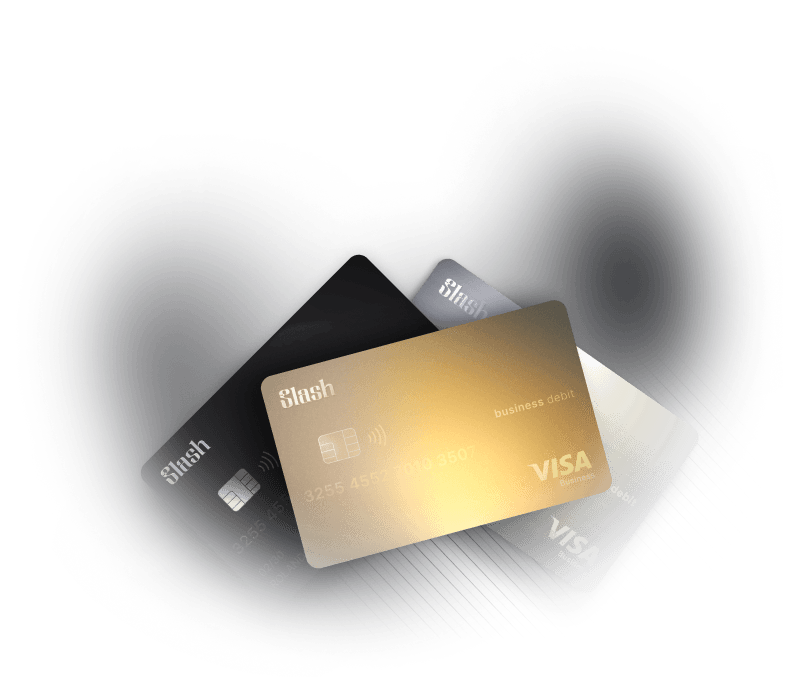

Which should a growing company pick?
- Pick Slash if you want one account for cards, bills, and banking: Cards, Bill Pay, payment approvals, reimbursements, and checking run from the same balance, and the price doesn't change as you add people: $0 or $25 a month per entity. NetSuite and Sage Intacct sync are included on the $0 plan, which matters if you expect to leave QuickBooks.
- Pick Ramp if spend automation is the priority and per-user pricing is acceptable: Ramp has the most built-out automation of the four: Plus adds AI coding for every field and advanced approval routing, and its Procurement add-on brings purchase orders with three-way match. You need $25,000 in a US business bank account to qualify.
- Pick Brex if you're venture-funded and your team travels: Brex points pay most on rideshare, Brex Travel, restaurants, and software, travel booking is free on Essentials, and Premium adds multiple expense policies and US and international entities. If you’re a funded startup, you’ll need $50,000 in cash to join.
- Pick BILL if accounts payable is the main job: BILL has the deepest payables product of the four: millions of vendors on the BILL network, automatic W-9 collection, mailed checks, and purchase orders with matching on its top plans. Expect to pay per AP user and to pair it with a card program (BILL Spend & Expense is $0 per user).
What changes when you outgrow spreadsheets and QuickBooks alone?
Somewhere between 20 and 200 people, four things tend to break at once: a shared card and a spreadsheet log stop working, bills arrive faster than one person can approve them, a second entity appears, and the accounting team starts planning a move from QuickBooks to NetSuite or Sage Intacct.
Ramp and Brex started as corporate cards and added bill pay and banking, BILL started with payables and added cards through Divvy, and Slash started from the business account. That origin still shows in what each does best and how each charges.
The standard in finance
Slash goes above with better controls, better rewards, and better support for your business.
How do you choose between Ramp, Brex, BILL, and Slash?
1. Do you need a card program, an AP tool, or both?
If most spend runs through cards (software, ads, travel, field purchases), start with Slash, Ramp, or Brex: all three issue unlimited virtual cards with merchant and spending limits, and they each collect receipts automatically. If most spend runs through vendor invoices, start with AP depth: BILL leads, and Ramp's Bill Pay is close behind. Slash and Brex include bill pay with approvals at no extra software cost.
2. How deep does accounts payable need to go?
If you need purchase orders, 2- or 3-way matching, or you still mail paper checks, BILL (Corporate or Enterprise) and Ramp (Plus with its Procurement add-on) are built for that. Slash Bill Pay covers the core workflow: forward or upload an invoice, let Slash extract the details, route the payment through your approval policy, schedule it, and sync the bill and payment to your accounting software. Vendors can submit their own bank details and W-9 through a secure link.
3. Is Ramp better than BILL for automated spending controls and approval workflows?
For card spending controls, yes: Ramp's free plan issues unlimited cards with category and vendor controls and checks spend against policy automatically, while BILL's automation centers around bills. For bill approvals, both charge more for the advanced version: Ramp routes by vendor, department, accounting field, or payment type on Plus ($15 per user a month plus a platform fee), and BILL's custom approval policies start on Corporate ($89 per user a month). Slash includes card controls and multi-step payment approvals on both plans with no per-user fees. Our Ramp vs BILL comparison breaks it all down feature by feature.
4. Will you add a second entity?
Multi-entity support is where pricing models split. Slash gives each entity its own Free or Pro plan, with unlimited entities under one login. Brex covers up to two entities on Essentials and needs Premium for more. Ramp lists multi-entity support on Plus, and BILL lists multi-entity, multi-location accounting on Corporate and Enterprise. If a second entity is likely within a year, price that plan now rather than the one you need today.
5. Which accounting system will you be on in two years?
QuickBooks Online and Xero are covered on Slash's and Ramp's free plans and with 2-way sync from BILL's Team plan ($65 per user a month; Essentials uses CSV import and export). Brex lists accounting integrations, including NetSuite, on Essentials. NetSuite and Sage Intacct are where the four differ most: Slash includes both on its $0 plan, importing NetSuite subsidiaries, classes, departments, and locations and syncing. Ramp puts NetSuite and Sage Intacct on Plus, and BILL reserves both for its custom-priced Enterprise plan.
6. Do you want banking in the same account?
All four now offer somewhere to hold cash. Slash is a business checking account first: the corporate card settles daily from it, bills are paid from it, and deposits are FDIC-insured up to $200M through Column N.A. and the IntraFi sweep network. Ramp Checking waives Ramp's Bill Pay fees, which otherwise run $0.59 per standard ACH, $10 per same-day ACH, and $15 per domestic wire. Brex's account and BILL's Cash Account are covered in the table above.
How do per-user and per-entity pricing compare?
Software cost depends on how many people need a seat and how many entities you run. The examples below assume every employee with a card counts as a user on per-user plans, three people work in accounts payable, and no one needs an enterprise contract. Payment fees are extra on most plans.
Estimated monthly software cost, based on each provider's published pricing as of November 2026; actual pricing can vary.
The gap widens with headcount: on per-user plans, every new hire who gets a card adds a seat, while Slash stays priced per entity. Payment fees differ too: Slash Pro has $0 same-day ACH and domestic wires (Free charges $1 and $6), BILL lists $0.59 per ACH payment and $1.99 per mailed check, and Ramp waives its Bill Pay fees only when you pay from Ramp Checking. More in per-entity vs per-user pricing.
What are the trade-offs?
Slash: Approval rules are built on amount and requester, while Ramp Plus also routes by accounting field and payment type. BILL and Ramp may be the stronger fit for purchase orders and mailed checks. At this time, sole proprietorships aren't eligible for Slash. The card charges a 1% foreign transaction fee (minimum $0.40), and the Free plan charges $1 per same-day ACH and $6 per domestic wire.
Ramp: You need $25,000 in a US business bank account, and Ramp doesn't accept sole proprietors. NetSuite, Sage Intacct, multi-entity support, and advanced approval routing require Plus at $15 per user a month plus an unlisted platform fee. Ramp doesn't publish its card's cashback rate on its pricing page, and bill payments from an outside bank carry per-payment fees.
Brex: Brex focuses on companies that have raised equity (or plan to), earn more than $500,000 a year, or are referred tech startups. Their monthly terms ask funded startups for $50,000 in cash. Points are worth 0.6¢ each as cash, so 1x everyday spend returns about 0.6%. Multiple expense policies and more than two entities need Premium.
BILL: Every AP user is a paid seat on Essentials and Team, 2-way QuickBooks sync starts on Team, and NetSuite/Sage Intacct sync needs Enterprise. Divvy points are worth 0.52¢ each as cash back, category multipliers apply only to the first $5,000 of spend each month, you must spend 30% of your credit line in a month to keep that month's points, and you can't redeem points in your first 12 months.
Verdict: which is best for a growing company?
Slash is the best overall fit for most companies in the 20-to-200-person range: cards, bill pay, approvals, accounting sync, and checking sit in one account, at a price that doesn't grow with headcount. The case gets stronger with each entity you add and once you run NetSuite or Sage Intacct, which Slash includes on its $0 plan.
Ramp wins if you want the deepest automation, including purchase orders and three-way match, and accept per-user pricing on Plus. Brex wins for venture-funded teams that travel and will use points. BILL wins when payables volume and complexity are the main problem, especially with check-paid vendors.
How does Slash work?
Slash is a business banking and spend management platform for startups and established small and mid-sized businesses. Each entity is on its own plan at $0 or $25 a month, one login holds unlimited entities, and more than 10,000 businesses currently use the platform.
Both plans include unlimited virtual cards, card groups with their own spending limits, card requests that an Owner or Admin approves, receipt collection by text or email, reimbursements, Bill Pay, invoicing, and Owner, Admin, Accountant, and Employee roles. Payment policies send payments over a set amount, including bill payments, through a multi-step chain that can require the requester's manager; see payment approval controls.
Slash's banking partner is Column N.A., Member FDIC. Slash is SOC 2 Type II and PCI DSS compliant.
For two-way detail, see Ramp vs Brex vs Slash, Brex vs BILL, BILL alternatives, Slash vs Ramp, Slash vs Brex, and Slash vs BILL.
Apply in less than 10 minutes today
Join the 10,000+ businesses already using Slash.
Frequently Asked Questions
Ramp vs Brex vs BILL: which is best for a growing company?
It depends on what's breaking. Ramp is best for automating card spend and approvals if you can hold $25,000 in the bank and accept per-user pricing on Plus. Brex is best for venture-funded teams that travel. BILL is best when vendor invoices are the main workload. If you want cards, bill pay, approvals, and banking in one account without per-user fees, Slash covers all of it for $0 or $25 a month per entity.
Is Ramp better than BILL for automated spending controls and approval workflows?
For card spending controls, generally yes: Ramp's free plan issues unlimited cards with category and vendor controls and automated policy checks. For bill approvals, both include approval workflows on their entry plans; Ramp's advanced routing needs Plus at $15 per user a month plus a platform fee, and BILL's custom approval policies need Corporate at $89 per user a month. Slash includes card controls and multi-step payment approvals on both of its plans with no per-user fees.
Ramp vs BILL.com: Comparing Spend Management Platforms

What are the best alternatives to BILL for integrated expense automation and accounting software integration?
Slash, Ramp, and Brex all combine corporate cards, expense automation, and bill pay with accounting sync. Slash includes QuickBooks Online, Xero, NetSuite, and Sage Intacct on both plans, priced per entity. Ramp includes QuickBooks Online and Xero on Free and NetSuite and Sage Intacct on Plus. Brex lists NetSuite on Essentials. BILL's 2-way sync starts on its $65-per-user Team plan, and NetSuite and Sage Intacct need Enterprise.
The 7 Best BILL Alternatives for Modern Finance Teams
Can you use BILL with Ramp or Brex?
Yes. Some companies run BILL for payables and Ramp or Brex for cards. The trade-off is a second system to reconcile, a second set of approval rules, and paid AP seats. If your payables are mostly ACH and wire payments to known vendors, one platform that handles cards and bills together is simpler.
How much cash do you need to qualify?
Ramp requires at least $25,000 in a US business bank account. Brex's monthly-payment card asks funded startups for $50,000 in cash and commercial businesses for more than $500,000 in annual revenue. BILL sets Spend & Expense credit lines at application. Slash has no published minimum balance and no venture funding requirement; it accepts US-registered LLCs, C-Corps, and S-Corps.


