

How do you sync bank and card activity from multiple subsidiaries into NetSuite?
Quick answer: Connect each subsidiary's bank and card accounts to NetSuite through one of four paths: NetSuite's Bank Feeds SuiteApp, statement files over SFTP through the Auto Bank Statement Import SuiteApp, a reconciliation SuiteApp, or a banking and card platform with a direct NetSuite sync. After that, map every account to a bank or credit card account in the subsidiary that owns it.
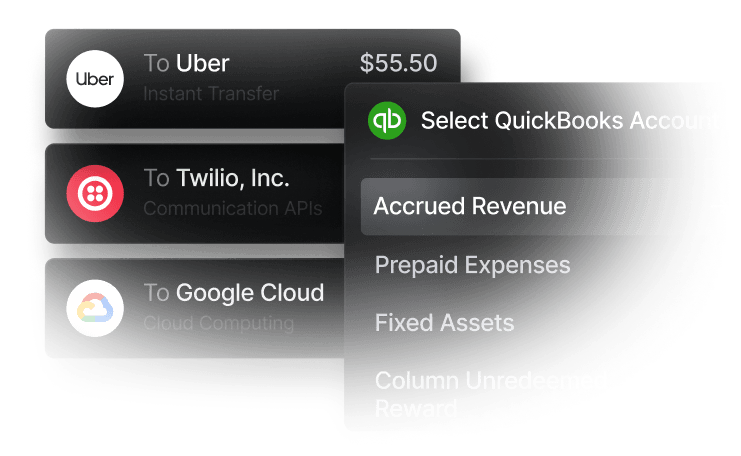
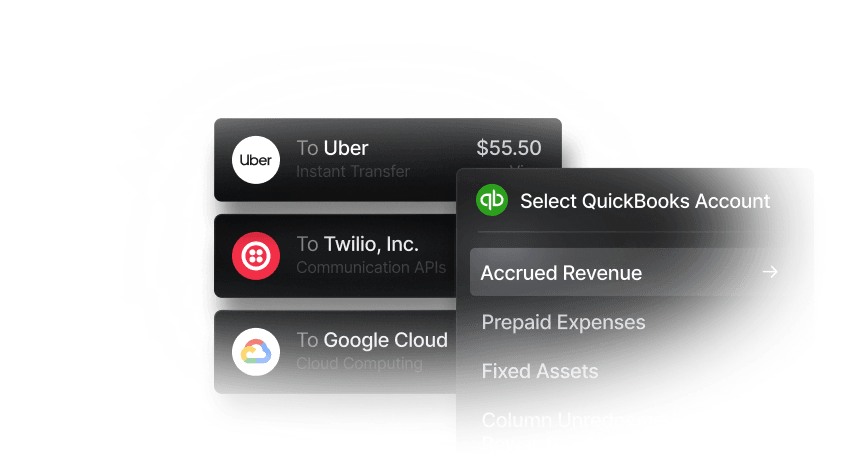
Slash is the direct-sync option for companies that want banking¹ and corporate cards in one place: each Slash entity connects to NetSuite, posts to the subsidiaries you choose with separate account mappings, and syncs card purchases, bank payments, deposits, and Bill Pay bills and payments on both the $0 Free and $25 Pro plans per entity.
Bank feeds suit banks you're keeping, with matching and coding done in NetSuite. A direct sync suits accounts and cards you control, because each transaction arrives with its GL account, vendor, department, and subsidiary already set.
NetSuite details come from Oracle's NetSuite documentation. Competitor details were checked November 18, 2026, on each provider's own site. “Not listed” means the pages we checked don't publish it.

Most multi-subsidiary companies combine two of these: a direct sync for the accounts and cards they use every day, and bank feeds or SFTP for bank accounts they keep elsewhere.
Which approach fits your setup?
- Pick a direct-sync platform such as Slash if you can run each subsidiary's operating account and cards in one place. Slash gives each entity its own accounts, cards, and NetSuite connection for $0 or $25 a month per entity.
- Pick NetSuite Bank Feeds for banks you're keeping, if your team’s comfortable matching and coding in NetSuite. Oracle notes that not every institution can be reached reliably through the SuiteApp.
- Pick SFTP through Auto Bank Statement Import if your banks deliver statement files and you'd rather not depend on online banking logins.
- Add a reconciliation SuiteApp if NetSuite's standard matching can't keep up with your volume, banks, or currencies.
- Pick Airwallex if subsidiaries hold foreign currencies. Its NetSuite bank feed creates one feed per currency balance and updates hourly.
How does multi-subsidiary mapping work in NetSuite?
In NetSuite OneWorld, bank accounts and credit card accounts are restricted to one subsidiary, while most other accounts can be shared. That means every real bank account or card program needs its own NetSuite bank or credit card account in the subsidiary that owns it, and every feed or sync has to point at that account. Get it wrong and transactions post to another subsidiary's books.
Set it up in this order:
- List every source by entity: each bank account, card program, payment processor, and currency, and the subsidiary that owns it.
- Create one NetSuite bank or credit card account per real account, in the owning subsidiary and currency.
- Choose one path per account: A bank feed and a direct sync on the same account post every transaction twice.
- Make dimensions available to each subsidiary: Accounts, classes, departments, locations, and vendors must be accessible to a subsidiary before entries coded with them can post there.
- Pick a start date: Choose the earliest date to pull transactions from, so a first import doesn't duplicate activity you've already booked.
How do you handle intercompany activity?
When one subsidiary pays for another or moves cash to it, you still record both sides, regardless of which feed or sync you use. Code one side to an intercompany receivable (due-from) account and the other to an intercompany payable (due-to) account, or post an advanced intercompany journal entry, which debits and credits each subsidiary's ledger in one transaction. With NetSuite's Automated Intercompany Management feature on, journal lines marked “Eliminate” generate elimination journal entries during period close. Oracle notes the feature can't be turned off once it's enabled.
Platforms differ in how much of this they handle:
- Slash: a transfer between two Slash entities appears as an outgoing payment in one and a deposit in the other, and you code each side to your intercompany accounts. If one entity pays for several subsidiaries, you change the Subsidiary on each entry before syncing (see the Slash setup below). Slash's help center doesn't describe automatic intercompany journal entries.
- Brex generates advanced intercompany journal entries when the billed and spending entities differ, except when card spend exports as NetSuite credit card transactions.
- Ramp, on Plus, draws each entity's statement payment from that entity's bank account, which Ramp says removes the need for intercompany transactions at close. It can't split one transaction across entities.
Keeping cards and accounts entity-specific means most transactions never cross a subsidiary line.
How do you sync multiple subsidiaries into NetSuite with Slash?
Give each subsidiary that has its own bank accounts and cards its own Slash entity, then connect each entity to the same NetSuite account. One login holds unlimited entities, each on its own plan (see managing multiple entities), and NetSuite sync is included on both Free and Pro.
- Prepare NetSuite: A NetSuite administrator completes the connection, which installs a connector bundle and turns on token-based authentication, SuiteScript, and REST and SOAP web services. In Slash, you need the Owner, Admin, or Accountant role.
- Connect each entity: Switch to the entity, open Accounting, click Connect integration, choose NetSuite, sign in, and authorize. Then choose a Sync from this date.
- Turn on subsidiaries and a default: Under Subsidiaries, turn on each subsidiary the entity posts to and mark one as the default. Inactive subsidiaries can't be turned on.
- Map accounts per subsidiary: For each subsidiary you turned on, map the Slash card account to a NetSuite credit card account and the cash and savings accounts to bank accounts. An Accounts Payable account is optional and is credited when Bill Pay bills sync.
- Review, mark ready, and sync: Entries wait in In Review, where mapping rules can fill in accounts and dimensions. Mark them ready, then click Sync to NetSuite.
Slash imports your chart of accounts, vendors, customers, classes, departments, locations, and subsidiaries, plus transaction custom fields, and picks up changes you make in NetSuite automatically. Here's how a parent with two subsidiaries could set it up, based on the example in Slash's NetSuite setup guide:
If the parent pays for everything instead, turn on all three subsidiaries in its settings, map its accounts for each, and change the Subsidiary on entries that belong to Labs or Stores before syncing. You need one connection per Slash entity, not per subsidiary.
What does each Slash transaction become in NetSuite?
Slash creates an entry when each transaction settles or a Bill Pay bill is created, and sends it to NetSuite only when you sync. Bill payments are the exception: Slash codes them from the bill and sends them on the next sync after the bill has synced.
Three settings matter at close:
- Journal entries post as approved by default: If your NetSuite account requires journal entry approval, Slash posts its entries as approved, since you already reviewed them in Slash. To approve them in NetSuite instead, turn off automatic approval in Accounting settings.
- Split lines keep their coding: Split a transaction into lines with their own GL account, class, department, and location, and NetSuite keeps the department on each line.
- Receipts and invoices come along: Receipts attach to the NetSuite record after it syncs, and invoice files attach to the NetSuite bill.
To compare card programs, see corporate cards with NetSuite and Sage Intacct sync. For vendor payments, see accounts payable software for NetSuite and Sage Intacct.
How do other platforms sync multiple subsidiaries into NetSuite?
Plan names and list prices are correct as of November 2026, taken from each provider's own site.
Per-user and platform fees grow as you add cardholders and entities. For estimates by structure, see multi-entity banking pricing: per entity vs per user.
What breaks a multi-subsidiary NetSuite sync?
- Two paths into one account: A bank feed and a direct sync on the same account can double every transaction. Pick one per account.
- An account outside the entry's subsidiary or currency: NetSuite rejects entries posted to an inactive account or one that doesn't belong to the entry's subsidiary and currency. In Slash, the entry moves to the Failed tab along with the reason.
- Missing vendors on card charges: NetSuite requires a vendor on expenses paid from a credit card account.
- Mismatched journal approval settings: If your NetSuite account doesn't use journal entry approvals, turn off automatic approval in Slash, or else journal entries may fail to sync.
- Expired connections: Bank logins and integration tokens expire. Reconnect, then retry the failed entries. See troubleshooting sync errors.
Verdict: what's the best way to sync multiple subsidiaries into NetSuite?
If you can run each subsidiary's operating account and cards in one platform, a direct sync beats bank feeds: transactions arrive coded to the right subsidiary, account, and department, so close becomes a review instead of data entry. Slash is our pick for that. Each entity gets its own accounts, cards, and NetSuite connection, one entity can post to several subsidiaries with separate account mappings, Bill Pay bills and payments sync back, all for $0 or $25 a month per entity with no per-user fees.
Keep Bank Feeds or SFTP for bank accounts you aren't moving, add a reconciliation SuiteApp if matching outgrows NetSuite's rules, and look at Airwallex if subsidiaries hold foreign currencies. Brex fits funded companies that want intercompany journal entries generated for card spend, and Ramp fits teams that want deeper spend automation and will pay per user on Plus.
For background, see what multi-entity accounting involves, what Oracle NetSuite is, and fintech platforms for multi-entity banking.
Apply in less than 10 minutes today
Join the 10,000+ businesses already using Slash.
Frequently asked questions
What tools sync spending from multiple company bank accounts directly into NetSuite automatically?
NetSuite's Bank Feeds SuiteApp imports transactions daily from supported banks and card issuers, the Auto Bank Statement Import SuiteApp pulls statement files over SFTP, and reconciliation SuiteApps such as ZoneReconcile add connectivity and matching. Direct-sync platforms such as Slash, Ramp, Brex, and Airwallex send transactions already coded. Slash syncs each entity's card, bank, and Bill Pay activity to the NetSuite subsidiaries you choose on both its $0 and $25 plans.
Now Live: Connect to NetSuite and DualEntry

What's the best way to sync card and bank activity from multiple entities into NetSuite?
Map every account to a bank or credit card account in the subsidiary that owns it, then use one path per account: a direct sync for the accounts and cards you run in one platform, and bank feeds or SFTP for the rest. Slash gives each entity its own NetSuite connection with separate account mappings per subsidiary, so a card purchase arrives as a credit card charge in the right subsidiary.
How do we consolidate banking and card transactions across subsidiaries without manual reconciliation each month?
Code transactions before they post, not after. Keep cards and accounts entity-specific, use mapping rules to fill in accounts and dimensions, record intercompany transfers on both sides when they happen, and let NetSuite's Automated Intercompany Management generate elimination entries at close. In Slash, mapping rules and a review queue handle coding for every entity before anything syncs.
Do I need a separate NetSuite connection for each subsidiary?
Not with Slash. You need one connection per Slash entity, and one entity can post to several subsidiaries from a single connection, with separate account mappings for each. Several Slash entities can also connect to the same NetSuite account.
Can NetSuite Bank Feeds handle multiple subsidiaries?
Yes, as long as each linked bank or card account maps to a NetSuite account in the right subsidiary. Bank Feeds brings in transactions for matching in NetSuite; it doesn't assign a department, class, or vendor before they arrive. Oracle notes that not every financial institution can be reached reliably through the SuiteApp.
Which platforms sync both banking and corporate cards to NetSuite without per-user fees?
Slash includes NetSuite sync for banking, cards, and Bill Pay on both its $0 and $25 plans, priced per entity. Brex Essentials includes NetSuite at $0 per user for up to two entities, and Mercury offers a free NetSuite bank feed with categorization on Pro. Ramp and Airwallex list NetSuite on per-user plans with a platform fee.
Can Slash sync working capital draws to NetSuite without manual entry?
Partly. A Working Capital draw lands in your Slash account as an incoming wire labeled Slash Capital; code it to a liability account and it syncs to NetSuite as a deposit. Repayments from your Slash account can be coded to the same liability. Slash doesn't sync the line's balance, fees, or repayment schedule, so track those separately.


