

Which accounts payable software syncs with NetSuite and Sage Intacct?
Quick answer: Slash’s banking software¹ is the best fit for most small and mid-sized finance teams: Bill Pay sends ACH and wire payments through multi-step approval rules, and bills and bill payments sync to NetSuite or Sage Intacct on both the $0 Free and $25 Pro plans, priced per entity with no per-user fees. BILL and Tipalti go deeper on purchase-order matching but cost more, Ramp needs its Plus plan for either ERP, Brex syncs bills one way on its $0 plan, and Rho syncs both ERPs at $0 if you bank there. Mercury offers a NetSuite bank feed, but doesn't list Sage Intacct.
The competitor details in the table below are correct as of November 2026, checked on each provider's own site. If a provider didn't list something on the pages we checked, the cell says “Not listed”. Slash details checked November 16, 2026, in the Slash help center.
Plans, integrations, and fees are subject to change. Confirm current terms with each provider before you switch.
The standard in finance
Slash goes above with better controls, better rewards, and better support for your business.
Which AP software fits your finance team?
- NetSuite or Sage Intacct on a $0 plan, priced per entity: Slash. Adding approvers doesn't change the price.
- High-volume AP with purchase-order matching: BILL Enterprise or Tipalti. Expect custom pricing or transaction fees.
- AI coding across cards and bills: Ramp Plus. $15 per user a month plus a platform fee.
- A funded startup with one or two entities: Brex. Both ERPs sync on the $0 Essentials plan.
- If you’re ready to move your banking: Rho. Bill Pay and ERP sync are $0 for Rho customers.
- NetSuite bank feeds on a free account: Mercury. No Sage Intacct.
How did we rank these tools?
We weighed whether NetSuite and Sage Intacct sync on the plan a small team would actually buy, how much of the bill syncs, software cost plus payment fees, and approval controls. Because this guide covers both ERPs, a tool that doesn't list Sage Intacct naturally ranks near the bottom.
1. Slash: both ERPs on the $0 plan, with bills and payments synced
Slash Bill Pay captures bills from each entity's AP inbox or an uploaded file, reads the vendor, invoice number, dates, line items, and totals, routes the payment through your approval policies, and pays by ACH, domestic or international wire, card, or FedNow. Payments can go out immediately, on a schedule, or in part.
The NetSuite connection imports your chart of accounts, vendors, customers, classes, departments, locations, and subsidiaries, with a default subsidiary for each Slash account. Sage Intacct imports departments, locations, projects, classes, customers, and subsidiaries as well. A bill paid through Slash syncs as both the bill and the bill payment, so the payable shows its full history in the ledger, and changes made in your ERP flow back to Slash. Both ERPs are on Free ($0) and Pro ($25 a month per entity), with no per-user fees.
Why it ranks first: both ERPs on a $0 plan, line-level dimensions and the payment in the sync, and a price that doesn't grow with your AP team, with cards and banking in the same review queue.
Where it falls short: The Bill Pay page doesn't list purchase-order matching. On Free, ACH costs $1 and domestic wires $6, so busy teams are better off on Pro.
2. BILL: the AP specialist, with ERP sync on Enterprise
BILL's AP plans cost $49, $65, or $89 per user per month. Two-way QuickBooks Online and Xero sync starts on Team, but NetSuite and Sage Intacct sync are only on Enterprise, at custom pricing. Enterprise also adds purchase-order sync with two- and three-way matching and dual control. Payments cost $0.59 per ACH, $1.99 per mailed check, and $11.99 for faster ACH; BILL doesn't list a domestic wire fee.
Why it ranks second: All in all, BILL offers the deepest dedicated AP feature set here.
Where it falls short: the ERP sync you're shopping for is Enterprise-only, and per-user pricing grows with every clerk and approver, though Corporate and Enterprise offer cheaper approver-only seats.
3. Ramp Bill Pay: deep automation, ERP sync on Plus
Ramp's free plan includes invoice extraction, configurable approval workflows, and QuickBooks Online and Xero sync. NetSuite and Sage Intacct require Plus at $15 per user a month plus a platform fee, which adds AI-coded line items, approval recommendations, payment release approvals, and routing by vendor, department, GL code, or entity.
Why it ranks third: Ramp supports the most AI automation on bills in this comparison.
Where it falls short: Payments cost $0.59 per standard ACH, $10 per same-day ACH, and $15 per domestic wire unless you pay from Ramp Checking. ERP sync costs more with each user, and Ramp also requires $25,000 in a business bank account to qualify.
4. Brex: one-way bill sync to both ERPs on $0 Essentials
Brex's $0 Essentials plan includes bill pay, multi-level approval flows, and NetSuite and Sage Intacct sync for up to two entities. Bills sync one way: the vendor (created if no exact name match exists), the bill with its invoice, line items coded to GL account, location, department, and class, then a linked payment. Edits in your ERP don't sync back. Fortunately, Brex charges no fees for ACH, wires, or checks from a Brex business account.
Why it ranks fourth: both ERPs are on a $0 plan, along with line-level dimensions.
Where it falls short: the sync is one-way only, a third entity means Premium at $12 per user a month, and funded startups need $50,000 in cash to qualify.
5. Tipalti: built for high-volume and global AP
Tipalti's AP plans start at $99 a month with unlimited users, plus per-invoice and per-payment fees it doesn't publish. It lists native two-way NetSuite and Sage Intacct integrations, two- and three-way purchase-order matching, multi-entity accounting, supplier tax-form collection, and payments to 200+ countries and territories.
Where it falls short: there's no free tier, and your total cost depends on transaction fees you’d likely only see in a quote.
6. Rho: both ERPs at $0, if Rho is your bank
Rho Bill Pay comes with Rho banking at no subscription or per-user cost, with $0 ACH, domestic wires, and checks. It syncs with QuickBooks Online, NetSuite, and Sage Intacct both ways: Rho can push bills it captures to your ERP or pull open bills already entered there, then pushes the payment and marks the bill paid.
Where it falls short: bills are paid from Rho Checking, insured to $250,000, so you’ll have to move operating cash to Rho.
7. Mercury: free bill pay, NetSuite only
Mercury Bill Pay is free, with $0 ACH, wires, and checks in USD and multi-layered approval rules, with approvals in Slack or the mobile app. Every plan includes a NetSuite bank feed, but syncing bills and bill payments with GL codes needs a paid plan: Mercury's FAQ says paid plans start at $35 a month, and its plan table lists NetSuite categorization under Pro at $299.
Why it ranks last: Mercury doesn't list Sage Intacct.
How does the NetSuite AP sync work in Slash?
An Owner or Admin sets it up once. These steps come from Slash's NetSuite guide and Bill Pay guide.
- Connect NetSuite: Open Accounting, click Connect accounting app, choose NetSuite, and authorize Slash. Your chart of accounts, vendors, customers, classes, departments, locations, and subsidiaries import.
- Map accounts: Match each Slash cash and card account to its NetSuite account, pick a Sync from date, and set a default subsidiary for each Slash account if you use subsidiaries.
- Add the bill: Forward the invoice to your AP inbox, upload it, or enter it by hand, then confirm the vendor and payment destination Slash fills in.
- Pay it: Click Continue to payment and choose ACH or wire, now or on a scheduled date. If a policy applies, the bill shows Pending approval until each approver signs off.
- Code it: Under Accounting, assign the GL account, vendor, and dimensions such as department, location, class, customer, project, or subsidiary.
- Sync it: Mark the bill Ready to Sync and click Sync to NetSuite. Slash sends the bill and the bill payment; if a sync fails, fix the flagged field and retry.
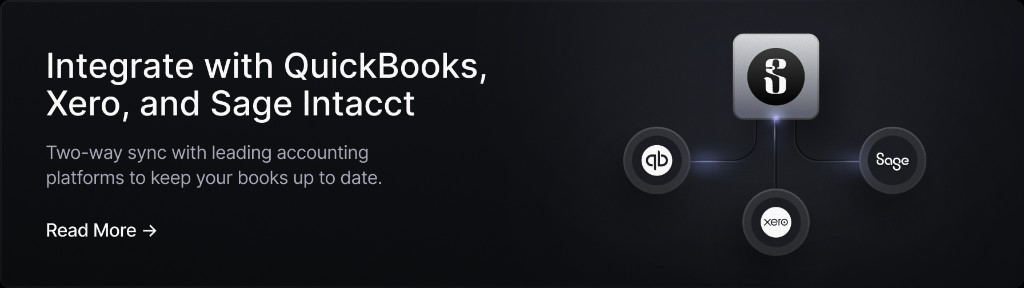
Sage Intacct follows the same flow, ending with Sync to Sage Intacct; see the Sage Intacct guide and adding bills to your accounting dashboard. For card spend in the same ERPs, see corporate cards with NetSuite and Sage Intacct sync.
How do approval workflows work in bill pay software?
An approval workflow decides which payments need sign-off, and from whom, before money leaves the account. Most tools build it from three parts:
- Conditions, such as an amount threshold, vendor, department, GL code, or who submitted the bill.
- An approval chain of one or more approvers in order, named individually or by role.
- A release step. Some tools add a separate payment release approval or dual control, so the person who approves a bill isn't the one who sends the money.
In Slash, payment policies use if/then logic: if a payment matches your conditions (such as $10,000 or more), Slash skips approval, rejects it automatically, or sends it through an approval chain with steps assigned to people or roles. Requests appear in each approver's Payments dashboard; see configuring approval controls. For how other providers split approvals by plan, see multi-step payment approvals on free vs paid plans.
What could AP software cost for a five-person finance team?
Below is a series of estimates for monthly software costs for one entity with five people who enter, approve, or pay bills, at published prices. Payment fees and unpublished platform fees aren't included.
What's the cheapest way to pay vendors by ACH?
Use a provider that charges $0 per ACH. Mercury and Rho charge nothing, Brex charges nothing from a Brex business account, and Ramp charges nothing from Ramp Checking. Slash Pro charges $0 per ACH and domestic wire for a flat $25 a month per entity, while Slash Free charges $1 per ACH.
Fees can add up when you pay from another bank. Forty ACH payments and five domestic wires a month can cost $25 on Slash Pro, $70 on Slash Free, $98.60 on Ramp from an outside bank, and $23.60 in ACH fees on BILL before its per-user subscription. See ACH vs wire transfers.
Verdict: which AP software should you pick for NetSuite or Sage Intacct?
Pick Slash if you want NetSuite or Sage Intacct bill sync without an Enterprise contract or per-user pricing, and you're happy to run payables from the same account as your cards and banking (see Slash pricing). Pick BILL Enterprise or Tipalti for high-volume AP with purchase-order matching, Ramp Plus for AI coding, Brex for a funded startup with one or two entities, Rho if you want to move your banking workflows to Rho, and Mercury only if you don't need Sage Intacct.
For broader picks, see the best bill pay software for small businesses and AP automation best practices. Head-to-head: Slash vs BILL, Slash vs Ramp, Slash vs Brex, Slash vs Rho, and Slash vs Mercury.
Apply in less than 10 minutes today
Join the 10,000+ businesses already using Slash.
Frequently Asked Questions
What is the best accounts payable software that syncs with NetSuite?
For most small and mid-sized teams, Slash: bills and bill payments sync to NetSuite on the $0 Free and $25 Pro plans, with classes, departments, locations, customers, and subsidiaries imported for coding. Brex syncs bills one way on its $0 Essentials plan, Ramp requires Plus, BILL requires Enterprise, and Tipalti starts at $99 a month plus transaction fees.
What is the best accounts payable software that syncs with Sage Intacct?
Slash includes Sage Intacct on both plans and imports departments, locations, projects, classes, customers, and subsidiaries. Brex Essentials and Rho also sync bills to Sage Intacct at $0 per user, Ramp needs Plus, BILL needs Enterprise, and Tipalti lists a native integration. Mercury doesn't list Sage Intacct.
Corporate Cards With NetSuite and Sage Intacct Sync (2026)

What is the best AP automation tool for a five-person finance team?
One without per-user fees, so adding an approver doesn't raise the bill. Slash costs $0 or $25 a month per entity for any number of users, with NetSuite and Sage Intacct included, and Brex Essentials and Rho are also $0 per user. Ramp Plus can cost $75 a month plus a platform fee for five users.
How do approval workflows work in bill pay software?
You set conditions, such as an amount threshold, vendor, or requester, and an approval chain of one or more people or roles. Matching bills wait for each approver before payment, and some tools add a separate payment release step. In Slash, a policy can also skip approval or reject a payment automatically.
Best Bill Pay and Accounts Payable Software for Small Businesses (2026)

What is the cheapest way to pay vendors by ACH?
Use a provider with $0 ACH: Mercury and Rho, Brex from a Brex business account, Ramp from Ramp Checking (otherwise $0.59), or Slash Pro for a flat $25 a month per entity. BILL charges $0.59 per ACH on top of its per-user plans.


