

What is NetSuite, and Is It Right for Your Business?
NetSuite is a cloud-based business management suite owned and hosted by Oracle. The software combines accounting and financial management, customer relationship management (CRM), inventory and order management, and a range of other tools in one system. The point of NetSuite is consolidation: instead of three copies of the same information sitting in three different tools, everyone in the company works from one set of records.
NetSuite is considered an ERP, short for enterprise resource planning, which is software that ties a company's core financial and operational processes into one system of record. NetSuite is built for mid-market companies, often between roughly $10 million and $500 million in revenue, that have outgrown lightweight software and need stronger data sharing across a growing team. However, NetSuite may be overkill for some businesses, as it can be expensive and complicated to implement.
In this guide, we're going in-depth to see how NetSuite works, what it's capable of, what it costs, and what businesses should consider before making a switch. You'll also learn how financial tools like Slash can elevate businesses using NetSuite with a direct integration. Every payment, invoice, card charge, and treasury movement in Slash posts itself to the right account in your NetSuite ledger, so nothing gets entered twice.¹, ⁶
The Role of NetSuite in Business Operations: Modules and Functionality
Every account starts with the NetSuite ERP license. The base platform carries core financial and accounting tools (general ledger, accounts payable and receivable, cash management, and tax management), order management from quote through fulfillment to invoice, basic inventory, and the SuiteCloud technology that customization and integrations run on.
Netsuite’s additional capabilities are broken up into modules. Every customer buys the base platform, then licenses additional modules as the business needs them. Here’s what each module does:
Financial Management
- Advanced Financials: Budgeting against actuals, expense allocation across departments, amortization schedules for prepaid costs, and statistical accounts for allocation drivers like headcount or square footage.
- Revenue Management: Automated revenue recognition, allocation, and forecasting under standards like ASC 606, which matters most for subscription businesses and anyone selling bundled products and services.
- Multi-Book Accounting: Posts one transaction to several sets of books at once, each under its own accounting standard, calendar, and currency.
- Fixed Assets Management: Tracks capitalized assets through depreciation, revaluation, transfer, and disposal, posting the resulting journal entries automatically.
- OneWorld: Multiple legal entities, currencies, and tax jurisdictions with automated intercompany transactions and consolidated reporting. Oracle documents support for up to 250 subsidiaries in a single account, and for many mid-market finance teams this module is the main reason they land on NetSuite at all.
- Enterprise Performance Management (EPM): The planning layer, covering budgeting, forecasting, close management, consolidation, and account reconciliation. This is what replaces an FP&A spreadsheet stack, and most companies buy it once the transactional core is stable.
Customer Relationship Management
- CRM: Sales force automation (leads, opportunities, quotes, forecasts), marketing campaign management, and customer service case routing.
- Contract Renewals: Automates renewal cycles and flags upcoming expirations against the underlying contracts.
- Incentive Compensation: Calculates commissions on tiered or multi-variable plans without a side spreadsheet.
- CPQ: Configure-price-quote workflows for products with complex options, generating the bill of materials from the configuration.
Inventory and Order Management
- Advanced Inventory Management: Multi-location stock tracking, demand-based replenishment with reorder points and safety stock, and lot and serial number tracking for traceability and recalls.
- Advanced Order Management: Orchestrates allocation and fulfillment across locations so an order ships from wherever makes sense.
- Smart Count: Automates cycle counting so a location can be counted without freezing inventory transactions.
- Grid Order Management: Handles multi-attribute SKUs, the apparel case where one style exists in six colors and eight sizes.
Supply Chain and Manufacturing
- Procurement: Requisitions with approval routing, vendor records and negotiated pricing, purchase orders, and the three-way match between purchase order, receipt, and vendor invoice.
- SuiteProcurement: Extends procurement to indirect spend, with punchout into supplier catalogs.
- Warehouse Management System (WMS): Directed receiving, putaway, picking, and returns on mobile devices, plus shelf-life tracking.
- Ship Central: Mobile packing and shipping from the warehouse floor.
- Demand Planning: Forecasts requirements from historical sales and seasonal patterns.
- Advanced Manufacturing: Connects production to financials, inventory, and orders, alongside Work Orders and Assemblies for multi-component builds and Work in Process (WIP) and Routings for visibility into production steps.
- Quality Management: Defines test parameters, inspection scheduling, and the workflows around them.
Commerce
- SuiteCommerce: A B2B and B2C storefront running on the same inventory and customer records as the rest of the suite.
- SuiteCommerce Advanced: The same storefront with deeper developer control over templates and behavior.
- SuiteCommerce InStore: A mobile point-of-sale with live inventory visibility behind it.
- NetSuite Connector: Maps data between NetSuite and existing channels like Shopify and Amazon, for businesses that would rather not replace a storefront that works.
Human Resources
- SuitePeople HR: Employee records, org charts, and time-off management, with HR analytics on top.
- SuitePeople Performance Management: Goal tracking, reviews, and recognition.
- SuitePeople Workforce Management: Shift scheduling, time and attendance, and wage calculation.
- Payroll: Employee and contractor payments with tax filing and deduction handling. Coverage is narrower than that of global payroll specialists, so companies employing people across several countries often integrate a dedicated provider instead.
Professional Services Automation
- SuiteProjects: Project plans, resource allocation, time and expense capture, job costing, and billing rules, with profitability reported per engagement.
- SuiteProjects Pro: The same for more complex delivery, with deeper resource management and time tracking. Together these let an agency see realized margin on a project against the same ledger that produces the income statement.
Business Intelligence
- Analytics Warehouse: Consolidates NetSuite data with data from other applications in a prebuilt warehouse, for the cross-system questions the base platform's saved searches and dashboards cannot answer.
The standard in finance
Slash goes above with better controls, better rewards, and better support for your business.


How to Utilize NetSuite Integrations
No company runs everything inside NetSuite; even though it's an incredibly comprehensive software, it still doesn't issue corporate cards, hold your bank accounts, or move your money. That's why NetSuite can integrate with third-party software, so the infrastructure you use for the things NetSuite can't handle are still included in your NetSuite data.
There are five ways businesses can integrate their external tools with NetSuite; each method is detailed below:
Two-Way Sync with SuiteTalk
The most straightforward way to keep two systems in step automatically is SuiteTalk. Its current version uses REST, the standard way modern web applications talk to each other, which lets outside tools read and write NetSuite records: create a customer, update an invoice, look up an order.
Financial tools are among the most common things businesses connect this way, since spend data has to reach the ledger one way or another. Slash, for example, syncs two ways with NetSuite: corporate card spend, invoices, and bill payment activity post to the right accounts automatically, and changes made in NetSuite flow back to Slash. That removes the manual export-and-import step that otherwise sits between money moving and the books reflecting it.
Custom integration with SuiteScript
Sometimes no prebuilt connector does what you need. In that case, a developer can build one using SuiteScript, NetSuite's JavaScript development environment. However, while custom code is the most flexible integration, it’s the most expensive to maintain. Oracle ships two releases a year, so every script has to be retested each cycle to confirm the upgrade didn't break it. Most implementation partners give the same advice: reserve custom development for the processes that genuinely differentiate your business.
Reporting Access with SuiteAnalytics Connect
If your team relies on a business intelligence tool, SuiteAnalytics Connect lets something like Power BI or Tableau query NetSuite directly, using the same standard database connections those tools already rely on elsewhere. Dashboards then refresh on their own instead of someone exporting a spreadsheet. This route is read-only, so it is for getting numbers out rather than pushing data back in.
Scheduled CSV Imports
Plenty of integrations are really just a spreadsheet arriving every week from a bank, a logistics provider, or a payroll service. NetSuite's scheduled CSV import handles those: match the file's columns to NetSuite fields once on a mapping screen, then leave it running. It is generally the cheapest route and needs no developer, though it moves data on a schedule rather than the moment something changes.
Prebuilt Apps from the SuiteApp Marketplace
Before building anything, check whether someone already has. The SuiteApp marketplace lists hundreds of prebuilt integrations and add-ons, and a "Built for NetSuite" badge means Oracle has reviewed the app against its development standards and retests it against each of the two annual releases.
NetSuite Pricing: License and Implementation Costs
NetSuite does not publish a price list. Every base license is quoted by Oracle or a reseller and negotiated, so the figures below are ranges reported by buyers and implementation partners rather than list prices you can look up.
The pricing structure has three parts:
- An annual base license for the platform and core financials, commonly reported starting around $999 per month and rising with the modules selected
- Per-user licenses, generally $99 to $199 per user per month depending on access level, with limited self-service seats costing less than full users
- Separate licensing for each additional module, so CRM, advanced inventory, WMS, and SuiteCommerce each add to the annual figure.
Implementation is a separate cost. Reported ranges run from about $25,000 for a small, clean deployment to several hundred thousand for complex ones. Four to nine months is a common timeline, covering configuration, data migration, integration work, and training.
Two contract details belong in the budget. Initial terms are commonly twelve months, though Oracle pushes hard for two- or three-year commitments in exchange for a larger discount. And renewal increases in the range of a few percent to high single digits per year are frequently reported, on top of which the initial discount itself can erode at renewal, so ask for both an uplift cap and a floor on your discount before you sign.
Netsuite vs ERP alternatives: Estimated pricing and usage
The mid-market ERP field prices in noticeably different ways, which makes headline numbers hard to compare directly. Here is how the main alternatives stack up on structure and cost:
Potential Benefits and Downsides of Using NetSuite
NetSuite's strengths and its problems come from the same place: it is one large, deeply connected system rather than a set of tools you assemble. Here are some things to consider if your business is thinking about making the switch:
What are the benefits of using NetSuite?
- One system of record: Financials, orders, inventory, and customer data live in the same database, so reports reconcile by default instead of after someone merges exports. This is the benefit most companies actually buy.
- Strong multi-entity and multi-currency support: OneWorld handles multiple legal entities, currencies, and local tax requirements with automated intercompany transactions and consolidated reporting on top, which is difficult to replicate with accounting software and spreadsheets.
- Breadth you can add to over time: Warehouse management, ecommerce, project accounting, HR, and planning are modules rather than separate purchases, so a company can start with financials and layer on the rest without replacing the system each time it changes shape.
- Real-time operational visibility: Role-based dashboards give each function a view of live data, so inventory positions, receivables aging, and pipeline are current rather than as of last month's close.
What are the downsides of using NetSuite?
- Total cost can be high and hard to pin down: Between base license, per-user fees, per-module pricing, and implementation, first-year spend often lands well into six figures, and nothing is published, so comparing quotes takes real work.
- Implementation can be a lengthy, complex project: Four to nine months is normal, it consumes finance and operations time on top of partner fees, and most companies need an implementation partner to get through it.
- There is a real learning curve: Dense record pages and nested sublists mean new users often need a few weeks to get comfortable, and reporting past the standard set tends to require saved searches that non-technical users find awkward.
- It can be more system than the business needs: A rough rule of thumb among implementation partners puts the point where NetSuite starts to pay for itself somewhere around $10 million in revenue and 15 or more users. Below that threshold, accounting software plus a few focused tools can cover the same ground for a fraction of the cost and setup effort.
Sync Your Spend to NetSuite with Slash
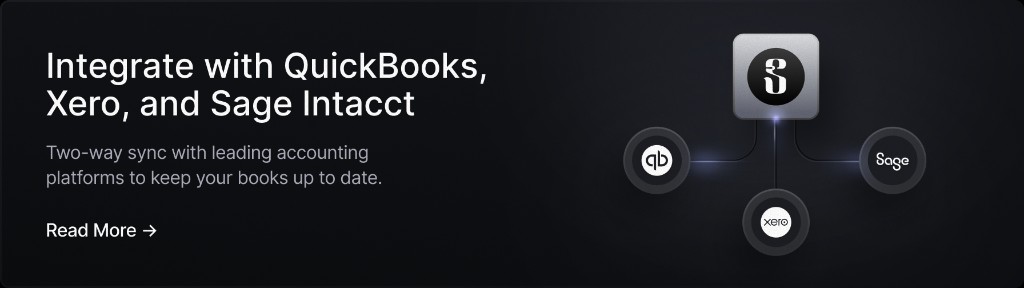
Slash syncs two ways with NetSuite – and with Sage Intacct, QuickBooks, or Xero – so you can integrate with the ERP system your business prefers. Slash isn't trying to be your ERP; it's the banking and spend layer underneath it. Transaction activity from Slash posts to the right accounts in NetSuite, so your financial activity is up to date without anyone maintaining a spreadsheet or keying in activity by hand.
The integration goes deeper than just pushing transactions. A coding decision made once in Slash can be saved as a reusable mapping, so the next similar transaction is already handled. Slash suggests the vendor an entry belongs to, and reviewers can create or fix a vendor record without leaving the review. Expense-report activity can be coded with the dimensions your accounting structure already uses. And a bill paid through Slash syncs as both the bill and the bill payment, so your books show the full lifecycle of the payable rather than just money leaving an account.
Here’s what else you get with Slash:
- Slash Visa Platinum Card: Corporate charge cards that can earn up to 2% cash back with granular spend controls, spend limits, and card grouping.
- Business banking: FDIC-insured business checking, protected up to $150M through Column N.A.'s insured cash sweep network.²
- Multiple payment methods: Send and receive funds via same-day ACH, wires on SWIFT to 180+ countries, RTP, FedNow, and stablecoin transfers in USDC or USDT.⁴
- Accounts payable and receivable: Create invoices, track payment status, and collect payments via multiple methods all in your dashboard. For your bills, Slash can parse an uploaded invoice, route each bill for approval, and track its status from pending to paid, so payables don't slip through the cracks.
- Integrated treasury: High-yield treasury accounts earning up to 3.86% annualized yield backed by Morgan Stanley and BlackRock money market funds, with no minimum balance to get started.⁶
- Flexible financing: Access to a line of credit in your Slash dashboard to support cash flow gaps or temporary funding, with 30, 60, or 90 days repayment terms.⁵
Apply in less than 10 minutes today
Join the 10,000+ businesses already using Slash.
Frequently Asked Questions
Is Netsuite an ERP?
Yes. NetSuite is a cloud ERP, meaning it acts as the single system of record for a company's financial and operational processes, including the general ledger, accounts payable and receivable, order management, procurement, and inventory.
The Top 6 Enterprise Resource Planning Software in 2026

What are NetSuite CRM features?
NetSuite CRM covers sales force automation, marketing automation, and customer service on the same database as the financials, which gives sales and support teams visibility into invoices and payment history without an integration. Companies with complex sales operations may still use a specialized CRM and connect it to NetSuite instead.
What is the cost of NetSuite?
NetSuite does not publish prices, and every quote is negotiated. Buyers commonly report an annual base license starting around $999 per month, per-user fees of roughly $99 to $199 per user per month, separate charges for each additional module, and a one-time implementation cost that often runs from $25,000 to $250,000 or more depending on scope.
What’s the difference between Oracle Fusion Cloud ERP vs Netsuite?
Both are Oracle products, but they are separate systems built on different technology for different sizes of company. NetSuite targets the mid-market, roughly $10 million to $500 million in revenue, with simpler consolidation and reporting needs. Oracle Fusion Cloud ERP targets large enterprises, generally above $500 million, and offers deeper multi-GAAP accounting, unlimited legal entities, broader global payroll, and a fuller supply chain and manufacturing suite, at a substantially higher cost.
Oracle Fusion Cloud ERP: Features, Pricing, and Top Alternatives

Read more from us


