

What is Sage Intacct? Pricing, Features, and Target Audience Explained
As your company expands, you’ll eventually outgrow the simple accounting software you’ve been using since the start. When you start shopping for a new platform, you might become overwhelmed by the number of products targeted towards mid-sized companies and enterprises. Some robust ERPs cost $250,000 annually and come with implementation timelines of up to two years. If you’re not quite ready for a solution of that size, Sage Intacct may be your answer.
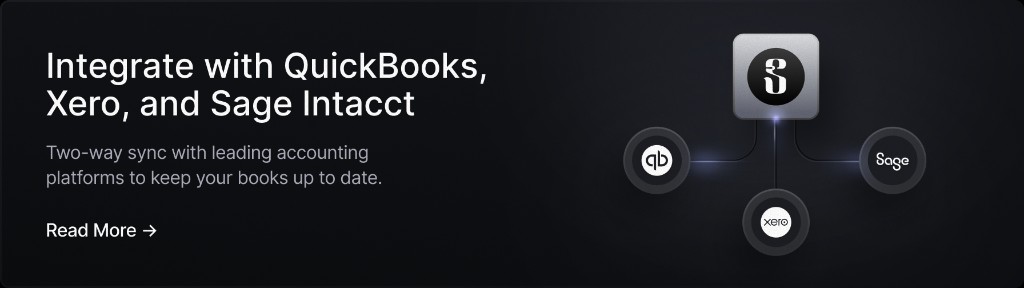
Sage Intacct is a cloud-based accounting platform built to optimize financial operations at mid-sized enterprises. With a wide range of modules and an opaque pricing structure, it can be tough to evaluate Sage Intacct without digging through the details. That’s exactly why we wrote this guide. In this article, we’ll explain what Sage Intacct is, who it suits, what it may cost, what it does well, and where it can fall short. If you’re looking for a new banking provider at the same time, you may want to consider Slash. Slash is a financial platform that syncs two ways with Sage Intacct, meaning data can flow from one platform to the next without transcription errors or duplicate entries.¹
Key Takeaways
- Sage Intacct fits companies of roughly $10 million to $500 million in revenue that need to streamline their accounting, but don't need manufacturing or inventory depth.
- While Sage doesn’t publish pricing, their implementation partners put typical subscriptions between $15,000 and $35,000 a year, sometimes reaching $75,000 with complex setups.
- The platform tags each transaction with things like project, department, and location instead of burying them in the account number, allowing you to slice a report three ways without creating a hundred new accounts.
- Payroll, HR, and manufacturing aren't included, so it’s wise to budget for running other systems alongside it.
What is Sage Intacct?
Sage Intacct is a piece of cloud-based financial management software with features that cover the average company’s core accounting stack. Its specialties include accounts payable (AP), accounts receivable (AR), the general ledger, cash management, and reporting, with additional modules for things like revenue recognition and fixed assets. Because it’s cloud-based, system-wide updates can be deployed automatically and users can access consistent financial data via any standard web browser.
As an accounting solution first and foremost, Sage Intacct can automate the repetitive parts of month-end close, consolidate multiple entities without separate subscriptions, speed up AP and AR, and produce spreadsheet-free reports that accurately reflect the past period’s activity. The product also offers optional modules outside this realm, including tools for collaboration and procure-to-pay.
The company started as Intacct in 1999 in San Jose, CA. Right away, Intacct created one of the very first online, cloud-native financial management applications, which eventually evolved into the product we know today. Sage acquired the company in 2017 for $850 million and rebranded it “Sage Intacct”. Today, it’s reported that more than 12,000 companies around the world use the platform.
Target audience
Sage Intacct generally suits companies somewhere between $10 million and $500 million in revenue, usually coming with around 50 to 2,000 employees. While it’s technically considered an ERP (enterprise resource platform) like NetSuite or Microsoft Dynamics 365, it tends to aim towards a more mid-sized audience. Just about any company can use Sage Intacct, but there are a couple industries that it suits more than most.
Non-profits in particular can take advantage of Sage Intacct features like fund accounting and grant lifecycle management. Sage actually runs dedicated migration paths from Blackbaud and Abila MIP, which are two software providers specifically tailored for non-profit reporting.
If you run a professional services firm, you probably need to monitor profitability by client and engagement rather than just by month. Project accounting, time and expense tracking, and project billing can make it easier to watch your cash flow on a job-to-job basis rather than over a blanket period.
Pricing and implementation
Sage Intacct’s pricing structure is a base subscription covering core financials, plus a charge per named user, as well as a charge per additional module on top. Contract length can also affect the rate. It isn't priced on transaction volume, which means your activity won’t change the monthly bill.
Like most module-based ERPs, Sage doesn't publish any explicit price points or tiers. However, their implementation partners can help give us ballpark estimates. Rand Group and Cargas place the average subscription price at somewhere between $15,000 and $35,000 a year, with monthly costs rising to $75,000 for certain enterprises with complex needs. These types of third-party partner companies can help team get up and running with Sage Intacct in only 2-3 months, with some core tools available to use even earlier.
Key Features of Sage Intacct
Technically, there are more than a dozen different areas that Sage Intacct offers modules and tools to address. From a prospective customer’s point of view, it can be tough to tell which of these features are the “main attractions” and which are the “sideshows”. To clear it all up, here’s a look at the seven features that come with the most support:
Accounts payable
Sage Intacct comes with OCR (optical character recognition) tools that read incoming invoices and pull out the vendor, amount, date, and line items. From there, it routes through preconfigured approval workflows that can branch based on factors like amount, department, or vendor.
Once approved, invoices post automatically with their coding already attached, including category tags that make it easier to sort it all later on. You can then schedule the payment based on your terms. Natively, Sage Intacct only allows users to pay vendors via ACH, virtual card, and paper check. If you’d like to send payments via other networks, including wire, RTP/FedNow, and stablecoin, you’ll need to integrate with a banking provider like Slash.⁴
Accounts receivable
The platform also covers each of the steps of AR, spanning from invoice creation to payment tracking. Sage Intacct’s recurring billing tools can create invoices automatically if they’re set to go out on a repeating cycle, which is a big deal for companies that largely bill customers on a monthly subscription model.
To help with collections, Sage Intacct can send payment reminders to your clients on a custom schedule. Because dimensions flow through AR alongside everything else, you can break down your receivables by customer, by project, or by entity, which makes it easier to spot where collections issues are appearing most often.
General ledger
Sage Intacct’s general ledger tool is one of its standout features. If you need to reconcile accounts across three entities, each with four departments, you’ll end up with 12 different account codes and a headache as you manage your charts of accounts. To help with setups like this, Sage Intacct instead keeps a short list of plain natural accounts and attaches the analysis as tags on each transaction line. These tags can include location, department, project, customer, vendor, employee, item, and class.
Because those tags live on the transaction rather than in the account code, you can separate revenue by regions and products without having to create any new accounts. You can also add new tags and account codes later without remapping anything.
Their general ledger software also comes with a “Financial Assurance” AI agent that can flag unusual transactions in real time by comparing current activity with historical trends. This agent is one of quite a few agents that can be called upon to help with particular tasks within your accounting workflow.
Revenue recognition
Revenue recognition is one of the trickier parts of accounting within mid-sized companies, especially given the regulations that surround it. Sage Intacct supports ASC 606 and IFRS 15, two accounting standards for recording and reporting revenue for customer contracts. That means revenue recognition compliance rules come natively as part of their system.
In practice, you attach a recognition schedule to a contract, and revenue releases according to whatever trigger fits the arrangement (time, milestones, etc). Sage Intacct can also handle multi-element arrangements, which can be difficult when done manually. For example, a contract that bundles software, implementation, and ongoing support can recognize each on its own schedule rather than treating the whole thing as one line. This is a major perk for SaaS and professional services businesses, since a single signed contract routinely contains three different revenue patterns.
Reporting and dashboards
With the help of the cloud, report writers that use Sage Intacct can work against live data, so a figure you're looking at reflects what's in the ledger in the moment rather than during last night’s extract. Dashboards are role-based, so a department head, a controller, and a CEO each see what's relevant to them rather than a shared screen that’s tough to parse. Users can also filter data by project, location, program, or customer without building separate reports for each.
Sage Intacct’s statistical accounts allow you to post non-financial figures like headcount and billable hours, so you can report statistics like cost per employee as native metrics rather than calculating them outside the system. Each of the metrics you track can be arranged on Sage Intacct’s “Digital Board Book” which can calculate up-to-date statistics and present them as charts.
Cash management
Sage Intacct can connect with your bank accounts through feeds so transactions appear automatically without the need for any copying and pasting. If you use a banking platform like Slash, this integration is built in, and doesn’t require any technical know-how or API tooling. Reconciliation then works against live data, which can speed up your close and make discrepancies easier to spot.
If you hold bank accounts in several places, Sage Intacct can present a consolidated cash position across multiple banks and multiple entities in one view. Cash flow forecasting tools can use that centralized view to projecting your revenue based on your receivables, payables, and scheduled commitments.
The standard in finance
Slash goes above with better controls, better rewards, and better support for your business.

Benefits of Sage Intacct
While Sage Intacct comes with a large number of tools and features, the resulting benefits often matter most to prospective buyers. Here’s a quick look at some of the advantages you could get with the software:
- Deep reporting: Because details and category tags attach to transactions, you can learn how a specific program performed across two entities last quarter without combing through bank statements and doing math in Excel.
- Multi-entity consolidation: With automated eliminations and inter-entity transactions in a single database, you can skip the manual consolidation steps that can take days for even the most experienced accounting teams.
- A faster end-of-month close: Automated AP coding, continuous transaction checks, and reconciliation tools can shrink reconciliation time and allow you to put more focus on pressing exceptions.
- Built-in compliance: ASC 606 revenue recognition, audit trails on every transaction, and fund accounting for non-profits come as native parts of the system.
- An open API: While Sage Intacct natively integrates with a large number of platforms, including Slash, it also offers a REST API that enables connections to systems like Shopify that don’t have premade bridges.
- Simple scalability: With the platform’s general ledger tools, you won’t have to rebuild your chart of accounts when you add a new entity or location. Since it’s a cloud-based system, it’s also built to handle additional users and activity without stress.
Downsides of Sage Intacct
Sage Intacct isn’t without its weak points. Here are a few possible downsides you should be aware of as you consider Sage’s accounting software and compare it against other options:
- Steep learning curve: When it comes to onboarding with Sage Intacct, their quick implementation time can be a blessing and a curse. Workflows like dimensional accounting are tough to get used to, and the overall scale of the platform means that some accounting teams take a few months to learn its ins-and-outs.
- It doesn’t cover everything: Even with a wide range of add-ons available, Sage Intacct doesn’t offer solutions in areas like payroll, HR, and banking. While you can’t necessarily expect it to be an all-in-one solution, it is a bit surprising that manufacturing and inventory features aren’t given more attention. Overall, it's a piece of finance software, not an operational ERP.
- A complex pricing model: The smaller your company is, the more Sage Intacct’s pricing may be an obstacle. When every dollar of liquidity matters, it can be frustrating to not understand the final price point until you’ve gone through several meetings reviewing different modules and fees. This is less of a problem for large-scale enterprises, but since Sage Intacct’s user base dips into the mid-level, prices of around $50,000 a year can cause some executives to balk.
How Sage Intacct Can Link With Slash
As good as Sage Intacct is at recording and reporting on your finances, it’s not a replacement for your bank. It doesn’t come with a checking account, and it only supports a couple payment rails. As hundreds of suppliers and vendors send you invoices, you’ll need better ways to manage and move your funds. That’s where Slash can come in.
Slash is a business banking platform that syncs multi-directionally with Sage Intacct, so data flows between the two without anyone needing to hop in and make additions or edits. Users can sync transactions and supporting details into Intacct, map expenses to the appropriate general ledger accounts and dimensions, and keep receipts and coding organized in one workflow. This can speed up reconciliation and help finance teams maintain accurate, up-to-date books.
While Sage Intacct comes with a few AI assistants, including its Financial Assurance and AP Automation agents, they’re only configured to work in limited zones. Slash’s agentic AI assistant, Twin, can pore through and execute complex tasks within most areas of your finances. All you have to do is send a message to Twin, and it can forecast your cash flow, create and cancel corporate cards, and even make purchases on your behalf.
Slash comes with a lot more features that mid-level companies and enterprise teams can take advantage of, including:
- The Slash Visa® Platinum Card: The Slash Card is a corporate charge card that allows you to set customizable spending controls and issue unlimited virtual cards for handling team expenses, vendor payments, subscriptions, and more. Users can also earn up to 2% cash back on business purchases.
- Integrated treasury: Earn up to 3.86% annualized yield on idle cash through money market funds from BlackRock and Morgan Stanley, managed directly inside your Slash account rather than at a separate custodian.⁶
- Enterprise-grade protection: Business accounts are protected up to $150M through Column N.A.'s insured cash sweep network.² Approvals and controls are granular down to the individual card, and AI-assisted monitoring flags spend that falls outside your policy.
- Diverse payment rails: Slash supports a wide range of payment methods, including card spend, global ACH, international wire transfers to over 180 countries via SWIFT, and real-time domestic payments through RTP and FedNow.
- Accounting automation: Transactions are categorized as they post and carry the accounting dimensions your ledger expects: GL codes, departments, classes, locations, subsidiaries, vendor details, cardholder memos, and receipts. Set your mapping rules once in Slash instead of reclassifying spend at close.
When you bring Slash and Sage Intacct together, you’ll be able to optimize and automate almost every part of your accounting and banking workflows.
Apply in less than 10 minutes today
Join the 10,000+ businesses already using Slash.
Frequently Asked Questions
Is Sage Intacct better than QuickBooks?
This comparison is a bit like apples-and-oranges, as they're built for different stages rather than competing directly. QuickBooks is cheaper, simpler, and perfectly adequate for a single-entity business with straightforward accounting. Sage Intacct becomes worth the jump when you're consolidating multiple entities, need to look at profitability by project or program, or you’ve outgrown QuickBooks user limits.
The Best Accounting Automation Software Tools in 2026

Does Sage Intacct include payroll?
No. Payroll and HR features aren't native, so most customers either integrate a dedicated provider like ADP or use one of Sage's separate HR products. With those connections, Sage Intacct can help report on and analyze payroll, but it doesn’t actually come with the tools needed to execute it.
How long does Sage Intacct take to implement?
Overall, you should plan for three to six months, though it varies considerably with complexity. Some partners report core financials going live in around 90 days for straightforward setups. However, multi-entity consolidation, migrating significant historical data, and custom dimension structures can take a bit longer to work on.
The Best Multi-Entity Accounting Software: Comparison, Features, and Benefits

Read more from us


