

7 Leading Apps For Managing Business Expenses: A Comparison
Managing your business’s expenses is a full-time job that can extend far past the hours of 9 to 5. Suspicious transactions, broken approval chains, and cash flow issues can crop up at any time of day, weekday or weekend. Most business owners aren’t able to keep their laptops open constantly to supervise it all. Thanks to expense management mobile apps, they don’t have to.
Expense management apps allow finance leaders and founders to monitor their business spending and take certain actions from their phone. They’re often stripped-down versions of a separate, complete desktop platform from the same provider. Some of these apps are pretty close in functionality to their computer-based counterparts, while others leave a lot to be desired.
We created this guide to evaluate seven of the leading expense management mobile apps you can download on your phone today, as well as discuss the features you’ll want to prioritize as you make your decision. Along the way, we’ll take a look at Slash, an all-in-one financial platform with an integrated mobile app that goes a step further than most. Along with core banking features and card controls, the Slash app allows non-US users to access the US dollar with their Global USD account.¹, ³
The standard in finance
Slash goes above with better controls, better rewards, and better support for your business.

What Is Expense Management?
Simply put, expense management is the process of tracking and approving business expenses. This usually refers to employee expenses like travel, meals, and one-off purchases, but it may also extend to accounts payable.
Some small businesses track their expenses with paper receipts and a monthly spreadsheet. This is a recipe for wasted time and unnecessary errors. For this reason, finance teams often end up moving away from manual processes in favor of dedicated expense management platforms like Slash. These pieces of software are excellent, all-in-one solutions for when you’re at your desk and you can actively monitor a financial dashboard. However, trouble can arise when a founder spends most of their day on the go, and they don’t have the time to sit down and catch up to it all on their laptop.
Not only do expense management apps allow leaders to more easily manage their money movement, but they also usually extend some features to team members as well. An employee can snap a photo of a receipt in a parking lot, upload it, have OCR extract the details, and move the expense into the approval queue immediately before they even get in their car to drive back to the office.
Core Features Every Expense Management Mobile App Should Have
Generally speaking, you’ll want your expense management app to be as close to the desktop version as possible. The more features you can access on your phone, the more you can get done while out of the office. Here are some tools you’ll want to keep an eye out for:
- Receipt capture and OCR: Can the app photograph a receipt and extract the details automatically, without manual data entry?
- Expense categorization: Does the app auto-assign general ledger categories, and can those policies flag mismatches?
- Approval workflows: Can managers approve or reject expense claims directly from their phone, with configurable routing by amount, department, or type?
- Card connections: Does the app connect to corporate cards and match transactions to receipts automatically?
- Reimbursement handling: Can employees submit out-of-pocket expense claims from the app, and how quickly can your finance crew process and pay them?
- Accounting integrations: Do approved expenses sync with your accounting system, or does someone need to export them and upload them manually?
One more thing to note before we dive in: almost all of these types of apps are attached to desktop-based expense management platforms. You’ll likely need to sign on with the full service to access the app, rather than downloading it from the App Store and using it independently. We’ll be assessing the following expense management apps based on their mobile capabilities, but before you make your choice, it’s best to review their platforms in full.
See the ROI behind your spend
Use this calculator to understand impact, then manage and track it all in Slash.


7 Expense Management Mobile Apps: Features and Considerations
The right expense management app for your business isn’t necessarily the one with the most features or the fewest drawbacks. Everyone’s day-to-day workflow is different, and an app with fewer tools might align with your needs more closely than one with extra capabilities. As we compare the following seven apps, think about what you wish you and your employees could have access to while on the go:
Slash
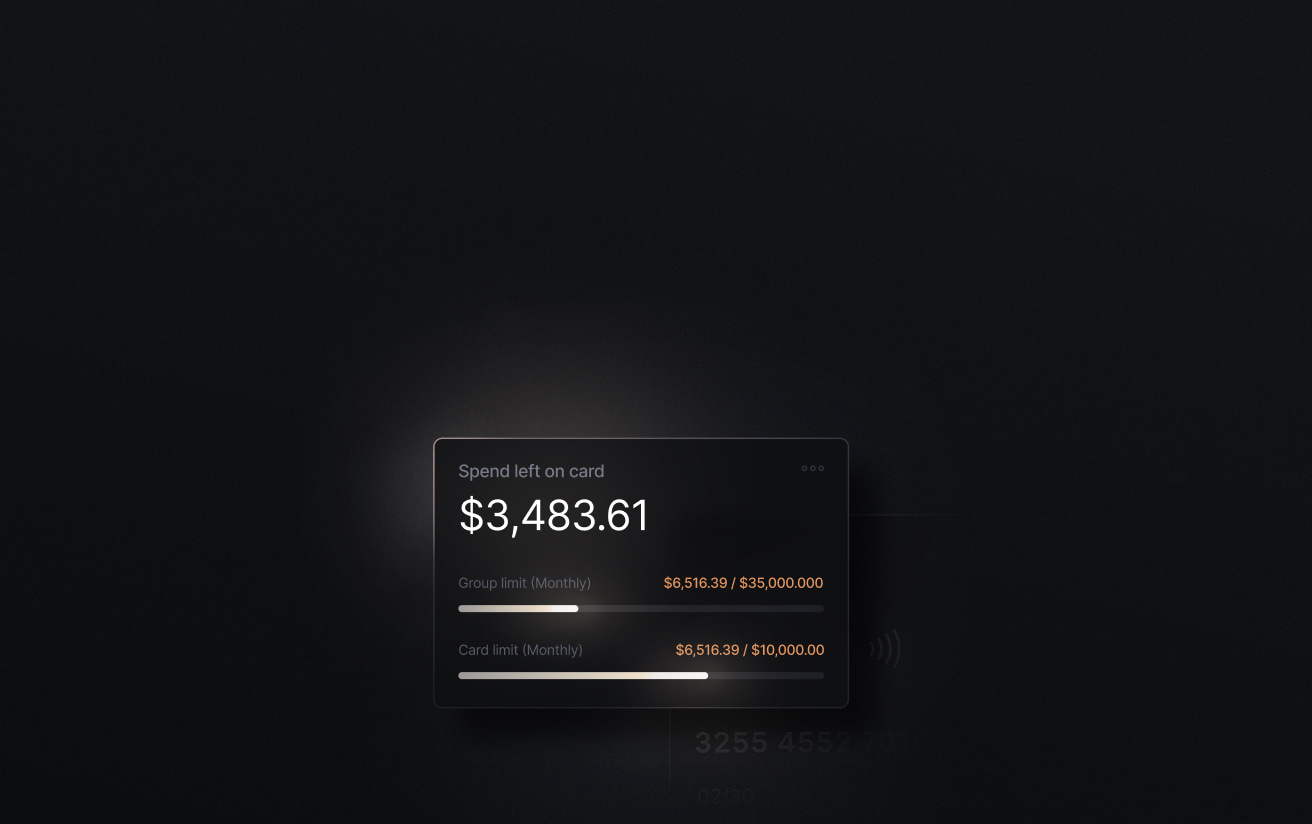
Slash is a modern business banking platform that brings corporate cards, invoice automation, diverse payment rails, expense management, and more onto one financial dashboard. Their mobile app isn’t too different. The recently-redesigned Slash app allows founders to create virtual cards, set spending limits, fund their checking account, manage multiple entities, and send payments using both traditional payment rails and crypto.⁴ Employees can use the app to make purchases with the Slash Visa® Platinum Card and get push notifications regarding current tasks.
One of the biggest perks of the Slash mobile app is access to the Global USD account, which gives foreign founders access to USD without the need to form a US entity. Users can check their balances, send payments, receive funds from platforms like Stripe and Shopify, and manage their accounts from any location in almost any country.
Strength: Business banking is unified with expense management and card controls, meaning finance teams don't need to work with a separate banking portal. Additionally, the Global USD account is a big differentiator for foreign business owners.
Best for: High-spend startups, e-commerce and agency teams, and finance leads who want corporate cards, banking, and mobile spend controls in a single platform.
Xero Me
Xero's expense tools live on the Xero Me mobile app, a companion to its accounting platform. When employees photograph receipts, the app uses OCR to extract date, amount, and merchant name, then attaches the image to the expense claim. Submitted claims queue for manager review; approvers can approve or reject from mobile with one tap. Xero Me also comes with mileage claims, which use the app's GPS map feature to record the journey and calculate the distance automatically.
If you want the full breadth of expense features that the app can offer, you’ll likely need Xero's Established plan, which comes at $90 a month.
Strength: Because Xero Me connects to the Xero accounting platform, approved claims post directly to the ledger without any separate steps.
Best for: Small to mid-sized businesses already on Xero's Established plan that want employee expense claims to sync directly with their ledger.
Expensify
Expensify’s mobile app is well-suited for teams that travel, as you can log transactions and extract receipt details in more than 150 currencies. With their SmartScan feature, team members can photograph receipts within the app or text a photo to 47777. Either way, details are extracted and expenses are auto-categorized based on company policies. Additionally, Expensify's corporate card connects directly to its platform, meaning card transactions made through the app can create expense records automatically.
If your team has complex AP requirements or deep ERP workflows, you may find the Expensify app to be less configurable than some alternatives. Additionally, user reviews on app marketplaces often mention a poor UI, which can be a big issue if you’re looking to complete quick tasks while away from your desk.
Strength: SmartScan is flexible and accurate, and the ability to scan receipts in different currencies is valuable for widespread teams.
Best for: Small businesses and field teams that need fast receipt capture and simple expense reports as they travel from place to place.
Zoho Expense
Zoho Expense’s mobile app is tailored towards travel and expense management. Employees can book travel, log receipts via Autoscan, record mileage with a swipe, and submit expense reports from their phone. Managers can set policy rules, and a fraud detection engine scans purchases against these rules automatically. The app also comes with an AI assistant named Zia that can categorize expenses and surface certain insights.
The Zoho Expense app is only one piece of the broader Zoho ecosystem, including Zoho Books and Zoho HR. While the app itself is robust and useful, joining Zoho may involve more setup than some founders believe will be worth the effort for a mobile app.
Strength: The combination of policy controls, multi-level approval workflows, and travel booking in one platform makes Zoho Expense a good choice for mid-sized teams. Additionally, the app holds a 4.8 star average rating on both Google Play and the App Store.
Best for: Small to mid-sized businesses that already use other Zoho products.
Ramp
Ramp’s expense management features link closely with their corporate card program. Leaders can create virtual cards with preset merchant, category, and dollar limits. With the Ramp app, employees can pay with their Ramp cards, photograph receipts on the spot, and submit reimbursement requests by entering the merchant, amount, and receipt photo. Managers approve or reject from the app and get real-time notifications for out-of-policy spend.
Overall, Ramp’s mobile capabilities are what you might expect. The actual value of the app may depend on their corporate card program, which actually isn’t the same for every user. While the Ramp card once offered unlimited 1.5% cash back, the rate now varies based on the applicant and their business.
Strength: The emphasis on pre-transaction controls like limits, merchant restrictions, and spend approvals means many expense policy violations are prevented rather than caught after the fact.
Best for: Growing companies that want card-centric spend control and real-time policy enforcement.
Flowlu: Projects and CRM
Flowlu’s expense tracking capabilities are part of an app that includes project management and CRM (Customer Relationship Management). On mobile, teams can log expenses to specific projects, track multiple bank accounts, review categorized expenses with predefined GL categories, and visualize finance KPIs through custom dashboards. Expenses can also link to CRM accounts so businesses can see profitability by client.
Since the Flowlu app casts a wide net, its feature list is impressive. However, teams that are looking for an expense management app might not need a solution that focuses partly on CRM. It doesn’t come with OCR receipt scanning, which is common among its competitors. Additionally, reviews of the app are mixed from Android users, as it holds an average rating of 3.7 stars on Google Play.
Strength: For teams already managing work in Flowlu, having expenses, project budgets, and CRM data in one place keeps everything accessible on the go.
Best for: SMBs and agencies that need both expense tracking and CRM capabilities on mobile.
FreshBooks
FreshBooks is a small business accounting platform with a mobile app that combines basic expense management software capabilities and outbound invoicing features. Employees can photograph receipts from their phone, assign expenses to a configured category, and link them to clients for billable expense recovery.
Because FreshBooks is primarily built for outbound client invoicing, its expense management tools are a bit sparse. There are no configurable multi-step approval chains or corporate card integrations. The app does offer simplicity for solo founders and small teams that need to submit expenses, but scaling companies may quickly outgrow it.
Strength: Expense tracking and client invoicing live in the same place, so billable expenses can attach directly to a client invoice without any export step. If you’re a solopreneur or part of a small team, the app itself is pretty approachable.
Best for: Freelancers and very small businesses that want basic receipt capture and client expense billing in the same tool they use for invoicing.
Manage Your Expenses On the Go With the Slash Mobile App
The Slash mobile app gives business owners and finance teams a simple way to manage their company’s money from anywhere. Users can check balances, review transactions, monitor card spend, and stay on top of their account activity without needing to be at a desktop.
Those aren’t necessarily the tools that set Slash above the competition, however. Our app comes with quite a few features that no competitors have. Slash allows eligible users to send and receive stablecoins like USDC and USDT from their phone, then convert them into fiat currency on the spot. Employees can use the app to earn up to 2% cash back on business expenses through the Slash Visa® Platinum Card, which comes with granular spend controls and automated fraud detection.
The Slash app also gives users access to our Global USD account, allowing businesses in 130+ countries to hold funds in USD, send & receive ACH/Wire, and make crypto payments.
Overall, the app’s biggest differentiator may be its connection to the Slash platform itself. As an all-in-one business banking solution, the desktop offers features like:
- Accounting & ERP integrations: Sync transaction data with QuickBooks Online, Xero, NetSuite, or Sage Intacct to streamline reconciliation, reporting, and month-end close.
- AI-powered finance: Our platform comes with Twin, a built-in AI agent that can be prompted with natural language to complete complex tasks. Users can ask it to create cards, pay invoices, review your cash flow, and much more.
- Working capital financing: Access short-term financing with flexible 30-, 60-, or 90-day repayment terms to help bridge cash flow gaps.⁵
- High-yield treasury: Earn up to 3.80% annualized yield on idle funds with money market investments from BlackRock and Morgan Stanley, managed directly within your Slash account.⁶
- Diverse payment methods: Slash supports a wide range of payments, including card spend, global ACH, international wire transfers to over 180 countries via SWIFT, and real-time domestic payments through RTP and FedNow.
Only one mobile app is connected to a platform that supports all of these tools in one place. To learn more, reach out to Slash today.
Apply in less than 10 minutes today
Join the 10,000+ businesses already using Slash.
Frequently Asked Questions
What’s the difference between an expense management app and a corporate card platform?
Expense management apps track, approve, and reimburse employee spending, including out-of-pocket purchases. Corporate card platforms control spend before it happens by setting preconfigured limits. In a nutshell, corporate card programs determine how money is spent, and expense management systems determine what happens afterwards.
Top 5 Mobile Banking Platforms in 2026: Picks for Business

Do expense management apps work without a corporate card?
Most apps support out-of-pocket expenses without a related corporate card. Expensify, Zoho Expense, Xero, and Flowlu all let employees log cash expenses and submit them for reimbursement.
What is OCR technology in expense reporting?
Optical Character Recognition (OCR) is a tool that converts typed, handwritten, or printed writing from images or scanned documents into usable text. In the context of expenses, it’s usually used for receipts and invoices.
Automated Invoice Scanning: How It Works in Accounts Payable


