

Top Medical Expense Tracking Software for Medical Practices: How to Choose the Right Fit
Running a medical practice means managing expenses across a variety of departments and compliance requirements. Leaders have to juggle supplies ordered by the clinical team, equipment maintenance scheduled by the facilities manager, conference registrations submitted by individual physicians, and even staff reimbursements processed by the front office. These transactions often move through different people and different systems, with no unified view of what’s been spent until the month is already closed.
The result, for many practices, is a month-end scramble that compounds as a practice grows. More providers means more CME submissions. More locations means more purchasing accounts. More staff means more cards to track. Reconciliation and cost control can quickly become a headache.
In this article, we’ll go over software that helps medical practices track, control, and report on their business expenses. We’ll also discuss Slash, a business banking platform with built-in expense management and detailed financial tracking.¹ Slash is SOC 2 Type II certified, which means it meets strict standards for how it handles and protects sensitive data, an important consideration for medical practices that operate in regulated environments and need confidence in their financial systems.
The standard in finance
Slash goes above with better controls, better rewards, and better support for your business.


Why Healthcare Expense Tracking Is More Complex Than Other Industries
One thing worth establishing at the outset: “medical expense tracking software” is not a standalone product category. What you’re actually choosing from is general expense management software, evaluated against the specific demands of a healthcare environment. Some tools adapt to those demands well, while others may create as much friction as they solve.
Healthcare’s combination of regulated spend categories, multi-department purchasing, and strict documentation requirements for audits creates a level of complexity that standard expense workflows may not be designed to handle. A law firm might have two or three expense categories that require special handling, while a medical practice could have a dozen. Each can come with different approval requirements, different documentation standards, and different compliance implications that vary depending on who made the purchase and which vendor was involved.
The compliance risks are real and consequential. For practices that interact with pharmaceutical or medical device vendors, the Physician Payments Sunshine Act requires detailed disclosure of any transfers of value above certain thresholds. This means inaccurate tracking can create both accounting headaches and regulatory problems. The Centers for Medicare and Medicaid Services (CMS) collects this data and publishes it publicly in the Open Payments database. Practices that get it wrong can face reputational exposure and potential investigation.
Beyond Sunshine Act considerations, healthcare practices are subject to audit exposure from payers, state regulators, and the IRS at rates higher than most industries. Documentation requirements are strict: a receipt is not always sufficient, and the nature, business purpose, and attendees of an expense may all need to be recorded and retrievable on demand. Multi-department purchasing creates additional complexity, as each category budget may carry their own approvers and documentation requirements.
In healthcare, the stakes of poor expense tracking are often higher than in most industries. Regulatory penalties, audit exposure, and cash flow gaps hit faster and harder when margins are tight and hospital beds are full.
What Counts as a Medical Business Expense
Knowing what to track is a prerequisite to choosing how to track it. The most common operational expense categories for a medical practice include:
- Medical supplies and consumables
- Pharmaceuticals and clinical products
- Equipment maintenance and service contracts
- Staff travel and continuing medical education (CME) registration
- Administrative and facility expenses
These are the operational business expenses that expense management software can cover. Processes like patient billing, insurance reimbursements, and revenue cycle management are separate workflows with separate tools.
What to Look For in Medical Expense Tracking Software
Many platforms used for medical expense tracking are general expense management tools. The differentiation lies in how well they support healthcare-specific workflows and compliance requirements without requiring extensive customization to get there. Four criteria separate the tools that work from the ones that get abandoned after 60 days, including:
Receipt Capture and Categorization
For a medical practice, the receipt is the beginning of the audit trail, not the end of it. Expense management software like Slash can capture receipts at the moment of purchase via mobile photo or email forwarding. From there, it automatically associates them with the correct expense category, cost center, and approval chain. For practices that need to distinguish between supply categories, or tag expenses to specific departments, the categorization layer is what makes downstream reporting usable. Tools that require manual entry at month-end usually defeat the purpose.
Spend Controls and Approval Workflows
In a healthcare environment, the ability to set per-employee or per-category spending limits enforced at the point of purchase is an important compliance mechanism. If a staff member shouldn't be purchasing in a certain category without prior approval, that restriction should be embedded in the card or the payment method, not enforced retroactively when a manager reviews the month's expenses. Per-employee limits, vendor-level restrictions, and multi-step approval chains for higher-value purchases prevent compliance risks before they happen, not after the transaction is already recorded. These security features are all found with the Slash Visa® Platinum Card.
Accounting Integrations
A medical practice running accounting systems or healthcare-specific ERPs needs expense data to flow into that system without manual re-entry. Every manual data transfer is an opportunity for error and a drag on the finance team's time. The quality of the integration matters as much as its existence — a one-way sync that pushes raw data is less useful than a bidirectional connection that maps expense categories to the correct GL accounts automatically. Slash connects two-ways with QuickBooks Online, Xero, and Sage Intacct, meaning vital data can be pushed to and from your banking stack.
Audit-Ready Reporting
Healthcare practices need to produce documentation on demand for payer audits, tax filing, Sunshine Act reporting, or internal reviews. Good expense software makes this possible without a data archaeology project. Filterable transaction histories, exportable reports by department or category, and complete audit trails that show who approved what, when, and with what supporting documentation are the features that matter when an auditor shows up.
The Best Medical Expense Tracking Software in 2026
The tools below fall into two broad categories, each starting from a different place. The first group, financial platforms with built-in expense tracking, is designed for practices that want to consolidate their financial infrastructure rather than add another point solution on top of existing ones. The second group, standalone expense tracking software, is built for practices that have an existing banking and accounting setup and need a dedicated tool to handle expense workflows specifically.
Neither category is inherently better. The right choice depends on whether the practice is solving an expense management problem within existing infrastructure, or reconsidering the infrastructure itself.
Financial Platforms with Built-In Expense Tracking
For practices that want a single place to manage banking, cards, and expense tracking, these platforms build expense management into the broader financial stack rather than treating it as a separate layer.
Slash
Slash is a vertical banking platform that combines business banking through Column N.A. (Member FDIC), corporate cards, expense management, and direct accounting integrations in one product. For a medical practice, the appeal is consolidation: rather than managing a business bank account in one place, corporate cards in another, and expense reports in a third, Slash puts all three on the same dashboard.
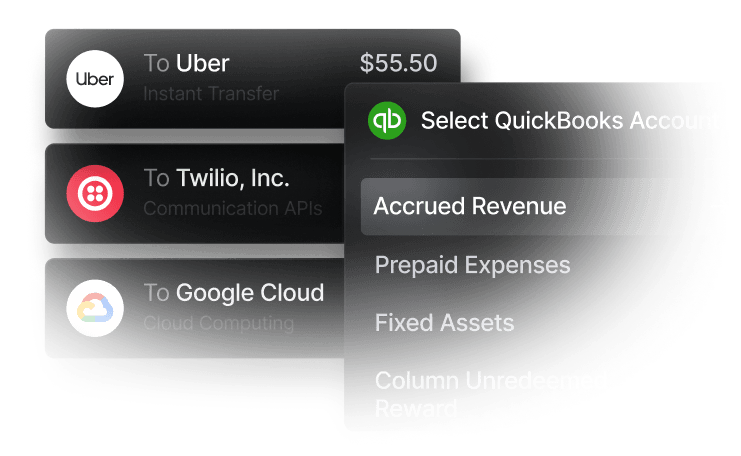
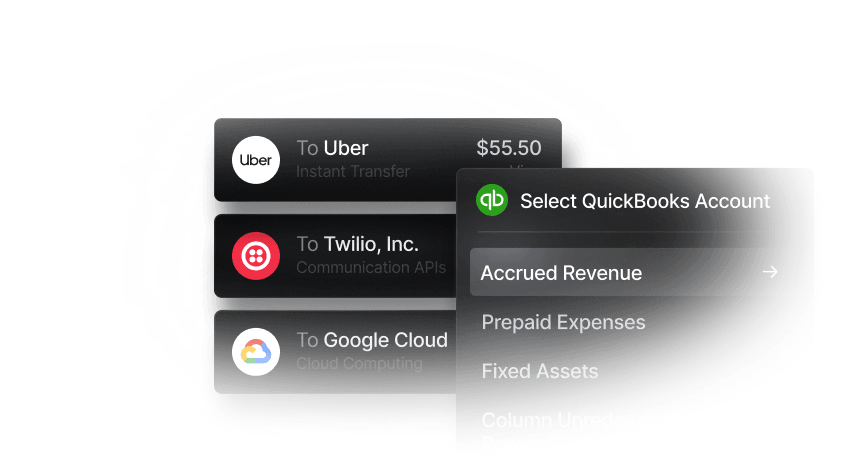
The corporate card layer is where expense management happens. Every card transaction triggers a receipt capture prompt, spend categories are configurable, and per-card and per-employee limits can be set in advance. Transactions sync directly to accounting systems like QuickBooks Online, keeping the general ledger current without manual entry. For practices spending meaningfully on their cards, tiered cash back rewards add a return that partially offsets operating costs.
Slash is best for practices that want to consolidate their financial infrastructure rather than add another subscription to an existing stack, and for those already banking with a traditional institution who find themselves managing disconnected tools. However, Slash may not be the right fit for practices that specifically require HIPAA-certified expense software or direct EHR integrations.
Nitra
Nitra is a healthcare-specific financial platform built for medical and dental practices. It offers a business account, corporate Visa cards, and expense management features designed around the specific purchasing patterns of clinical environments — supply ordering, equipment financing, and vendor management.
Nitra fits practices looking for a banking and card platform that’s tailored to healthcare out of the box. However, it's a smaller platform than the general-purpose alternatives, with a narrower ecosystem of integrations and a shorter track record in the market.
Standalone Expense Tracking Software
For practices that have an existing banking setup and need a dedicated tool to handle expense reporting, reimbursements, and approval workflows, these platforms bolt on top of existing infrastructure.
Expensify
Expensify is a popular expense management platforms for small and mid-sized businesses. Its mobile receipt scanning, automatic expense categorization, and mileage tracking can fit staff who need a simple tool for submitting reimbursements.
For practices that primarily need to manage out-of-pocket employee expenses like CME travel, conference registration, and similar items, Expensify can handle the submission and approval workflow. It integrates with QuickBooks, Xero, and Sage. The limitation for healthcare is that its compliance and control features are relatively lightweight compared to enterprise-grade alternatives, and practices with complex multi-department approval chains may find it underpowered.
Zoho Expense
Zoho Expense is a platform that offers solid expense reporting functionality and integrates cleanly within the broader Zoho ecosystem, including Zoho Books for accounting and Zoho CRM for organizations that manage vendor relationships centrally. Its reporting depth and customization options aren’t necessarily as sophisticated as other platforms, but for practices already using Zoho products, it's a natural fit that avoids adding another disconnected tool.
SAP Concur
SAP Concur is an enterprise-level platform for expense management, often used by large healthcare systems and hospital networks. Its compliance features, audit trail capabilities, and integration depth make it appropriate for complex multi-department organizations. For a single-location or small group practice, however, the implementation complexity and cost are likely disproportionate.
Manage Your Practice's Finances with Slash
Along with regulatory factors, one of the biggest challenges of the medical field as a whole is its complexity. If a healthcare system is considering adding an expense tracking tool on top of a disconnected bank account and a manual reconciliation process, they may further complicate their infrastructure. Slash is a neobank that puts expense tracking features in the same place as your accounting and banking.
Most expense management software helps you understand what already happened. It shows you what was spent, by whom, and in which category after it’s already happened. Slash offers spend controls at the card level, receipt capture at the moment of purchase so that fewer expense mistakes happen in the first place. With a continuous sync to your accounting software, by the time you're reviewing the month, most of the work is already done and most of the exceptions have already been caught. No spreadsheets required.
Compliance is another key factor to medical practices, whether in the context of their patients or their financial stack. Slash is SOC 2 Type II compliant, which means healthcare organizations have a secure foundation for managing sensitive financial data across complex, multi-payer operations. We keep your banking information safe in the same way that healthcare organizations keep their patients’ information safe.
Other helpful Slash features include:
- Diverse payment methods: Slash supports a wide range of payments, including card spend, global ACH, international wire transfers to over 180 countries via SWIFT, and real-time domestic payments through RTP and FedNow.
- AI-powered finance: Our platform comes with Twin, a built-in AI agent that can be prompted with natural language to complete complex tasks. Users can ask it to create cards, pay invoices, review your cash flow, and much more.
- Slash Visa® Platinum Card: The Slash Card allows you to set customizable spending controls and issue unlimited virtual cards for handling team expenses, vendor payments, subscriptions, and more. Users can also earn up to 2% cash back on business purchases.
- Reimbursements: Instead of managing reimbursements across multiple tools, teams can now submit, review, and approve reimbursements directly inside the Slash dashboard. Connect your bank account, upload your receipt, and let Slash capture the details.
For medical practices ready to stop adding tools and start consolidating them, Slash offers the banking, automation, cards, and expense reporting infrastructure to do it in one place. See how Slash works for medical practices at slash.com/industries/healthcare.
Apply in less than 10 minutes today
Join the 10,000+ businesses already using Slash.
Frequently Asked Questions
What's the difference between expense tracking software and accounting software?
Expense tracking software can automate the recording, categorization, and approval of employee spending in real-time, focusing on workflows like receipt capturing. Accounting software can record past transactions, managing the general ledger, tax, and financial reporting. Expense tracking controls the process of spending, while accounting software records the outcome.
Top Expense Tracking Software in 2026

Can I track my expenses manually using a spreadsheet?
You can, but we wouldn't advise it. Relying on a spreadsheet can lead to duplicate payments, missed expenses, and overall sloppy work.
Expense Reports: How to Track, Manage, and Simplify Costs
What is CME?
CME stands for continued medical education. Since education is critical in the field of medicine, many hospitals and healthcare organizations provide an annual, stipulated CME allowance for physicians and advanced practice providers. If the employee pays out of pocket, this cost can be reimbursed.
Read more from us


