

Scanning Invoices for Accounts Payable: A Strategic Guide to Automation and Data Accuracy
Manual invoice processing can be a serious time sink for busy accounts payable (AP) teams. Startups that once easily handled a few dozen monthly invoices can become overwhelmed when they scale and begin processing a few hundred monthly invoices. Finance staff may end up spending days on tedious data entry, leading to constant mistakes and headaches.
With the help of Optical Character Recognition (OCR) technology, invoice scanning software can bring structure and speed to invoice intake. Rather than treating each invoice as a unique document requiring manual handling, automated software allows invoices to be digitally uploaded and managed electronically.
This guide explains automated invoice scanning, how it works within accounts payable workflows, what to look for when investing in tools, and how it fits into broader financial operations. We’ll also look at Slash, a business banking platform that integrates with invoice processing solutions like QuickBooks Online, Xero, and Sage Intacct.¹ By the end of the article, you’ll understand how automated invoice scanning can streamline operations for overworked AP teams.
The standard in finance
Slash goes above with better controls, better rewards, and better support for your business.
What Is Automated Invoice Scanning?
Automated invoice scanning is a procedure that turns PDF and paper invoice documents into digital data using OCR technology. Whether you capture an invoice with a cellphone photo, email integration, or an actual scanner, OCR software can interpret and extract all data automatically. This means finance staff no longer has to manually read invoices and type the information into their accounting platform.
OCR technology recognizes and intakes key data like vendor name, invoice number, payment terms, amounts, and dates. With field mapping capabilities, it can extract that data directly to appropriate fields in your accounting system. The best systems can even handle unstructured, messy invoices with similar accuracy to structured ones.
Automated invoice scanning is distinct from general AP automation. Scanning specifically addresses invoice intake and data capture, while broader AP automation encompasses approval workflows, payment execution, vendor management, and reporting. Invoice capture is one of the first steps of the overall accounts payable process.
When done manually, an invoice arrives via email, then the AP clerk downloads the PDF, opens their accounting software, manually types the vendor name, invoice number, date, line items, amounts, and saves the entry. For complex invoices with multiple line items, this may take 10-15 minutes per invoice.
In an automated workflow, the invoice arrives via email, then the scanning software automatically extracts all fields, maps data to accounting system fields, flags potential duplicates or errors, and routes to the appropriate approver(s). Human intervention is only needed to review flagged exceptions. With automation, processing time can drop to 1-2 minutes per invoice for verification.
How Automated Invoice Scanning and Data Capture Work End-to-End
Here’s a detailed breakdown of the steps of the invoice scanning process:
Capture
Invoices can enter a system through multiple channels, each requiring different handling approaches. Companies may receive a paper invoice in the mail, a PDF invoice via vendor portal or email, or an improvised photo of an invoice via cellphone.
OCR technology can “read” these different invoice formats and automatically extract data. The system can identify all information from vendor name to payment terms and upload it to a connected accounting solution. Some advanced scanning systems use machine learning to improve extraction accuracy over time, with AI gradually recognizing specific vendor formats and layout variations after processing several invoices from the same vendors.
Validation
Your extracted data undergoes several accuracy checks before entering your accounting system. Duplicate detection compares invoice numbers against recently processed invoices, missing field flags identify incomplete documents, vendor matching tools confirm that the vendor name corresponds to an approved vendor, and purchase order matching verifies that invoice details align with authorized purchase orders.
These validation steps reduce manual correction downstream and prevent incorrect payments. Studies show that the nationwide average “invoice exception rate” is around 22%, which means almost 1 in 4 invoices are held up due to input errors or duplicates.
Routing
Once validated, invoices automatically route to appropriate approvers with predefined rules based on amount thresholds and expense categories. For instance, a five-figure invoice may require executive approval, while lower amounts can be sent to department managers.
Automation software can also come with exception handling workflows that reroute unusual or erroneous invoices. Flagged anomalies (perhaps including mismatches, duplicates, or suspicious patterns) may be sent to finance leadership for resolution before approval.
Sync
Approved invoices can sync directly into your ERP system or accounting software without manual data entry. Extracted information posts to general ledgers with appropriate expense categorization, and vendor records are updated with pending payment obligations.
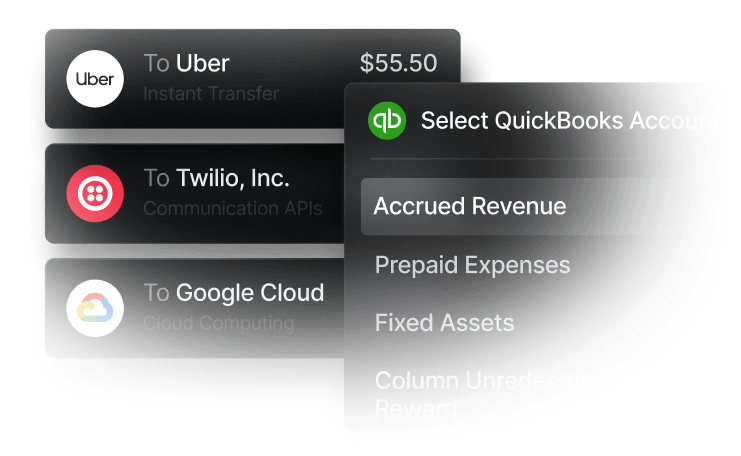
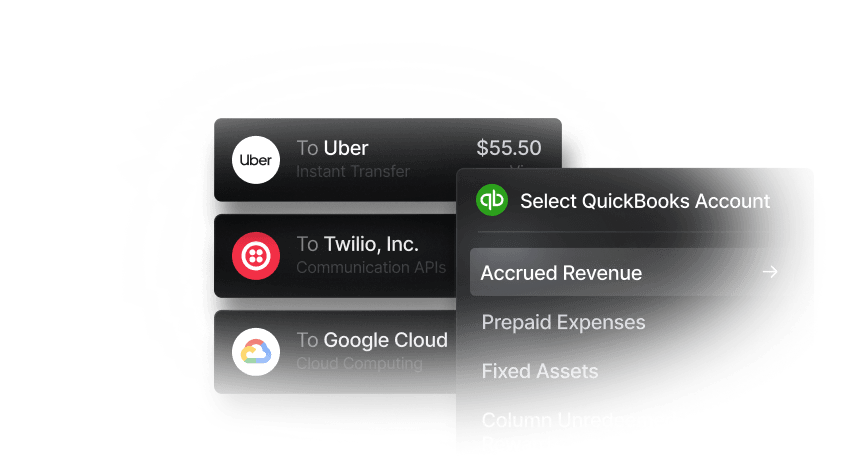
At the end of the day, while invoice scanning automates data capture and routing, overall success depends on how that data flows into your financial and accounting systems. Slash is a business banking platform that integrates two-ways with accounting solutions like QuickBooks Online and Xero, giving users the ability to connect their invoice data with their cash flow information on a dedicated dashboard in real time.
What Are the Benefits and Downsides of Using Automated Invoice Scanning?
Using software to capture invoice information can bring plenty of advantages to busy finance teams, but careless implementation may lead to new problems. Here are the benefits you can expect from using invoice scanning software, as well as possible pitfalls:
Potential Benefits:
- Reduced manual data entry: Eliminating manual data entry with OCR technology can largely reduce transcription errors, incorrect amounts, mistyped account codes, and duplicate entries that require later correction.
- Faster processing cycles: Automated capture and routing accelerate invoice movement from receipt to approval, enabling businesses to strengthen vendor relationships and even receive early payment discounts through reliable transaction timing.
- Improved cash flow visibility: When digital invoice data is instantly accessible, your pending payables, upcoming payment obligations, and cash flow becomes more visible in real time.
- Greater compliance and audit support: Digital records that come with timestamps and supporting documentation simplify audits and support compliance requirements, resulting in cleaner record trails.
- Reduced operational cost and staffing burden: With automation, finance teams can spend less time on repetitive tasks like data entry and more time on analysis, vendor relationship management, and strategic decision support. Processing costs per invoice can also decrease substantially as volume scales, potentially falling from $10 per invoice to under $3, per Ardent Partners research.
Potential Downsides:
- Inconsistent OCR accuracy: While invoice capture systems are built to handle both structured and unstructured invoices, some may struggle with particularly disorganized invoices or poor photographs.
- Lack of approval workflow integration: Automated tools that extract data but don't integrate with approval workflows force finance teams to manage approvals separately, hurting efficiency and opening the door to delays.
- False-positive data matches or field misreads: False-positive data matches can occur, wherein the system believes the invoice they're scanning is identical to a previous one. This may happen if paperwork is visually messy or if certain digits across invoices are coincidentally similar.
- Solutions that scan but don't connect to your systems: If all your invoice scanning software does is "scan", then it may not be enough to streamline your workflow. The best automated solutions capture your data, interpret it, export it to your accounting software, and trigger approval workflows.
How to Evaluate Automated Invoice Scanning Software
Overall, the best way to evaluate this sort of software is to deploy a pilot program that tests its invoice processing strength against a segment of your team’s actual workflow. Whether you get to run tests or you just get a demo, here are some decision criteria to bear in mind:
Accuracy and Support for Unstructured Formats
Ask vendors for metrics about their OCR technology’s accuracy and about whether their system includes machine learning AI. How quickly might the system learn your specific invoice formats? What happens when vendors have messy invoices or changing templates? Programs that can learn and adapt may deliver better long-term value than those that can’t.
If you get the chance, test the system with your actual invoices rather than demo documents. In the context of a pilot program, it’s wise to apply the software to a small subset of paperwork rather than your entire workflow.
Integration with Accounting and ERP Systems
In order to save time on manual data entry and export, it’s best to look for invoice scanning systems that integrate directly with your accounting software. This connection becomes even more useful when the integration is two-ways, meaning invoice data flows into accounting systems, while your financial and vendor data flows back to help inform scanning and automated categorization.
Approval Workflow Flexibility
Small businesses and startups may only have a couple approvers: a manager for routine invoices, and an executive for large, significant invoices. A mid-sized company or corporation, on the other hand, may have complex, multi-level approval workflows for various types of invoices. Each invoice may be routed through several individuals depending on size, expense category, or vendor.
While a given scanning platform may technically be able to route invoices, it may not be equipped to handle a variety of routes and rulesets. If your approval workflow loops in lots of people, ensure the software can handle it.
Exception Handling and Duplicate Management
Evaluate how the system handles exceptions, such as invoices with unusual patterns, potential duplicates, or missing data. Do exceptions route to appropriate reviewers with context, or do they simply get flagged? Does the program have the capability to learn from false positives, or does it make the same mistakes? This is an element that may be better observed during hands-on testing than during questions and answers in a demo.
Reporting, Dashboards, and Audit Trails
Whether through an integration with an accounting solution like QuickBooks or on its own platform, your invoice scanning system should allow real-time visibility into different metrics and processes. Confirm the system provides visibility you need. Dashboards may show invoice statuses, processing volumes, trends, and exception rates in real time.
The more data your solution is able to store and display, the easier reconciliation and audits become. Complete audit trails often document who processed each invoice, when approvals occurred, what changes were made to invoice data, and how issues and exceptions were handled.
Deployment Time, User Permissions, and Security
Implementation timelines can be an important detail to ask about, especially among scaling companies whose workflows are changing each month. Faster deployment times with minimal training allow for extra flexibility. You may also want to know whether the platform offers various permission levels, from administrators who get full control to accounts payable staff that just get access to certain tools.
Just as with any software that handles financial data, security certifications and compliance should be kept in mind. SOC-2 compliance, PCI certification for payment data, and encryption standards all matter for protecting sensitive invoice information.
The standard in finance
Slash goes above with better controls, better rewards, and better support for your business.


Examples of Invoice Scanning in Real Accounts Payable Workflows
Let’s look at some hypothetical use cases:
A small business with high invoice volume
A 15-person e-commerce company processes 300+ vendor invoices monthly for inventory, shipping, and marketing. Before automation, invoices arrived via email from 50+ vendors in varying formats, requiring manual data entry for each. With scanning software, invoice data of all formats were captured and routed to approvers for review based on vendor type. As a result, invoice processing speed increased 70% and approval-to-payment timing shortened from 7-10 days to 2-3 days.
A mid-market team with multi-approver routing
A 75-person construction firm requires department head approval for project expenses and executive approval for amounts over $5,000. Their accounts payable staff manually reviewed each invoice, forwarded to approvers via email, tracked statuses in spreadsheets, and followed up on stuck invoices. It was a process that wasted valuable time.
After adopting scanning software, rules-based routing sent invoices to appropriate approvers automatically based on amount and department, with executive escalation for high-value invoices. Their average approval time shortened immensely as approvers got to work with organized queues instead of stuffed inboxes.
A finance team focused on cash scheduling and forecasting
A 50-person manufacturing company wanted better cash flow visibility to optimize payment timing and working capital. However, with invoices that were slowly processed in batches, cash forecasts were always more than a week old, preventing agile decision making. With the addition of real-time invoice capture and data extraction, daily cash position updates and strategic payment scheduling became possible. This both improved vendor relationships through more reliable payments and enabled more accurate forecasting.
How Slash Can Streamline the Accounts Payable Process
While automated invoice scanning is a valuable tool, it can only do so much independently. When a company connects its invoice capture tools with its accounting system and banking platform, they unlock a complete workflow from receipt to reconciliation. Slash connects with popular accounting tools like QuickBooks Online, Xero, and Sage Intacct, enabling invoice data to be combined with financial reporting on one dedicated dashboard.
Whether in the form of an invoice, employee card purchase, or international wire transfer, our platform can push all transaction data to your accounting software, eliminating manual input and reducing errors. Real-time financial reports are easily accessible on the Slash dashboard, enabling accurate financial forecasting and cash flow assessment. Slash is built to support accounts payable teams by allowing real-time visibility into outstanding obligations, offering payment infrastructure that works for your vendors, and creating transaction records that flow cleanly into your accounting system.
Slash offers additional tools designed to streamline financial operations, including:
- Connected AI agents: With support for Model Context Protocol (MCP), users can now connect AI agents directly to their business finances. Create cards, send payments, manage invoices, and query your transaction data, all through Claude, ChatGPT, and other MCP-compatible agents.
- Cryptocurrency payments: With built-in on/off ramps, businesses can send and receive USD-pegged stablecoins like USDC and USDT.⁴ This allows companies to access potential benefits like faster settlement and lower processing costs, while avoiding the price volatility associated with many other cryptocurrencies.
- Working capital financing: With Slash’s working capital, users can choose between flexible 30, 60, or 90 day repayment terms so companies can continue to scale while still supporting liquidity for daily operations.⁵
When Slash’s banking tools are integrated with your current accounting system, your accounts payable team will finally have the freedom to analyze numbers, support decision-making, and save time entering data from all those invoices.
Apply in less than 10 minutes today
Join the 10,000+ businesses already using Slash.
Frequently asked questions
Can Optical Character Recognition (OCR) handle handwritten invoices or low-quality pictures?
Invoice scanning software is designed to handle paper invoices and cellphone photos, so the answer is yes—but it can't work miracles. If human eyes have a hard time reading invoice data, OCR will as well.
How to Make an Invoice: A Guide to Creating Professional Invoices Quickly and Easily

Can the use of vendor portals help with data extraction?
Vendor portals can streamline invoice processing by providing a centralized, digital interface for suppliers to submit invoices, update records, and track payment status in real-time. These portals are designed to help extract data from digital invoice formats.
Vendor Onboarding: How to Build a Faster Approval Process
Read more from us


