

How to Improve Your Vendor Payment Process: A Guide for Finance Teams
Companies often depend on vendors to deliver raw materials, software, professional services, maintenance, and more. While a small business may partner with just a few key suppliers, larger organizations may end up juggling dozens of vendors as they scale and enter new markets. Managing these partnerships can become challenging when suppliers rely on a variety of payment methods that run on different schedules and come with custom terms. This problem can often be solved with an overhaul of a company’s vendor payment process.
As a company’s vendor volume grows, so does the complexity of managing invoices and keeping accounting records current. Businesses that haven’t optimized their vendor payment process can end up with missed due date penalties, duplicate disbursements, inaccurate financial records, and strained supplier relationships. If you don’t take care of your vendors, they might not take care of you.
This guide covers what a typical vendor payment process looks like, the common challenges that slow it down, and the best practices that help finance leaders improve it. We’ll also explore how the Slash business banking platform streamlines this process by automating payment execution, supporting diverse payment rails, improving cash flow visibility, and more.¹ With Slash, processing 500 vendor invoices a month can be just as simple as processing five.
The standard in finance
Slash goes above with better controls, better rewards, and better support for your business.
What Is the Vendor Payment Process?
The vendor payment process is the operational system a business uses to pay external suppliers and contractors for goods or services rendered. It spans from the moment a vendor submits an invoice to the point where that payment is recorded and reconciled in your accounting system.
This process is a key piece of the broader accounts payable (AP) workflow. While AP covers the full range of outgoing transactions, the vendor payment process specifically relates to validating, approving, and paying invoices from external parties. This may be simple enough for small businesses that deliver paper checks to a few local vendors, but larger companies may struggle with delays caused by multi-level approvals, missed emails, and transfer methods managed across multiple fractured systems.
A smooth vendor payment process can:
- Ensure suppliers are paid accurately and on time, preventing disputes, penalties, and supply disruptions
- Improve vendor relationships, which may have an effect on future pricing and prioritization
- Help prevent duplicate payments and fraud, which can frustrate providers and cost both parties money
- Optimize financial reporting and cash flow visibility, unlocking an accurate, real-time view of outgoing transfers
How the Vendor Payment System Works
Let’s look at a breakdown of how the vendor payment process typically moves from start to finish:
Vendor Onboarding and Payment Setup
Before any services are delivered or funds are sent, your supplier should be set up correctly in your system. Vendor onboarding often involves collecting banking information, verifying tax identification numbers, and running compliance and risk checks.
You also might use this time to negotiate contracts and agree upon payment terms. Between paper checks, virtual cards, ACH transfers, and more, suppliers may prefer to receive their funds through quite a few different avenues. Managing several payment methods across separate platforms can cause confusion and delays that bog down accounts payable. Platforms like Slash, on the other hand, are built to support nearly any payment rail a vendor may request. Whether sending funds to providers via wire transfer, RTP/FedNow, or even cryptocurrency, Slash centralizes all outgoing payments on one integrated dashboard.⁴
Invoice Receipt and Capture
Vendors may submit their invoices via email, upload them to a specialized portal, or send them through the postal service. Wherever they’re delivered, accounts payable teams are in charge of ensuring that all data is extracted accurately and organized in an easily accessible fashion.
While some integrations exist that allow digital invoices to be captured automatically, physical invoices often end up being uploaded by hand to a company’s financial systems. Some accounting software comes with optical character recognition (OCR) technology that can convert both digital and physical invoices into machine-readable text. This allows specific fields like invoice number, vendor name and details, line items with amounts and descriptions, payment terms, and tax information to be identified and captured.
Invoice Verification and Matching
Before any payment is authorized, each invoice needs to be verified against what was actually ordered and received. Most finance teams accomplish this through two-way or three-way matching.
Two-way matching compares the invoice against the purchase order to confirm the quantities and prices align. Three-way matching reviews the goods or services that were actually delivered and compares them to the details found in both the invoice and the purchase order.
Approval Workflows
Once an invoice is verified, it moves into the approval workflow, where multiple approvers may review it and sign off on the purchase. Specific individuals may be called upon when the invoice is above a dollar threshold, related to a certain department, or from a particular vendor.
While robust approval workflows can help protect against fraud and keep everyone aligned, they may also lead to delays. If an approver is out on vacation or an invoice gets passed to the wrong person, the chain can break and the process can get backed up. Finance teams that have optimized their workflows and automated their routing procedures often see faster approval times and fewer errors.
Payment Scheduling and Execution
As you might imagine, paying your vendors is a pretty important step to the vendor payment process. It's also a step that can greatly benefit from automation.
Many modern accounts payable solutions can schedule payments based on invoice due dates or particular preferences configured by finance teams. Whether in the form of ACH transfer, international wire, or virtual card, payment methods are selected in advance for each supplier based on their preferences or your policies. With Slash, once a vendor's payment method is configured, every payment to that vendor executes correctly and on schedule without requiring setup or intervention for each transaction.
Payment Recording and Reconciliation
Finally, you should document all relevant details. Once a payment is executed, the transaction should be recorded in your financial system and the payment should be reconciled against your bank statements during month-end close This not only enables more accurate reporting, but it can also lead to the discovery of duplicate payments, unauthorized charges, and other banking errors.
Automatic reconciliation can eliminate the manual work of matching bank statements to accounting records, confirming which invoices have been paid, and updating vendor balances. As companies scale and partner with new suppliers, automation can quickly become a necessary investment.
Common Challenges in the Vendor Payment Process
Given all the moving parts that make up the vendor payment process, accounts payable teams that haven’t optimized their workflows often run into a number of obstacles. Some of these include:
- Slow, manual invoice handling: Paper invoices, messy inboxes, and hand-typed data entries can weigh down processing times and lead to errors. A single typo in an account number or invoice amount can trigger a payment failure or dispute that takes days to resolve. Even when everything is executed correctly, manual processes add unnecessary time and effort that strains accounts payable teams.
- Delayed approvals: Approval bottlenecks can end up causing late vendor payments, especially when invoices have to be routed by hand through needlessly complex chains. One missed email may lead to a week-long setback.
- Limited visibility into payment status: Without a centralized system, it’s difficult for finance teams to figure out where a transaction currently stands along its journey. AP teams often lose track of payment statuses when each transfer is found on a different platform and completed at a different time.
- Fragmented payment systems: Managing invoices, approvals, and transfers through three separate systems can be a recipe for reconciliation disaster. Stitching the records from these tools together at month-end is a serious hurdle, especially when manual entry is involved.
- Poor vendor data management: Inefficiencies and delays aside, vendor payments aren’t even possible in the first place if you have incorrect or incomplete vendor data. Staying up to date on supplier banking details and tax documentation is key to avoiding miscommunication and failed payments.
Improving Vendor Payment Workflows: What Finance Teams Should Focus On
Optimizing your vendor payment process comes down to two main themes: centralization and automation. Here’s how they can change the way you pay your suppliers:
Improve Invoice Intake
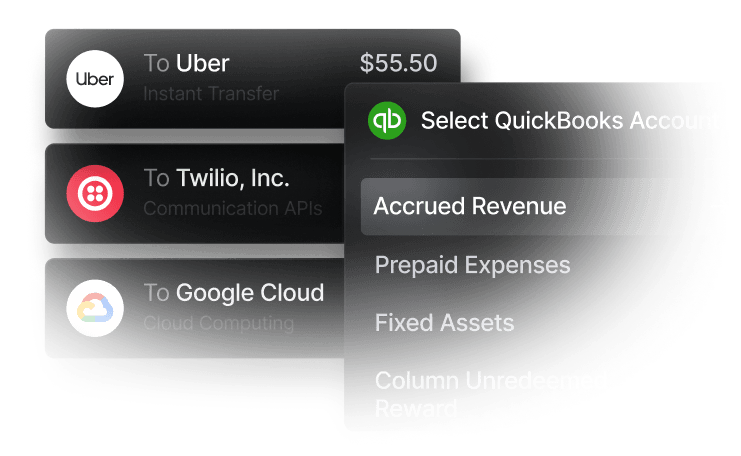
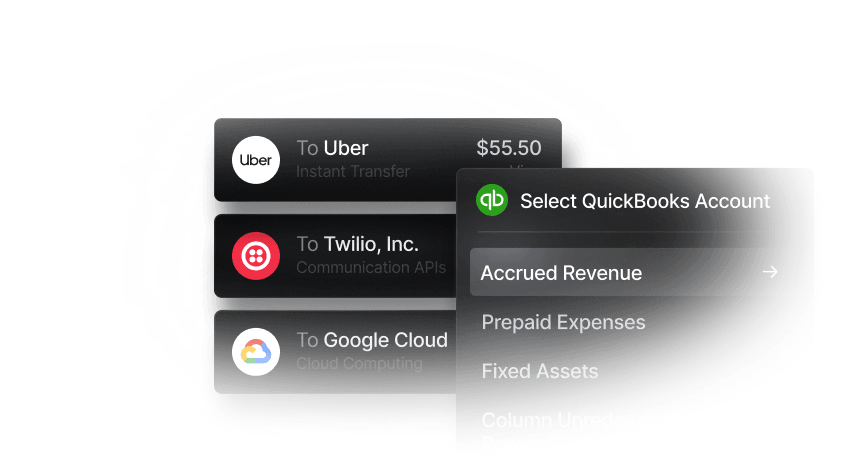
When companies work with a mix of physical and digital invoices, data can end up split across disconnected software. Pairing Slash with an accounting solution like QuickBooks Online can optimize invoice receipt and keep your accounts payable processes running like clockwork.
QuickBooks automatically extracts key data like vendor identification, invoice number, amount, due date, and line item details. From there, Slash can pull all outstanding invoices and their corresponding data, arranging them on the same platform that streamlines their payment. When every invoice flows through the same channel and into the same queue, your team always knows what’s been received, what’s pending, and what’s overdue. It also creates a complete audit trail, which accounts payable departments will be thankful for come tax season.
Streamline Approval Workflows
Many accounts payable solutions allow users to automate invoice routing, speeding up approval workflows and minimizing the potential for mistakes. These systems allow customized approval paths based on vendor, department, or dollar amount. Approvers then receive notifications with invoice details, purchase order information, vendor history, and budget impact. From there, they can approve or reject directly within the system.
Automated routing can’t fix inherently broken approval hierarchies, however. It’s best to ensure your approval workflows are standardized and efficient before adding new tools and increasing invoice volume.
Automate Invoice Processing
After automating your approval process, why not automate everything else? Modern AP platforms can extract key data from invoices, match those invoices to purchase orders without manual comparison, flag discrepancies for human review, and execute payment of approved invoices. These procedures are designed to require minimal human data entry and intervention, freeing up finance teams to focus on exception handling and vendor relationship management.
Automation can also help create a clearer and more consistent data set, which makes it easier for accounts payable staff to track payment patterns and improve their cash flow forecasting.
Integrate Payment Systems with Accounting Software
Disconnected systems can cause reconciliation headaches. When the platform used to execute payments is separate from the one used to record them, AP staff often has to manually bridge the gap. Slash can build that bridge for you.
Slash integrates with popular accounting solutions like QuickBooks Online, Xero, and Sage Intacct, allowing organizations to automate reconciliation, streamline financial reporting, and execute vendor payments in the same place they’re tracked and recorded. Our dashboard updates cash flow data and transfer statuses in real time, allowing finance staff to make decisions based on current numbers instead of last week’s reports.
Track Payment Cycles and Vendor Terms
Getting to know your supplier’s terms and preferences is key to forming good business relationships. When finance teams spend time battling approval delays and incomplete data, they may end up losing sight of previous agreements regarding payment cycles or preferences. With a messy accounts payable workflow, teams often tell themselves, “Just get it done,” instead of, “Get it done right.”
Some vendors will offer early payment discounts like a “2/10 net 30”, which gives companies a 2% discount if they pay within the first 10 days of a 30 day period. Consistently paying early enough to access these sorts of discounts can save companies valuable capital, especially when dealing with high-value invoices.
See How Slash Supports Structured Vendor Payment Workflows
A well-designed vendor payment process depends on three sequences: invoices moving through a structured review and approval workflow, payments executing reliably, and transactions appearing accurately in your financial records. Many accounts payable teams operate without systems that connect these steps cleanly, leading to obstacles when transferring data from point A to B to C. With Slash, the process can live at point A.
Slash is a business banking platform that provides the infrastructure accounts payable teams need to fully optimize their vendor payment processes. Rather than requiring finance professionals to navigate multiple pieces of software, manually input numbers, and trigger individual payments, Slash centralizes data collection and payment execution on an all-in-one dashboard.
Through our integration with QuickBooks Online, Xero, and Sage Intacct, users can directly import invoices with their due dates, payment terms, and vendor info, mitigating the risk of transcription errors or incomplete datasets. From there, you can schedule and track payments through a wide variety of transfer methods, including ACH payments, wire transfers, and virtual cards. This way, vendors receive payment through their preferred rails without human errors or delays. With our support for near-instant options like cryptocurrency and RTP/FedNow, you may also have an easier time capturing early payment discounts.
Our integrated dashboard gives users granular visibility into the invoice processing journey, revealing what transactions are scheduled and which have already executed. You won’t have to check one platform to monitor a virtual card payment, then open your banking solution to scan for ACH transfer updates. It’s all gathered in one spot.
Slash also offers features such as:
- Slash Visa® Platinum Card: Our corporate charge cards support customized spending rules by category, merchant, or team. You can also issue unlimited virtual cards that earn users up to 2% cash back across all business expenses – including vendor payments.
- Native cryptocurrency support: Our platform allows users to on- and off-ramp USDC and USDT with conversion fees under 1%. Send or receive stablecoins across 15 blockchains with processing that can take less than 10 minutes.
- Global USD accounts: With access to Slash’s Global USD account, founders in 130+ countries can hold dollar-based funds, send & receive ACH/wire, and make stablecoin payments without a U.S.-incorporated LLC.³
- High-yield treasury accounts: Users can earn up to 3.83% annualized yield on idle funds with money market investments from BlackRock and Morgan Stanley, all managed directly from your Slash account.⁶
If you’re looking to tighten up your vendor payment process, start with the business banking platform that centralizes and automates it for you.
Apply in less than 10 minutes today
Join the 10,000+ businesses already using Slash.
Frequently asked questions
What factors determine which AP software is best for a company?
The AP software you choose can depend largely on your company's volume of invoices and how often it pays vendors. Small businesses looking to automate specific payment processes may choose their software based on a couple key features, while corporations juggling constant transfers to different suppliers may choose the most robust option on the market.
Accounts Payable Automation: 6 Best Practices to Streamline Your AP Process

Accounts Payable and Receivable Software: Choosing the Best for Your Business

When do companies need global vendor payment capabilities?
Businesses shouldn't wait for their first overseas vendor to explore cross-border payments. Platforms like Slash can set companies up with international payment tools from day 1, meaning they're free to partner with suppliers from other countries without having to reassess their vendor payment workflows.
Best Ways to Pay Overseas Suppliers: Comparing Different Methods and Navigating Fees
Read more from us


