

Business Banking for Franchise Owners in 2026: One Login, a Separate Account per Location
Three franchise locations set up as three LLCs need three business accounts, one under each EIN, and all three can sit under one login. Locations that share a single LLC can keep one account and give each location its own set of account and routing numbers.
Slash, a business banking platform¹, covers both setups. One Slash login can add any number of entities, and each location's LLC applies and is verified on its own. Inside any entity, virtual accounts give each location its own balance, cards and routing details. Relay, Mercury, Brex and Ramp also bank several entities, with different plans, entry conditions and ledgers.
The standard in finance
Slash goes above with better controls, better rewards, and better support for your business.
Key Takeaways
- Slash puts no limit on the number of entities one login can hold, and each new entity goes through its own application and verification.
- A location run inside a shared LLC can have its own Slash virtual account, with its own account and routing numbers for deposits from payment processors and payroll providers.
- Slash bills each entity separately, so each location's LLC runs on Free at $0 a month or Pro at $25 a month, with $0 same-day ACH and domestic wires on Pro.
- Item 6 of the Franchise Disclosure Document lists the fees owed to the franchisor beyond the initial fee, such as royalties and advertising, with amounts and due dates.
- Relay adds any number of US businesses under one login, Brex lists multi-entity support on its $12 per user Premium plan, and Ramp offers multi-entity on Plus.
What Should Franchise Owners Look for in Business Banking?
The franchise agreement shapes the banking more than the bank does. The FTC's consumer guide to buying a franchise says you may pay royalties "based on a percentage of your weekly or monthly gross income", may contribute to an advertising fund, and may be required to "use certain accounting or bookkeeping procedures". The FTC's Franchise Rule requires the franchisor to list those other fees in Item 6 of the disclosure document, with each amount, its due date and any formula used to compute it.
So each location has recurring payments to the franchisor, its own payroll and vendors, and reports that the franchisor and your accountant both read. Five things decide whether a bank makes that easier.
- One login across every location's entity. You switch between LLCs without a second password, and each manager sees only the location they run.
- A separate account and routing number per location. Card processor deposits, payroll funding and vendor payments stay with the location that earned or owes them.
- Control over who can debit the account. A franchisor or payroll provider that collects by ACH debit should be one you've authorized, up to an amount you set.
- Cards and approvals per location. A manager's card draws from that location's balance, and larger payments wait for an owner's sign-off.
- Sync with the ledger the franchisor requires. Transactions arrive in QuickBooks Online, Xero, Sage Intacct or NetSuite already tagged to the right location or subsidiary.
One LLC per Location, or One LLC for Several
Your attorney and accountant decide the entity structure, and the banking follows it. The two setups need different tools.
When each location is its own LLC, each one is a separate legal business with its own EIN. It opens its own account, and its money stays in that entity's name. A multi-entity login lets you manage all of them without merging anything.
When several locations operate inside one LLC, there is one account holder. Separate accounts inside that entity, each with its own numbers, keep each location's deposits and spending apart while the money stays with the single LLC that owns it.
An owner can have both at once, such as one LLC per location for the first two stores and a third LLC that holds the next two. The platforms below handle that mix in different ways.
1. Slash: One Login for Every Location's LLC, With Virtual Accounts Inside Each
Slash's multi-entity banking keeps each LLC separate behind one dashboard. An owner or admin adds an entity from the entity menu and completes a fresh application for that LLC, and most applications are processed within 1 to 3 business days. Each entity keeps its own accounts, cards and team, and deposits are FDIC-insured² up to $150 million through a sweep network of partner banks.
What Slash Does for a Franchise Owner
- A view across every location. The Multi-Entity Overview shows each entity's balance and spend with a combined total, and downloads monthly statements for several entities at once.
- Virtual accounts for locations in a shared LLC. Each one has its own balance and account and routing numbers, and cards linked to it spend from its balance.
- Authorized ACH debits.ACH debit rules approve a franchisor or payroll provider by its ACH Company ID up to an amount you set, and send debits from other companies to an Owner or Admin for review, approving them by default if nobody acts before the review window ends.
- Cards and approvals per location. Virtual cards come on both plans, card groups cap total spending across one location's cards, and payment policies send larger payments through an approval chain.
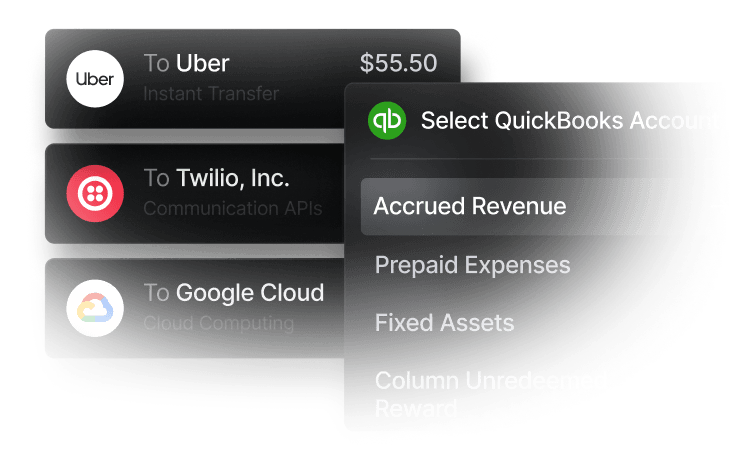
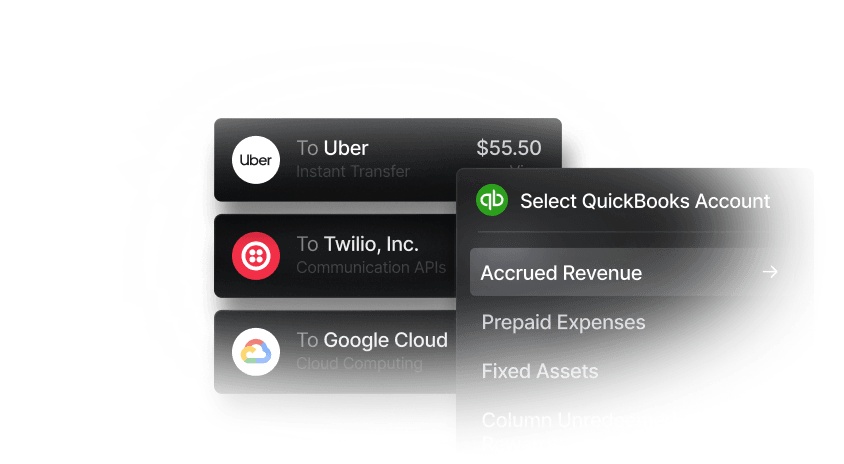
- Location tags in the ledger. Two-way accounting sync with QuickBooks Online, Xero, Sage Intacct and NetSuite runs on both plans. It brings in QuickBooks Online classes, Xero tracking categories, and locations and subsidiaries from Sage Intacct and NetSuite. Mapping rules can tag every transaction from a virtual account to a location.
What It Costs
Free costs $0 a month with up to 1.5% cashback, $1 same-day ACH and $6 domestic wires. Pro costs $25 a month with up to 2% cashback and $0 same-day ACH, domestic wires and outgoing FedNow and RTP, per Slash's pricing page. Slash bills each entity separately, so each location's LLC runs on the plan its own payments call for.
Slash takes no cash deposits, and money reaches an account by bank transfer, so a location that takes cash deposits it at a local bank and transfers it in. Mobile check deposit is in beta and available on request, for checks from US banks.
2. Relay: Any Number of US Businesses Under One Login
Relay's help center says one login can hold any number of legally distinct US businesses. Each needs its own EIN and formation documents and its own application, and Relay won't accept documents reused from your first account. Once open, each business keeps its own accounts, team and settings, and in Relay's words "Nothing is shared between businesses beyond the login itself."
Within a business, Relay's pricing page lists 20 checking accounts on Starter at $0 and Grow at $30 a month, and 50 on Scale, listed at $120 and discounted to $90 for a limited time. A location inside a shared LLC can have its own checking account, and Relay's help center says deposits qualify for FDIC coverage up to $3 million through Thread Bank's sweep program.
For the books, Relay's pricing page lists QuickBooks and Xero as its accounting integrations.
3. Mercury: One Account per Company, Linked to One Profile
Mercury opens each company as its own Mercury account and lets you link several of them to a single profile. Each company must be formed and registered in the US or a US territory, and you apply for the next one from your existing profile. Once it's approved, you switch between companies without logging out. Linked accounts are visible only to you, not to the other admins on each account.
Mercury's help center also describes an All Accounts dashboard that shows balances and money movement across every linked account and downloads each one's monthly statements. Its accounting integrations page names QuickBooks Online, NetSuite and Xero.
Mercury's pricing page puts the base plan at $0, with no fee on same-day ACH or domestic wires, and Mercury Plus at $29.90 a month billed annually.
4. Brex: Multi-Entity Support on Premium at $12 per User a Month
Brex's pricing page puts Essentials at $0 per user and lists "Up to two entities (1 global entity)" on it. Its plan comparison checks "Support for multiple entities and subsidiaries" from Premium up, and Premium costs $12 per user a month.
Inside one entity, Brex's help center says account admins can create up to 240 individually numbered accounts under one EIN, which covers locations sharing an LLC. Brex's ERP help page lists direct sync with QuickBooks Online, Xero, NetSuite and Sage Intacct on Essentials.
Brex's account requirements page asks every applicant for a US EIN, US incorporation, US operations and a US physical address. Under daily payments, the same page says Brex focuses on companies with an equity investment of any amount, more than $500,000 a year in revenue, or a referral for tech startups on that path.
5. Ramp: Multi-Entity on Plus, for Related or Jointly Managed Entities
Ramp makes multi-entity available on Plus, at $15 per user a month plus a platform fee based on team size, per its pricing page. Its help center says entities in one multi-entity business must be legally related or share management, and unrelated entities run as separate Ramp businesses reached through a unified login.
The same help page says Ramp maps its Locations to entities, so a cardholder's cards default to the entity for the location they work at, and each entity's card statement is paid from that entity's bank account. Admins can limit accounting and finance roles to specific entities, while Admins and Owners see every entity. Ramp's checking help page says each verified sub-entity can open its own Ramp Checking Account.
To apply, Ramp's qualifications page asks for at least $25,000 in cash in a US business bank account linked to the application. The multi-entity page lists the ledgers it supports for this setup as NetSuite, Sage Intacct, Acumatica, two Microsoft Dynamics products, Workday Financial Management, Oracle Fusion and universal CSV.
Side-by-Side Comparison
Provider figures reflect publicly published information as of November 2026 and are subject to change.
How to Choose Business Banking for Your Franchise Locations
- Map entities before you compare banks. List which LLC owns which location. Each LLC needs its own account, and a location inside a shared LLC gets its own sub-account.
- Read Item 6 and Item 11 of your FDD. Item 6 lists the fees you pay the franchisor and when each is due. Item 11 says whether the franchisor requires a particular computer system, and Item 8 covers required software and suppliers.
- Check the ledger before the bank. If your franchisor requires QuickBooks Online, Xero, Sage Intacct or NetSuite, pick a platform that syncs with that one and tags each location.
- Price wires against the plan. Eight domestic wires a month cost 48onSlashFree(6 x 8), and Pro at $25 a month sends them for 0.Atfourwiresorfewer(24), Free costs less.
Setting Up Your Locations in Slash
Open the first LLC's account from slash.com. To add the next location's LLC, click the entity name in the top-left corner of the dashboard and choose "Open new Slash account", then apply with that LLC's own details. Once every entity is approved, choose "All entities overview" from the same menu to see them together.
For locations inside a shared LLC, go to Virtual Accounts and click New Virtual Account, name it after the location, and give its account and routing numbers to your card processor and payroll provider. Then link that location's cards to it, and add a mapping rule in Settings, Mapping Settings so its transactions reach the ledger tagged to the location.
Conclusion
Every platform here can bank several LLCs, and they differ in what that costs and which ledgers they reach. Relay's ledger connections stop at QuickBooks Online and Xero, and Mercury's integrations page names QuickBooks Online, NetSuite and Xero. Brex Essentials stops at two entities, with more on Premium at $12 per user, and Ramp needs $25,000 in linked cash plus its Plus plan.
Slash holds any number of entities under one login, gives each location a virtual account with its own routing details, and syncs two-way with QuickBooks Online, Xero, Sage Intacct and NetSuite on both plans.
Talk to the Slash team about setting up an account for each of your franchise locations.
Apply in less than 10 minutes today
Join the 10,000+ businesses already using Slash.
FAQs
1. Does each franchise LLC need its own Slash application?
Yes. Each entity you add goes through its own application and verification, and approval of one does not guarantee approval of another. Once approved, all of them sit under the same login.
2. Can one Slash login manage locations owned by different LLCs?
Yes. Slash sets no limit on the number of entities a single login can manage, and you switch between them from the entity menu. Your role can differ by entity, for example Admin on one and view-only on another.
3. How do I keep two locations apart inside one LLC?
Create a virtual account for each location. Each one has its own balance, transaction history and account and routing numbers, and cards linked to it spend from that balance.
What Are the Benefits of Virtual Cards? Tips & Insights

4. Can my franchisor collect royalties from my Slash account by ACH debit?
Yes, if your agreement sets it up that way. Add the franchisor's ACH Company ID under your ACH authorization rules with a maximum amount, and debits up to that amount process automatically. Larger ones follow your manual review policy.
ACH Credit vs. ACH Debit: What's the Difference, and How Should Your Business Use Them?

5. Can a franchisor use Slash to hold money for its franchisees?
No. Slash accounts are for a business's own operating activity, and Slash's eligibility page says it can't support accounts that receive, hold, move or distribute funds on behalf of third parties. Each franchisee opens and holds its own account.


