

Why do card transactions take so long to sync with QuickBooks after month-end?
Quick answer: The sync itself is rarely the slow part. Card transactions can reach QuickBooks, Xero, or NetSuite weeks late because of what happens before the sync: bank feeds that download only posted charges and can take up to 48 hours, card statements imported once a month, and entries held for missing receipts, coding, or a single approver until close.
The fix is a direct accounting sync, rules that code transactions as they settle, receipts collected at purchase, and a weekly review instead of a month-end one. Slash's business banking¹ and corporate card connect directly to QuickBooks Online, Xero, NetSuite, and Sage Intacct on both the $0 Free and $25 Pro plans, with mapping rules, AI categorization, and receipts attached before entries sync.
Let’s take a look at seven causes, how to tell which one you have, the fixes in the order that saves the most days, and where Slash fits. For the close itself, see our month-end close checklist; for matching and tie-out, see corporate card reconciliation.
Slash details were checked November 18, 2026, in the Slash help center. QuickBooks bank-feed behavior from Intuit's help center is accurate as of November 2026.
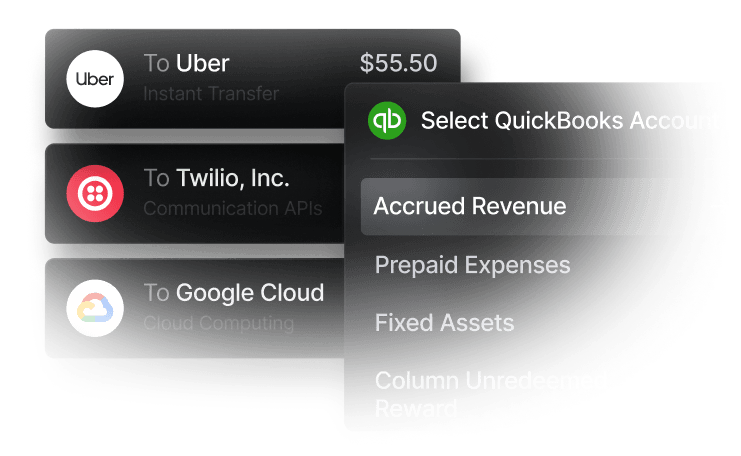
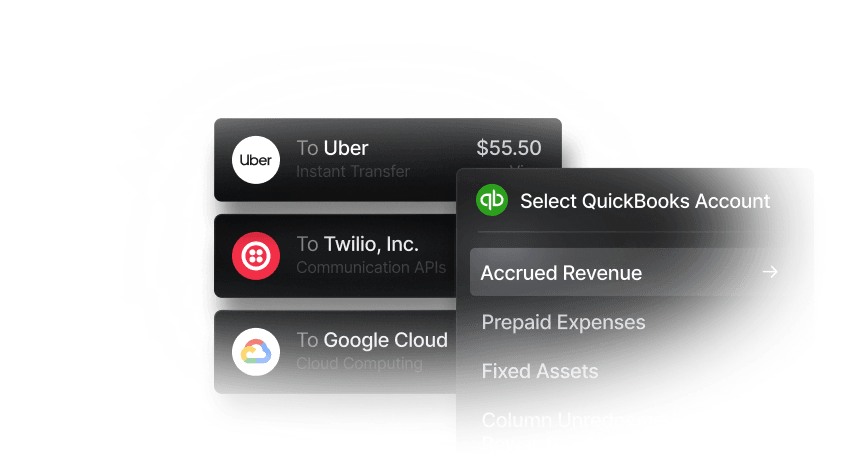
What causes the delay?
Generally speaking, you may run into seven problems. The firs three delay how transactions reach the ledger, and the last four delay the review before they do.
1. Bank feeds download only posted transactions, on the bank's schedule
QuickBooks Online downloads new transactions every night, and Intuit says they can take up to 48 hours to arrive. However, it skips pending transactions and anything older than 90 days (Intuit). Many feeds connect through an aggregator such as Plaid, MX, or Intuit's own connection, so a bank login or security change can stop the feed until someone reconnects it. And a feed sends raw lines (date, amount, description) that someone still codes in the ledger.
2. The card account is imported from the statement
Some teams wait for the card statement, download a CSV or QBO file, and import it. That builds in a lag of up to a full cycle, and when the cycle ends on the 25th, the month's last week lands in the next import and has to be carved out by hand.
3. Pending charges haven't settled
A card authorization isn't final until the merchant settles it, often within a few business days and later for hotels and car rentals that adjust the amount. Feeds and direct syncs both wait: Slash, for example, creates an accounting entry when a transaction settles or gets refunded. Charges from the month's last few days will land after the 1st, which is fine with a cutoff rule.
4. Entries wait on receipts, memos, or categories
Expense tools often hold a transaction until it has a receipt, a memo, and an account. If receipts arrive only when finance asks at close, every incomplete entry waits. In Slash, an entry without a GL account can't be approved for sync.
5. Coding is manual
If every line arrives uncoded, the bookkeeper codes hundreds of transactions in the first week of the month. Ledger bank rules work from the description and amount, not the cardholder or team, so they can't reliably fill a class or department.
6. One person reviews and syncs everything
When one controller or outside bookkeeper reviews every entry, the queue moves at their pace, and a week of vacation at month-end becomes a week of lag.
7. Failed syncs and duplicates go unnoticed
A renamed account, a missing class, or an expired connection sends entries to an error queue that nobody checks until close. Running a bank feed and a direct sync for the same card does the opposite: every purchase posts twice.
How do you fix slow card syncs? Seven changes, in order
Separate syncing from closing: transactions should reach the ledger every week, so the close becomes a check of what's already there. This order recovers the most days first.
- Replace statement imports and feeds with a direct sync for card activity: A direct (two-way) sync imports your chart of accounts and dimensions into the card platform and sends coded entries to the ledger. Turn off the feed's auto-add rules for the same card so nothing posts twice.
- Code by rule as transactions settle: Map merchants and categories to GL accounts, and cards or teams to classes or departments.
- Collect receipts at purchase: Require receipts above a threshold, such as $75, and prompt cardholders by text or email after the charge.
- Review and sync weekly: Bulk approve coded entries, fix exceptions, and sync, so month-end covers only the last few days.
- Spread the review: Give a second person (such as a separate bookkeeper) rights to review and sync.
- Clear the failure queue weekly: Fix renamed accounts and missing dimensions in the ledger, then retry.
- Write a cutoff rule: Decide whether month-end pending charges belong to the month they were made (accrue the large ones) or the month they post.
These steps can work with any card and ledger. For AI coding, see how AI transaction categorization works.
How does Slash keep card transactions from piling up until close?
Slash moves coding and review into the month. Its corporate card and business accounts connect directly to QuickBooks Online, Xero, NetSuite, and Sage Intacct on both the $0 Free and $25 Pro plans, priced per entity with no per-user fees. Each settled transaction lands in a review queue with its account and dimensions filled in by your rules, so syncing is a bulk approval rather than data entry.
A direct two-way sync instead of a bank feed
Connect your ledger from the Accounting page and Slash imports your chart of accounts and dimensions: vendors, customers, and classes from QuickBooks Online, tracking categories from Xero, and subsidiaries, departments, and locations from NetSuite and Sage Intacct. Changes made in QuickBooks or Xero flow back to Slash automatically. Card, bank, and Bill Pay activity go through the same accounting dashboard. Setup guides: QuickBooks, Xero, NetSuite, and Sage Intacct.
Rules and AI code transactions as they settle
Mapping rules fill the account, class, department, location, project, vendor, or customer by merchant, merchant category, card, card group, virtual account, payment recipient, or the cardholder's department or location. Automated categorization uses AI to learn from your past coding and create rules for new transactions, and you can limit it to the fields you choose. When a transaction settles, Slash creates the entry, applies your rules, and puts it in the In Review tab already coded.
Receipts are attached before the entry syncs
Submission policies require receipts or memos above an amount, for specific merchants or cards. Slash asks the cardholder by text message or email; they reply with a photo, and Slash matches it to the transaction. Receipts forwarded to your company's receipts inbox are matched and attached automatically, so the entry carries its receipt into review.
Bulk approve, sync, and fix failures in one place
Reviewers can mark entries Ready to Sync one at a time or in bulk, then click Sync to send them to the ledger. Entries that fail land in a Failed tab with the reason, such as a renamed account or a missing dimension, and if the connection loses authorization, Slash routes you to a reconnect page. Give your bookkeeper the Accountant role so they can review and sync without managing cards or users.
What Slash doesn't change
- A person approves each batch: Entries sync after someone marks them Ready to Sync and clicks Sync, so your review habit sets the cadence.
- Pending charges still wait to settle: Like any sync, Slash creates entries when transactions settle or are refunded:
- Your ledger is still the system of record: Bank reconciliation and financial reports still happen in QuickBooks, Xero, NetSuite, or Sage Intacct.
- Eligibility: Slash serves US LLCs, C-Corps, and S-Corps, but not sole proprietorships.
Which platforms sync card and bank activity directly to accounting software?
Slash, Ramp, Brex, Mercury, and Rho all send card activity to QuickBooks Online and Xero without manual entry. They differ in whether the connection is a bank feed or a coded sync, and in which plan covers NetSuite and Sage Intacct. Slash sends card, bank, and Bill Pay activity through one coded sync, with all four ledgers on both plans.
Competitor details were checked November 18, 2026, on each provider's own site.
Here’s where competitors win: Brex lists direct sync with all four ledgers on its $0 Essentials plan, Mercury's basic bank feed runs several times a day with no review step, and Rho charges no subscription or per-user fees. For ledger-by-ledger detail, see bank accounts for QuickBooks Online and Xero and corporate cards with NetSuite and Sage Intacct sync.
How do you reduce manual expense entry across multiple team members?
Make each cardholder responsible for the receipt and memo, and make rules responsible for the coding. Give each person or vendor its own card so the card identifies the team, require receipts and memos above a threshold, map cards and teams to classes or departments, and have one or two reviewers approve in bulk each week. In Slash, unlimited virtual cards, card groups, submission policies, and mapping rules by cardholder department cover each step on both plans.
- Cardholders: use their own card, reply to the receipt text with a photo, and add a memo when asked. For out-of-pocket purchases, they upload a receipt and Slash pre-fills the expense report.
- Owners and Admins: set submission policies, mapping rules, and each person's department once.
- Bookkeeper or controller: reviews pre-coded entries weekly, bulk approves, syncs, and clears failures.
For receipt thresholds and memo rules, see how to automate receipt collection and expense policies.
Verdict
If card transactions reach your ledger weeks after close, the cause is usually a monthly process (statement imports, receipts chased at close, one reviewer) rather than a slow connection. Fix it by syncing directly, coding by rule, collecting receipts at purchase, and reviewing weekly.
Slash is our pick for startups and small and mid-sized businesses that want that workflow with banking and cards in one account. You get direct sync with all four major ledgers, mapping rules and AI categorization, and receipts collected by text or email, all for $0 or $25 a month per entity with no per-user fees. Brex fits funded startups that want all four ledgers on a $0 card plan for up to two entities, Ramp fits teams that want its expense automation and can pay per user for NetSuite or Sage Intacct, and Mercury fits QuickBooks or Xero teams that mostly need a frequent bank feed.
Head-to-head: Slash vs Ramp, Slash vs Brex, Slash vs Mercury, and Slash vs Rho. Pricing: Slash plans.
Apply in less than 10 minutes today
Join the 10,000+ businesses already using Slash.
Frequently asked questions
Why do our card transactions take so long to sync with QuickBooks after each month-end close?
Usually because transactions wait before the sync, not during it. QuickBooks bank feeds download only posted transactions, nightly, and Intuit says they can take up to 48 hours; statement imports wait for the cycle to close; and entries missing receipts or coding wait for close. A direct sync with rules, receipts collected at purchase, and a weekly review can fix most of the delay. Slash syncs two-ways with QuickBooks Online on both its Free and Pro plans.
Bank Accounts for QuickBooks Online and Xero (2026)

Which integrated banking platforms sync card and bank feeds directly to accounting software without manual entry?
Slash, Ramp, Brex, Mercury, and Rho all do for QuickBooks Online and Xero. Slash syncs card, bank, and Bill Pay activity through one coded sync with QuickBooks Online, Xero, NetSuite, and Sage Intacct on both plans. Ramp pairs its card accounting sync with a separate checking bank feed and puts NetSuite and Sage Intacct on Plus; Brex lists all four ledgers on Essentials; Mercury sends a bank feed and doesn't list Sage Intacct.
How do we reduce manual expense entry and reconciliation across multiple team members?
Give each person or vendor its own card, require receipts and memos above a threshold, code transactions with rules by merchant, category, card, or department, and have one or two reviewers bulk approve weekly. In Slash, cardholders reply to a text with a receipt photo, mapping rules and AI fill in the coding, and reviewers approve and sync in bulk.
Accounting Reconciliation: Types, Process & Best Practices

Why don't pending card transactions show up in QuickBooks?
QuickBooks downloads only posted transactions from a bank feed, not pending ones. Direct syncs work the same way: Slash creates an accounting entry when a transaction settles or is refunded. Charges made in the last days of a month often post in the next one, so set a cutoff rule and accrue large ones.
Should we use a bank feed and a direct sync for the same card?
No. If both create transactions in your ledger, every purchase posts twice. Use the direct sync to create coded entries, and if you keep a feed for reconciliation, turn off its auto-add rules and match against what the sync created.


