

How do you automate receipt collection for corporate cards?
Quick answer: Write a short expense policy (with receipt thresholds, memo rules, categories, deadlines etc.), then let your card platform request documentation the moment a covered purchase happens. From there, it should match what comes back to the transaction. You can see this workflow with Slash’s corporate card¹: submission policies require receipts or memos by amount, merchant, or card, Slash collects them by text message or email reply, forwarded receipts are matched automatically, and coded transactions can sync to QuickBooks Online, Xero, NetSuite, or Sage Intacct. Slash's policies collect documentation after a purchase and never decline it, so it’s the card limits that do the blocking.
The table below compares how each platform captures receipts, enforces policy, and reimburses out-of-pocket spend, as well as what it costs.
Competitor details are correct as of November 2026, checked on each provider's own site. Slash details checked November 16, 2026.
Prices and features are subject to change. Confirm current terms with each provider before you sign up.
Which tool fits your team?
- Best for receipts, cards, and banking in one account with no per-user fees: Slash. Receipt and memo rules, text and email collection, ACH reimbursements, and accounting sync are all present on the $0 plan.
- Best for holding cards until policy is met: Ramp Plus or Brex. Ramp Plus locks cards when required receipts are late; Brex blocks out-of-policy purchases at the card.
- Best for $0 software alongside BILL payables: BILL Spend & Expense.
- Best if you're keeping your current cards: Expensify, from $5 per member a month.
- Best for basic receipt rules on a free bank account: Mercury.
What should a corporate card expense policy include?
A great policy generally covers five things: when a receipt is required, when a memo is required, how purchases are categorized, when documentation is due, and who approves what. Keep it to a page, and write rules that your software can enforce automatically.
Receipt thresholds
IRS Publication 463 says you’ll need receipts or other documentary evidence for travel, gift, and car expenses, except for certain expenses under $75 (other than for lodging and transportation) where a receipt isn't readily available. Many companies use $75 as the line for all card spend, plus every lodging charge, and set a lower threshold for meals.
Memos and categories
A receipt shows what was bought, and a memo explains why. Require a business purpose above a threshold, and attendee names for meals with clients or candidates. Don't ask employees to pick GL accounts: instead, code spending by merchant, card, or team with mapping rules, and have finance review the coding before it syncs.
Deadlines
Set the deadline in days after the purchase, not at month-end. Three to five business days is a good zone. Add a hard cutoff a few days before close and a consequence for late items, such as pausing the card until documentation is in.
A sample policy
Here's a sample policy for a 25-person company. You’ll want to adjust the amounts to your spend to get a clearer picture of what it might look like for your team.
How does automated receipt collection work?
Automated collection replaces the month-end expense report with a request at the moment of purchase. The platform checks each purchase against your policy, asks the cardholder for anything missing by text, email, app notification, or chat, reads the reply, matches it to the transaction by merchant, amount, and date, and codes it for finance to review and sync.
Platforms differ on what happens when nobody responds. Slash tracks the missing item as an open task, and Mercury sends SMS reminders. Ramp Plus can lock the card until required receipts arrive, and Brex blocks out-of-policy purchases at the card. Locking is stronger enforcement; tasks and reminders are less disruptive for teams that travel or buy on deadlines.
How does Slash automate receipts and expense policies?
Receipt and memo rules (submission policies)
Under Entity Settings → Policies → Submission Policy, Owners and Admins set a Receipt policy and a Memo policy. Each can be limited by amount (more than, less than, or a range), by merchants and by cards (all, an include list, or an exclude list), and by an enforcement start date. You can choose whether Slash texts cardholders for in-person purchases, online purchases, or both.
It’s important to remember that policies themselves don’t decline a transaction. The purchase goes through, then Slash asks for what's missing. To stop a purchase before it happens, use card limits (transaction size; daily, weekly, monthly, yearly, or total) and merchant, category, MCC, and country rules. See configuring submission policies.
Collection by text message, email, and the receipts inbox
When a purchase falls under a policy, Slash asks the cardholder right away. If they reply with a photo via text, Slash's AI assistant matches it to the transaction and attaches it. By email, the requirement appears in the transaction email, and replying with the receipt attaches it. Anything still missing shows up as a task in the Action Center.
Each business also has its own receipts address at receipts.slash.com. Forwarded receipts are matched and attached automatically, plain e-receipts with no attachment are converted to PDF, and the sender gets a confirmation or a no-match notice. Recognized Senders lets you allow extra domains and addresses, such as a shared finance inbox or a contractor who buys on the company's behalf. You can also upload a photo or PDF on any transaction; see how to attach receipts to transactions.
How expense approvals work
- Card purchases aren't approved one by one. Card and card group limits control them in advance, and receipts and memos are collected afterward.
- Reimbursements need one approval from an Owner or Admin, who approves or rejects with a reason from the Reimbursements page or the Action Center. They don't route to managers.
- Bills and outgoing payments follow your payment approval policy, which can include the requester's manager.
Reimbursements paid by ACH
Employees link a personal bank account through Plaid, click Submit expense report, and upload the receipt; Slash reads it and fills in the date, amount, merchant, and memo. If there's no receipt, the employee can explain why. After approval, Slash pays the employee by ACH from the business account and emails them when the report is approved, rejected with a reason, or paid. See how reimbursements work on Slash.
Accounting sync
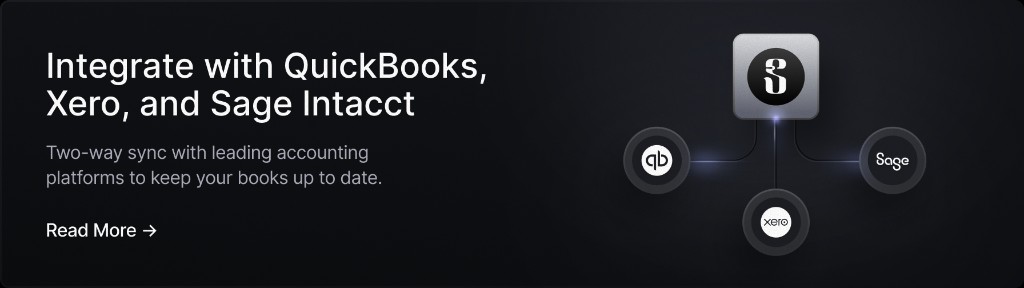
Receipts and memos flow into Slash's accounting table with each transaction. Mapping rules code transactions by card, card group, merchant, merchant category, recipient, virtual account, or the cardholder's department or location. AI categorization can learn from your past coding. Finance reviews entries, marks them Ready to Sync individually or in bulk, and syncs them to QuickBooks Online, Xero, NetSuite, or Sage Intacct on either plan. Bank reconciliation still happens in your accounting software, but entries arrive coded, with receipts attached.
Month-end close checklist for corporate card expenses
- Clear open receipt and memo tasks in the Action Center and follow up on anything still missing above your threshold.
- Approve or reject pending reimbursements so payouts go out before you close the period.
- Review coding from rules and AI, split purchases that span accounts, and check memos on meals and travel.
- Add a mapping rule for any vendor you coded by hand more than once.
- Mark entries Ready to Sync in bulk, sync, and fix anything that fails (usually a renamed account or a missing dimension).
- Reconcile the bank and card accounts in your accounting software against the statement.
- Adjust policies and card limits for next month based on what you had to chase.
How long does setup take before the first close?
Most of it is one-time configuration: connect your accounting software, add mapping rules for your largest vendors and each card group, turn on AI categorization, and write receipt and memo policies. In Slash, setup starts from Accounting → Connect accounting app.
Timing matters more than setup. AI categorization applies to transactions that arrive after you turn it on and doesn't reprocess your history, and submission policies apply from the start date you choose. So, you should turn both on at the start of the month you want to close cleanly. See how accounting mappings work and configuring automated categorization.
How did we rank these tools?
We made these rankings based on how much receipt-to-ledger work each tool removes for a small or mid-sized team. Overall, this can include capture, enforcement, reimbursements, accounting sync, and total cost.
1. Slash: receipts, cards, banking, and sync on one $0 plan
Why it ranks first: receipt and memo policies, text and email collection, a receipts inbox, ACH reimbursements, and accounting sync come with business banking and a corporate card with up to 2% cash back on eligible expenses, at $0 or $25 a month per entity with no per-user fees.
Where it falls short: policies collect documentation rather than locking cards, reimbursements don't route to managers, and Slash doesn't list a Gmail or ride-share integration, which Brex and Mercury offer.
2. Ramp: the deepest automation, with enforcement on Plus
Ramp Free includes automatic receipt collection and matching, expense completion by SMS or Slack, reimbursements, and QuickBooks Online and Xero sync. The Plus plan ($15 per user a month plus a platform fee) adds card locks when required receipts are late, itemized-receipt rules, reimbursement limits, and NetSuite and Sage Intacct.
Where it falls short: enforcement is per user, and Ramp requires $25,000 in a business bank account.
3. Brex: receipts generated for you
Brex Essentials ($0 per user) includes reimbursements, automatically generated receipts, and AI-filled expense reports. Employees can text in receipts, Gmail, Uber, and Lyft integrations are available, and it blocks out-of-policy purchases at the card. Premium ($12 per user a month) adds multiple custom expense policies and advanced receipt data extraction.
Where it falls short: custom policies are per user, and funded startups need $50,000 in cash to qualify.
4. BILL Spend & Expense: $0, with slower reimbursements
BILL Spend & Expense is $0 per user. Employees snap receipts in the app or text them to a BILL number, and BILL pulls receipts from integrations or generates them when they're missing. Reimbursements are free, by ACH or payroll. BILL's help center says ACH payouts arrive 5 to 7 business days after approval, with a $15,000 cap per request.
Where it falls short: slower payouts, and BILL's payables plans cost $49 to $89 per user a month.
5. Expensify: receipts from any card
Expensify reads receipts with SmartScan in its app, from receipts@expensify.com, or from a photo texted to 47777 (US numbers only). Collect costs a flat $5 per member a month with approvals, next-day ACH reimbursement, third-party card feeds, and QuickBooks Online and Xero sync. The Control tier adds multi-level approvals and custom expense rules.
Where it falls short: it isn't a bank account, and per-member pricing grows with headcount.
6. Mercury: free receipt rules on a free bank account
Mercury's $0 plan includes receipt, category, and note requirements, automatic receipt matching, and budgets. When employees upload receipts, they can either forward them to receipts@mercury.com or reply to an SMS reminder with a photo.
Where it falls short: reimbursing more than 5 active users a month needs a paid plan from $35 a month, and the IO card charges 3% on non-USD purchases.
Verdict: which tool automates receipts and expense policies best?
Pick Slash if you want receipt and memo rules, text and email collection, ACH reimbursements, and accounting sync on the same account as your banking and corporate card, for $0 or $25 a month per entity (see Slash pricing). Pick Ramp Plus or Brex to lock cards or block purchases until policy is met, BILL Spend & Expense for $0 software alongside BILL payables, Expensify if you're keeping your current cards, and Mercury for basic receipt rules on a free account.
For a wider roundup, see the top expense management software for small businesses; to write the policy itself, use our company credit card policy template. Head-to-head: Slash vs Ramp, Slash vs Brex, Slash vs BILL, and Slash vs Mercury.
Apply in less than 10 minutes today
Join the 10,000+ businesses already using Slash.
Frequently Asked Questions
How do I reduce manual expense entry and reconciliation when multiple team members submit receipts?
Collect receipts when the purchase happens instead of in month-end reports, and let software match and code them. In Slash, submission policies text or email cardholders for receipts and memos, forwarded receipts are matched automatically, and mapping rules and AI code each transaction before finance reviews and syncs it. Nobody retypes a receipt.
Why do our corporate card expenses take weeks to reconcile with accounting after each month close?
Usually because receipts and business purposes are collected at month-end, after people have forgotten them, and transactions are coded by hand. Requesting documentation at the time of purchase, coding by rule, and reviewing in batches during the month moves most of that work out of close week.
The 8 Top Expense Management Software Options for Small Businesses

What are the best expense management tools that work with Xero and auto-reconcile transactions without manual entry?
Slash syncs coded transactions (with receipts and memos attached) to Xero on its $0 Free plan, so there's nothing to enter by hand; you still confirm the reconciliation in Xero. Ramp Free, Brex, BILL Spend & Expense, Expensify Collect, and Mercury also connect to Xero. None removes the final reconciliation step, but each can remove the data entry.
How long does it take to set up automatic expense sync and accounting categorization before the first close?
The configuration is a handful of settings: connect your accounting software, add mapping rules, turn on AI categorization, and set receipt and memo policies. Plan around timing: in Slash, AI categorization applies to transactions after you enable it, and policies start on the date you choose, so turn both on at the start of the month you want to close cleanly.
Does Slash decline a card purchase if the receipt is missing?
No. Slash's submission policies collect receipts and memos after the purchase; they never decline a transaction. To block purchases, use card limits and merchant, category, MCC, or country rules, and pause a card if someone keeps missing deadlines.
How to Create a Company Credit Card Policy (With Template)
Where do employees send receipts in Slash?
They reply to Slash's text message with a photo, reply to the transaction email with the receipt attached, or forward it to the company's receipts inbox at receipts.slash.com. They can also upload a photo or PDF on the transaction.


