

How to Choose the Best Ecommerce Payment Platform for Online Retailers in 2026
One of the most important decisions an ecommerce store can make is what payment platform it uses. The right provider with well-priced processing and a good fit with your financial stack can protect your margins, widen who you're able to sell to, and save you hours of financial work each month.
In this guide, we're covering the top 7 payment platforms for ecommerce businesses, whether you sell on a marketplace, through your own website, or from a physical store too. The one you choose will shape how many tools you use, how easily you manage revenue, and what fees you pay.
If you're an ecommerce business looking for a payment platform that can double as your business bank account, consider Slash.¹Slash Payment Processing enables your business to embed a custom checkout on your website or collect payments via invoice, with funds landing in the same account you use to pay bills. From there, your business can earn up to 2% cash back with the Slash Visa Platinum Card, put idle cash in a high-yield treasury account,⁶ or let Slash's AI-powered financial tools take the busywork out of managing your finances.
The standard in finance
Slash goes above with better controls, better rewards, and better support for your business.
What is an Ecommerce Payment Platform?
An ecommerce payment platform is the software that lets an online store accept payments from customers and move those funds into the business's bank account. To the shopper, paying online takes one click, but behind it are a few systems every ecommerce business should understand:
- Payment gateway: When a customer enters card details at checkout, an ecommerce payment gateway encrypts that data and sends it on for approval, then relays the answer (approved or declined) back to your site. It moves information about the payment, not the money itself.
- Payment processor:Payment processing happens after the gateway hands off the transaction. The processor routes the payment through the card network to the customer's issuing bank, which checks whether the funds or credit are available and approves or declines the charge. Once it's approved, the processor handles settlement, the step where money moves from the customer's bank to your merchant account and then on to your business bank account.
- Payout management: This means tracking what you've been paid, when funds land, and what was lost to processing fees, refunds, and chargebacks. For a retailer selling on its own site, a marketplace, and a social storefront at the same time, payouts arrive from several sources on different schedules, so payout management software that tracks and reconciles each source becomes more important as you grow.
Factors to Consider When Choosing a Payment Platform
The best ecommerce payment platform for your store depends on how you sell, where your customers are, and how much you process each month. Before comparing providers, weigh these four factors, since each one affects your costs, your checkout conversion rate, or both:
Transaction fees and pricing models
Most online payment platforms use flat-rate pricing: one published percentage plus a fixed fee per transaction, regardless of card type. For U.S. online card payments, that lands around 3% plus roughly 30¢, give or take. The exact rate varies by provider and plan.
The alternative is interchange-plus pricing, where you pay the interchange cost of each transaction plus a fixed markup. It can cost less at higher volumes, but statements are harder to read, and many providers offer it only after a business passes a certain annual transaction volume.
Beyond the headline rate, look for payment processing fees that don't show up on the first line of a pricing page: monthly gateway fees, chargeback fees (charged when a customer disputes a payment), international card surcharges, currency conversion markups, and add-on charges for fraud screening or subscription billing.
Multi-currency support and international sales
If you accept international payments, check two things. First, whether the payment gateway can show prices and charge customers in their local currency, which tends to improve conversion because shoppers see a familiar number at checkout. Second, what it costs to process foreign transactions. Many processors add a surcharge on non-U.S. cards plus a separate currency conversion fee, both on top of the base rate.
Mobile payment options and digital wallet integration
Digital wallets like Apple Pay and Google Pay let customers pay with a saved card and a fingerprint or face scan, which can shorten mobile checkout considerably. Wallets also swap the real card number for a token (a stand-in number that's useless if stolen). Check which wallets a platform supports out of the box and whether they appear automatically on mobile.
Some customers also may want “buy now, pay later” options, which let customers split a purchase into installments. These usually carry a higher processing rate than standard card transactions.
Security features, including PCI compliance standards
Any business that accepts card payments must comply with the Payment Card Industry Data Security Standard (PCI DSS), the card networks' requirements for how card data is stored, processed, and transmitted. If card details go straight from the customer's browser to the provider through hosted fields or a hosted payment page, PCI compliance in many cases comes down to a short annual self-assessment. If you collect card numbers on your own servers, the requirements grow significantly.
Comparing the Top 7 Payment Platforms for Ecommerce
The best payment platform for an online store depends on where you sell and how you want to manage the money once it comes in. Below, we compare seven ecommerce payment platforms on processing fees, international pricing, supported payment methods, and the types of retailers each fits best. Rates are standard U.S. online card rates at the time of writing and can change, so confirm current terms on each provider's pricing page:
Slash
Slash is a business banking platform that supports card payment processing, so the payouts from your store can land in the same place you pay bills, issue cards, and manage cash. Merchants can accept cards on Slash invoices or build a custom web checkout with Slash's embeddable checkout components, and see both in one dashboard alongside payouts, refunds, and disputes.
- Pricing: 3% + 40¢ per card transaction, no required monthly fees
- International: An additional 1% (min. $0.40) on transactions not in USD
- Payment methods: Visa, Mastercard, American Express, Discover, JCB, Diners Club, and more; invoices also support bank transfer, recurring ACH debit, and stablecoin payments⁴
- Best for: Retailers who want payments, business banking, corporate cards with up to 2% cash back, and payment processing in one platform
Beyond payment processing, Slash's platform simplifies how you manage your money. As Atul Raghunathan, CEO of Hyperbound, put it, "You move away from the early days of being able to cobble together any solution to wanting something that scales well, and Slash has done that for us.”
PayPal
PayPal's main strength is how many ways it lets customers pay through one integration: PayPal balances, Venmo, Pay Later installments, and standard cards. The tradeoff is cost. Each payment method has its own rate, and the 49¢ fixed fee is higher than most competitors charge, so your effective rate depends on how customers choose to pay and climbs on smaller orders.
- Pricing: 3.49% + 49¢ for PayPal Checkout; 2.99% + 49¢ for standard card processing; 4.99% + 49¢ for Pay Later
- International: An additional 1.5% on international transactions, plus a spread on currency conversion. Click here for more information on PayPal’s FX fees.
- Payment methods: PayPal, Venmo, Pay Later, cards, and digital wallets
- Best for: Stores that want a wide range of payment options, including Venmo and installments, from a single provider
Amazon Pay
Amazon Pay lets shoppers check out on your site using the payment methods and shipping addresses already saved in their Amazon account. Its main draw is familiarity: customers who shop on Amazon regularly can pay without creating an account or typing in card details. Purchases are also covered by Amazon's A-to-z Guarantee, which may reassure buyers on a store they haven't used before.
- Pricing: 2.9% + 30¢ per domestic transaction, no monthly fees
- International: 3.9% + 30¢ when the customer's payment method is issued outside the U.S.
- Disputes: $20 fee for disputed chargebacks not covered by Amazon's Payment Protection Policy
- Best for: Stores that want to offer a trusted checkout option to Amazon shoppers
Stripe
Stripe offers prebuilt payment pages for fast setup and APIs which let teams build custom checkout flows, marketplaces, and subscription models. There are no monthly fees on standard pricing, though add-ons like advanced fraud screening and subscription billing carry their own charges.
- Pricing: 2.9% + 30¢ for domestic online card payments
- International: An additional 1.5% for international cards and 1% if currency conversion is needed
- Payment methods: Cards, Apple Pay, Google Pay, ACH Direct Debit, and many local payment methods
- Best for: Retailers with developer resources who want a custom checkout
Square
Square started as an in-person card reader and remains strongest for businesses that sell both online and in a physical location. Its online store builder, inventory, and point-of-sale system share one catalog, so a retailer with a shop and a website can manage both in one place. The free plan carries a higher online rate than the paid plans.
- Pricing: 3.3% + 30¢ online on Square Free; 2.9% + 30¢ on Square Plus and Premium
- In-person: 2.4% to 2.6% + 15¢, depending on plan
- Payment methods: Cards, Apple Pay, Google Pay, Cash App Pay, and ACH bank transfers on invoices
- Best for: Retailers with both a storefront and an online store
Authorize.net
Authorize.net is a long-running standalone payment gateway owned by Visa. It connects to a wide range of shopping carts and can work with a merchant account you already have, which makes it common with established retailers and businesses that want to keep an existing banking relationship. Unlike most platforms here, it charges a monthly fee.
- Pricing: $25 per month plus 2.9% + 30¢ per transaction on the all-in-one plan; gateway-only plans charge $25 per month plus 10¢ per transaction and a 10¢ daily batch fee
- eCheck: 0.75% per transaction on the eCheck plan
- Payment methods: Cards, eChecks, and digital wallets
- Best for: Businesses that already have a merchant account and want a dedicated gateway
Shopify Payments
Shopify Payments is the built-in processor for stores on Shopify. It's only available to Shopify merchants, and its biggest selling point is cost structure: if you use a third-party processor on Shopify instead, Shopify charges an extra transaction fee on top of that processor's rate. Card rates drop as you move to higher-tier Shopify plans.
- Pricing: 2.9% + 30¢ on Basic, down to 2.5% + 30¢ on Advanced (plan subscriptions start at $29 per month billed yearly)
- Third-party fee if not using Shopify Payments: 2% on Basic, down to 0.6% on Advanced
- International: An additional 1% on international cards
- Best for: Retailers who run their store on Shopify
Advanced Features of Payment Platforms for Modern Retailers
Once the basics are covered, advanced features are what set ecommerce payment platforms apart. Fraud prevention, recurring billing, custom checkout and alternative payment methods can reduce losses, cut manual work and help you sell to more customers. Here's what to look for as your online store grows:
Fraud prevention tools
Beyond basic address and security code checks, strong ecommerce fraud prevention includes 3-D Secure support, velocity checks (flags when one card or device attempts many purchases in a short window), and custom rules like holding high-value orders for review. Slash, for example, monitors for PAN enumeration, where fraudsters run many card numbers through a checkout to find ones that work, and sends real-time alerts from its transaction monitoring.
Chargeback and dispute management
A chargeback happens when a customer asks their bank to reverse a charge, and the merchant has a limited window to respond with evidence like delivery confirmation or customer communications. Look for a dashboard that flags new disputes quickly, shows response deadlines, and lets you upload evidence in one place.
Recurring payment capabilities
Subscription boxes, replenishment products, and memberships depend on recurring billing, which charges customers automatically on a schedule. A good setup retries failed charges, updates expired cards where the networks allow it, and lets customers manage their plans without contacting support. Recurring billing is often priced separately from standard processing, so check whether it's included or billed as an add-on.
Custom checkout and APIs
Prebuilt checkout pages are the fastest way to start, but growing retailers often want checkout to match their site and flow. Embeddable checkout components and payment APIs let developers build a custom payment experience while card data still goes directly to the provider, which keeps PCI compliance manageable.
Stablecoin payments
Some retailers, particularly those selling to international or crypto-native customers, accept stablecoins, digital currencies pegged to the U.S. dollar such as USDC and USDT. Stablecoin payments can settle quickly and may cost less than cross-border card payments, though conversion fees vary by provider. Slash invoices accept USDC and USDT, which can be converted to USD in your Slash account without managing a separate wallet.
Reconciliation and accounting integrations
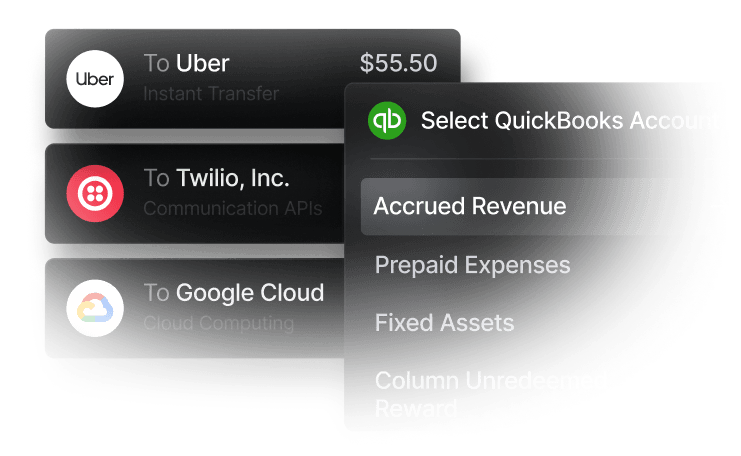
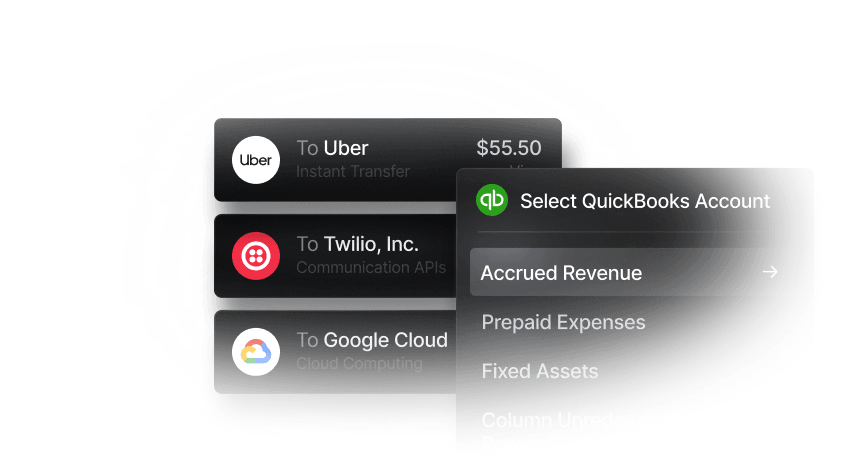
Matching payouts to orders, fees, and refunds is one of the more time-consuming parts of running an online store. Platforms like Slash that sync transaction data with accounting software such as QuickBooks Online, Xero, or NetSuite can cut down on manual entry at month-end and make it easier to see net revenue after processing costs.
Bring Payments and Banking Together with Slash
Most platforms on this list started as payment tools and added financial features later, usually built around their own store builder or POS. Slash started the other way around: it's a business banking platform that now offers payment processing, so card payments from your invoices or custom checkout land in the same account you use to pay bills and issue corporate cards.
To get started with Slash Payment Processing, read our documentation on how the Slash SDK lets you embed a checkout on your website, see our launch blog for how the payments dashboard works alongside payout management, and open a free Slash account to apply for processing. And when you make the switch to Slash, payments are just the start. You also get:
- Slash Visa Platinum Card: Corporate charge cards that can earn up to 2% cash back with granular spend controls, spend limits, and card grouping.
- Multiple payment methods: Send and receive funds via same-day ACH, wires on SWIFT to 180+ countries, RTP, FedNow, and stablecoin transfers in USDC or USDT.
- Accounts payable and receivable tooling: Create invoices, track payment status, and collect payments via multiple methods all in your dashboard. For your bills, Slash can parse an uploaded invoice, route each bill for approval, and track its status from pending to paid, so payables don't slip through the cracks.
- Integrated treasury: High-yield treasury accounts earning up to 4.01% annualized yield backed by Morgan Stanley and BlackRock money market funds, with no minimum balance to get started.
- Flexible financing: Access to a line of credit in your Slash dashboard to support cash flow gaps or temporary funding, with 30, 60, or 90 days repayment terms.⁵
Apply in less than 10 minutes today
Join the 10,000+ businesses already using Slash.
Frequently Asked Questions
What is the difference between a payment gateway and a merchant account?
A payment gateway securely captures and transmits card details at checkout, while a merchant account is the bank account that receives the funds from approved card payments before they're transferred to your business account. Many modern providers bundle both into one signup, but standalone gateways like Authorize.net can connect to a merchant account you already have.
Payment Gateway vs. Payment Processor: 5 Key Differences

Merchant Accounts: How Card Payments Work
Can I use more than one payment platform on my online store?
Yes, and many retailers do. A common setup pairs a primary card processor with a PayPal button or a buy now, pay later option to reach more shoppers. Just check your store platform's rules first, since some, like Shopify, charge an added fee when you use an outside processor.
How to Accept Payments Online: Guide for Small Businesses

How long does it take to receive money from online sales?
It depends on the provider and your account history. Card payouts often arrive within one to a few business days, while new accounts may start on a longer schedule or have a portion of funds held in reserve until the provider sees a track record of low disputes.
How Long Does an ACH Transfer Take? A Complete Guide for Businesses

Do I need a business bank account to accept online payments?
Most payment platforms require a bank account to send payouts to, and using a dedicated business account keeps sales revenue separate from personal funds, which makes bookkeeping and taxes simpler. Some platforms, like Slash, handle payment acceptance and business banking in the same place, so processed funds land directly in your business account.
The 8 Best Free Business Bank Accounts in 2026
What does a chargeback cost a merchant?
A chargeback typically costs the full sale amount plus a dispute fee, which is often around $15 per dispute depending on the processor. Merchants can respond with evidence like delivery confirmation to try to win the dispute, and some processors refund the fee if they do.
Chargeback Insurance Explained: Coverage, Costs & Benefits
Read more from us


