

Billing Software for Small Businesses in 2026: A Comparison
If you’re new to owning a small business, you might think that getting paid by your clients would be one of the easiest parts of your job. Unfortunately, it’s not that simple. After you finish work for a customer, you have to create an invoice with accurate details, send it to the right person, set deadlines, and possibly send an awkward follow-up when those deadlines arrive. As you grow from a couple clients to a few dozen, that process often becomes much harder. You might need the help of modern billing software
While an invoicing tool can help you create and send the actual document, billing software helps track everything that comes afterwards. Features like accounting integrations and automated systems can give small business owners time back that they’d lost focusing on manual invoice creation and payment tracking.
When it comes to actually shopping for a billing solution, there’s a lot to keep in mind. Your sales model and budget matter, and some use cases fit certain products better than others. We wrote this guide to explain what billing software is, how the process works, and which products are best for small businesses. One of these solutions is Slash, a business banking platform that supports billing features alongside a wide array of other financial tools.¹ Slash allows users to send custom-branded invoices, track payment statuses, send reminders, and sync collections directly with their accounting system.
Key Takeaways
- Billing tools are meant to track what people owe you, collect it, and tell you who's late. Invoicing tools are just built to help create the actual bill, and usually can’t automate anything before or afterwards.
- Just about all billing software charges transaction fees, commonly in the range of 2.9% for card payments and 1% for ACH payments. That means free software usually isn’t technically free.
- Check plan limitations before signing up. For example, FreshBooks Lite stops at five clients, which is a detail that could catch you by surprise if you have a few dozen customers and didn’t read the fine print.
- The exact way you charge can make a big difference. A plumber that bills per job and a gym that bills monthly may not want to use the same piece of software.
What is Billing Software?
Billing software calculates what your customers owe, creates and sends the invoices, tracks what comes in, and keeps a record of it in one place. Most billing platforms can apply your pricing, discounts, and taxes, then generate the invoice without the need for anyone to build it by hand.
Across the board, these platforms come with features that can automate and clean up tedious accounts receivable (AR) processes. Most systems can send bills out on a schedule with built-in pricing rules that help eliminate mathematical mistakes and inconsistencies. After delivery, payment tracking tools allow small business owners to see what's paid, outstanding, and overdue without sorting through paperwork and comparing bills to bank statements. Some platforms can even “chase” clients on your behalf by sending reminders.
You can also use billing software to avoid the redundant workflows that commonly plague AR departments. For example, Slash integrates with QuickBooks Online, NetSuite, Sage Intacct, and Xero, meaning your client payments can automatically zip from your banking platform to your accounting system without any copying and pasting. You can also expect to see client management tools and analytics features within most billing solutions, including Slash.
It’s easy to get confused about the difference between billing software and invoicing software. Invoicing is a single step inside billing, specifically relating to the act of creating and sending a document that requests payment from a client. Billing is the whole workflow around it, covering what customers owe, calculating amounts, sending invoices, monitoring what's been paid, and sending reminders. With a piece of invoicing software, you generally won’t get features that help with those parts of the process.
Different Types of Billing Software
Lots of billing platforms automate AR in a broad sense without much industry or situational focus. However, some solutions lean more towards specific use cases and payment structures. Here are the three main ones:
- Usage-based billing software calculates charges from consumption, which can include hours, system activity, or another type of unit. These platforms can measure usage as it happens, then produce an invoice that reflects what was used during a period. Utilities, cloud services, and telecom companies often run this way.
- Recurring billing software charges your customers on a repeating cycle. Beyond just sending the invoice, these tools may handle renewals, prorate the amount when someone changes their plan partway through a cycle, and automatically retry failed card payments in a process called “dunning”. They’re best meant for subscription-based businesses whose customers pay the same exact amount every month, such as SaaS companies and gyms.
- One-time billing software, on the opposite end, covers individual transactions that aren’t connected to an ongoing relationship. The software provides templates, tracks whether the invoice was paid, and often supports partial payments and discounts. These tend to be helpful for freelancers and trades that get called into action for one-time jobs.
Your average piece of billing software can often support a couple of these workflows, but not always to the extent that your business may need. If you exclusively send bills based around one of these three structures, it may be best to look for systems that explicitly lean in that direction.
How Does Billing Software Work?
If you don’t understand the beginning-to-end billing process, it can be tough to wrap your head around the ways software can optimize it. Let’s take a look at each of the steps involved in invoicing customers through a piece of billing software:
- You add your billing rules: To begin, you’ll set up your current customers, your rates, and your payment terms. Going forward, the system can hold this information in place and apply it to your invoices until the next time they need to be adjusted.
- The invoice is generated: Whether it’s created on a schedule or triggered after finishing a job, many solutions can build invoices for you. They can pull in the line items, apply the right tax, assign a unique invoice number, and format it all professionally.
- It travels to the customer: The system sends the bill to the client as a PDF in an email or through a vendor portal. Invoices sent through Slash come with a link to a secure online payment page that allows customers to pay through their preferred method.
- The customer pays: Traditionally, clients would use a separate service to set up a transfer if they received a simple PDF invoice. With customer portals and embedded payment links, they can instead pay on the spot.
- The payment gets recorded and matched: The billing software marks the invoice paid and reconciles it against the customer's account.
- Overdue invoices trigger reminders: If and when a payment is overdue, follow-ups can be automatically sent to the customer based around a schedule you configure.
- Everything syncs to your accounting system: If your platform syncs to your accounting app, the transaction can land right in your books and keep your records current without a separate data entry step.
Six Leading Billing Solutions For Small Businesses
With the wide array of billing software options available on the market, it can be confusing to evaluate how each one may or may not fit your needs. To help, we’ve picked out six popular platforms that tailor their offerings towards small businesses:
Slash
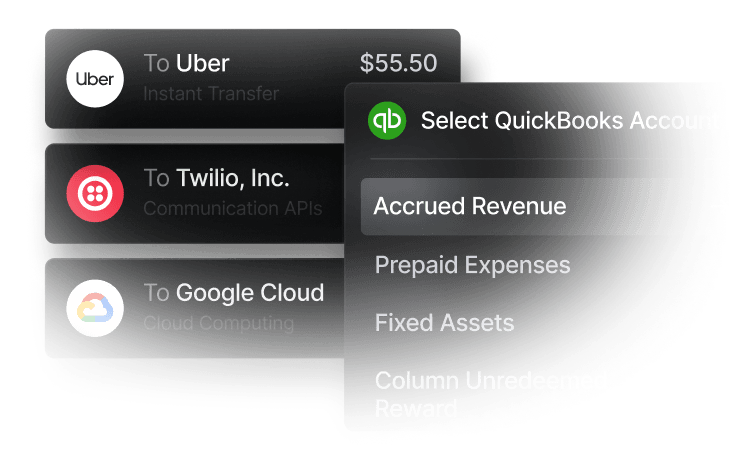
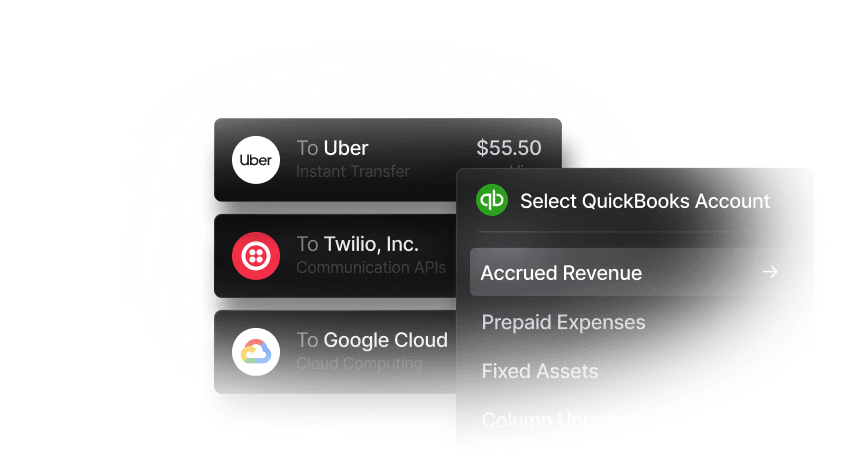
Slash offers automated invoicing and payment collection features in the same place it supports its FDIC-insured business checking account.² Small business owners can use the platform to create branded invoices, make pricing calculations, generate a PDF, and email it to the client. When your customer gets the bill, they can pay through their preferred rail on a secure online payment page. Slash supports standard payment rails like card and ACH, and depending on the user’s account settings, also allows bills to be paid through stablecoins and international wire.⁴ No matter how the payment’s sent, it can automatically sync with your connected accounting system.
- Pricing: Slash offers a Free plan and a $25/mo Pro Plan. All AR features are available in full on the Free plan, though some transfer fees apply.
- Strength: The platform’s main strength is the simple fact that it isn’t a standalone billing software. It’s a full business banking platform with billing built in, meaning you can manage and create invoices alongside your corporate cards, virtual accounts, and analytics tools.
- Best for: Small businesses that want their banking, accounting, and billing processes to be closely connected.
Wave
Wave gives you unlimited invoices, digital receipt capture, automated late payment reminders, and recurring invoices with saved-card autopay. It also supports double-entry bookkeeping, which is an accounting method where every financial transaction is recorded in both debit and credit accounts. Wave’s main downsides are seen in its transaction fees, which are 2.9%-3.4% per card and 1% (min $1) per ACH. While these types of fees aren’t uncommon, Wave’s are on the higher end.
- Pricing: The Starter Plan is free, and the Pro Plan is a flat-rate $190 a year.
- Strength: Wave’s free plan includes invoicing, unlimited custom templates, and accounting integrations. Unlike some other competitors, the Pro Plan isn’t an absolute must-have, though it does include automated reminders and receipt capture.
- Best for: Small businesses and solo operators whose customers don’t rely completely on cards.
Recurly
Recurly is an example of a billing platform that leans towards subscription-based models. It offers automated global subscription billing, dunning campaigns to recover failed payments, revenue forecasting, and more. One catch is that Recurly doesn’t process credit card transactions itself; instead, you bring your own card processor. As a result, it offers over twenty gateway integrations, and doesn’t charge its own card fees.
- Pricing: The Starter plan is $249 per month, plus 0.9% of billing volume after $40k in monthly income. Despite that high price, Starter doesn’t support ACH payments. The higher “All-Access” tier does support ACH payments, but pricing is quote-based and dependent on your billing volume.
- Strength: Recurly comes with a strong failed payment recovery system, which is especially important for large subscription-based businesses.
- Best for: Small to mid-sized businesses whose customers can pay subscription bills with cards.
QuickBooks
While some of these platforms integrate with QuickBooks as an accounting tool, QuickBooks also has its own billing and invoicing software. This solution offers secure payment links, the ability to set recurring charges, and a full accounting ledger underneath. Its lowest-cost “Simple Start” plan offers unlimited custom invoices and quotes, but you only get two total seats.
- Pricing: When referring to the pricing tiers within their Invoicing product, Simple Start is $21 per month, Essentials is $31, Plus is $46, and Advanced is $89.
- Strength: QuickBooks’ invoicing tools live in the same suite as the rest of their products, meaning accounting syncs can be particularly easy if you use the broader platform.
- Best for. Growing businesses of around five to fifty people that want their billing and bookkeeping to coexist.
Square Invoices
Square Invoices offers recurring invoices on flexible schedules, contracts with e-signatures, SMS invoices, and the ability to keep customer cards on file. Their recurring billing is actually included within their free plan, which you won’t see among most competitors. As a service that makes most of its money through POS systems and card payments, their card fees are 2.9%-3.3% plus 30 cents on top, which isn’t cheap.
- Pricing: Outside of their free plan, Plus is $49/mo and Premium is $149/mo. Both are charged per location, which can make it expensive for a chain or growing small business to commit to a priced tier.
- Strength: With recurring billing, automated payment reminders, and e-signatures, Square has a stronger free plan than most.
- Best for: Service businesses like trades and contractors that often take payments in person.
FreshBooks
FreshBooks is built around service work, with expense tracking, automated recurring invoices, scheduled late fees, and automated reminders. One of its most distinguishing tools is its time tracking feature. Logged hours are saved as unbilled entries tied directly to specific clients and projects, and you can instantly convert those hours into client invoices. When it comes to its transaction fees, most cards are 2.9% plus 30 cents, while Amex and commercial cards get charged a lofty 3.5% plus 30 cents.
- Pricing: Lite is $23 per month, Plus is $43, and Premium is $70. Each of these tiers only allows one user by default, with extra users costing $11/mo each.
- Strength: Freshbooks’ time tracking tool can be a big perk for consultants and agencies that bill by the hour.
- Best for: Solo and small service firms billing somewhere between five and fifty customers, as the Lite and Plus payment tiers limit your client volume.
How Slash Can Help Small Businesses Optimize Their Billing
Some of the billing solutions we’ve looked at operate on their own, while others live in the same ecosystem as accounting and payment tools. Only one, however, is an all-in-one system encompassing everything from AP/AR to business banking and treasury accounts.
Slash is a financial platform that can both support your team’s billing workflow and connect it with the rest of your banking and accounting processes. With Slash, you can generate professional invoices with auto-formatted line items, discounts, due dates, and customized payment terms. With the help of embedded payment links, your clients can hop right into the invoice itself and pay by bank transfer, card, wire, or stablecoin.
If you see an invoice labeled, “Overdue”, on the Slash dashboard, you can send payment reminders and automatically match incoming payments to invoices when they arrive. If you don’t have time to monitor your accounts receivable yourself, ask our agentic AI, Twin, for help. Through simple prompts, Twin can deliver real-time summaries of outstanding balances, payment histories, and upcoming receivables. That means you can prioritize collections and maintain a healthy cash flow without having to manually review each invoice and customer account.
Outside of the world of invoicing, Slash can also help small business owners with the following features:
- Reimbursements: Instead of managing reimbursements across multiple tools, teams can submit, review, and approve reimbursements directly inside the Slash dashboard. Connect your bank account, upload your receipt, and let Slash capture the details.
- Slash Visa® Platinum Card: The Slash Card is a corporate charge card that allows you to set customizable spending controls and issue unlimited virtual cards for handling team expenses, vendor payments, subscriptions, and more. Users can also earn up to 2% cash back on business purchases.
- Stablecoin support: Send and receive USD-pegged stablecoins USDC and USDT across eight supported blockchains for faster, lower-cost global payments.⁴
- A wide range of payment rails: Slash supports a wide range of payment methods, including card spend, global ACH, international wire transfers to over 180 countries via SWIFT, and real-time domestic payments through RTP and FedNow.
- Separate virtual accounts: Create multiple business bank accounts to silo cash flows by project, department, or client with real-time analytics across each of them.
As strong as our billing features are, they’re only a small piece of our broader business banking platform. To learn more, reach out today.
Apply in less than 10 minutes today
Join the 10,000+ businesses already using Slash.
Frequently Asked Questions
What does billing software cost for a small business?
Entry-level tools tend to range from free up to about $25 a month, while mid-tier plans land between $40 and $75. That monthly price isn’t the only cost, however. Processing typically runs 2.9% to 3.3% on cards plus a fixed fee and around 1% on ACH. If your small business takes in $20,000 a month through invoices, you could pay several hundred in fees against a $23 subscription.
Best Invoicing Software: Top Picks for Small Businesses

Do you need separate billing and accounting software?
Not necessarily. QuickBooks, Wave, and FreshBooks all include bookkeeping capabilities, so your invoices can post to your books automatically. You can get the same sort of experience with platforms like Slash that integrate cleanly with multiple accounting tools.
The Best Accounting Automation Software Tools in 2026

What fees and plan limitations should I watch out for?
Payment processing costs are fairly similar across the board. On average, you’ll be charged 2.9% for cards and 1% for ACH. Plan limitations vary depending on the provider, but you’ll commonly run into tight user and invoice restrictions on the lowest tiers.
Read more from us


