

Best Invoicing Software: Top Picks and Key Insights for Cash Flow and Receivables
Getting paid isn’t always as simple as making a sale. For many businesses, especially those that bill clients after delivering a product or service, payments can take days or even weeks to arrive. Invoices need to be tracked and followed up on, meaning delays can pile up without a proper system in place.
That’s where invoicing software comes in. These tools help businesses generate invoices, send them to clients, and track outstanding payments in one place. Some platforms go further by enabling payment collection and automating reminders, giving accounts receivable teams better control over their collections. With so many options available, choosing the right solution depends on how your business manages receivables and how much automation you need.
In this guide, we’ll review some of the leading invoicing software options, the features to look for, and the common challenges businesses face when managing receivables. One option is Slash, a business banking platform that streamlines both accounts payable and receivable workflows and allows clients to pay invoices through multiple payment methods, including ACH debits and cryptocurrency.¹,⁴ By the end, you’ll have a clearer sense of what to look for and which tools are worth considering.
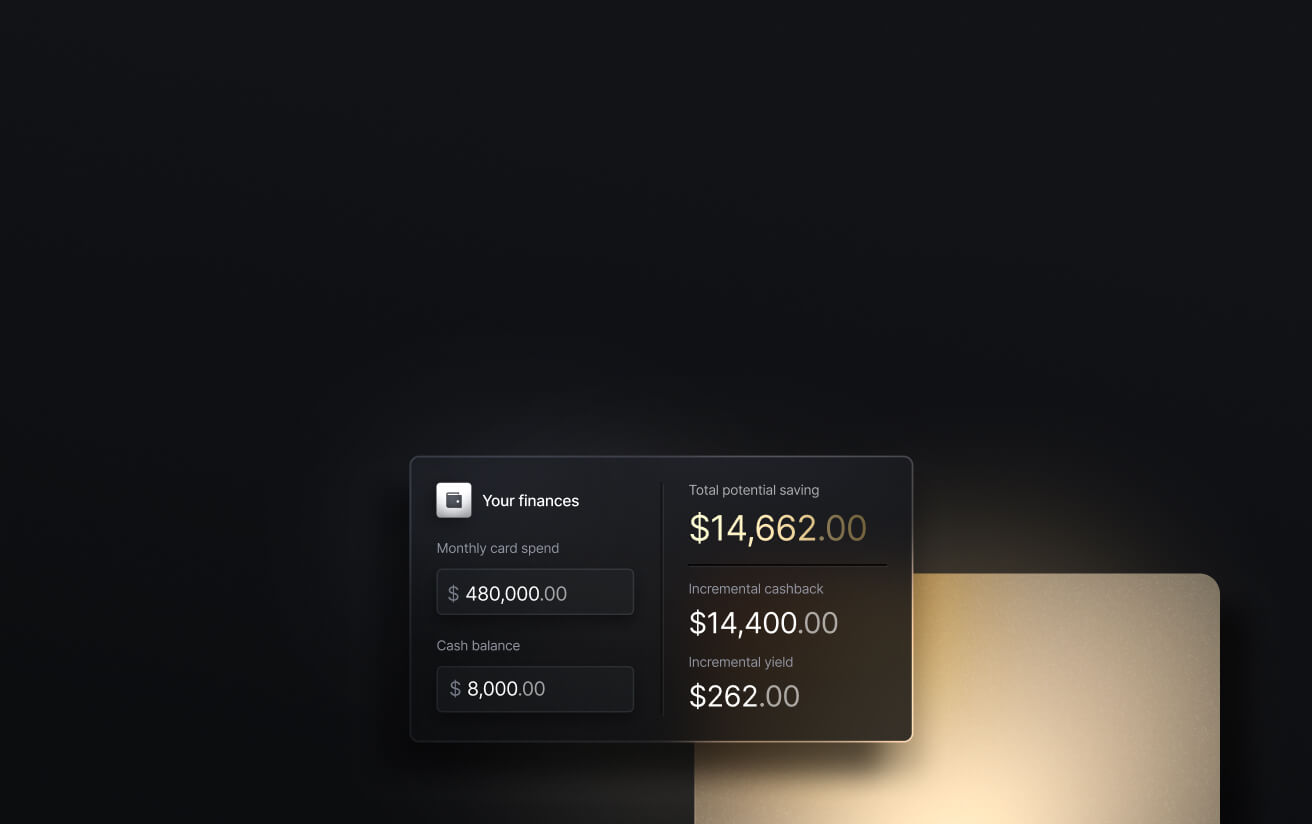
See the ROI behind your spend
Use this calculator to understand impact, then manage and track it all in Slash.

How Invoicing Systems Fit Into Accounts Receivable
Accounts receivable (AR) is the outstanding balance a business is owed by its customers for products or services that have already been delivered but not yet paid for. Invoicing software is a key piece of the broader accounts receivable workflow, spanning from the point of sale to the moment cash settles in an account and reconciles with the books. The invoicing process typically proceeds as follows:
- Invoice is created and sent: The invoice includes details of the transaction, including what was sold, the cost of the purchase, and when payment is due. Then it’s sent to the customer, ideally within close proximity to the time the purchase is made.
- Customer receives and pays: Funds can be sent in a number of ways, depending on the business and its accounting software. Payments made by card or from digital wallets often settle faster than wire or ACH transfers. Slower payments impact the average number of days it takes to collect payment after a sale, which is a metric known as days sales outstanding (DSO).
- Payment is tracked and matched: When a payment arrives, it needs to be matched to the correct invoice. Invoicing systems can often do this automatically.
- Outstanding invoices are followed up on: Businesses may want to give their clients an extra nudge to pay late invoices. Automated reminders can help improve DSO by reducing the time finance teams spend on collections.
- Data feeds into general ledger: Invoice data, payment status, and receivables aging all flow into the general ledger for reporting and reconciliation.
Invoicing software is designed to compress the time between the first step and the last by reducing manual work and giving finance managers extra visibility into payment statuses. Before evaluating invoicing tools, it’s important to identify which steps of the AR workflow your business struggles with so you can choose a software that can help.
Key Features to Look for in Invoicing Software
Not all invoicing tools offer the same depth. Here are the features that separate tools built for the AR workflow from those built merely for invoice management:
- Methods of payment collection: The ability to accept credit cards, ACH bank transfers, and digital wallets directly from an invoice link removes friction for the customer.
- Automated payment reminders and follow-ups: Reminders that trigger based on configurable intervals can save teams the stress of chasing clients down via email.
- Global payment support: Businesses with international clients need to be able to send invoices in the customer's local currency and accept payments in USD, all while keeping costs low. Not only does Slash support global ACH and international wire, but the platform also comes with crypto on/off ramps that allow your clients to pay invoices using stablecoins like USDC and USDT.
- Real-time tracking of outstanding invoices: A software that shows which invoices are paid, pending, and overdue gives finance teams the visibility needed to prioritize follow-ups and flag delays early. Slash gathers this information on an integrated dashboard alongside other key pieces of data like outgoing payments and employee card spend.
- Reporting on cash flow and receivables: Financial reports and cash flow forecasting can make invoicing software valuable for financial management at a larger scale.
Best Invoicing Software Compared
Let’s take a look at some leading invoicing software and compare them based on price, features, and target audience:
Slash
Slash isn’t a standalone invoicing tool. It’s a full business banking platform with invoicing built in, so you can manage billing alongside your cards, accounts, and day-to-day finances in one place.
Invoices can be customized to match your brand and include clear payment terms, while the platform keeps track of what’s been sent, viewed, and paid. You don’t have to follow up on every invoice manually—reminders and recurring billing run on their own. When it comes time to get paid, clients have flexible payment options, including ACH, wires, and even cryptocurrency for faster settlement. Slash’s AI agent, Twin, can help handle follow-ups and initiate payments for your business’s upcoming bills, cutting out the need to review all your documents one-by-one.
The standard in finance
Slash goes above with better controls, better rewards, and better support for your business.

Wave
Wave is a solid option for businesses and sole proprietors who need simple, functional invoicing tools. The free plan includes unlimited invoice creation, automated payment reminders, and the ability to accept credit card payments and ACH transfers. Wave also offers basic financial reporting and connects to bank feeds for expense tracking.
That said, Wave is not built for complexity or heavy operations. There's no inventory management or time tracking, and the payment processing fees (2.9% + $0.60 per card transaction) could be a bit lower.
QuickBooks Online
QuickBooks Online is a popular invoicing and accounting platform that fits nicely with small and mid-sized businesses. The solution supports unlimited invoices across all plan tiers, automates reminders, tracks receivables aging, and offers more than 750 integrations.
Paid plans start at $38 per month and can scale all the way up to $275 at their Advanced tier. While QuickBooks offers robust features, some important tools like cash flow forecasting and automated workflows are gated behind expensive tiers.
FreshBooks
FreshBooks is well-suited for startups and freelancers who invoice clients for project work. As far as the user experience is concerned, it’s considered one of the most intuitive invoicing solutions on the market. Using invoice templates and generating reports is simple, and the Freshbooks dashboard clearly displays expenses and outstanding invoices.
As helpful as their invoicing features are, it’s not designed for advanced accounting needs or inventory management. Paid plans start at $23 per month for up to five active clients, with higher tiers expanding features and allotted client count. Additionally, businesses pay $11 extra per month for each extra admin added to the plan.
Zoho Invoice
Zoho Invoice comes with customizable invoice rules and a self-service customer portal that enables clients to pay invoices and view their transaction history. The platform also offers an iOS app that allows users to send invoices via iMessage, which can be handy for entrepreneurs that spend a lot of time on the go. However, Zoho users are charged a small fee each time they’re paid via invoice.
Small businesses and freelancers tend to be the ideal audience for Zoho, as the free plan caps users at 500 invoices a year. For more advanced features and uncapped invoices, Zoho offers a slightly different product called Zoho Billing that starts at $25 a month.
Square Invoices
Square Invoices is a subset of Square, the payment processing platform. Because Square handles both the invoice and the payment, the setup is frictionless for businesses that are already using Square for point-of-sale. Invoicing and in-person payments operate in the same dashboard, and clients can even include a tip with their invoices the same way they would when buying a coffee through Square’s PoS system. The free Square Invoices plan supports unlimited invoices, status tracking, automated reminders, and recurring billing.
The trade-off is seen in the processing fees: 3.3% + $0.30 per online invoice payment on the free plan, and 2.9% + $0.30 on the $20/month Plus paid plan. Additionally, since Square Invoices is closely tied to its parent platform, users must use Square’s native payment processing tools to accept online payments.
Xero
Xero is a good option for businesses that need unlimited users, robust international capabilities, and deep accounting functionality. All Xero plans include unlimited user access, and the platform connects to more than 1,000 third-party apps.
While its features are strong, many of them are locked behind high price tiers. The $25/mo Early paid plan caps invoices at 20 per month and bills at only 5 per month. Only the highest-tier $90/mo plan, "Established", includes features like multi-currency support and time/mileage tracking. That said, larger companies with higher software budgets may find real value in Xero’s accounting software.
Side-by-Side Comparison
Common Challenges in Managing Invoices
Invoicing software can solve quite a few accounts receivable challenges, but it won’t fix pain points that come from disorganization and inefficiencies. Here are some challenges business owners should watch out for:
- Late or missed payments: Companies whose clients routinely pay invoices after their due dates often struggle with irregular cash flows. Automated reminders that trigger at specified intervals can help keep late payments in check.
- Lack of visibility into outstanding invoices: Some teams deal with missing payments simply because there’s no easy way to see which invoices are overdue. Slash comes with integrated dashboards that display and sort invoices based on payment status and due date.
- Manual reconciliation: When payment data doesn't automatically flow into your accounting system, staff has to track expenses, match payments to invoices, and update the general ledger by hand. As processes scale, this burns more time and often leads to mistakes.
- Multiple payment methods: Offering a variety of payment methods is a good thing – but working with them across fractured systems isn’t. Businesses that accept cards, ACH, wire transfers, and crypto should use systems like Slash that handles all of them cleanly and makes reconciliation manageable.
Slash business banking
Works with cards, crypto, plus cards, crypto, accounting, and more.


How to Choose the Right Invoicing Software for Your Business
The right tool depends on your company’s goals and workflows, not just the feature list or price. Here are some factors that should drive your decision:
Volume of invoices and transactions
A solo consultant sending five invoices per month likely has very different needs than an agency billing 500 clients per month on recurring retainers. Options like Wave are calibrated for lower volumes, while an accounting software like QuickBooks can fit more complex operations at mid-sized businesses. While price shouldn’t necessarily be a main factor, this is an instance where it’s smart to check different pricing tiers for limitations like monthly invoice caps.
Domestic vs. global payment methods
If you own a U.S.-based business with exclusively domestic clients, you won’t have to worry about global payment methods. If you plan on expanding overseas or currently work with international clients, though, you may need multi-currency invoicing or stablecoin payment options to avoid the friction and cost of traditional wire transfers. With support for USDC and USDT, Slash makes crypto-based payments especially accessible for foreign customers. As an added bonus, their settlement times are extremely fast.
Need for automation
Small businesses with a handful of regular customers may feel that they can get by without automation, but that sentiment often changes as teams expand and client bases grow. Companies that manage a wide range of customers and monthly retainers should invest in platforms with recurring invoice capabilities, configurable payment terms, and automated reminders.
Integration with accounting tools
Some pieces of invoicing software are an extension of one accounting tool, while others sync with separate accounting tools. Disconnected systems that require manual data transfer create reconciliation errors that cause hours of cleanup at month-end.
While some solutions offer various accounting integrations, the combination of an invoicing tool and accounting software won't cover the entire breadth of a business’s operations. Slash, on the other hand, syncs banking information two-ways with QuickBooks Online, Xero, and Sage Intacct. This enables data from corporate cards, checking accounts, business expenses, and more to be aligned with accounting information in real time.
Multi-entity needs
Companies operating across multiple legal entities, subsidiaries, or countries have a lot to keep track of, to say the least. Some invoicing software handles this complexity natively rather than through workarounds. Xero's multi-entity support and Slash's multi-entity banking architecture are strong options for business owners who plan on expanding through entities.
Bring Invoices and Payments Into One System With Slash
Businesses looking to adopt an invoicing software are likely looking to streamline and simplify their financial operations. Do you know what doesn’t help simplify anything, though? Adding a fifth platform to an overcrowded tech stack.
Companies that juggle one platform for invoicing, one for accounting, one for banking, and one for corporate cards may be left with more problems than they started with. These platforms typically require users to manually transcribe data across systems, leading to wasted time and opening the door for errors. Slash is a business banking platform that brings all of these processes together on one dashboard.
With Slash, you can use our intuitive invoice editor to build professional, custom-branded invoices in seconds. From there, they can be sent to clients directly via email or with a secure payment link. If you’re sending recurring invoices to the same client, Slash allows you to choose a repetition schedule and set customized end conditions. Once customers receive their invoices, they can pay from any device with a single click.
Our platform enables users to both receive and send funds through diverse payment rails, including RTP/FedNow, global ACH, international wire, and stablecoin. Thanks to our native crypto on/off ramps, USDC and USDT can be exchanged and withdrawn in minutes, whether through an invoice payment or another type of B2B transfer.
Other features that can help scaling businesses include:
- Connected AI agents: With support for Model Context Protocol (MCP), users can now connect AI agents directly to their business finances. Create cards, send payments, manage invoices, and query your transaction data, all through Claude, ChatGPT, and other MCP-compatible agents.
- Slash Visa® Platinum Card: The Slash Card allows you to set customizable spending controls and issue unlimited virtual cards for handling team expenses, vendor payments, subscriptions, and more. Users can also earn up to 2% cash back on business purchases.
- Working capital financing: Access short-term financing with flexible 30-, 60-, or 90-day repayment terms to help bridge cash flow gaps.⁵
- High-yield treasury: Earn up to 3.83% annualized yield on idle funds with money market investments from BlackRock and Morgan Stanley, managed directly within your Slash account.⁶
- Accounting & ERP integrations: Sync transaction data with QuickBooks Online, Xero, or Sage Intacct to streamline reconciliation, reporting, and month-end close.
Slash is a free invoicing solution that offers much more than invoicing. If you’re looking for help supporting AP/AR, employee cards, expense tracking, and more, check out our platform today.
Apply in less than 10 minutes today
Join the 10,000+ businesses already using Slash.
Frequently Asked Questions
When should a business upgrade from basic invoicing tools to more advanced solutions?
The actual timeline varies by business, but if you find that your accounts payable and receivable responsibilities are overwhelming your team, it's likely a good time to upgrade to a solution that handles both invoicing and payments with automated tools.
Invoice Automation: Definition, Benefits, and Automation Software

How to Make an Invoice: A Guide to Creating Professional Invoices Quickly and Easily

What are the risks of relying solely on invoicing software without a broader financial system?
When your invoicing software isn't linked to a broader banking system, you risk disconnects in information, data entry mistakes, and slower processes.
Is there a difference between invoicing software and billing software?
Invoicing software focuses on detailed, itemized requests for payment (often for services rendered, B2B, or project-based), while billing software manages the overall process of charging customers, usually for recurring, high-volume, or simple one-time payments. In short, billing software handles simpler charges, while invoicing software handles more complex charges.
How the Vendor Payment Process Works (and How to Improve It)
What are some best practices for sending invoices?
When sending invoices, it's smart to:
- Use professional, detailed, and clear formatting
- Send invoices immediately upon project completion
- Set clear payment terms (e.g., Net 30)
- Offer a wide range of payment methods.
Invoice Management: Streamline Processes, Reduce Errors, and Optimize Cash Flow
Read more from us


