

How the Billing and Invoicing Processes Differ, and Why it Matters for Your Business
Many small business owners may use the terms "billing" and "invoicing" interchangeably, assuming they refer to the same process of requesting payment from customers. While both are important for getting paid and tracking money owed, they’re not exactly the same thing. Understanding the difference between the two can make a real impact on how your business manages cash flow, customer relationships, and financial records.
Billing and invoicing differ in when you request payment, how much detail you provide, and which business models they best support. While billing is typically associated with recurring revenue and automated collections, invoicing focuses on documenting specific transactions or completed work. The differences go past semantics; each process has distinct procedural requirements that aren’t always one-to-one.
In this guide, we’ll get detailed about how billing and invoicing are different, explaining how each requires slightly different financial tools and workflows. We’ll also explain how modern platforms like Slash connect invoicing capabilities with banking and accounting software, eliminating much of the manual work typically associated with collecting payments and maintaining financial records.¹ Automation can reduce data entry errors, speed up payment processing, and provide real-time visibility into cash flow to optimize how your business manages and optimizes its accounts receivable processes.
The standard in finance
Slash goes above with better controls, better rewards, and better support for your business.
What does billing mean?
Billing refers to the process of charging customers for goods or services provided by your business. It's a broader term that encompasses the entire cycle of requesting payment, from the initial transaction to collecting what's owed. The billing process typically involves establishing payment terms, generating a request for payment, and following up until you receive the funds.
In many contexts, billing happens on a recurring basis. Think of your monthly utility bills, subscription services, or membership fees. These automated billing cycles send regular charges to customers without requiring a detailed breakdown of each product sold or service rendered. The billing system tracks what the client owes and processes payments according to predetermined terms.
What is invoicing?
Invoicing is a more specific, document-driven part of the billing process. An invoice is a formal request for payment tied to a particular transaction or set of transactions.
A typical invoice includes an invoice number, a detailed description of goods or services provided, quantities, unit prices, applicable taxes, the total amount due, and a payment deadline. Because of this level of detail, invoices serve as both a payment request and an official accounting record.
Unlike recurring billing, invoicing usually happens after work is completed or goods are delivered. Each invoice corresponds to a distinct engagement, making it especially useful for project-based or variable work.
The key differences between billing and invoicing
Moving past the definitions of the two concepts, the real differences between billing and invoicing become clearer in how each is used operationally. While the terms are often used interchangeably, they serve different roles within the payment lifecycle and are applied in different business contexts. Here’s how they compare side-by-side:
Purpose
While both billing and invoicing aim to collect payment, their exact purposes differ slightly. Billing encompasses the entire procedure your business uses to request payments and manage accounts receivable. It's the system that ensures money flows into your business.
Invoicing, on the other hand, creates a clear record of what a customer owes for specific goods or services. Its primary role is documentation to support accounting, tax filing, and dispute resolution.
Timing
Billing often happens at regular intervals and may occur before services are fully delivered. For example, a subscription business might bill customers at the beginning of each month for access they’ll receive throughout that period.
Invoicing typically takes place after delivery or completion. Once the work is done, you send an invoice outlining exactly what was provided and when payment is due.
Detail level
Invoices are considerably more detailed than general bills. When you create an invoice, you include line items with precise details about each product or service, quantities, individual unit prices, any applicable taxes, and the total amount due. This level of detail helps both you and your client understand exactly what's being charged and why.
Bills, especially for recurring services, are usually more inexact. A monthly bill might show a single charge without itemizing every included feature, which simplifies review but offers less documentation.
Usage Context
Billing is most common in ongoing relationships where charges stay relatively consistent over time. Subscription businesses, membership organizations, and retainer-based service providers often rely on automated billing systems and ACH debits to collect payments predictably.
Invoicing is more common for one-off projects or work that varies from engagement to engagement. Freelancers, consultants, and custom product businesses use invoices to reflect changing scopes, deliverables, and pricing. This usually translates into a need for more dynamic, specialized fund transfer and collection methods than relying on simply ACH credits or debits.
Real-world examples: Billing and invoicing for small businesses
Seeing how billing and invoicing work in practice can make the differences easier to understand. Here are a few common small business scenarios:
A freelance designer generating an invoice for a client
After completing a logo design project, a freelance graphic designer sends an invoice to the client. The invoice lists the services provided (such as drafting, revisions, and final files) along with the total cost, payment terms, and due date.
The designer may use an invoice template to keep things consistent. Once payment is received, the invoice becomes part of the designer’s accounting records, helping track income and manage cash flow over time.
A SaaS subscription billing a monthly fee
A software-as-a-service business typically uses automated billing to charge customers for monthly or annual subscriptions. Payments are processed automatically on the scheduled date, and customers receive a confirmation or receipt.
Because the billing cycle is recurring, there’s no need to manually create a new invoice each period. If a payment fails, either due to an expired card or insufficient funds, the billing system can send reminders and prompt the customer to update their payment details.
Recurring membership billing versus invoiced project work
Consider a business consulting firm that offers both retainer services and project-based work. For retainer clients, the firm uses recurring billing, automatically charging the same amount each month for ongoing advisory services. This billing process is predictable and automated, requiring minimal manual intervention.
For project-based clients, the firm sends an invoice after completing each engagement. These invoices provide detailed breakdowns of hours worked, expenses incurred, and deliverables provided. Each invoice includes unique terms based on the project scope and may have different payment terms than the standard retainer arrangement. This flexibility allows the firm to adapt its invoicing process to different client needs while maintaining accurate records of all financial transactions.
5best practices for billing and invoicing
Clear, consistent billing and invoicing practices can help you get paid faster and reduce confusion for both you and your clients. By implementing a few small procedural changes, you can make meaningful improvements in controlling your cash flow and streamlining recordkeeping. Here’s five best practices:
1. Use consistent terminology and documentation
Establish clear standards for how you describe goods or services across all billing and invoicing documents. Using consistent language from invoice to invoice makes it easier for clients to understand what they’re being charged for and reduces back-and-forth questions.
In your Slash dashboard, you can easily create and send professional invoices using saved customer and banking details. Simply select a client, add line items, choose your deposit account, and include any notes or payment instructions. Once sent, the invoice is securely stored in your account and automatically delivered to your customer by email with built-in payment details.
2. Clear payment terms and expectations
Always state your payment terms upfront, with the due date clearly visible on every invoice. Be explicit about which payment methods you accept so there’s no uncertainty about how clients can pay. If you offer early payment discounts or charge late fees, spell those out clearly. And when using net-30 or net-60 terms, make sure clients understand that the payment window begins when the invoice is sent, not when it’s opened or approved internally.
3. Automated reminders and late fee policies
Use automated systems like Slash to track invoice status and identify when payments become overdue. Sending consistent, friendly reminders as due dates approach helps keep invoices top of mind without requiring manual follow-ups. Pair reminders with a clearly defined late fee policy that’s included in your payment terms.
4. Accurate record keeping for accounting and tax purposes
Every invoice and bill you send should be properly recorded in your accounting system. This documentation is essential for tracking income, managing accounts receivable, and preparing accurate tax filings.
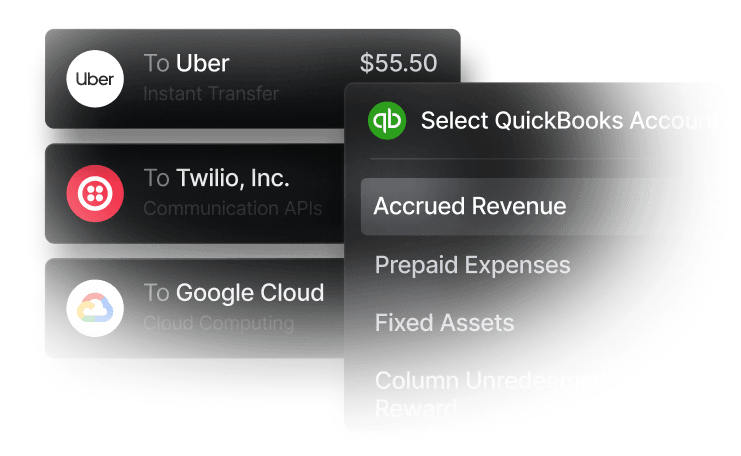
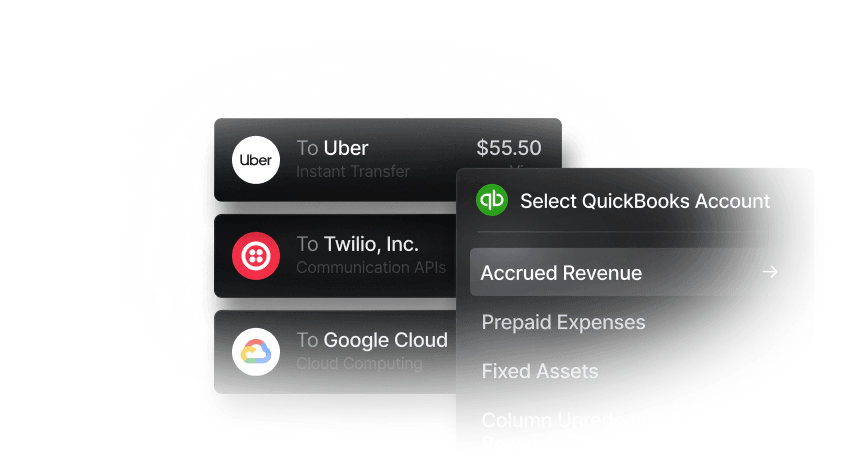
When tools like QuickBooks sync with Slash, your financial records update automatically as invoices are created and payments are received. Sharing data between your banking and accounting systems reduces manual entry errors and gives you real-time visibility into your business’s financial health.
5. Timely reconciliation
Regularly reconcile your billing and invoicing records against payments received. Match each receipt or purchase order to its corresponding invoice to confirm that all amounts owed have been collected and correctly applied.
Tracking metrics such as average time to payment, on-time payment rates, and outstanding receivables helps you spot cash flow patterns early. These insights can make it easier to adjust payment terms, follow up sooner, or send invoices more promptly after work is completed.
Choosing the right billing and invoicing tools for your small business
The right billing and invoicing tools do more than send payment requests. They shape how easily you collect, how clearly you see cash flow, and how well your systems scale as your business grows. For small businesses, the best solutions connect invoicing, payments, and accounting into a single, reliable workflow. Here are some key features to look for:
- Intuitive interface: Look for software that makes it easy to create and send invoices without a steep learning curve. Slash’s dashboard helps you manage client banking details, generate professional invoices, and quickly see which invoices are outstanding, overdue, or paid all in one place.
- Integration with accounting software: Your invoicing and billing data should flow directly into your accounting records to streamline financial reporting and tax preparation. Slash connects directly with QuickBooks to keep your books accurate without duplicate data entry, giving you a clear view of how billing activity affects overall cash flow.
- Support for multiple payment methods: Different clients have different payment preferences, and accommodating them can significantly reduce collection time. Slash allows customers to pay directly from the invoice itself and supports multiple payment options, including card payments, ACH and wire transfers, or cryptocurrency payments using USDC and USDT stablecoins.⁴
- International billing capabilities: Businesses working with international clients or vendors need tools that handle cross-border payments without added complexity or high fees. Slash enables you to send and receive ACH or wire transfers to 180+ countries, making it easier to collect payments and pay vendors globally without managing multiple banking relationships.
- Scalability for growing teams: As your operations scale, your billing system should support additional users, higher transaction volumes, and more nuanced permissions. Slash offers role-based access controls so you can manage who creates invoices, processes payments, and views sensitive financial data as your team grows.
The standard in finance
Slash goes above with better controls, better rewards, and better support for your business.
How Slash can streamline billing and invoicing for your business
Slash brings invoicing and payment operations together in a single platform, eliminating much of the friction that slows down collections. You can create, send, and track invoices directly from your dashboard, with embedded payment processing that allows clients to pay immediately instead of navigating separate portals.
The platform integrates directly with QuickBooks and Xero, so every invoice you send and every payment you receive automatically updates your accounting records. This removes manual data entry from the process and helps keep your books accurate and up to date. Plus, real-time visibility into balances and automatic transaction capture across all payment methods give you an accurate picture of your cash flow as money moves in and out of your business.
Beyond invoicing, Slash also supports the broader financial operations that surround how your business collects, moves, and manages money, with features like:
- Slash Visa® Platinum Card: Issue unlimited virtual cards and earn up to 2% cashback. Control spend with per-card limits and merchant-level restrictions. Apply today without a traditional credit check.
- Diverse payment methods: Send ACH or wire transfer to 180+ countries via the SWIFT network. Unlimited domestic payments with no per-transaction fee for Pro users. Utilize real-time rails RTP and FedNow.
- High-yield treasury accounts: Earn up to 3.86% annualized yield by allocating funds to money market investments from BlackRock and Morgan Stanley, all managed directly from your Slash account.⁶
- Modern business banking: Automatic transaction capture across all your payment methods, real-time visibility into balances, and virtual accounts that make it easier to understand and manage different cash flows across your business.
- Native cryptocurrency support: Hold, send, and receive USD-pegged stablecoins USDC and USDT, with built-in on/off ramps to convert funds between your Slash account and crypto. Crypto payments bypass many of the fees and processing delays of traditional banking rails, enabling near-instant, low-cost transfers worldwide.
Apply in less than 10 minutes today
Join the 10,000+ businesses already using Slash.
Frequently asked questions
Are digital invoices legally valid?
Yes. In the U.S., digital invoices are legally valid under the E-Sign Act. They must include required details such as the seller’s information, a description of goods or services, the amount owed, and applicable taxes.
What common mistakes should small businesses avoid when invoicing or billing?
Common mistakes include unclear payment terms, inconsistent invoice formatting, sending invoices late, and failing to follow up on overdue payments. Relying on manual processes instead of automation can also lead to errors and missed collections.
How to Make an Invoice: A Guide to Creating Professional Invoices Quickly and Easily

How often should I send invoices versus bills?
Invoices should be sent after completing work or delivering goods, especially for project-based or variable services. Bills are better suited for recurring charges where services or access are provided on an ongoing basis, such as subscriptions or retainers.


