

Accounting Automation: How It Works, Key Benefits, and Examples
The days of piled-up invoices, misplaced files, and paper-based data entry are (mostly) behind us. These days, modern accounting teams have adopted specialized accounting software that helps visualize financial data and create reports with much more efficiency than old-fashioned processes. However, many of these solutions still require manual data entry and reconciliation, which can still open the door to delays and errors. These are problems that accounting automation can fix.
Accounting automation is built to streamline day-to-day finance operations without adding headcount or complexity. When reconciliation, data entry, and expense categorization processes are performed automatically, errors are reduced and compliance is strengthened. While it sounds like a quick fix, simply adopting automated accounting software won’t automatically fix every mistake and inefficiency. For automation to truly help, your financial data should be structured correctly upstream.
Automated accounting software works best when it’s integrated with a business banking platform like Slash that centralizes data and collects business-wide payment information automatically.¹ Slash connects with popular accounting solutions like QuickBooks Online and syncs transaction data from vendor payments, business cards, international wires, and more to keep your books accurate and up-to-date.
In this guide, we’ll explore how an automated accounting system works, outline its benefits, and highlight how using an automated accounting solution in tandem with an integrated financial management platform like Slash can streamline your workflows.
What Is Accounting Automation?
Accounting automation replaces manual, repetitive accounting tasks with structured systems and predefined rules that can handle processes like reconciliation, expense categorization, invoicing management, and more. Effective automation tools are typically found on dedicated software that may use AI or robotic process automation (RPA) to intelligently manage workflows.
Instead of finance staff manually entering data and compiling reports, automated systems handle these tasks through systematic processes. When implemented correctly, automation strengthens control and provides better overall cash flow visibility. With automated tools, transaction records are captured digitally, categorized through custom rules, routed through approval workflows, and synced into accounting software without manual re-entry. This can streamline bookkeeping, invoice processing, accounts payable, tax filing, and much more.
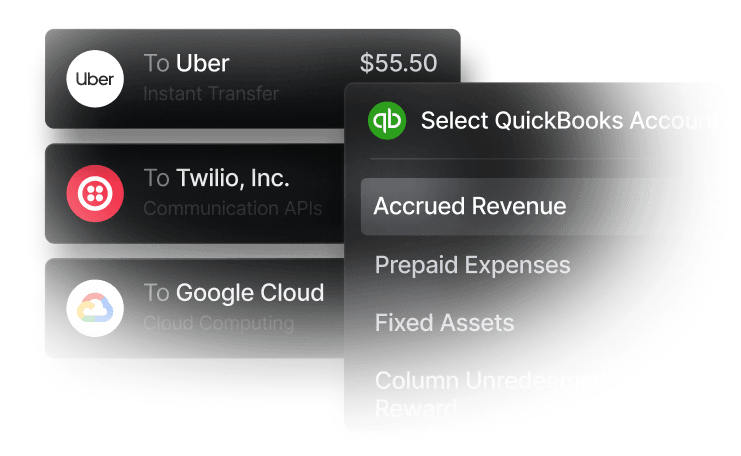
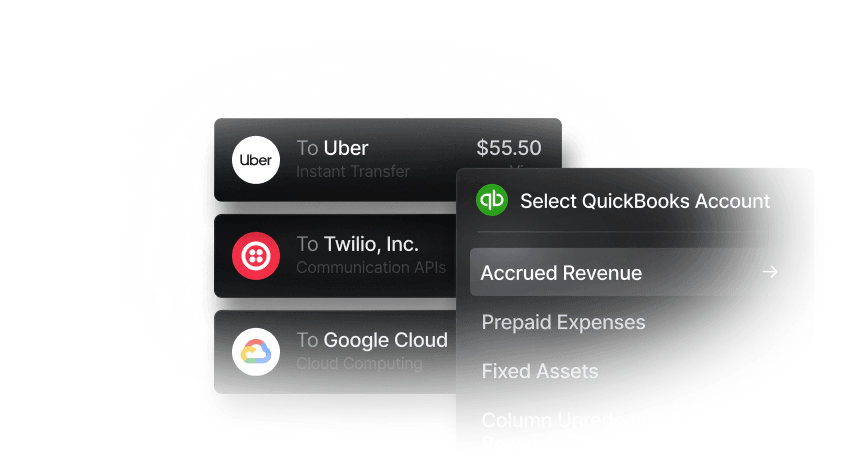
The term “automation software” doesn’t have to refer to just one system. When a banking solution like Slash integrates with your current accounting platform, all financial information becomes aligned and available in one place. Slash offers an accounting dashboard that handles front-end processes like transaction upload and approval workflows. For reconciliation of resources connected to the accounts payable process, the platform also integrates both ways with QuickBooks Online to match uploaded invoices with purchase orders and receipts.
How Does an Automated Accounting System Work?
An automated accounting system operates through a series of stages. First, it captures transaction details at the point of origin, bypassing any manual data entry steps. When a corporate card purchase, vendor invoice, or customer payment appears in the system, the information is automatically uploaded with accurate details. This can include amounts, merchant information, expense category, business purpose, and supporting documentation.
Next, the system routes approvals through structured workflows based on predefined rules. Companies may have different approvers set to receive requests based on transaction size or type. Once approved, entries post into the general ledger with appropriate categorization. Your accounting software may also be able to match entries against bank feeds and flag discrepancies, which helps reconciliation stay up-to-date as transactions post and clear through bank accounts,
Some systems use AI to categorize expenses and identify inconsistencies, while others rely on RPA or rule-based triggers where software executes defined sequences. Another helpful feature is OCR (Optical Character Recognition) technology, which can capture information from uploaded receipts, invoices, and purchase orders to digitize their details and include them in your ledger. No matter what’s under the hood, automating these tasks is much more efficient and accurate than manually sifting through reports the old-fashioned way.
Not every automation software connects to all of your financial data, however. For example, if you’ve got a solution set up to intake your corporate card spend and invoices, but not international wire transfers, you can still end up with disconnected data that requires consistent manual intervention to adjust. This is why it’s important to leverage a connected tech stack that can capture all types of transactions and sync them between systems.
The Key Benefits of Automation in Accounting
Automation can provide significant benefits to every aspect of day-to-day accounting. Here are some key advantages:
Fewer Errors and Cleaner Bookkeeping
Manual data entry can often lead to bookkeeping errors or oversights. Even careful accountants occasionally mix up numbers, select wrong categories, or miss transactions entirely. This is exacerbated when the same information needs to be entered into multiple fractured systems.
Automated systems can also eliminate repetitive data entry by capturing transaction data accurately at the source. A business expense is recorded when it occurs, categorized based on merchant and business rules, approved through defined workflows, and posted on the general ledger.
Individual typos and misplaced invoices are only the simplest type of mistake. Accounting automation can also help alleviate larger-scale problems like inaccurate financial forecasts, approval bottlenecks, and even fraud. Improved visibility gives your team the power to identify blind spots and fix them before they grow out of control.
Faster Month-End Close
Each month, finance professionals gather transaction data from various sources, enter that data into accounting software, categorize transactions, compare invoices with purchase orders, investigate discrepancies, generate complete financial statements, and ensure everything is tax compliant. It’s a lot. The monthly reconciliation process can take weeks when automation isn’t fully integrated.
When your automated accounting software connects with your business banking solution, month-end close becomes quicker and more accurate. All types of transactions are documented, categorized, and uploaded when they occur. Reconciliation can happen automatically as bank feeds match against posted transactions, with manual intervention only required for flagged exceptions. Some accounting software can even generate profit and loss statements, balance sheets, and necessary tax forms. This all leads to cleaner closes with fewer last-minute corrections.
Better Financial Visibility
When financial data lives in spreadsheets, gets entered in batches, or requires manual compilation from multiple sources, companies may end up making decisions based on old or incomplete information. Automated accounting processes can contribute directly to improved financial visibility.
Structured financial data enables real-time reporting. When accounts payable and receivable are consistently logged and reconciled, cash flow becomes more accessible and forecasting becomes more reliable. Improved tracking can also make evaluating vendor invoices, employee spend, and payment timing much more accessible. Slash enables real-time visibility through its analytics dashboard, giving businesses a clear view of cash flow, payment activity, and overall financial performance.
This up-to-date access can support strategic decision-making. When considering whether to make a significant investment, hire additional staff, or pursue a new opportunity, leadership can evaluate the decision against current financial reality rather than outdated records.
Stronger Audit Trails and Compliance Controls
Complete, accurate tracking and documentation of all financial activity is very important for meeting compliance requirements. Consequences for inaccurate data can range from small fines to more serious criminal penalties in the case of an audit or tax issue.
Automated platforms systematically build audit trails from initiation through payment. With automated accounting software, an expense uploads with timestamps showing when it occurred, who initiated it, who approved it, and how it was categorized. This process leaves little room for informational gaps and can help produce accurate documentation.
Internal controls strengthen as well. With efficient approval workflows, expenses are reviewed by the correct people and large purchases won’t be executed without adequate sign-off. Built-in tools can also flag duplicate invoices, unusual transactions, or policy violations automatically, helping businesses maintain compliance with less manual oversight.
The standard in finance
Slash goes above with better controls, better rewards, and better support for your business.


Which Accounting Processes Can and Should Be Automated
While some aspects of accounting are commonly automated nowadays, others are still being performed inefficiently by businesses that may otherwise be cutting-edge. Let’s take a look at where automation is commonly utilized, and which tasks are more overlooked:
Commonly Automated Processes
- Accounts payable: Automation can help execute the end-to-end handling of accounts payable, from creation and delivery through payment collection. With the help of digital invoice capture and custom approval workflows, your AP accounting processes can become more streamlined as a whole.
- Expense management: Employee expenses are instantly captured with merchant details and amounts, then checked against preset spending rules. After approval, the receipt and transaction details can be automatically categorized and uploaded to the accounting system.
- Bank reconciliation: Automated reconciliation matches bank feeds against general ledger entries, identifies and clears matching transactions, flags discrepancies, and ensures audit trails are clear and useful.
- Financial reporting: With synced financial data, automated software can produce reports like profit and loss statements, balance sheets, and cash flow documentation. Thanks to continuously updating information, reports can reflect more updated and accurate data than manual workflows can produce.
Overlooked Opportunities for Automation
- Structuring card transactions: When corporate card programs integrate with accounting software, transactions can be properly sorted when they occur rather than during month-end close. The Slash Visa® Platinum Card pairs with the Slash dashboard to unlock real-time transaction monitoring, custom category restrictions, and intelligent expense categorization.
- Centralizing vendor payments: Modern companies often do business with vendors that send payments in a variety of ways. Checks, domestic wire transfers, and SWIFT payments can all end up in different parts of your accounting stack. When automated accounting platforms link with business banking solutions, all vendor payments flow through one system regardless of method.
- Multi-entity visibility: Businesses operating multiple subsidiaries can struggle to consolidate their finances. Platforms like Slash are designed for multi-entity structures, allowing payments from separate sources to automatically upload to a dedicated dashboard that keeps each subsidiary distinct while allowing all financial data to be viewed together.
- Preventing miscoding: Miscoding refers to the unintentional act of assigning financial transactions to the wrong account, category, or classification in the general ledger. Automatically categorizing transactions at the point of purchase can eliminate miscoding issues before they reach your accounting system.
The quality of automation can depend on the quality of your inputs. Manual, repetitive processes can lead to slow, error-prone data entry. An accounting automation software that connects with a banking solution like Slash can ensure that you’re recording well-structured transaction data at the source, producing reliable financial records that don’t require constant cleanup.
Implementing Accounting Automation: Challenges to Plan For
Automation can improve efficiency substantially, but despite its definition, it’s not "automatic". Strategic governance and ongoing monitoring are important for implementation and continued success. Introducing automation to your accounting processes and banking systems requires careful planning. Here are some challenges to watch out for:
- Data migration quality: Porting data from your existing system to an automated accounting platform can be more complex than you might expect. If your current data is inconsistent or formatted unusually, then you’ll have to take time to standardize your financial reporting.
- Unclear workflow definitions: When current processes aren’t documented thoroughly, adoption of a new system can be confusing. It may not be easy to transform your workflow when you don’t have a clear understanding of the workflow you’re trying to transform.
- Misconfigured AI settings: Some accounting software uses AI to autonomously perform repetitive tasks. Despite the “intelligence” of these tools, you still need to configure and direct them to start. If you’re confused by how your company’s data is structured, the AI may be as well.
There’s a common theme among these pain-points: a lack of preparation. Automated accounting software can still struggle when attached to messy workflows and incomplete data. In order to set yourself up for automation success, your workflows should be clear and all business transactions should be accessible in one spot.
Use Slash as a Better Approach to Accounting Automation
It’s difficult to effectively automate your accounting when your records are separate from your everyday financial activity. Slash helps solve that problem by introducing real-time transaction data to your accounting workflows, providing greater transparency and allowing a deeper level of automation.
Slash is an all-in-one business banking platform that integrates with accounting platforms like QuickBooks and Xero, allowing automation tools to work with unified information instead of fractured reports. Whether through employee card or international wire transfer, all transaction data is instantly pushed to your accounting software, eliminating manual entry and reducing errors.
Real-time financial reports are easily accessible on the Slash dashboard, enabling accurate financial forecasting and cash flow assessment. Multi-entity companies can use this dashboard to keep finances organized across their subsidiaries while maintaining separation between each entity.
Slash offers additional tools designed to streamline financial operations, including:
- Cryptocurrency payments: With built-in on/off ramps, businesses can send and receive USD-pegged stablecoins like USDC and USDT.⁴ This allows companies to access potential benefits like faster settlement and lower processing costs, while avoiding the price volatility associated with many other cryptocurrencies.
- Global USD accounts: The Slash Global USD Account enables foreign business owners to send and receive USD around the world without a U.S. bank account or registered LLC.³
- Working capital financing: With Slash’s working capital, users can choose between flexible 30, 60, or 90 day repayment terms so companies can continue to scale while still supporting liquidity for daily operations.⁵
When Slash’s banking tools are integrated with your current accounting system, your accountants will finally have the freedom to analyze data, support decision-making, and drive business performance.
Apply in less than 10 minutes today
Join the 10,000+ businesses already using Slash.
Frequently asked questions
Can automated accounting software automate accounts receivable as well as accounts payable?
Accounts receivable is the money owed to your business by customers for goods and services delivered on credit. While there's no system that can autonomously grab money from your customers, platforms like Slash can generate professional invoices, send scheduled payment reminders and streamline the intake with embedded invoice payment links.
Accounts Payable Automation: 6 Best Practices to Streamline Your AP Process

What should I look for in accounting automation software?
When choosing automation software, it's important to determine how well it aligns with your business needs and its ability to scale with your team. It’s also smart to make sure any software you adopt comes with robust data security features that protect your financial information. In our opinion, though, one of the most important aspects of an accounting solution is whether or not it has the ability to integrate with a banking platform like Slash.
The Best Accounting Automation Software Tools in 2026

Read more from us


