

The Ultimate Guide for Streamlining Accounting Processes Without Overcomplicating Your Finances
At its core, accounting exists to make your financial data usable. You start with raw inputs like receipts, invoices, purchase orders, and payment records, then turn them into information that helps you understand your business. This information tells you whether your finances are healthy, whether you're meeting compliance requirements, and where you're saving or losing money.
Modern accounting software has taken much of the manual work out of this process. Instead of handling calculations and record-keeping by hand, you can generate accurate financial reports automatically—as long as the underlying data is complete and consistent. The issue is that accounting software can only work with what it receives. Payments, invoices, and transfers all feed into your books, and when that information is incomplete or inconsistent, even the best accounting software can’t always produce reliable results.
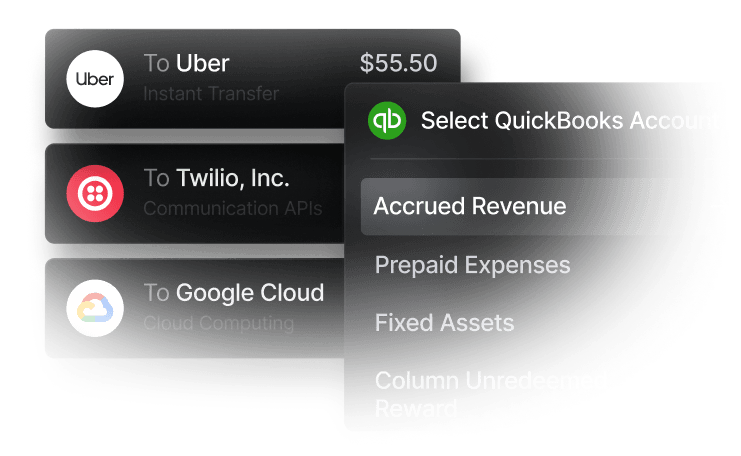
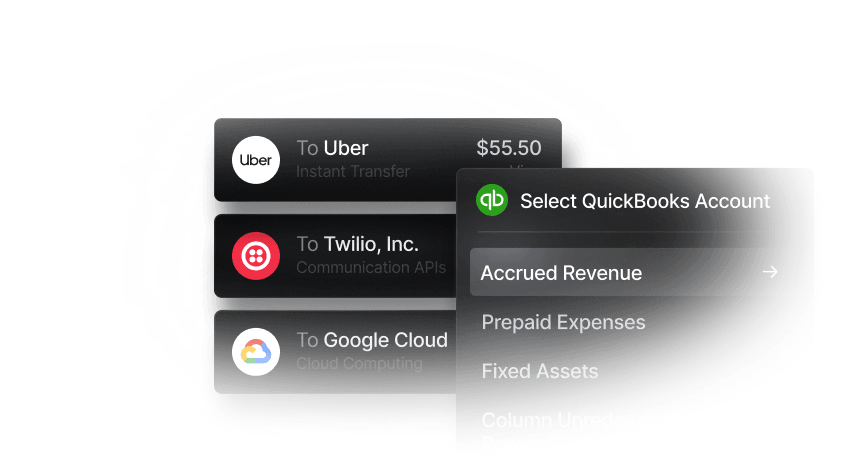
That's why streamlining accounting processes isn't just about choosing the right accounting software. It starts with financial infrastructure that captures accurate, well-organized data at the source. Slash's integration with QuickBooks enables you to sync all your company card transactions, bank transfers, and treasury information from a unified financial dashboard directly into your accounting system.¹ Together, these tools give you powerful business banking capabilities while keeping your accounting efficient and up-to-date.
An overview of core accounting processes
Effective accounting depends on a set of interconnected processes that support accurate records, compliance, and financial decision-making. A clear understanding of these core functions makes it easier to spot inefficiencies within an accounting workflow and evaluate where procedural improvements can have the greatest impact:
- Reconciliation: The comparison of internal accounting records with external financial statements, such as bank or card statements, to confirm accuracy and resolve discrepancies. This process plays a role in identifying errors, unauthorized activity, and timing differences that can distort financial reporting.
- Reporting: The creation of financial statements and management reports that communicate business performance. These reports (including income statements, balance sheets, and cash flow statements) drive strategic decisions and fulfill regulatory requirements.
- Tax preparation: The collection, organization, and calculation of financial data required to file accurate tax returns and meet federal, state, and local tax obligations. A well-maintained tax process also supports the identification of eligible deductions and credits.
- Audit preparation: The organization of financial records, documentation of internal controls, and maintenance of clear audit trails to support internal or external audits. Consistent documentation helps demonstrate compliance, reduces audit risk, and provides assurance to investors, lenders, and regulators.
- Invoice management: The end-to-end handling of both accounts receivable (customer invoicing) and accounts payable (vendor billing), from creation and delivery through payment collection and disbursement. Inefficiencies in this area can impair cash flow visibility and payment timing.
- Fixed asset management: The tracking of long-term assets (equipment, property, vehicles) throughout their lifecycle, including depreciation calculations and disposal records. Proper asset management helps contribute to accurate financial statements and optimized tax deductions.
What it actually means to streamline your accounting processes
Enhancing your accounting process starts with clearly defining your month-end close process: which accounts are reconciled first, when invoices need to be entered, and which approvals are required before reports are finalized. Accounting software like QuickBooks or Xero can handle much of the calculation and recordkeeping, but clear, repeatable workflows are still needed to keep your books consistent.
Most accounting work ultimately supports two outcomes: producing financial reports and filing taxes. Accurate reporting depends on the caliber of upstream tasks like bank reconciliations, invoice processing, payroll entries, and expense tracking. Integrating your accounting software with a modern business banking platform like Slash can help reduce errors and increase the quality of these inputs. Slash brings inbound and outbound payments into one system, automatically categorizing transactions and storing receipt details. You can export everything directly to QuickBooks, which reduces manual entry and cleanup.
Over time, using automated accounting software and modern financial tools can support three key outcomes:
- Reducing wasted time: Automating data entry, reconciliations, and routine reporting cuts down on repetitive work for finance teams.
- Improving accuracy: Errors in financial data can distort cash flow metrics, delay filings, and create compliance issues. System integrations help ensure transactions are recorded consistently and reviewed before reports are finalized.
- Saving money: Cleaner, more reliable accounting data makes it easier to spot tax deductions, track spending, and build budgets, which can lead to savings and better cost control over time.
What are the steps to streamline accounting processes?
Below, we outline how your business can evaluate its current accounting processes and introduce changes that may improve accuracy, efficiency, and control over time:
1. Identify bottlenecks slowing down your accounting workflow
Start by mapping out your current accounting processes from end to end—track how invoices move from receipt to payment, how expenses get approved, and how long bank reconciliations actually take. Talk to your team about where they're frequently missing information, redoing work, or spending excessive time on manual tasks.
2. Define clear performance metrics and benchmarks
Establish key performance indicators (KPIs) for your accounting processes so you can track improvement over time. Metrics might include deadlines to close the books each month, time spent on reconciliation, invoice processing costs per transaction, or error rates in financial reporting. Comparing internal results against industry benchmarks can help set realistic expectations for what streamlined processes should achieve.
3. Leverage modern accounting and payment technology
A connected tech stack can reduce the need to move data manually between systems. Integrating accounting software with banking platforms, payment tools, and expense management systems can improve data consistency and reduce delays. As transaction volume grows, regularly reviewing new integrations or automation features may uncover additional efficiency gains.
4. Standardize accounting workflows to reduce errors
Documenting how recurring accounting tasks are completed can improve consistency and reduce variability across team members. Standard workflows may shorten onboarding for new hires, clarify approval responsibilities, and make it easier to identify issues when results fall outside expectations. Checklists, templates, and defined approval paths can help ensure work is completed the same way each time.
5. Automate high-volume, repetitive tasks
Automation can be most effective when applied to tasks performed frequently, such as bank reconciliations, invoice processing, expense approvals, and recurring journal entries. Reducing manual data entry in these areas can save time and may lower the risk of entry errors, especially as transaction volume increases.
6. Improve collaboration between finance and operations teams
Shared workflows can make it easier for non-finance team members to submit expenses, approve invoices, or access relevant financial information without relying on email or ad hoc requests. Tools like Slash can help automate your approval workflows and simplify how you manage employee spending with card controls like customizable limits, category restrictions, and team-level rule configuration.
8. Outsource or delegate low-value accounting work
If you handle a high volume of complex transactions or operate in a highly regulated industry, certain tasks may be better handled outside the core finance team. Bookkeeping, payroll processing, or tax preparation can be delegated to specialized providers, allowing internal staff to focus on oversight, analysis, and higher-impact financial work.
The standard in finance
Slash goes above with better controls, better rewards, and better support for your business.

How accounting automation can improve efficiency and accuracy
Integrating accounting software with a business banking platform like Slash can improve your efficiency by enabling direct data sharing between banking and accounting systems. Together, the right tools can reduce operational complexity and may create several downstream benefits, such as:
Tax savings
When receipts are captured, matched to transactions, and categorized automatically with Slash, deductible expenses can be easier to identify during tax season. Automation may also support more accurate expense recognition over time. For example, QuickBooks’ fixed asset features allows businesses to track depreciation using straight-line, double-declining balance, or MACRS methods, which can help ensure expenses are allocated consistently.
Improved vendor relationship management
Using accounting and banking software together can improve how invoices and supplier payments are managed. Platforms like QuickBooks can support two-way or three-way matching, allowing invoices to be validated automatically against purchase orders or receipts.
Once an invoice approved, Slash can be used to send payments via global ACH and international wires to more than 180 countries, real-time rails such as RTP or FedNow, or USD-pegged stablecoins like USDC and USDT.⁴ Together, these tools can reduce payment delays and may help maintain more consistent vendor payment practices.
Reduced workload
One of the most immediate benefits of streamlined accounting can be a reduced operational burden on finance teams. Updating ledgers, reviewing transactions, and reconciling accounts across spreadsheets or disconnected tools may consume hours each week. Integrated accounting and banking systems can automate these updates by syncing transaction data directly to the general ledger, reducing the need for manual input and review.
Data-driven decision making
More efficient accounting processes can contribute directly to improved financial visibility. When accounts payable and receivable are consistently tracked and reconciled, cash flow forecasts become more reliable and spend analysis becomes easier to perform. Improved tracking can also make it simpler to identify indirect costs, evaluate vendor spend, and monitor payment timing. Slash adds real-time visibility through its analytics dashboard, giving businesses a clear view of cash flow, payment activity, and financial performance.
Enhanced compliance and fraud prevention
Automation can strengthen internal controls by maintaining audit trails for each transaction, from initiation through approval and payment. Approval workflows can ensure invoices and expenses are reviewed before funds move, which may reduce the risk of unauthorized or fraudulent payments. Built-in controls can also flag duplicate invoices, unusual payment amounts, or policy violations automatically, helping businesses maintain compliance with less manual oversight.
Optimize your accounting workflow with Slash
If your goals are to reduce manual accounting work, improve accuracy, and avoid unnecessary costs, it helps to start with the systems that handle money before it reaches your books. Using Slash to manage your finances can help you accomplish all three.
Slash is a modern financial platform that integrates directly with accounting tools like QuickBooks and Xero. Because Slash consolidates your bank accounts, corporate cards, treasury, and more into one platform, every transaction is automatically synced and categorized, eliminating hours spent on manual data entry and reconciliation. This means you can close the books more efficiently and work with consistent, up-to-date financial data.
In addition to improving how accounting data is captured, Slash also supports day-to-day financial operations with features including:
- Slash Visa Platinum Card: Issue unlimited virtual cards and earn up to 2% cashback. Control spend with per-card limits and merchant-level restrictions. Apply today without a traditional credit check.
- High-yield treasury accounts: Earn up to 3.86% annualized yield by allocating funds to money market investments from BlackRock and Morgan Stanley, all managed directly from your Slash account.⁶
- Modern business banking: Automatic transaction capture across all your payment methods, real-time visibility into balances, and virtual accounts that make it easier to understand and manage different cash flows across your business.
- Native cryptocurrency support: Hold, send, and receive USD-pegged stablecoins USDC and USDT, with built-in on/off ramps to convert funds between your Slash account and crypto.
- Invoice processing: Create, send, and track invoices directly from your Slash dashboard. Send professional invoicing emails to your customers with embedded payment processing for faster collections.
Apply in less than 10 minutes today
Join the 10,000+ businesses already using Slash.
Frequently asked questions
How can standardizing procedures benefit financial management?
Standardized procedures reduce variability in how transactions are recorded, reviewed, and approved, which can make financial data easier to reconcile. Standardized procedures can also lower the risk of errors and speed up reporting by ensuring everyone follows the same process.
What are the ‘three golden rules’ of accounting?
The three golden rules are: debit what comes in, credit what goes out; debit expenses and losses, credit income and gains; and debit the receiver, credit the giver. Together, they provide a consistent framework for recording transactions accurately.
What are common challenges when implementing accounting automation?
One of the biggest challenges is using banking software that doesn’t provide enough detail for accounting automation. When transactions don’t include clear categories or context, the potential to automate accounting workflows is diminished. Slash records and categorizes your transactions across your company cards, payments, and more, making it easier to implement automation into your workflow.
The Best QuickBooks Integrations to Automate Accounting

Read more from us


