

Choosing a Business Bank Account When You’re Self-Employed: Best Picks and Features
last refreshed - September 2026
You could be a freelance designer working out of your home studio, focused on your craft and keeping things small. Or, you could be the owner of a larger company, where part of your role includes paying yourself alongside your employees. The gap between the two may be wide, but there are still common threads in how each should manage their finances.
In this guide, we walk through the different factors to consider when choosing the right business checking account, savings account, and financial tools if you’re a self-employed professional. We’ll also cover how your business structure can influence your decision, whether you operate as a sole proprietor, an LLC owner, or a C-corporation. Each structure comes with different requirements for cash flow management, bookkeeping, and tax treatment; your business account should support those needs, not complicate them.
No matter the size of your business, Slash can support how you manage your finances. Slash allows you to open and manage unlimited FDIC-insured virtual checking accounts, whether you’re organizing income across different projects or separating funds for your team.¹, ² Integrated treasury accounts from Morgan Stanley and BlackRock work alongside your cash account to put idle funds to work, earning up to 3.84% with no minimum balance requirements.⁶ The platform also comes with high-cashback corporate cards, built-in invoice management, and support for stablecoins.⁴
The standard in finance
Slash goes above with better controls, better rewards, and better support for your business.

Key Takeaways
- Whether you need a separate business account depends on your structure. It's recommended for sole proprietors, key to preserving liability protection for LLCs, and basically required for corporations.
- Self-employment tax runs 15.3% on net earnings rather than total revenue, and because nothing is withheld automatically, most self-employed people owe quarterly estimated payments.
- Novo's "Reserves" are buckets inside a single checking account rather than separate accounts, and transfers between them don't appear as account activity or on monthly statements.
- Bluevine's free Standard plan caps you at five sub-accounts and blocks treasury access, with the paid tiers running $30 or $95 a month unless you hit balance or spending thresholds.
- Chase's base Business Complete plan includes 20 checks and banker-assisted transactions per statement cycle plus $5,000 in free in-branch cash deposits, with fees beyond those limits.
Do You Need a Separate Business Bank Account if You’re Self-Employed?
Early on, you may handle your business finances through your personal bank account. Maybe for the first few weeks or months, you’re putting expenses on your personal credit cards and telling yourself you’ll get a proper business account later. While you aren’t explicitly prohibited from doing this (depending on your business structure), dragging it out for too long tends to create problems.
Most consumer bank accounts aren’t intended for business use. You probably won’t get much in the way of cash flow analytics, flexible payment options, or the ability to issue cards across a team. As your finances get more complex, you’ll likely need to switch to a business account, and making that switch as early as possible is usually the most painless way to handle it.
Additionally, separating business expenses from personal ones during bookkeeping can be a real chore. This is where the issue goes beyond mere inconvenience. If you plan to raise capital, apply for a loan, or qualify for a business credit card, lenders will expect to see clean financial records tied to a dedicated business account. Using a personal account makes those records harder to produce and can raise questions about how your business is being managed.
This advice applies across business structures, from sole proprietors to newly formed C-corps. That said, there are a few structure-specific considerations to keep in mind, too:
- Sole proprietors: You are not legally required to open a separate business bank account, but doing so is still strongly recommended. Keeping your finances separate can make bookkeeping a lot easier, and it helps establish a clearer financial history if you seek financing later.
- LLCs: Separating your business and personal finances is essential for maintaining liability protection. Mixing funds can undermine the legal distinction between you and your business, which is one of the primary reasons to form an LLC in the first place.
- C-corps & S-corps: A separate business bank account is more-or-less required. The business is treated as its own entity for accounting and tax purposes, and mixing personal and business funds almost invariably leads to compliance issues later on.
The 5Best Bank Accounts For Self-Employed Professionals
The options below are a mix of traditional and modern providers, each suited to different types of self-employed work and levels of financial complexity:
Slash
Slash is the strongest fit if you want one account that can cover everyday business banking needs and more advanced functionality from one platform. With Slash, you can get up to 2% cashback from the Slash Visa Platinum Card on eligible purchases, up to 3.84% APY from treasury, unlimited virtual accounts, access to working capital, and support for diverse payment rails including ACH transfers, wires, and stablecoins.⁵ Slash business accounts are FDIC-insured through Column N.A.’s sweep network, with coverage extending into the millions.
Slash also can help you keep receivables inside the same system, too. Slash Invoicing lets you create invoices, send payment links, accept bank transfers, card payments, or crypto from your customers, and have funds land directly in your Slash account. Slash also supports direct integrations with leading accounting platforms, which can streamline reconciliation, creating reports, and closing the books. If you are self-employed and trying to avoid stacking separate systems for your banking setup, Slash can make it easier to manage everything without extra overhead.
- Downside: Slash is currently unavailable for sole proprietors.
Separate client income, taxes, and expenses without extra banks
Use Slash virtual accounts, invoicing, and cards to keep cash flow organized.


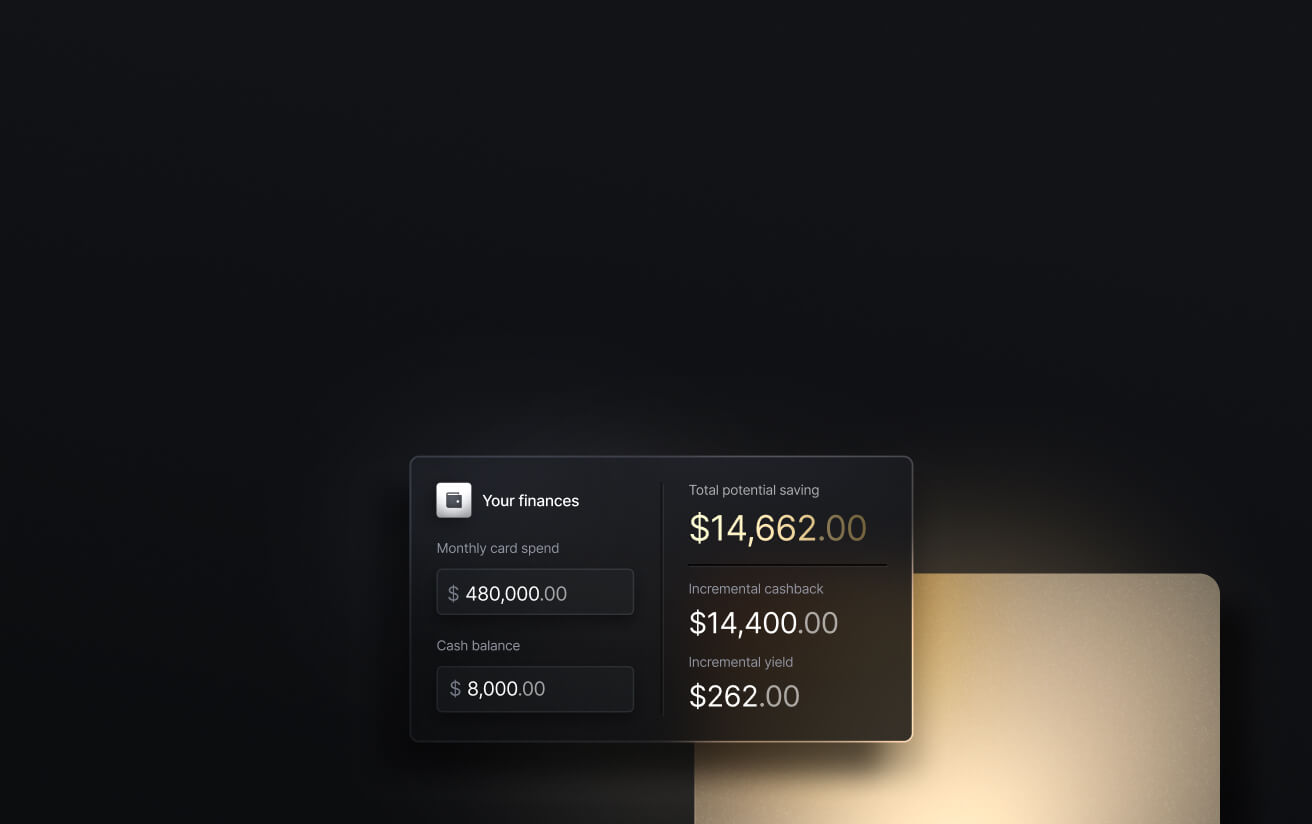
See the ROI behind your spend
Use this calculator to understand impact, then manage and track it all in Slash.

Bluevine
Bluevine is a reasonable option if your main priority is yield from your business checking account. Its Standard plan offers 1.3% APY on balances up to $250,000, while Plus goes to 1.75% and Premier goes to 3.0%. Bluevine also offers several types of financing options, including SBA loans and lines of credit, bringing it closer to what you’d expect from a traditional bank.
However, some of the more useful features are tiered fairly aggressively. The free Standard plan is capped at five sub-accounts and prevents treasury access, and the paid plans run $30 or $95 per month unless you meet balance or spending thresholds to waive them. So Bluevine can work well, but the version you pay for can have an outsized impact on functionality.
- Downside: Its key features are locked behind higher tiers. Additionally, you can only send wire transfers to 32 countries.
Novo
Novo makes the most sense for solo operators who want something simple and inexpensive. Its pitch is straightforward: no hidden fees, no required minimum balance, and “Reserves” tools for setting money aside for taxes, profit, or expenses. It’s a decent feature set for a freelancer or small business that mostly wants a clean checking setup with a few extra tools.
The problem is that Novo’s “Reserves” are still buckets inside the same checking account, not separate accounts, and transfers to and from Reserves don’t show up as account activity or on monthly statements. So while it is organized and user-friendly, it is still a lighter system than something built around true subaccounts, treasury, or more advanced money movement.
- Downside: If you’re looking for true subaccounts, Novo’s “Reserves” aren’t actually the answer.
Chase Business Complete Banking
Chase is the most traditional option on this list, which can be a positive if you value branch access and a familiar banking experience. The Business Complete Banking plan includes built-in invoicing, card acceptance through QuickAccept, employee debit cards, and mobile and online banking. It is also broadly accessible for many business structures and offers several ways to waive the $15 monthly maintenance fee.
The tradeoff is that the account is more constrained than it first appears. The base plan includes up to 20 checks and banker-assisted transactions per statement cycle, along with $5,000 in in-branch cash deposits at no additional charge. Fees can apply if you exceed those limits or do not meet balance requirements.
- Downside: If you’re self-employed and want more flexibility in how you organize and use your accounts, Chase Business Complete can start to feel restrictive.
Mercury
Mercury can be a good fit for founders who want modern software and don’t care about branch banking. It offers checking and savings accounts, free domestic and USD international wires, and paid upgrades for more advanced workflows. Mercury also has invoicing and business credit products around the core account, so the overall platform is broader than just account access. 
The catch is that Mercury is built very explicitly around U.S.-formed businesses, and some advanced workflows are gated behind paid plans starting at $35 per month. It also charges a 1% currency exchange fee for non-USD international wires. It’s strong for the right kind of business, but it may not be as universal a fit as it sometimes gets framed.
- Downside: Its corporate card, the Mercury IO Card, only earns 1.5% cash back on eligible purchases, which is lower than the up to 2% found with competitors like Slash.
Traditional Banks vs. Digital Banking Platforms: What You Should Know
The most obvious difference between legacy banks and modern fintech platforms is how you interact with them. Traditional banks offer online dashboards and mobile apps, but they’re usually built around in-branch services. If you value being able to walk into a branch or work with a teller, that structure may be right for you.
With digital banking platforms, everything is designed to be handled online, from sending payments to issuing cards to reviewing account activity. Actions that would require a phone call or branch visit at a traditional bank can be handled directly in your dashboard. The ease and accessibility of managing your account online does come at the expense of that personal touch, but it’s often a solid trade.
There' no right or wrong choice here; it comes down to how you prefer to manage your money. Past the rules of engagement, there are a few other areas where the differences can show up:
How to Choose the Right Business Bank Account
Once you narrow down your options, the final decision usually comes down to how well a given account matches your financial profile. Two people can both be “self-employed” and need completely different things from their business checking account. Here are a few factors worth thinking through before you commit:
- Income type: If you’re invoicing clients, you will want built-in invoicing and a clean way to track incoming payments. If most of your revenue comes through platforms like Stripe or marketplaces, integrations start to matter more. And if you are dealing with a mix of payment types, your bank should be able to handle all of them without forcing workarounds.
- Volume of transactions: If you’re sending a few payments a month, almost anything will work. If you move money multiple times every day, then payment capabilities become incredibly important. Look for monthly limits on outbound transactions, fees per transfer, and how easy it is to review your payment activity without digging through statements.
- Bookkeeping complexity: As your business finances gets more complex, you need clean ways to move your financial data into your accounting system. Look for accounts that support direct integrations with tools like QuickBooks, Xero, Sage Intacct, or other accounting and ERP systems. If you are stuck manually pulling and formatting your financial data, reconciliation and reporting will take longer than they should.
- International client support: You’ll want to look at how your bank handles international wires, currency conversion, and payment timelines. Some platforms like Slash also support alternative rails like stablecoins, which can reduce delays and fees depending on how you get paid.
- Growth plans: Think about what would change if your workload doubled. Could you easily issue cards to employees? Could you separate funds without opening entirely new accounts? Switching banks later is possible, but it's a pain, so it's worth choosing a banking solution that will still work when things get more complicated.
Common Financial Challenges For Self-Employed Business Owners
Most of the financial challenges for self-employed business owners come from how much sits on one person. If you’re dealing with any of the issues below, your current banking setup may be part of the problem:
Doing everything yourself
If you’re operating alone, work comes first, and your financial tasks may get done whenever there’s time. But then invoices go out later than they should, transactions sit uncategorized, and your understanding of cash flow is based more on your current balance than a clear picture of what’s coming in.
The way to fix this is to reduce how much you have to do manually. Consolidate where you can; find systems to automate your routine financial processes so you aren’t consistently overwhelmed by all the administrative work.
Handling self-employment taxes
If you’re self-employed, you’re responsible for paying self-employment tax on your earnings. This covers Social Security and Medicare, which are normally split between an employer and employee. When you work for yourself, you pay both portions.
The current self-employment tax rate is 15.3%, made up of 12.4% for Social Security and 2.9% for Medicare. The Social Security portion only applies up to an annual income cap (which adjusts each year), while the Medicare portion applies to all earnings. Higher earners may also owe an additional 0.9% Medicare tax above certain thresholds.
Self-employment tax is calculated on your net earnings, not your total revenue. That means you subtract business expenses first, then apply the tax. You can also deduct half of your self-employment tax when calculating your federal income tax, which helps offset the total burden.
Because taxes aren’t withheld automatically, most self-employed individuals are required to make quarterly estimated tax payments throughout the year. Missing these or underpaying can result in penalties, so it’s common to set aside a portion of each payment as income comes in.
Recordkeeping complexity
The IRS also recommends keeping records that help you monitor the business, and if you’re operating alone without a strong financial background, it may be difficult to prepare proper financial statements and support items for your tax return.
One way to simplify recordkeeping is making sure that your bank data can move cleanly into your accounting system. Direct integrations with QuickBooks, Xero, or Sage Intacct are useful because they reduce how much manual export and cleanup you have to do later. If that still seems like too much overhead, you can always hire an accountant.
Managing additional team members
Once payroll enters the picture, you now need to pay people on a schedule, withhold and remit payroll taxes, and keep compensation records in a form your accountant or payroll provider can use. If you have changed your tax treatment, such as electing S-corp status, the change affects you, too. Paying yourself may need to happen through payroll rather than informal owner draws, which raises the standard for how cleanly your accounts are managed.
The practical advice here is to set up more structure before the team gets larger. Separate the accounts you use for core operations from the money reserved for payroll and taxes. Give employees or department leads their own cards with defined limits rather than letting spend pile up. The right financial provider should still work when the business is no longer just you.
How to manage cash when self-employed income swings month to month
Self-employed revenue rarely arrives on a fixed payroll calendar. Client work clusters, invoices clear late, and quiet months follow busy ones. That pattern shows up clearly in national survey data.
In the Federal Reserve’s Report on the Economic Well-Being of U.S. Households in 2025, 58% of self-employed adults said their income varied from month to month. Twenty-two percent struggled to pay bills in the prior year because that income varied. Among people who worked for someone else, only 28% reported similar month-to-month variability.
A business bank account cannot remove seasonality, but it can make variability manageable. Use separate virtual accounts or clear buckets for operating cash, tax reserves, and owner pay. Move a set percentage of each inbound payment into the tax bucket before the balance feels spendable. Keep a minimum operating buffer sized to at least one or two months of fixed costs.
Invoicing and payment tools in the same platform help tighten the inflow side. Send invoices as soon as work is delivered, offer ACH or card payment links, and track open receivables so slow payers are visible early. On the outflow side, cards with limits and categorized transactions reduce end-of-month reconstruction.
The goal is a simple rule set that still works in a slow month. When income varies, structure beats improvisation.
Slash, a Banking Setup for Self-Employed Business Owners
Slash is a business banking platform built around a couple of core ideas. First, it’s practical. You get up to 2% cashback on eligible card spend, access to high-yield treasury accounts with no minimum balance, real-time cash flow analytics, and the ability to set detailed card controls and permissions across your team. Instead of relying on a patchwork of tools or dealing with slow bank processes, everything is handled in one place.
Second, it reduces the amount of manual work involved in staying on top of your finances. Every transaction, whether it’s a card payment or a wire, is tracked in the same system. Those transactions are automatically categorized and enriched, making them easier to export into your accounting software. If you’re working alone, that can save hours each month and make things like month-end reviews and tax prep much easier to manage.
Here’s what else you get with Slash:
- AI-powered finance: Our platform comes with Twin, a built-in AI agent that can be prompted with natural language to complete complex tasks. Users can ask it to create cards, pay invoices, review your cash flow, and a lot more.
- The Slash Visa® Platinum Card: The Slash Card is a corporate charge card that allows you to set customizable spending controls and issue unlimited virtual cards for handling team expenses, vendor payments, subscriptions, and more. Users can also earn up to 2% cash back on eligible business purchases.
- Global USD: The Slash Global USD account is designed as an alternative for foreign founders who want access to USD without forming a US entity.³ Accounts are backed on Base by a balance held in USDC, which is designed to maintain a one-to-one value with the US dollar.
- Reimbursements: Instead of managing reimbursements across multiple tools, teams can submit, review, and approve reimbursements directly inside the Slash dashboard. Connect your bank account, upload your receipt, and let Slash capture the details.
- The Action Center: A one-stop spot for employees to see pending tasks assigned to them. These may include card requests, expense submissions, reimbursement reviews, and more.
Apply in less than 10 minutes today
Join the 10,000+ businesses already using Slash.
Frequently Asked Questions
How much should self-employed people set aside for taxes?
A common rule of thumb is to set aside 25–30% of your income, but the exact amount depends on your total earnings, state, and deductions. It’s usually safer to overestimate early and adjust once you have a clearer picture of your tax liability.
The Complete Guide to LLC Expenses and Tax Deductions

What’s the difference between a business checking account and business savings account?
A business checking account is used for day-to-day activity like paying expenses and receiving income, while a savings account is meant for holding reserves.
What Is Needed to Open a Business Checking Account Online

When should I upgrade from a basic business bank account to a more advanced platform?
It usually becomes necessary once you are dealing with higher transaction volume, multiple income sources, or team spending. If you’re spending an inordinate amount of time organizing your finances, you may be ready for an upgrade.


