

The Best Bank Accounts and Financial Services to Scale Your Amazon Business
Selling on Amazon is one of the fastest ways to put your products in front of millions of customers. Instead of fighting for visibility in crowded search results or spending heavily to drive traffic to your own site, you can tap into a marketplace where shoppers are already browsing and ready to buy.
But selling on Amazon comes with tradeoffs. In exchange for that exposure, you operate within Amazon’s ecosystem by paying platform and fulfillment fees, managing heavy ad spend, preparing for international orders, and staying on top of inventory and cash flow. While a traditional bank account or credit card might be enough to get started, many ecommerce sellers may quickly realize they need more specialized tools. Modern financial platforms now offer solutions designed specifically for Amazon sellers that can help streamline payouts, reduce fees, and simplify accounting.
If you’re already selling on Amazon and losing margin to unnecessary fees, struggling to keep your books organized, or looking to earn more back on inventory and ad spend, this guide will show you how to optimize your financial stack. If you have not yet started and are looking for a place to begin, we will also cover how to put the right financial systems in place with Slash. Slash is a business banking platform built specifically for ecommerce operators, with merchant services that can simplify how you collect payments from customers, send low cost transfers to suppliers, and gain real time insight into your cash flow.¹
Business bank accounts for Amazon sellers: What you should know to get started
If you process most of your sales through Amazon, there are certain features you should prioritize and others that matter less.
The most important feature to look for in a financial provider is merchant services. This term refers to direct payment and bank account integrations with third-party marketplaces. Some platforms, including Slash, can receive payouts directly from Amazon Seller Central as well as from Shopify or WooCommerce. Because Amazon operates on a staggered biweekly payout schedule, you want access to your funds as quickly as possible without waiting on additional transfers between accounts.
Beyond direct integrations, other key features include:
- Automated expense management: If you use Fulfillment by Amazon (FBA), you will want a system that automatically categorizes and organizes per-product fees, shipping charges, and other associated expenses.
- High-value corporate cards: Ad spend is a major operating cost for Amazon sellers. Using a high cash back virtual card for advertising purchases, such as up to 2% cash back with the Slash card, can help offset these expenses. As your ad spend scales, so will your rewards.
- Configurable bank accounts: Managing cash flow across inventory, operating expenses, advertising, and software tools can become complicated. Separate virtual accounts allow you to allocate funds by category, making it easier to track performance and analyze spend.
When linking a bank account to your Amazon Seller Central account, the name on the account must exactly match the legal entity registered with Amazon. If your seller account is set up as an LLC, the bank account must be in the LLC’s name. If you registered as an individual, it must match your personal name. Even small discrepancies can trigger verification issues or place a hold on disbursements, so confirm that everything matches before submitting.
Slash business banking
Works with cards, crypto, plus cards, crypto, accounting, and more.
How your bank account works alongside your Amazon seller account
It’s important to understand that your bank account isn’t just where you’ll receive your payouts. As an Amazon seller, you’ll be regularly sending payments to your suppliers, optimizing your inventory costs, and handling all sorts of small fees. So, don’t think of your account as just a static pool of funds. It’s an important tool that can either simplify your operations, or complicate them – depending on your setup.
Payouts and the disbursement cycle
Amazon holds your sales proceeds in your Seller Central balance and disburses them to your linked bank account on a rolling 14-day cycle by default. Each disbursement covers sales that have cleared Amazon's settlement window, minus any fees, refunds, and chargebacks from that period. You can also request a manual disbursement at any time outside the standard cycle, as long as your account is in good standing, which is useful if you need to pull funds early to cover a supplier payment or restock inventory.
If the standard 14-day cycle doesn't work for your business, Amazon allows sellers on certain plans to customize their disbursement schedule. Some third-party banking and fintech platforms also offer payout advances, essentially fronting you a portion of your pending Amazon balance before Amazon releases it, in exchange for a small fee. This can be useful for high-volume sellers managing tight inventory cycles, though it's worth running the numbers to make sure the advance fee doesn't outpace the benefit.
Automatic reconciliation through Seller Central
Seller Central generates detailed settlement reports for every disbursement it sends to your bank. These reports break down exactly what made up each payout: gross sales, FBA fees, referral fees, advertising costs, refunds, and any other adjustments. If your banking platform integrates with Amazon or connects to accounting software like QuickBooks or Xero, these reports can be pulled in automatically and matched against the deposit that hits your account, giving you a near real-time view of your financials without manual data entry.
Day-to-day operational flow
On any given day, your bank account is simultaneously receiving disbursements from Amazon, paying out to suppliers, covering FBA fees, and funding advertising spend. If your account provider charges fees for credits and debits, you're losing money for no reason. Look for a platform like Slash that bundles unlimited fee-free domestic payments⁷, direct integrations with accounting software and Amazon, and real-time cash flow analytics in one place. That combination keeps your day-to-day operations running without unnecessary costs eating into your margins.
What Amazon sellers should look for in a business banking solution
Not every business bank account is equipped to handle the operational demands of selling on Amazon. The features below are the ones that tend to matter most for sellers managing high transaction volumes, tight margins, or complex supply chains:
Merchant services and payout processing
Amazon disburses funds on a 14-day cycle by default, which means there's always a gap between making sales and accessing the money. Choosing a bank or fintech that processes incoming deposits directly can help you reinvest in inventory faster and avoid cash flow crunches, especially important during busy periods like Q4 or Prime Day.
Accounting integrations with auto-categorization
Look for platforms that integrate directly with QuickBooks, Xero, or Amazon-specific tools. Some platforms let you create preset rules to automatically categorize transactions by value range or source. Setting these up to flag FBA charges, referral fees, and ad spend means you're not manually sorting through hundreds of line items at month end, which can significantly speed up reconciliation.
Global payment support and FX management
Whether you're processing refunds for international customers, receiving payouts from Amazon's international marketplaces, or paying overseas suppliers, you’re likely going to be moving money across borders at one point or another. However, holding balances in multiple currencies means FX rate fluctuations become an ongoing risk to manage. Instead, look for solutions like Slash with low-fee international transfers, competitive FX rates on card transactions (1% or 40¢ minimum), and cryptocurrency payment support, which can offer fast settlement and minimal fees where traditional wire transfers would be slow and costly.⁴
Business cards with rewards and controls
A business card built for high-volume spending can add real value to your operation. Look for cards with high limits or no preset spending limit, and virtual card support for ad spend across platforms like Amazon Ads, Google, and Meta. Earning cashback rewards by putting significant monthly spend on your card can add up quickly. Slash not only offers up to 2% cash back with the Slash Visa Platinum Card, but users can access over $1M in discounts on third-party software, extending savings beyond just your card spend.
Access to credit and inventory financing
Inventory is likely your biggest recurring cost as an Amazon seller, and cash flow can get tight when your money is tied up in stock. Slash’s built-in line of credit can support cash flow gaps and give you easy access to working capital, which can be a lifeline during peak seasons.⁵
See the ROI behind your spend
Use this calculator to understand impact, then manage and track it all in Slash.


The 6 best financial platforms for Amazon sellers by type
Choosing the right bank account as an Amazon seller depends on how you operate and where you sell. Some platforms are built to support high-volume ecommerce businesses with direct marketplace integrations and advanced cash management tools. Others specialize in global payments and multi-currency support. Below, we break down the best options by category so you can choose the setup that fits your business.
Fintech banking platforms
For most Amazon sellers, a fintech banking platform will outperform a traditional bank on nearly every dimension that matters, including fees, integrations, payout speed, and flexibility. Here are the top options:
Slash: The all-around choice for Amazon sellers
- Merchant services for Amazon, Shopify, WooCommerce, and more, with direct integrations to QuickBooks and Xero.
- Unlimited fee-free domestic payments via ACH, wire, and RTP/FedNow with Slash Pro. International wires to 180+ countries in 135+ currencies.
- Up to 2% cash back with the Slash Visa Platinum Card, plus unlimited virtual cards with customizable controls and no preset spend limit for ad spend.
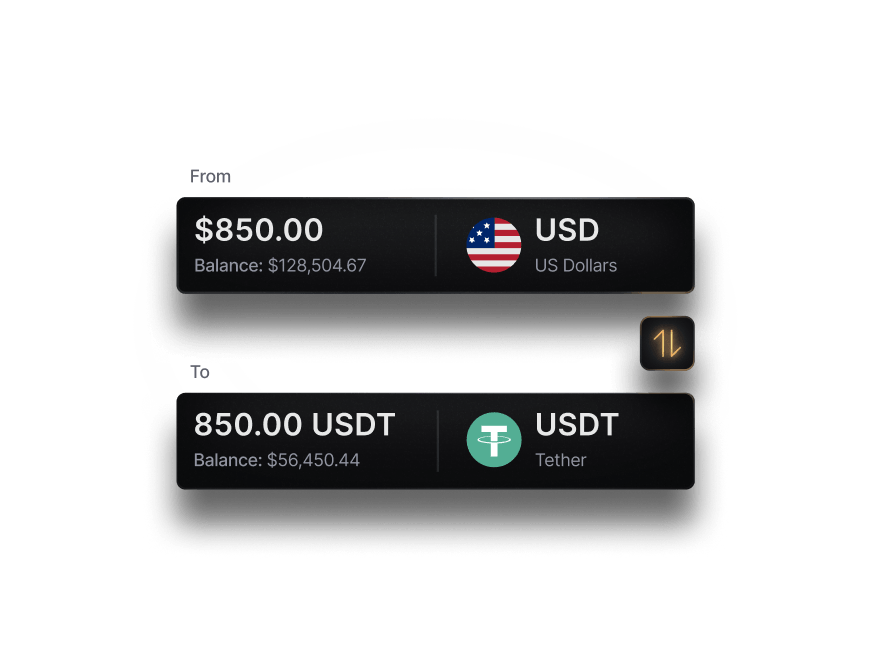
- Cryptocurrency payment support for fast, low-fee cross-border supplier payments in USDC and USDT.
- Accessible line of credit for working capital, with drawdowns available directly in the dashboard and repayment terms from 30 to 90 days.
- Automated expense categorization to streamline reconciliation of FBA fees and configurable virtual accounts to segment cash flow across inventory, advertising, and overhead.
Mercury
- Free ACH and USD wires, but limited international payment support (40+ currencies for a 1% fee). Auto-transfer rules help organize and allocate revenue.
- Integrations with Xero, QuickBooks, Shopify, and Amazon.
- 1.5% cash back with the Mercury IO card, along with virtual cards and built-in spend controls.
- 3% foreign transaction fee and no support for crypto or stablecoins, which may limit flexibility for cross-border sellers.
Relay
- Up to 20 checking accounts for operating expenses, taxes, and savings, plus reconciliation tools useful during tax season.
- Faster ACH payments and accounts payable tools require the paid Relay Pro plan. Mobile check deposits can take up to seven business days.
- Preset starting transaction limits for certain payment types, which can restrict higher-volume sellers at the start.
- Fee-free cash deposits at 55,000+ Allpoint ATMs nationwide.
Bluevine
- Interest-bearing business checking with unlimited transactions and no monthly fees, appealing for high-volume operations.
- Line of credit up to $250,000 to help cover inventory purchases, seasonal swings, and unexpected expenses.
- Limited international payment support, which may be restrictive for global sellers.
- Accounts limited to 10 debit cards, with rewards offered through Mastercard rather than directly from Bluevine.
Digital wallets for global payments
Digital wallets are a common addition to an Amazon seller’s financial stack, but they are rarely sufficient on their own. While they can reduce foreign exchange costs and simplify international payouts, they generally lack lending, advanced cash management, and expense automation tools. Here are some leading options sellers may use along with their primary business bank account:
Wise Business
- Multi-currency account supporting 55+ currencies, with local account details in 10 and mid-market exchange rates without hidden markups.
- Syncs with Xero and QuickBooks, with team access and role-based controls.
- Recent pricing changes restrict certain receiving and direct debit features on the free Essential Plan.
- Accepted by Amazon in several marketplaces for receiving international payouts.
- Wise isn't best used as a full-service business banking solution. It doesn't not offer lending products, business credit cards, or advanced cash management tools.
Payoneer
- Marketplace integrations with Amazon, eBay, Upwork, and Fiverr.
- Multi-currency receiving accounts in USD, EUR, GBP, JPY, CNY, and more, plus VAT payment support.
- Around 2% FX markup, $29.95 annual fee for inactive accounts, and $1.50 per withdrawal, which can add up for active sellers.
- Payoneer is best used alongside a full-featured business bank account, as it lacks features like automated expense categorization, virtual card infrastructure, or native lending products.
Why Amazon sellers are moving away from traditional banks
Traditional banks like Chase, Bank of America, and Capital One can support your business, but the fact of the matter is that they were not built for ecommerce. FX markups, limited integrations, and a lack of expense management automations can create unnecessary added complexity and costs that could be alleviated with a more industry-aware financial platform like Slash.
How Slash can support your Amazon storefront
Slash was built with Amazon sellers in mind. Rather than stitching together separate tools for payments, accounting, ad spend, and international transfers, Slash consolidates them into a single platform to simplify how your store moves money. Merchant services connect directly to Amazon Seller Central, so your disbursements arrive without extra transfer steps. Automated expense categorization handles the FBA fees, referral charges, and ad costs that would otherwise pile up as unsorted line items. And with unlimited fee-free domestic payments on Slash Pro, you're not losing money to hidden fees every time you pay a supplier or move funds between accounts.
Where Slash pulls ahead of other fintech options is in how it directly supports the specific needs of Amazon sellers. The Slash Visa Platinum Card offers up to 2% cash back on the ad spend that already makes up a significant chunk of your operating costs, and unlimited virtual cards with customizable controls let you isolate budgets by campaign or cost center without additional overhead. And for sellers working with overseas suppliers, cryptocurrency payment support in USDC and USDT provides a faster, lower-cost alternative to international wires, and configurable virtual accounts let you segment cash flow across inventory, advertising, and operations so you always know where your money is going.
Apply in less than 10 minutes today
Join the 10,000+ businesses already using Slash.
Frequently asked questions
Can I use my personal bank account for my Amazon business?
Technically, yes. Amazon allows individual sellers to link a personal account for receiving disbursements. However, mixing personal and business finances can creates real problems when it comes to bookkeeping, tax preparation, and liability protection. Most find that switching to a dedicated business account is worth it for the additional tools and payment support.
Does your Amazon seller account need to be associated with an LLC?
No. Amazon allows both individuals and formally registered business entities to sell on its platform. You can register as a sole proprietor using your personal name and Social Security Number. That said, forming an LLC or other business entity can offer advantages, including personal liability protection and a cleaner separation between your business and personal finances.
How to Form an LLC in the U.S. as a Non-Resident in 2026


