

Chart of Accounts for Small Businesses: How to Structure Categories Before You Automate Bookkeeping
The simple act of staying organized can be one of the biggest challenges for busy accountants trying to manage their company’s finances. Before reaching end-of-month reconciliation, every transaction needs its own home. Sales deposits, software subscriptions, payroll, refunds, merchant fees, owner contributions, and loan payments all have to land in categories that make sense. This is where a chart of accounts can help.
A chart of accounts is the list of categories your accounting system uses to organize financial activity. If the list is too vague, your reports can blur together. If it’s too detailed, bookkeeping slows down and the team might stop using it consistently. The goal is a structure that reflects how your business earns, spends, saves, borrows, and pays taxes.
In this guide, we’ll explain how to set up a chart of accounts, the ways small businesses can take advantage of them, and common mistakes you might make along the way. We’ll also examine Slash, a neobank that can help small businesses keep banking, corporate card spend, payments, and accounting data connected.¹ When your money movement flows into a thoughtful chart of accounts, automation becomes more accurate and financial reports become easier to trust.
What a Small Business Chart of Accounts Includes
A chart of accounts is meant to group transactions into the major sections that appear on financial statements. Most small businesses need the same basic architecture, even if the category names differ. Here’s what it usually includes:
Asset accounts for cash and resources
Assets are what the business owns or controls. Common asset accounts include checking accounts, savings accounts, accounts receivable, inventory, prepaid expenses, equipment, and security deposits. For most small businesses, cash accounts need special attention. If you use separate operating, tax, payroll, or reserve accounts, each should have its own account in the chart. This can make bank reconciliation easier and give you a clearer view of where money sits.
Liability accounts for debts and obligations
Liabilities are a term for what the business owes. They can include credit card balances, loans, unpaid bills, sales tax payable, payroll taxes payable, and customer deposits. Separating liabilities often prevents common reporting mistakes. A loan payment, for example, usually includes principal (the original amount you borrowed) and interest. The principal reduces the loan liability, while interest is an expense. If both are booked as expenses, your profit reports will end up being inaccurate.
Equity accounts for owner activity
Equity accounts track the owners' stake in the business, including owner contributions and member equity. These accounts are especially important for LLCs and founder-led companies, as profits and losses pass through directly to the owners. Any personal contributions and withdrawals should not be mixed into ordinary income or expenses. Clear equity categories help keep tax preparation and owner reporting cleaner.
Income accounts for revenue streams
Income accounts are designed to show how the business earns money. A simple service business may only need one service revenue account. On the other hand, a retailer may separate product sales, shipping income, discounts, and returns. When working with these accounts, it’s important to use enough detail to answer business questions. If you need to compare subscription revenue and consulting revenue, separate them. If this distinction won’t actually shape decisions, one revenue category may be enough.
Expense accounts for operating costs
There are a whole lot of costs associated with running businesses, including payroll, rent, software, advertising, professional services, insurance, meals, travel, merchant fees, utilities, and office supplies. Expense accounts track all these costs. Since there are so many potential categories, this is often where charts of accounts become cluttered. To help keep everything clear, avoid creating a new account for every vendor and only build categories around spending patterns you want to review later.
How to Design a Small Business Chart of Accounts
A useful chart of accounts is specific enough for reporting and simple enough for daily bookkeeping. Here are the steps to designing a good one:
1. Start with financial statements
The chart should support your balance sheet and income statement. Balance sheet accounts cover assets, liabilities, and equity, while income statement accounts cover revenue and expenses. Building from these statements keeps the structure grounded. Every category should help explain what the business owns, owes, earns, or spends.
2. Match categories to business decisions
The categories you create will directly link to the parts of your cash flow you want to understand in depth. Do you need to know your software spend by department? What about your vendor payment volume, or your contractor costs compared with payroll?
The answers to these questions should guide the detail that you put into designing your categories. If a given category doesn’t affect pricing, budgeting, tax work, or management decisions, it may be too narrow. If it does have an impact on those things, it’s worth including.
3. Keep account names plain and consistent
A big part of building your chart of accounts is the act of naming everything. It’s always best to keep things simple and use names a non-accountant can understand. "Software subscriptions" is easier for most teams than a name like, “Technology charges.”. "Merchant processing fees" is clearer than miscellaneous fees.
Consistency matters more than clever labels. If card spend, bank payments, and bills all use the same category names, reports become easier to read and automation rules become easier to maintain.
4. Leave room for growth
A five-person company may become a 25-person company with multiple products, contractors, and bank accounts. It’s good to build your chart with expansion in mind so you don’t have to fully rebuild it as your team and spending grows. One tip is to use numbering; many accounting systems use ranges such as 1000s for assets, 2000s for liabilities, 4000s for income, and 6000s for expenses. You don’t need complex numbering, but leaving gaps between ranges makes future categories easier to add.
7 Small Business Chart of Accounts Categories to Get Right
Some categories cause more confusion than others because they affect tax work, cash planning, or management reporting. A lot of these categories end up being the most important ones overall, including:
- Bank accounts and cash reserve categories: Each real bank or treasury account should have a matching account in the chart. That can include operating accounts, payroll accounts, tax savings accounts, and reserve accounts.
- Corporate card and credit card liability categories: A corporate card balance is considered a liability until it’s paid. Individual card transactions then map to expense categories such as travel, meals, software, or advertising. Avoid booking the card payment itself as an expense if the underlying card transactions are already categorized. Otherwise, expenses may be counted twice.
- Vendor payments and accounts payable categories: Bills owed to vendors belong in accounts payable if you use accrual accounting. The expense category depends on what the vendor provided. For example, a law firm bill may go to legal and professional services, while a supplier invoice may go to Cost of Goods Sold or inventory. The business purpose should decide the category rather than the payment method.
- Payroll, contractors, and benefits categories: Payroll often needs several accounts, such as wages, payroll taxes, benefits, contractor payments, and reimbursements. Combining them can muddy the waters of labor costs. It’s important to separate employees from contractors if you rely on both. The distinction can matter for budgeting, tax forms, and understanding how the team is staffed.
- Software and subscription categories: Software is a major cost for many small businesses. A dedicated category helps owners see whether recurring tools are growing faster than revenue. That said, you may not need a separate account for every app. A single software subscriptions category often works unless you manage large department budgets with a wide variety of systems.
- Merchant fees and payment processing categories: Payment processors often deduct fees before deposits hit the bank account. If those fees are ignored, revenue and expense reports can both be misleading. Track gross sales and merchant fees separately where possible. This can give you a better view of sales volume and the true cost of accepting payments.
- Owner draws and owner contributions categories: Owner draws and contributions are equity transactions, not ordinary business expenses or revenue. Keeping these categories separate prevents confusion during tax preparation. It also helps founders understand whether the business is funding itself or relying on owner cash.
The standard in finance
Slash goes above with better controls, better rewards, and better support for your business.

How Automation Can Work Alongside a Small Business Chart of Accounts
Automation is a key tool for many finance teams, but it only works well when the category structure is clear. Software can speed up bookkeeping, but it needs rules and account names that reflect the business. Here’s how it looks when done right:
Transactions are mapped to accounts
Many accounting tools can learn that a recurring vendor belongs in a certain category. A monthly payroll provider may map to payroll expenses, while a cloud hosting bill maps to software or hosting. While this is ultimately an automatic process, rules should still be reviewed regularly. A vendor can provide different services over time, and the same vendor may need different categories depending on the transaction.
Card controls improve expense categorization
Card programs can add context before transactions reach the books. If each team member uses a specific card for a specific purpose, categorization becomes easier. The Slash Visa® Platinum Card can support cleaner spend workflows by connecting card activity, receipts, and transaction data. That context helps reduce the number of uncategorized expenses at month-end.
Not only does the Slash Card intelligently categorize transactions, but our unlimited virtual cards and sub-accounts allow for an even more in-depth level of organization. Each virtual card can be tailored to certain categories or vendors and given distinct budgets and controls, meaning transactions are fully accounted for at the point of purchase.
Accounting integrations reduce manual entry
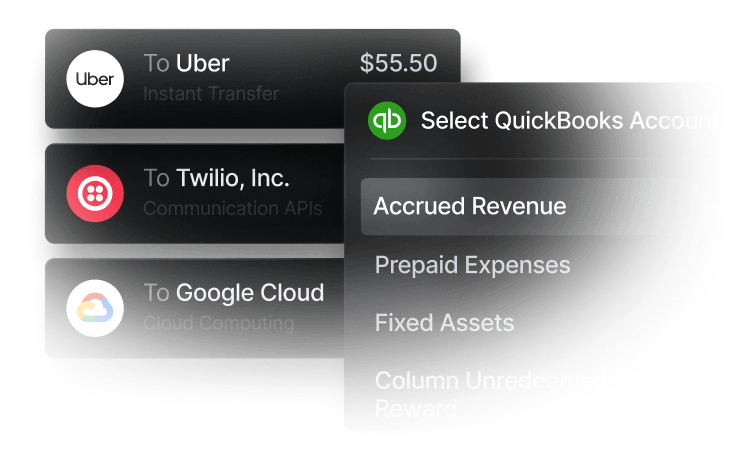
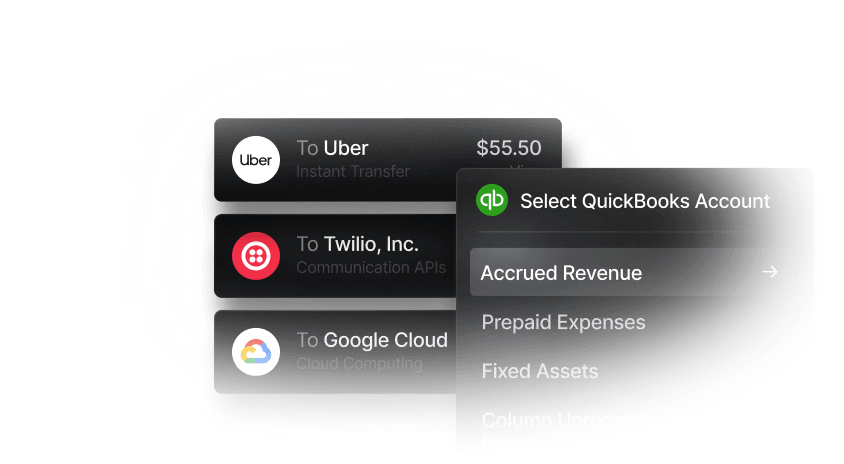
Integrations move data from financial systems into accounting software. They can reduce typing, missing transactions, and delayed reconciliation. For example, Slash connects with accounting solutions like QuickBooks Online, Xero, and Sage Intacct, meaning key financial data can flow both ways and remain aligned.
No matter the platform or integration, though, these connections will only be as useful as the chart beneath it. If every transaction lands in miscellaneous expenses, automation won’t actually end up fixing the mess.
Common Small Business Chart of Accounts Mistakes
Generally speaking, most chart problems come from either too much detail or too little structure. Let’s look at a few:
- Creating too many expense accounts: A category for every vendor makes reports long and hard to use. It can also make bookkeeping inconsistent, since the same vendor might appear under several names. Try grouping expenses by business purpose and using vendor reports when you need vendor-level detail.
- Using “miscellaneous expenses” as a catchall: Miscellaneous charges should be rare. If it becomes one of the largest expense accounts, your chart is failing to explain your spending. Review miscellaneous transactions each month and create better categories for recurring patterns.
- Mixing personal and business activity: Conflating these two is a mistake in just about any business context. Personal expenses in business accounts create messy books, expose you to tax risk, and make profitability harder to understand. Use separate business accounts and cards for company activity. If an owner accidentally pays a personal expense from the business, categorize it properly as a draw or reimbursement rather than burying it in expenses.
Structure Your Small Business Chart of Accounts with Slash
A small business chart of accounts turns raw transaction activity into reports you can use. The best structure is simple, consistent, and tied to decisions the business needs to make about cash and spending. However, it’s very difficult to create your chart of accounts without having a clear picture of your finances to begin with. This is where Slash can step in.
As a modern business banking platform, Slash comes with a dedicated financial dashboard that displays banking, cards, treasury, payments, and accounting workflows in one spot.⁶ When financial activity enters one system with cleaner context, your chart of accounts becomes easier to maintain and month-end work becomes less manual.
To help make these processes easier, our platform also comes with Twin, an agentic AI assistant that can be prompted to help with complex bookkeeping tasks. With a combination of configurable sub-accounts, the Slash Card’s expense categorization tools, and Twin’s ability to pull from financial data, your cash flow will be more visible than ever.
Other features that can help small businesses include:
- Working capital financing: Access short-term financing with flexible 30-, 60-, or 90-day repayment terms to help bridge cash flow gaps.⁵
- High-yield treasury: Earn up to 3.79% annualized yield on idle funds with money market investments from BlackRock and Morgan Stanley, managed directly within your Slash account.
- Accounting & ERP integrations: Sync transaction data with QuickBooks Online, Xero, or Sage Intacct to streamline reconciliation, reporting, and month-end close.
- Native cryptocurrency support: Hold, send, and receive USD-pegged stablecoins USDC and USDT across eight supported blockchains for faster, lower-cost global payments.⁴
- Global USD: The Slash Global USD Account is designed as an alternative for foreign founders who want access to USD without forming a US entity.³ Balances are held in USDC on Base, a stablecoin designed to maintain a one-to-one value with the U.S. dollar.
Before developing a chart of accounts, try letting Slash help keep your data clean and easy to access. Sign up today to see how.
Apply in less than 10 minutes today
Join the 10,000+ businesses already using Slash.
Frequently Asked Questions
How many accounts should a small business chart of accounts have?
Many small businesses can start with a few dozen accounts, but the right number depends on business complexity, reporting needs, and tax requirements. Add categories when they support decisions or compliance, and avoid adding categories only because one unusual transaction appeared.
The Best Multi-Entity Accounting Software: Comparison, Features, and Benefits

Should each bank account have its own chart of accounts category?
Yes, each real bank account should usually have its own asset account. This makes reconciliation easier and helps reports show where cash is held. Separate operating, tax, payroll, and reserve accounts can be useful if you manage cash for different purposes.
Can accounting automation fix a messy chart of accounts?
Automation can speed up categorization, but it can’t replace a clear structure. If the chart is vague or inconsistent, software will repeat those problems faster. Build the chart first, then use rules, integrations, and review workflows to keep it accurate.
The 8 Top Expense Management Software Options for Small Businesses

The Best Accounting Automation Software Tools in 2026

Read more from us


