

Bank Reconciliation Automation: A Guide For Small Businesses
If you’re a small business owner that’s spent long days and nights fretting about profitability, liquidity, and product quality, end-of-month reconciliation is probably the last thing you want to deal with. The extra days that it takes to make sure your ducks are in a row can be frustrating at best and backbreaking at worst. Fortunately, there’s a better way: bank reconciliation automation.
Instead of comparing every bank entry with the general ledger by hand, a bank reconciliation system can import records, match routine transactions, and send unusual items to you or an employee for review. As a result, you can get more current cash visibility and a much faster close.
We wrote this article to explain how automated bank reconciliation works, where it helps, and which mistakes can undermine it. Small business owners who want more out of their bank reconciliation software than simple accounting tools may also want to learn about Slash. Slash is a complete financial platform that includes AP/AR automation tools and accounting integrations built to make your month-end close faster and more accurate.¹
Key Takeaways
- The point of reconciliation is to explain discrepancies with documented paths from source transaction to ledger entry, as opposed to just making the two numbers match.
- “Matched” is not the same as “correct”; a transaction can tie to the bank perfectly and still be coded to the wrong account, customer, entity, or tax category.
- While a bank match proves money moved, it doesn’t say anything about business purpose or deductibility. So, receipts and supporting documents still have to be retained after a transaction clears.
- Rules have to be specific, since broad instructions can easily misclassify transactions without your knowledge.
- Connecting different platforms, such as your accounting app to your banking system, can make end-of-month close a lot easier.
What Is Bank Reconciliation Automation?
Bank reconciliation is the act of comparing your company’s internal records with the activity reported by your bank. For a typical small business, that means confirming that customer deposits, vendor payments, transfers, fees, interest, and other transactions appear correctly in the books. You also have to account for timing differences, including deposits in transit and checks recorded internally that haven’t yet cleared.
If you were to do it all manually, someone would have to download a statement, open the ledger, and match each entry by amount, date, payer, or reference number. Anything that doesn’t line up has to be investigated. Some straightforward corrections include fixing a duplicate entry, finding a missing deposit, or waiting for an outstanding payment to clear – but it’s not always that simple.
The goal isn’t just to make the bank balance and ledger show the same number, though that should be the end result. Reconciliation should explain every difference and leave documented paths from the source transactions to the final accounting entries. If you force an adjustment, the totals might agree, but you won’t solve the problem the process was supposed to uncover.
Automation keeps the same objective with a different workflow. Specialized software can connect with bank feeds, accounting systems, payment processors, and other financial platforms, then compare their records continuously or on a schedule. Entries that meet the company’s criteria can clear automatically, while items that don’t match are flagged as exceptions.
For the record (no pun intended), that doesn’t mean the software runs the books without supervision. A good system can handle repeatable comparisons while preserving a human checkpoint for more uncertain cases.
Benefits of Bank Reconciliation Automation
In short, automated reconciliation makes month-end close a lot easier for small businesses. Beyond that, though, there are quite a few benefits you might not instantly think of, including:
- More current cash visibility: With updated records, you can get a better look at which balances are available, which receipts remain pending, and where unexplained differences are developing.
- A faster close: Since matching can occur daily or continuously instead of at the end of the month, you’ll have a lot fewer unresolved items to pore through.
- Fewer routine errors: Configured rules apply the same logic each time, which can reduce missed/duplicate entries and other mistakes caused by retyping data.
- Earlier fraud and error detection: A duplicate payment, unknown withdrawal, altered vendor amount, or missing deposit can be flagged during the month. Automation identifies the anomaly, then a person determines what caused it.
- Scalability and stronger audit trails: Modern reconciliation software can process rising transaction volume while retaining details like timestamps and rule changes.
- Better decisions: Recently reconciled data makes cash forecasts, vendor-payment decisions, and spending plans more dependable than reports built from inaccurate balances.
How Does Bank Reconciliation Automation Work?
Even if you’re completely familiar with the process of bank reconciliation, you should know how an automated system handles it so you understand what to trust it with and when you should step in. Here’s how it all works:
Transaction Matching
First, the system brings together bank data and accounting records. It compares fields such as amount, date, account, invoice number, check number, transaction ID, and description to look for mismatches. A simple match may pair a $2,000 deposit with a $2,000 customer payment. More advanced tools can handle “one-to-many” or “many-to-one” relationships, such as a single processor payout representing dozens of sales minus their refunds and fees.
Rules-based systems require entries to fit predefined criteria, which can be helpful in most cases but a bit restrictive if you’re a small business looking for more flexibility. AI-assisted tools can recognize imperfect descriptions, such as matching “AMZN MKTP” with “Amazon Marketplace.” In any case, a routine item should clear automatically, while a weaker match should remain open for review.
Setting Rules for Recurring Items
Recurring expenses tend to be the easiest transactions to automate. A business can create rules for rent, software subscriptions, loan payments, payroll, bank fees, and other predictable things. For example, these rules could match a payment to a vendor when the amount falls within a narrow range and the posting date appears within several days of the expected date.
Rules can also be tied to an account, department, location, or entity. They should be specific enough to recognize a known pattern, since vague instructions could end up clearing transactions that shouldn’t have been given the green light. A broad rule such as “categorize every $500 debit as advertising” could misclassify a tax payment or personal transaction.
Exception Handling
One of the trickiest parts of navigating exceptions is the fact that not every difference is an error. A deposit may be in transit, a check might not have cleared, or a processor could combine transactions differently from the accounting system. It’s important to figure out which mismatches are easily explainable and which ones are real errors.
Automated tools should classify and route these items rather than forcing them into a match. The best workflows show the source records, explain why the item failed, assign an owner, record adjustments, and preserve the approval history. Once you start seeing consistent patterns, you can turn repeated corrections into new rules.
Connecting Separate Platforms
A lot of small businesses carry cash and financial data in a bunch of different places, such as accounting apps, ecommerce processors, and banking platforms. Reconciliation software can use tools like APIs and file imports to bring those records together. Before connecting everything, you should decide which platform is the system of record for each data type. A processor deposit, for example, may be lower than gross sales because it combines fees and refunds.
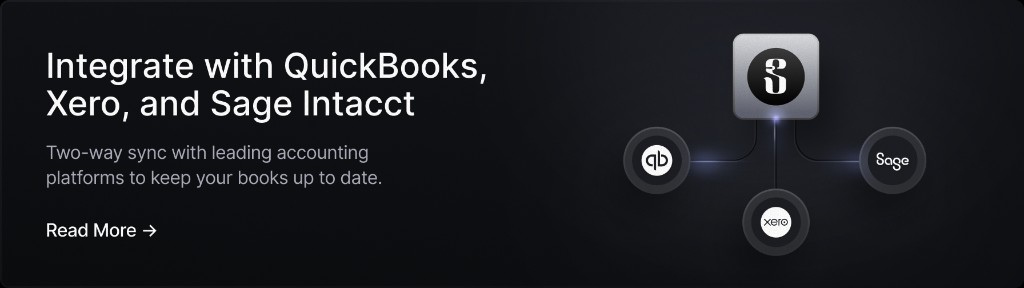
Whether you use QuickBooks Online, NetSuite, Sage Intacct, or Xero, you can link Slash with your accounting software and share information in both directions. Slash also auto-categorizes each transaction you make with the Slash Visa® Platinum Card, which means your accounting app can work with clearer information from the get-go.
The standard in finance
Slash goes above with better controls, better rewards, and better support for your business.

What Not to Do When Automating Bank Reconciliation
Automated bank reconciliation is only a risky practice if you manage it incorrectly (or don’t manage it at all). While these tools are meant to run on their own, you’ll still need to intervene to make adjustments and handle one-off cases. Here are some things you should avoid doing as you implement automated reconciliation:
- Don’t automate a disorganized ledger: Before creating any rules, clean up duplicate vendors, inconsistent account names, stale bank connections, and unexplained opening balances.
- Don’t discard your documents after a transaction matches: A bank match proves that money moved, but it doesn’t prove the business purpose, tax treatment, or deductibility of an expense. The IRS requires records that clearly show income and expenses, plus supporting documents such as statements and receipts. These requirements apply to electronic records as well as paper ones.
- Don’t remove human approval from exceptions: Unusual transfers, new vendors, changed bank details, and anything that smells like fraud should require review. AI tools can suggest a match or category, but an employee should retain authority over corrections and final posting.
- Don’t ignore access and data security: Your reconciliation tools may connect to programs with sensitive financial data, such as your banking or payroll platform. You can keep these connections more secure with role-based permissions, multifactor authentication, controlled approval rights, and regular access reviews.
- Don’t treat “matched” as the same as “correct”: A transaction can match your bank and still be coded to the wrong account, customer, entity, or tax category. It’s good to sit down and review exception trends and your recent auto-cleared transactions regularly, just to make sure an unexpected oversight isn’t causing problems.
Ultimately, if you’re looking for an automated reconciliation solution that takes the month-end close out of your hands entirely, you won’t find one. The best tools don’t eliminate the need to monitor reconciliation, but they can make that task much easier. When routine transactions clear quickly, exceptions remain visible, and people keep control over decisions affecting reporting and taxes, you’ll save a lot of time without sacrificing accuracy.
Speed Up Your Month-End Close With Slash
Your small business might not actually be overwhelmed by dozens of mismatched expenses and suspicious-looking transactions. Oftentimes, the hardest part is just figuring out how to work with several different systems. Using separate apps for banking, accounting, and employee spend can lead to missing expenses and receipts that turn your end-of-month close into a nightmare. Slash was built to help.
Slash is a business banking platform that keeps your transaction data current throughout the month so you don’t have to scramble at close. Every purchase made with the Slash Card is captured with receipt prompts at the moment of spend, categorized against the appropriate account, and sorted on our financial dashboard. Since Slash also integrates with accounting tools like NetSuite and Xero, your accounting data doesn’t have to be copied from one place and pasted into another. By the time you sit down to comb through it all, your underlying ledger is already accurate.
Accounting automation is only a small part of what Slash offers. Small businesses that use our platform also get access to:
- Working capital financing: Access short-term financing with flexible 30-, 60-, or 90-day repayment terms to help bridge cash flow gaps.⁵
- Diverse payment rails: Slash supports a wide range of payment methods, including card spend, global ACH, international wire transfers to over 180 countries via SWIFT, and real-time domestic payments through RTP and FedNow.
- Separate virtual accounts: Create multiple business bank accounts to silo cash flows by project, department, or client with real-time analytics across each of them.
- Card controls and spend policies: Issue unlimited virtual and physical cards, set limits by card, team, or individual, and see every transaction post in real time. Slash texts employees for receipts and matches them automatically to transactions. Eligible business spend earns up to 2% cash back with the Slash Visa Platinum Card.
- Business banking: FDIC-insured business checking, protected up to $150M through Column N.A.'s insured cash sweep network.²
Apply in less than 10 minutes today
Join the 10,000+ businesses already using Slash.
Frequently Asked Questions
What types of mismatches should be reviewed by humans?
Anything involving payment instructions comes first, meaning a new payee, a changed vendor bank account, or a transfer to a destination that hasn’t appeared before. These are the spots that are generally most vulnerable to fraud. You should also monitor any item where the bank shows more money leaving than your ledger expected, since duplicates and overpayments can look like small variances until someone traces them.
What should I do if I find an error in a period I already closed?
It mostly depends on its size and whether the books have left the building. A small error in a recent month can usually be corrected in the current period with a clear memo explaining what it relates to, which preserves the audit trail without reopening a closed month. Errors that are more material, that cross a fiscal year, or that affect a return you’ve already filed may need your accountant, since the fix may involve a prior period adjustment or an amended return rather than a journal entry.
Bank Reconciliation Made Easy: Prevent Errors & Simplify Accounting


What’s the difference between reconciliation and categorization?
Categorization decides what a transaction is, assigning it to an expense account, class, or customer. Reconciliation confirms that your records and the bank’s records agree and that every difference between them has an explanation. They’re often automated by the same software and in the same pass, which is why they can be mixed up.
MCC Codes Explained: How Merchant Categories Impact Spend


