

Best Corporate Cards for AI Agents in 2026: Per-Agent Limits, Merchant Locks and Human Approval Compared
Giving an AI agent a company card comes down to three questions about who sets the card's limit, who sees the card number and who approves before money moves. Slash, Mercury, Ramp, Brex and Meow each answer them differently, and the answers decide how much an agent can spend before a person notices.
Slash, a business banking platform that issues the Slash Visa® Platinum Card¹, lets an agent create virtual cards through an MCP server, each with its own limits and merchant locks. A read-only API key holds every write the agent attempts for a person to approve, and the card number can reach the agent encrypted to a key only you hold.
This guide is about cards an agent uses itself. Paying OpenAI, Anthropic and other AI vendors from a card is a different job, covered in Slash's guide to corporate cards for AI and API spend.
The standard in finance
Slash goes above with better controls, better rewards, and better support for your business.

Key Takeaways
- On Slash, an agent connected with a read-only API key cannot create a card, change a limit or send a payment until a person approves the request.
- Slash returns a card's number and CVV encrypted with your RSA public key when you add that key to the MCP connection. Without it, they come back as plaintext.
- Slash's Free plan costs $0 a month and Pro costs $25, and Slash's pricing page lists the Slash API and the card management API on both.
- Only a person can create a Mercury agent card or change its limit, and the agent then retrieves the full card number to check out on its own.
- Ramp's agents act with the permissions of the Ramp user who connected them, and Brex's card tools for AI assistants are in early access and return no card numbers.
What Should a Corporate Card for AI Agents Control?
An agent works from prompts, and text hidden in a web page or email the agent reads along the way can override them. A spending rule written into the prompt is only a request. The rules that hold are the ones the card platform enforces when the agent calls it, and the ones the card network enforces at checkout.
Six things separate one agent card from another.
- Who creates the card. Whether the agent can issue a card for a task, or a person has to make each one.
- Who sets and changes the limit. A cap per transaction and per period, and whether the agent can raise either.
- Where the card works. Allow or block lists by merchant, merchant category code and country.
- Who sees the card number. Raw, encrypted, or swapped for a one-time credential.
- What waits for a human. Which actions pause for approval, and where the approver sees them.
- What the agent's key can reach. A separate key per agent, scoped to its job and easy to revoke.
1. Slash: An Agent Creates Cards Over MCP, and a Read-Only Key Holds Every Write for Approval
Slash runs an MCP server for agents at mcp.slash.com, and any MCP client, such as Claude, ChatGPT, Cursor or your own agent, connects to it with a Slash API key. Slash's launch post lists what the agent can then do, from creating cards and locking them to merchants to sending ACH, wire and RTP payments, managing invoices and querying transaction history.
What an Agent Can and Cannot Do on Slash
- Create cards with limits attached. The API issues virtual cards with a daily, weekly, monthly, yearly or total limit and a minimum or maximum per transaction. A single-use card closes after one authorization attempt.
- Lock where each card works. The same call can allow or block merchants, merchant category codes and countries, each covered in the spend limits guide, and card groups put one budget over several cards.
- Wait for a person on a read-only key. With a read-only key, a request to create a card or send a payment returns an Agent Request with an approval link. A team member approves or rejects it in the dashboard, and only then does the original request run.
- Receive the card number encrypted. Add your RSA public key to the connection and the number and CVV arrive encrypted with RSA-OAEP, readable only with your private key. Slash's MCP documentation says that without the key they return as plaintext.
- Stay inside its own key. An agent can do only what its key's scopes allow, and Slash's guide to API keys and MCP access recommends one key per AI client. The guide adds that a key able to create cards or move funds may let the agent do so when asked.
What It Costs
Slash publishes both plans on its pricing page. Free costs $0 a month with up to 1.5% cashback. Pro costs $25 a month with up to 2% cashback and $0 same-day ACH, domestic wires and outgoing FedNow and RTP. The pricing table marks the Slash API and the card management API as available on both plans.
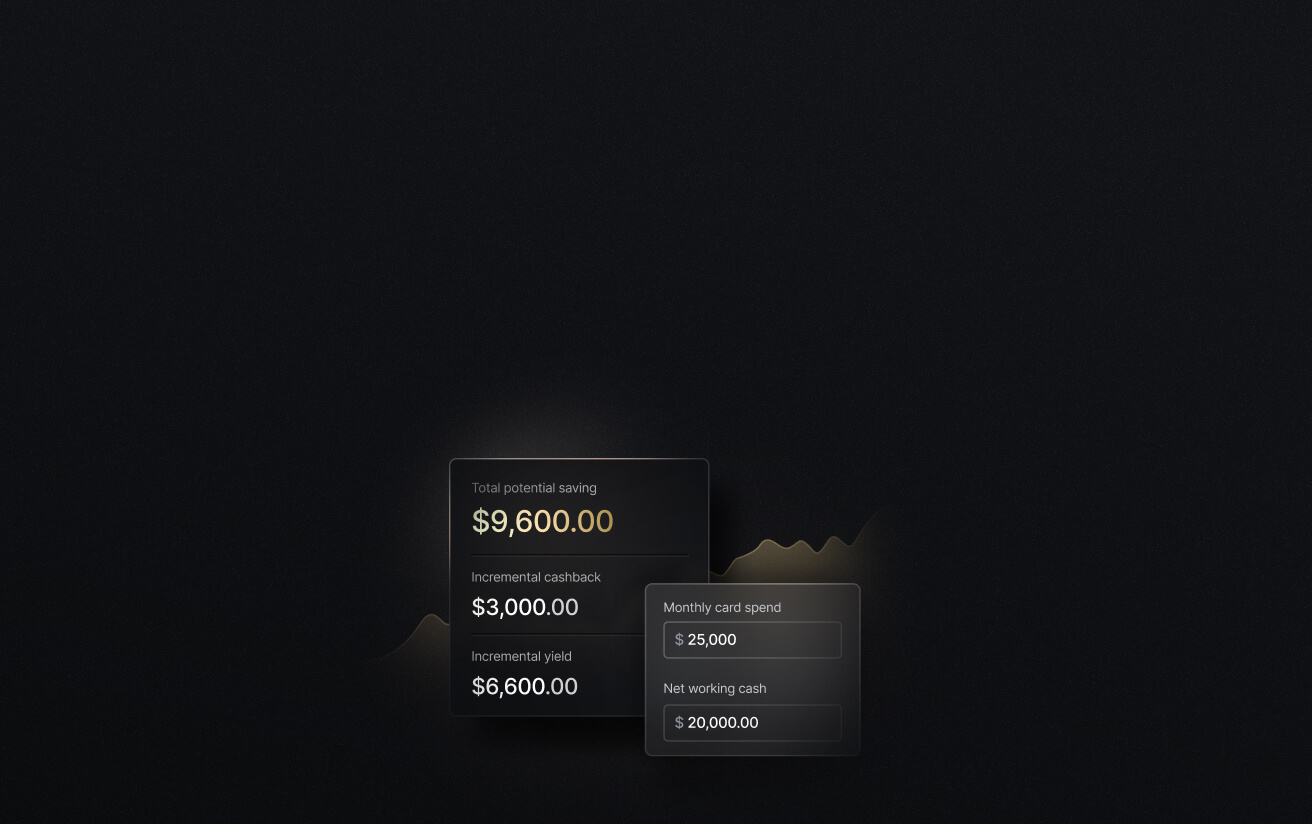
See the ROI behind your spend
Use this calculator to understand impact, then manage and track it all in Slash.

2. Mercury: Agent Cards That Only a Person Can Create
Mercury added agent cards with Mercury Spend in August. An agent card is a virtual debit or credit card that a person creates in the web or mobile app by ticking an Agent box, with a daily, weekly or monthly limit. Through the API or CLI, the agent cannot create an agent card, change its limit or unfreeze it, and it can reach only the agent cards it was handed.
The agent pulls the full card number, expiry date and CVC through Mercury's Vault API or CLI, and Mercury's changelog says that retrieval is not available over MCP. The design lets an agent check out with no person in the loop. Once the agent has the details, Mercury's help page says they "live in your setup", and it states that "you bear sole responsibility for all agent card transactions". Mercury Spend budgets can also restrict merchants by name or merchant category code.
Mercury Command, launched in June, asks for confirmation before it takes any action. The Mercury MCP server turns each payment an agent requests into an approval inside Mercury, and that request expires after about five minutes. Mercury opens accounts for companies formed and registered in the US, with no sole proprietorships.
3. Ramp: Agent Purchases Draw on Funds the Connected User Already Holds
Ramp connects agents through its MCP server, its CLI or a connector in ChatGPT or Claude. Each path acts as the signed-in user, with that user's existing permissions. For a browser checkout, the agent requests an Agent Card credential from one of the user's funds and follows that fund's spend limit, merchant rules, approval policies and accounting defaults. Ramp's guide to agent spending controls describes each Agent Card as scoped to a single agent and transaction, with merchant-level controls.
Because the agent inherits a person's access, what it can do depends on who connected it. Ramp's agent tool list includes a limit increase, with an instruction to call it only when the user's message clearly asks for one, so an agent connected by an admin reaches further than one connected by an employee. A standalone agent identity with its own role and funds is in limited early access.
To apply, Ramp asks for a US corporation, LLC or LP with at least $25,000 in a linked US business bank account.
4. Brex: Card Tools for AI Assistants in Early Access, Without Card Numbers
Brex launched its MCP server in beta in April, mostly for reading expenses, cards, limits and bank transactions. Its October early access release added creating, locking, canceling and editing cards from Claude and ChatGPT. The same release lists policy-level merchant category controls among features still in early access. Brex's support page files these tools under "Cards (without card numbers)", and creating a card is limited to admins.
Brex asks every applicant for a US EIN, incorporation, operations and address, plus equity funding of any amount, more than $500,000 a year in revenue, or a referral for tech startups. Before an assistant connects, an admin has to accept the Developer API agreement, and Brex's MCP documentation tells customers to configure the assistant to require approval before it executes an action.
5. Meow: Card Numbers Released Once per Card, After Support Turns It On
Meow's MCP server lets an agent issue and revoke virtual cards and draft payments. Every ACH, wire, book and crypto transfer an agent starts through MCP is forced into a pending state until a person approves it on the Meow dashboard. Cards issued through MCP are scoped to a single merchant and spend limit, and they are single-use unless the agent sets otherwise.
Meow's card API requires a per-transaction limit on every card and adds daily, weekly, monthly, yearly and all-time limits, plus allow or block lists of up to 100 merchants. The full card number comes from a separate reveal link, claimable once per card with a token that lasts 300 seconds, and support has to enable it on the account.
Side-by-Side Comparison
Provider figures reflect publicly published information as of October 2026 and are subject to change.
How to Choose a Card for an AI Agent
- Start every agent on a read-only key. On Slash, each card, limit change and payment then waits as an Agent Request. Give a key write scopes only for the actions you would let run unattended.
- Put the cap on the card. A $200 maximum per transaction with a $2,000 monthly limit stops a looping agent at $2,000 for the month, and it reaches that only after 10 charges at the full $200.
- Decide who should hold the number. An agent filling in a checkout form needs the card number. On Slash, add your RSA public key and decrypt only inside the system that runs the checkout.
- Give each agent its own key and card group. One key per agent lets you revoke it without touching the others, and a card group puts one budget over every card that agent creates.
- Read the liability terms before the first purchase. Mercury's terms treat every agent card charge as authorized by the customer, so check what your provider's terms say about an agent that acts outside its instructions.
Putting an Agent to Work in Slash
- Create an API key under Settings, API Keys, with read-only scopes and a name such as "Claude Desktop agent".
- Generate an RSA key pair, keep the private key outside the agent's reach, and add the public key to the connection.
- Point your MCP client at mcp.slash.com with the key in the X-API-Key header.
- Ask the agent for a single-use card with a limit and a merchant lock, then approve the request from its approval link.
Conclusion
Slash lets an agent build its own cards, with limits, merchant locks and single-use settings, while a read-only key keeps a person in front of every change and an RSA key keeps the raw number away from the agent. The same connection reaches payments, invoices and transaction history.
The others stop earlier. Mercury hands the agent the full card number and leaves card creation and limits to a person in the app. Ramp's agent carries whatever access its connecting user has. Brex's card tools for AI assistants are in early access and return no numbers. Meow releases a card number once, after support enables it.
Talk to the Slash team about connecting your AI agent to Slash cards and approvals.
Apply in less than 10 minutes today
Join the 10,000+ businesses already using Slash.
FAQs
1. Can an AI agent create a corporate card on Slash?
Yes. An agent connected to Slash's MCP server can create virtual cards with limits, merchant locks and single-use settings. On a read-only API key, each new card waits as an Agent Request until a team member approves it.
What Are the Benefits of Virtual Cards? Tips & Insights

2. Does an agent see the card number on Slash?
It sees an encrypted version if you add your RSA public key to the MCP connection. Slash encrypts the number and CVV with RSA-OAEP so only your private key can read them, and without that key the API returns them as plaintext.
3. How does human approval work for an agent on Slash?
You give the agent a read-only API key. Any write it attempts, such as creating a card or sending a payment, returns an approval link, and the action runs only after a team member approves it. Each request shows as pending, approved, running, executed, rejected, expired or failed.
Best Banks With API Access for Businesses in 2026
4. Which Slash plans include the MCP server?
Slash's agents page says the MCP server is available to all Slash users, and the pricing page lists the Slash API and the card management API on both Free and Pro. Free costs $0 a month and Pro costs $25.
5. Can an AI agent raise its own card limit?
It depends on the provider and the access you grant. Mercury's agents cannot change an agent card's limit at all. On Slash, a read-only key sends any limit change to a person for approval, and on Ramp the agent can do what its connecting user is allowed to do.


