

Finance Automation Explained: Uses, Benefits, and Challenges
Speed and accuracy are important priorities within most company’s finance departments. Traditionally, balancing the two can be a tough act, and many teams end up choosing either quality or quantity. Manual documentation and reconciliation processes are tedious and slow when done well, and error-filled when rushed through. Fortunately, we’re just about at the point where traditional finance workflows can be left in the past. We can automate almost all of it.
Finance automation can help busy accountants and business owners make their day-to-day cash flow management much more efficient. Rather than hiring additional finance staff to absorb the volume, or accepting that repetitive work is just the cost of growth, companies are applying automation workflows like payments, expense approvals, reporting, and reconciliation. As a result, they can finally get an equal combination of quality and quantity.
This article explains what finance automation is, which processes it applies to most effectively, the benefits and the challenges, and how to approach implementation without creating new problems while solving old ones. We’ll also take a look at Slash, a business banking platform that comes with a wide array of finance automation tools.¹ Twin, Slash’s AI agent, can even execute complex tasks on its own with simple text-based prompts.
The standard in finance
Slash goes above with better controls, better rewards, and better support for your business.


What Is Finance Automation?
Finance automation is exactly what it sounds like: the use of technology to perform financial processes that would otherwise require manual effort. This can encompass rules-based routing of invoices for approval, automatic categorization of expense transactions, scheduled payment execution, and the extraction of data from documents or receipts.
Technologies like robotic process automation (RPA), and optical character recognition (OCR) are the backbone of many common automation tools. More recently, generative and agentic AI have begun taking charge of more complex tasks. Whether the automation tools are bot-based or intelligent, they can handle financial processes consistently without requiring a team member to manually intervene at each step.
In many cases, though, finance automation doesn’t replace human judgment. Approvals, exceptions, edge cases, compliance reviews, and strategic financial decisions may still require active oversight. Automation tools are better meant for reducing tedious work like data entry, receipt collection, and manual transfers between systems.
Which Finance Processes Can Businesses Automate?
Finance automation works best for high-volume workflows where the inputs are predictable, the logic is consistent, and the output follows defined rules. Here are some examples:
Expense Management and Approvals
In a traditional expense management workflow, employees submit receipts, a manager reviews them, and finance professionals re-enter the data into accounting systems. Each of these manual steps can lead to delays or mistakes. With finance automation, transactions on a corporate card prompt automatic receipt capture at the point of purchase, expense categorization happens automatically based on merchant and amount, and approval routing follows configurable rules. That means teams can skip those stressful end-of-month expense report sessions.
Invoice Processing and Accounts Payable
Accounts payable involves a series of rules-based steps. You receive an invoice, extract the relevant data, match it to a purchase order, route it to the appropriate approver, and schedule the payment. Since none of these steps are especially complex, they’re well-suited to automation. OCR technology extracts invoice data from PDFs and scanned documents automatically, eliminating manual transcribing and typos. Matching logic confirms quantities and prices against purchase orders. Approval workflows route invoices based on amount, vendor, or department, with timestamps that create an auditable trail.
With modern tools, a finance team processing 300 invoices per month manually can handle the same volume with a fraction of the hands-on time once the automated workflow is configured. Plus, every invoice, approval, and payment creates a documented trail automatically.
Reporting and Financial Visibility
Building financial reports like P&Ls and cash flow summaries typically requires aggregating data from multiple systems, applying consistent categorization, and reformatting for different audiences. Finance automation tools can pull this data continuously from connected systems and generate standardized reports on a defined schedule, instead of requiring a finance team member to assemble them manually before each board meeting or audit. This can also make reconciliation far easier.
Benefits of Finance Automation
Let’s break down some of the benefits modern tools can offer:
Less Manual Work Across Payments and Approvals
When a payment requires manual initiation, an approval requires an email thread, or a report requires manual data export, it means a finance team member is doing work that could be handled by a custom rule. Finance automation replaces these manual steps with automated ones: payments execute on schedule, approvals route digitally with timestamps, and data moves between systems without a human carrying it.
This can also help headcount efficiency, since businesses that automate their finance workflows can scale payment and expense volume without adding a bunch of members to their finance team.
Lower Risk of Reconciliation and Reporting Errors
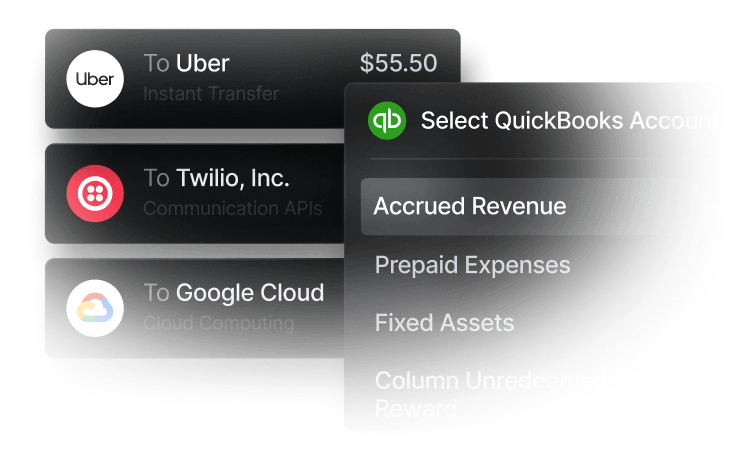
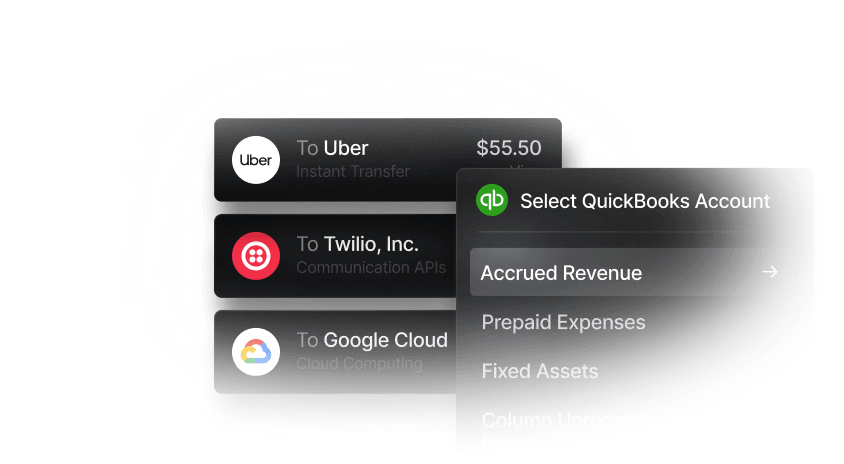
With manual data entry, you’re bound to make mistakes here and there. This might look like a vendor name entered differently in two systems, a transaction amount keyed incorrectly, or a category applied inconsistently across different months. Finance automation reduces manual entry by having data flow between systems rather than being re-typed at each step. For example, Slash integrates two-ways with QuickBooks Online, Xero, NetSuite, and Sage Intacct, meaning banking data can sync directly with your accounting tools.
While process automation reduces the risk of errors, it doesn’t eliminate it. Teams should still review processes to catch exceptions, mismatched data between systems, or cases where automated categorization applied the wrong logic.
Improved Visibility into Spending and Cash Flow
When expense transactions, vendor payments, and account activity move through connected systems, finance teams can see their cash flow without waiting for a reconciliation or payroll cycle to complete. Spending, payment obligations, and cash balances are accessible in real time without requiring a manual pull from multiple sources. With a platform like Slash, all of these data points are gathered in real time on an integrated dashboard.
More Consistent Financial Workflows Across Teams
When financial processes are defined in rules rather than individual judgment, the same transaction gets handled the same way regardless of who processes it or what day it is. An expense over a defined threshold always goes to the same approver, and a vendor invoice always follows the same matching and approval logic. In the same way, month-end reports always use the same categorization methodology.
This consistency matters most in growing organizations, since informal finance processes that used to work with a small team often become unreliable when more people get involved. Sometimes one specific person knows important vendor preferences, while another knows the quirks of their expense categories more than anyone else. Automation encodes these rules into the system, making them reproducible regardless of team changes or growth.
Challenges of Finance Automation
While automation tools can reduce repetitive work, new risks can appear with shoddy setups, fragmented systems, and unclear ownership. Here are some challenges to look out for:
Connecting Data Across Financial Systems
Many businesses use a wide array of financial systems, sometimes including a banking platform, an accounting tool, an expense management product, and a payroll platform. With finance automation, you can connect these systems and allow data to flow between them automatically.
However, integrations can break when system updates change API behavior or when timing desyncs and creates windows where the two systems show different balances. It’s smart to keep an eye on your data consistency by routinely checking to make sure everything aligns and all your ducks are in a row.
Managing Compliance and Approval Controls
Automation can end up inadvertently removing controls that exist for good reasons. For example, you might operate with a payment approval workflow that auto-approves transactions below a certain threshold. To get around this, a vendor with bad intentions could create a dozen small invoices that each fall under the threshold. An expense categorization rule that works for 95% of transactions may misclassify the 5% that matter most for tax purposes.
Finance teams building out their process automation tools should map their compliance requirements and approval controls before configuring rules, and verify that the automation preserves rather than eliminates those controls. No matter what processes you abide by, regulatory requirements are always the same.
Avoiding Over-Automation in Financial Workflows
Not everything benefits from automation. High-judgment decisions like vendor selection, budget allocation, and contract reviews probably shouldn't be automated. For the most part, complex exceptions with unusual circumstances require human review. Additionally, some processes that look repetitive have enough variability that automating them produces wrong outputs more often than correct ones.
Some teams actually end up over-automating, which creates the appearance of efficiency while actually producing errors and making things tougher instead of easier.
Maintaining Accurate Workflows as Operations Scale
Even though it seems like the point, finance automation is not "set it and forget it." As the business adds new suppliers, team structures, expense categories, and approval paths, automated workflows will need to be updated. A routing rule configured for a five-person company just isn’t going to work with fifty people. Similarly, an expense categorization model trained on last year's vendor set may not handle this year's new suppliers correctly.
Not only should finance teams review their automated workflows regularly, but they should also assign specific ownership to different employees in order to make sure there’s someone in charge of every process.
How to Implement Financial Process Automation
Start by figuring out which of your tasks consume the most time, generate the most mistakes, or involve the most coordination. These are usually the best candidates for a first automation project, since the before-and-after difference will be measurable and the team will see the value quickly enough to build confidence in expanding the scope.
Before selecting a tool, review the accounting and ERP systems already in use. The best automation solution is often the one that integrates most cleanly with the systems you already have, rather than the one with the most impressive standalone feature set. If you manage a small business, you may also want to think ahead and choose a platform that can sync with solutions you’d adopt as your business gets bigger. For example, Slash’s Xero integration fits with small businesses, and its NetSuite integration matches larger companies and corporations.
From there, pick a workflow to automate first. Expense approvals, invoice capture, or payment scheduling are common starting points. Define the rules clearly before configuring the automation, naming what triggers it, what happens at each step, who reviews exceptions, and what a successful output looks like. It’s smart to assign a specific person as the owner of the automated workflow, responsible for monitoring it and updating it when business conditions change.
Before running everything at full volume, try testing the configuration with a limited set of transactions. Check that the outputs match expectations, that exceptions are being flagged appropriately, and that accounting integrations are producing correct entries. You’ll also want the automation workflow to preserve necessary review steps, especially for approvals, payments, and financial reporting where errors are a big deal.
After launch, audit the automated workflow actively for the first 30–60 days. Keep an eye out for edge cases the rules didn't anticipate as well as reconciliation discrepancies. While it doesn’t need daily intervention, finance automation requires sustained oversight to ensure it's still working as intended as the business and its processes evolve.
Simplify Financial Operations with Slash
As you take a look through your workflows, you might figure that most of your individual tasks are pretty efficient already. Perhaps you aren’t stuck crunching numbers in a spreadsheet or arranging receipts in a binder. Teams that feel satisfied with their processes often overlook a key factor: whether all those processes sync up. Your systems should be just as much of a team as your finance department is.
Slash is a business banking platform that brings business banking, corporate charge cards, payments, analytics, and expense management into one place. Thanks to direct accounting integrations with popular solutions like QuickBooks Online and Xero, you can keep the general ledger current without manual intervention. Slash comes with quite a few finance automation tools, including OCR scanning and invoice scheduling, that make life easier across different departments. What sets our platform further apart is our AI assistant, Twin.
Twin is an agentic AI that can connect to your Slack and be directed to execute a wide variety of tasks with plain English prompts. Between forecasting cash flow, managing your corporate cards, speeding up invoice processing, building expense reports, and even making business purchases, you’ll be surprised at how many financial responsibilities Twin can automate and streamline.
Slash also comes with features such as:
- Working capital financing: Access short-term financing with flexible 30-, 60-, or 90-day repayment terms to help bridge cash flow gaps.⁵
- The Slash Visa® Platinum Card: The Slash Card allows you to set customizable spending controls and issue unlimited virtual cards for handling team expenses, vendor payments, subscriptions, and more. Users can also earn up to 2% cash back on business purchases.
- Stablecoin support: Send and receive USD-pegged stablecoins USDC and USDT across eight supported blockchains for faster, lower-cost global payments.⁴
- Diverse payment methods: Slash supports a wide range of payments, including card spend, global ACH, international wire transfers to over 180 countries via SWIFT, and real-time domestic payments through RTP and FedNow.
- Reimbursements: Instead of managing reimbursements across multiple tools, teams can now submit, review, and approve reimbursements directly inside the Slash dashboard. Connect your bank account, upload your receipt, and let Slash capture the details.
With the combination of Slash’s dashboard and Twin, you’ll be able to access a complete picture of your financial data and do more with it than ever before.
Apply in less than 10 minutes today
Join the 10,000+ businesses already using Slash.
Frequently Asked Questions
Can automation tools streamline invoice processing?
Yes, invoice processing is one of the most applicable use cases for automation software, since a lot of the steps involved are repetitive. Using OCR technology, automated tools can extract financial data and transcribe it so an employee doesn't have to perform data entry manually. From there, approval workflows and payment execution can be set up via rules-based logic or AI.
Invoice Automation: Definition, Benefits, and Automation Software

What is robotic process automation (RPA)?
Robotic process automation (RPA) is a type of technology that a technology that uses bots to emulate human actions in financial operations. By automating repetitive, rule-based tasks like data entry, form filling, and copying files, RPA allows businesses to increase speed, reduce errors, and free up employees for higher-value work.
Can automated processes streamline accounts receivable tasks?
Definitely. Just as automation software can independently pay invoices, it can create and send them as well. AI powered systems can automatically generate accurate invoices as soon as orders are completed or contracts are fulfilled. Automation software can also set up customizable follow-up schedules, automatically sending out friendly reminders for upcoming payments and alerts for overdue balances.
Accounts Payable and Receivable Software: Choosing the Best for Your Business
How does automation software help with financial reporting and reconciliation?
With smart implementation, automation software can cut month-end close times and prevent errors by replacing manual data entry with rules-based validation. Many systems automatically pull data from ERPs, match transactions across systems, and flag discrepancies, resulting in faster and more accurate financial reporting.
Accounting Reconciliation: Types, Process & Best Practices

Why is data entry particularly important to automate?
Data entry is one of the most repetitive tasks you'll find in a finance department, and it can burn time within accounts payable, accounts receivable, expense management, and reconciliation tasks. It costs employees valuable time and often leads to costly typos. Process automation can easily handle data transcription, especially in cases of software-to-software connections or invoice scanning.
Read more from us


