

Automated Invoicing for Ecommerce Businesses: A Beginner's Guide
You might not think accounts receivable would be easy to automate. After all, each client has their own needs, different orders may call for different payment methods, and you may want to add distinct branding to some of your bills. If you’re an ecommerce business, you also need to stay on top of extra subscription-based billing and dunning. Fortunately, automated invoicing tools do exist, and they can handle most of these steps for you.
Modern invoicing platforms allow order data to move from the storefront into an invoice, the invoice to be delivered according to preset rules, and payment statuses to flow back into accounting without excessive copying and pasting. We wrote this guide to explain how automated invoicing works, which features matter for ecommerce businesses, and how you should transition away from your current manual processes. Along the way, we’ll explore how ecommerce teams can use Slash to bring invoicing, payments, accounting, banking, and more into a single platform.¹
Key Takeaways
- Most automated processes start with a trigger, such as an approved wholesale order or a subscription renewal, which pulls customer, pricing, and tax details into an invoice without the need to retype them.
- A full dunning process goes further than reminders, often retrying declined cards, asking customers to update expired payment methods, and suspending service at the end of the line.
- The dunning sequence should match the situation. Immediate retries match a subscription renewal, while a wholesale buyer on longer payment terms could use reminders.
- It’s better to choose a platform by billing model rather than feature count, because a subscription brand needs proration and card updates while a retailer may care more about sharing data with its point-of-sale system.
- Good reporting can separate a sales problem from a collection problem, potentially showing you when revenue is rising but cash is arriving more slowly or inconsistently.
Understanding Automated Invoicing
Automated invoicing software creates, sends, tracks, and reconciles customer invoices without the tedious work that’s usually required. The process usually begins with a certain trigger, such as the approval of a wholesale order or the renewal of a subscription. At that point, the system can pull customer, pricing, tax, and payment information into an invoice, then send it by email or present it through a hosted payment page.
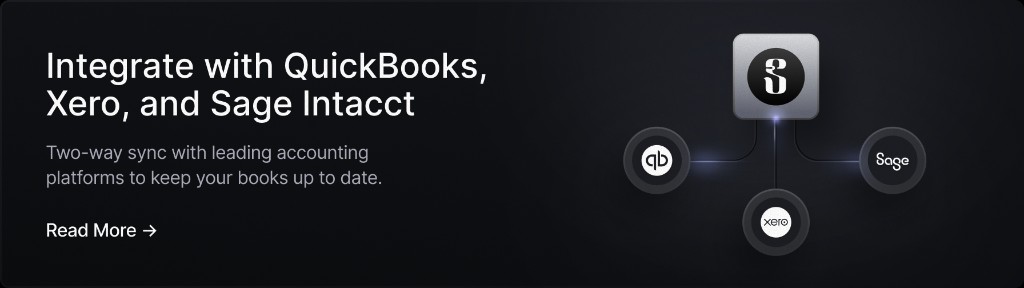
After delivery, the software may record whether the invoice was viewed, paid, overdue, or cancelled. It can also send reminders and retry a failed charge, which can help ecommerce businesses ensure payments aren’t missed. When payments do arrive, some systems can mark the invoice paid and pass the transaction into accounting. For example, Slash integrates with QuickBooks Online, NetSuite, Xero, and Sage Intacct, meaning banking and AR activity can sync directly with your books.
Overall, the benefits include:
- Less manual work and fewer errors: Customer details, products, quantities, taxes, and more can be gathered together without any long hunts or accidental typos.
- Faster collection: Invoices can go out as soon as a triggering event occurs, then reminders and easier payment options mean you’re less likely to have to chase clients.
- Easier growth: A process used for 20 wholesale invoices can continue working at 200 without having to hire new people or spend long hours putting everything together.
- Better visibility: Within automated invoicing platforms, dashboards often show paid, open, and overdue invoices, giving the business a clearer view of receivables and expected cash flow.
In short, you’ll probably need automated invoicing when your volume would overwhelm a standard checkout process or one-at-a-time creation. If you’re looking at wholesale purchases, subscriptions, custom orders, and net-30 arrangements, you’ll have some complex invoice-to-cash cycles that may require automated software.
Key Invoicing Features for Ecommerce
While there are a lot of automated invoicing platforms to choose from, not all of them can directly help ecommerce teams. The world of ecommerce requires a few extra features that you won’t want to overlook, as automating certain tasks while manually managing others is a recipe for delays and messes. Here are some of those features:
Automated Payment Reminders and Dunning
You could be a whiz at creating and sending invoices, but none of it really matters if you have an inefficient collection process.
Lots of platforms can schedule reminder messages to be sent before or after a due date. Fewer can fully handle dunning, which is the broader process of recovering failed or overdue payments, especially for subscriptions. The right billing platform should be able to retry a declined card, ask the customer to update an expired payment method, and suspend service after the recovery sequence ends.
All in all, the dunning workflow should fit the context. With a subscription renewal, you’ll want to set up immediate retries, while a wholesale buyer on net-30 terms may need a polite reminder followed by an escalation. If you have a few select high-value customers, you may also want to arrange for human review to make sure any late payments are handled with the right oversight.
Customizable Templates
Customizing the look and feel of an invoice is almost as important as customizing the line item and payment term details. Invoicing solutions like Slash allow users to add their company logo, choose primary and accent colors, and add customer-facing copy that can add context or just serve as a thank you message.
You shouldn’t have to do this each time (unless you wanted to make each one look unique, for some reason). The software should store defaults by brand, entity, customer type, or transaction. Some solutions also support multiple currencies and localized tax information for international sellers.
Integration With Ecommerce Platforms
Without a helpful suite of connected apps, your automated invoice software isn’t really that automated. A platform may be able to create a polished PDF, but you’ll still have a lot of work to do if you need to copy every Shopify, WooCommerce, BigCommerce, marketplace, or custom-store order into it.
Lots of solutions come with native integrations, which allow the easy transfer of order details, customer data, discounts, taxes, refunds, and payment status. Some platforms, including Slash, offer API access and webhooks that allow users to build custom connections to the platforms they already use.
Whether natively or through an API, the connection should work in both directions if possible. A fulfilled wholesale order might create an invoice, while a completed payment should update the store, ledger, or customer record.
Reporting and Analytics
You’ll want your dashboard to be able to answer more questions than “Was this invoice paid?” It should show details like total receivables, aging stats, average time to payment, overdue balances, failed-payment recovery, and income by customer and channel. Subscription-based businesses may also track churn and recovered revenue.
That’s the kind of information that can help you distinguish a sales problem from a collection problem. You may learn that your revenue is rising but your cash is arriving more slowly, or that one single buyer represents a large share of overdue balances.
The standard in finance
Slash goes above with better controls, better rewards, and better support for your business.

Implementing Automated Invoicing for Ecommerce
When you’re approaching automated solutions from the perspective of an ecommerce business, you’ll probably want to make your choice based on the right billing model rather than the longest feature list. A subscription brand, for instance, needs recurring billing, proration, card updates, and dunning. Retailers, on the other hand, often care more about sharing customer and payment data with their point-of-sale systems than any recurring flows.
You’ll also want to have a full understanding of your current workflow from order to deposit. Identify what triggers an invoice, who approves it, how your customers pay, and who reconciles those payments. Once you’ve settled on a couple platforms that match that workflow, you can compare them across quite a few factors, including:
- Store and accounting integrations
- Supported payment methods and currencies
- Permissions settings
- Refunds
- Reporting
- Security
- Pricing structure
Once you choose a winner, there are still a few more steps before you’re up and running. It’s wise to pilot the new system with a small group of customers, then test discounts, partial payments, failed charges, refunds, cancellations, and payments received outside the platform.
If you can, run your old and new systems in parallel long enough to compare the output between the two. Once you get a good idea of how the process works and where exceptions arise, determine who handles those exceptions and how that employee can correct or replace an invoice.
Automate Invoicing, Banking, and More With Slash
There’s one more element we haven’t talked about yet: the banking side. You could have all the automated invoicing tools you need, but if the deposit goes to a totally different place, you may still have some questions to answer and reconciliation to perform down the road. Most invoicing platforms don’t have banking features at all. Slash does.
Slash is a modern financial platform that includes accounts receivable tools alongside corporate cards, a business checking account, and a lot more. Businesses can create and send invoices from the Slash dashboard, add line items, sales tax, and deadline, then share the invoice with the customer through a hosted payment page. Invoices can be tracked by status, client, or date. Teams can send reminders and duplicate prior invoices, while payments made through the invoice’s supported payment methods are automatically matched to the invoice within Slash.
Payment options include ACH bank transfer, wire, card, and even stablecoins like USDC and USDT for eligible users.⁴ We also support ACH Direct Debit, which lets a customer authorize Slash to pull the payment from their account on a certain due date.
If you manage an ecommerce business that invoices wholesale buyers or manages recurring B2B customers, you get to remove a handoff from your finance stack when you use Slash. You can generate invoices in the same platform where you receive payments and manage your cash.
Our platform comes with a lot more tools and features that ecommerce teams can use, including:
- AI-powered finance: Our platform comes with Twin, a built-in AI agent that can be prompted with natural language to complete complex tasks. Users can ask it to create cards, pay invoices, review your cash flow, and a lot more.
- The Slash Visa® Platinum Card: The Slash Card is a corporate charge card that allows you to set customizable spending controls and issue unlimited virtual cards for handling team expenses, vendor payments, subscriptions, and more. Users can also earn up to 2% cash back on eligible business purchases.
- Working capital financing: Access short-term financing with flexible 30-, 60-, or 90-day repayment terms to help bridge cash flow gaps.⁵
- High-yield treasury: Earn up to 3.84% annualized yield on idle funds with money market investments from BlackRock and Morgan Stanley, managed directly within your Slash account.⁶
- Accounting & ERP integrations: Sync transaction data with QuickBooks Online, Xero, NetSuite, or Sage Intacct to streamline reconciliation, reporting, and month-end close.
Apply in less than 10 minutes today
Join the 10,000+ businesses already using Slash.
Frequently Asked Questions
Can automation help when customers are on Net 30 terms?
Certainly, although not every feature will be relevant. You can still customize the invoice, send it automatically, and take in payments through the allowed rails. The dunning process will appear in the form of reminders rather than automated retries.
Ecommerce Payment Processing Explained: Methods, Gateways & Best Practices

What if a customer pays by check or sends money outside the platform?
Most automated systems can only match payments that arrive through their own rails, so anything paid by check, a wire to your bank, or a card taken over the phone has to be reconciled by hand. The usual approach is to locate the matching bank transaction, apply it to the open invoice, and mark it paid so reminders stop going out.
Do I need a developer to set up automated invoicing?
Probably not. Native integrations with the major storefronts and accounting platforms are designed to be user-friendly. However, if you’re trying to build a custom connection with APIs and webhooks, you’ll have to do the work yourself or hire someone who’s tech-savvy enough to make it happen.
Read more from us


