

Choosing the Right Enterprise Asset Management Software: A Comprehensive Guide
Enterprise Asset Management (EAM) software isn't for every business. It's for companies with machines on a factory floor, scanners in a hospital, trucks in a fleet, or power lines in the field. In heavy industry or multinational enterprise, a single piece of equipment failing can cost millions. That’s why EAMs are for manufacturing, healthcare, aerospace, and mining; most other businesses can skip it.
EAMs may all look like they work the same, but choosing the wrong one can cost millions. It's a high-stakes decision, so it's imperative that the finance team or CFO understand what they're getting into before scheduling a demo. In this guide, we're going to walk through some of the considerations to take into account when choosing an EAM for your organization, highlighting some of the most important features and our picks of the top 7 EAM software solutions in 2026.
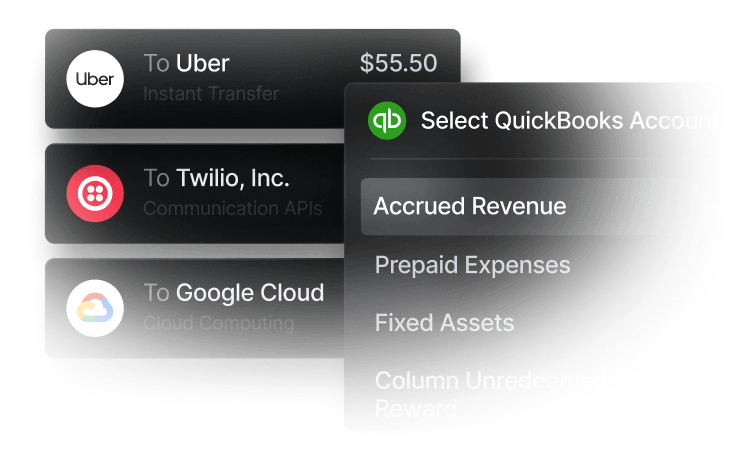
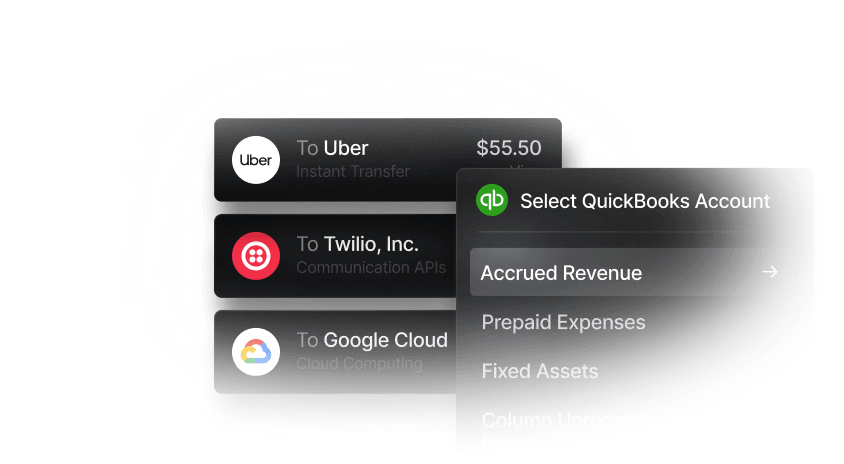
EAMs connect your assets, finances, and operations, but they aren't built to run your company's finances. For an API-enabled, SOC 2 compliant banking stack, consider Slash.¹ With Slash, you can issue unlimited corporate cards to your team members, each with granular card controls; every card syncs to your dashboard to give you real-time visibility into every transaction. Slash integrates directly with leading ERP accounting solutions, lets you spin up virtual accounts for separate budgets on demand, and includes Twin, an AI financial assistant built into the platform for FP&A.
See the ROI behind your spend
Use this calculator to understand impact, then manage and track it all in Slash.


What is Enterprise Asset Management Software (EAM)?
Enterprise Asset Management (EAM) software is the system a business uses to track and manage its physical assets across their full lifecycle: acquisition, deployment, operation, maintenance, and disposal. EAM software is almost exclusively used by large companies once they have a high quantity of company-owned property: production equipment, vehicles and fleets, facilities, IT hardware, and infrastructure like pipelines or utility grids.
An EAM platform typically handles much of the ongoing work required to maintain company property, including asset registries, work order management, preventive and predictive maintenance scheduling, spare-parts inventory, procurement, and financial tracking. Modern platforms increasingly pull in IoT sensor data, mobile technician apps, and AI-driven condition monitoring.
Deployment Models: Cloud vs On-premise
There's two leading types of EAM software deployment: cloud (usually delivered as SaaS) and on-premise (installed and run on the company's own servers). Cloud has become the default for most new implementations because upgrades, patches, and integrations are managed by the SaaS vendor, deployment can be faster, and mobile access is often better optimized. It also shifts costs from capital expenditure to operating expenditure, meaning it isn’t another proprietary asset on the books to keep up with.
On-premise deployments still have a place in regulated or high-security environments, such as defense, certain utilities companies, and government agencies. Some companies also may utilize hybrid or private-cloud structures that split the difference, keeping sensitive data on-premise while running the application in a cloud-managed environment.
Key Features to Look for in EAM Software
Below are the areas worth pressure-testing during a demo or trial of a new EAM software, roughly in order of how much they'll affect day-to-day operations:
Reporting and Analytics
An EAM collects a lot of data (every work order, every part used, every sensor reading), and reporting is how that data turns into decisions. Look for dashboards that show how each asset is performing, how much maintenance work is piling up, how often things break down, and what each asset really costs over time.
Each view should be configurable per role, because a technician on the floor and a CFO in a board meeting don’t need the same visibility into company-wide data. And, if the prebuilt views aren’t exactly what your company needs, check if the service comes with API configurability to allow data to flow into your other tools, such as a warehouse connection or a third-party reporting tool you’re already using.
Asset Lifecycle Management
Every physical asset moves through a series of stages during its useful life: the business buys it, installs it, runs it, repairs it as needed, and eventually replaces it. Lifecycle management is the process of keeping a record of each asset and what stage it’s at in its useful life, including what it cost, what work has been done on it, and how it continues to perform.
Deciding whether to overhaul a five-year-old pump or replace it is a very different conversation when the system can show its actual repair costs, downtime hours, and current condition, versus when finance is just applying a standard depreciation schedule (an accounting assumption that every pump of that type wears out on the same fixed timeline).
Integration Capabilities
EAMs are rarely the only system a large company uses for its operations. In most cases the EAM has to share data back and forth with other tools, such as:
- Enterprise resource planning (ERP) systems, which handle procurement, accounts payable, and accounting.
- HR systems, which track who's certified to do what work.
- IoT platforms, which collect data from internet-connected sensors reading things like temperature or vibration.
- GIS (geographic information systems) tools, useful when assets are spread across territory like pipelines or power lines.
If those systems can't talk to each other, updates may require inputting data from each system by hand, which can be time-consuming and error-prone. Look for out-of-the-box connectors to the systems the company already uses, plus API configurability for anything custom.
AI-powered Asset Management Features
The most useful thing AI does in an EAM is predictive maintenance. Typically, maintenance is either reactive or preventive. Predictive maintenance can be a more effective middle ground: the software tracks asset performance, learns the patterns of a healthy machine versus one starting to fail, and flags the specific units that need attention soon. Done well, AI-powered asset management can cut costs from unnecessary service visits and unplanned breakdowns.
Financial Management
An EAM is inherently a financial tool, not just an operational engine. Financial modules can ensure that your procurement, maintenance, and replacement costs link back to the books. Financial modules in an EAM are usually specific to managing company assets: they can track depreciation costs, separate capital expenses versus running costs, and surface the full labor and parts cost of every work order.
However, EAMs won't stand in for a full financial stack. They typically don't come with the corporate cards, virtual accounts, and expense management features that a modern business banking platform like Slash provides. In practice, finance teams usually run the two side by side: the EAM for asset-level costs and depreciation, and a platform like Slash for team spending, card controls, and cash flow.
Top 7 Leading EAM Software Solutions
EAM platforms split roughly along two lines: those that sit inside a broader ERP suite (SAP, Oracle) and specialists that stand alone (IBM Maximo, Infor, Fiix, Brightly, UpKeep). Pricing is hard to compare because most vendors don't publish it; expect a quote-driven process for the enterprise options, with implementation fees that can exceed the five-figure license itself.
Here are our picks of the 7 best enterprise asset management systems available today:
SAP S/4HANA
SAP's EAM lives inside S/4HANA (Asset Management module plus the Asset Performance Management add-ons), which makes it the incumbent choice for organizations already standardized on SAP for ERP and supply chain. The tradeoff is complexity and cost: implementations usually require SAP consultants and suit large enterprises far more than mid-market operations.
- Price: Quote-based, negotiated as part of the broader S/4HANA license. Not published publicly. Implementation partner fees often exceed the license itself.
- Included modules: Asset master, work order management, preventive and predictive maintenance, spare-parts inventory, mobile field service, and Asset Performance Management (APM) for asset strategy and reliability engineering.
- Integrations: Native across the SAP suite (finance, procurement, HR, supply chain); prebuilt connectors for common IoT, CMMS, and GIS platforms through SAP Integration Suite.
- API connectivity: OData and REST APIs via SAP Business Technology Platform; event-based integration through SAP Event Mesh.
- AI features: Predictive maintenance, anomaly detection, and asset health scoring through SAP APM; Joule generative-AI assistant being rolled out across S/4HANA for natural language interaction.
IBM Maximo Application Suite
Maximo is one of the longest-running enterprise EAM products and remains a benchmark in asset-intensive industries like oil and gas, utilities, transportation, and manufacturing. The current suite runs on Red Hat OpenShift, which means customers can deploy on public cloud, private cloud, or on-premise with the same license.
- Price: Subscription licensing (Application Points model), quote-based. Generally the highest-cost tier among mainstream EAM platforms; enterprise implementations commonly run six to seven figures.
- Included modules: Maximo Manage (core EAM), Maximo Health (condition monitoring), Maximo Predict (predictive maintenance), Maximo Visual Inspection (computer vision), Maximo Mobile, and Maximo Assist (AI knowledge assistant).
- Integrations: Prebuilt connectors for SAP, Oracle, IBM's own IoT and analytics stack, and common GIS platforms. Strong industry solution templates for utilities, transportation, nuclear, and defense.
- API connectivity: Extensive REST and OSLC APIs, plus an integration framework for custom endpoints; supports event-driven architectures.
- AI features: Predictive maintenance via Maximo Predict, computer vision via Maximo Visual Inspection, natural language interfaces via watsonx, and asset health scoring across the suite.
Oracle Fusion Cloud Maintenance
Oracle's asset management is delivered through Oracle Fusion Cloud Maintenance (part of Fusion Cloud SCM), with the older E-Business Suite EAM still supported for legacy customers. Like SAP, it's the natural choice for companies already standardized on Oracle for ERP and supply chain.
- Price: Subscription-based within Fusion Cloud SCM licensing, quote-based. Not published publicly.
- Included modules: Asset master and configuration, work order management, preventive maintenance, condition-based maintenance, mobile maintenance, and integration with Oracle Supply Chain Planning and Procurement.
- Integrations: Native across Oracle Fusion Cloud (ERP, HCM, SCM), Oracle IoT Intelligent Applications, plus prebuilt connectors for common third-party systems.
- API connectivity: REST APIs via Oracle Integration Cloud; event-based integration supported.
- AI features: Predictive maintenance and anomaly detection through Oracle IoT Intelligent Applications; embedded AI/ML capabilities via Oracle Cloud Infrastructure services.
Brightly Asset Essentials
Brightly (formerly Dude Solutions, now part of Siemens) is a cloud-based CMMS/EAM aimed at education, healthcare, government, and mid-market manufacturing, with faster deployment and a lighter learning curve than the enterprise ERPs. For organizations that don't need the full weight of an SAP or Maximo, it's often the more practical starting point.
- Price: Subscription-based, quote-driven, and generally accessible at the mid-market tier. Sold per user or per site depending on configuration.
- Included modules: Work order management, preventive maintenance, asset tracking, inventory, mobile access, and reporting dashboards. Capital planning, energy management, and safety management are sold as separate products within the broader Brightly suite.
- Integrations: Prebuilt connectors for common ERPs (SAP, Oracle, Microsoft Dynamics), student information systems in the education segment, and Siemens's building automation stack.
- API connectivity: REST API available on higher-tier plans for custom integration and data extraction.
- AI features: Basic anomaly detection and predictive maintenance capabilities; less mature than the enterprise incumbents but on the roadmap.
Fiix (by Rockwell Automation)
Fiix is a cloud-native CMMS/EAM aimed at mid-market manufacturing and positioned as easier and faster to deploy than the enterprise incumbents. The tight coupling with Rockwell's FactoryTalk stack is a real advantage for manufacturers already running Rockwell PLCs and sensors.
- Price: Published subscription tiers (Free, Basic, Professional, Enterprise), with paid plans starting in the low-tens-per-user-per-month range. More transparent pricing than the ERP-attached options.
- Included modules: Work order management, preventive maintenance, asset hierarchy, parts and inventory, purchasing, reporting, and mobile access. Higher tiers add advanced workflows and multi-site management.
- Integrations: Native connection to Rockwell FactoryTalk; prebuilt integrations for common ERPs, SCADA and PLC systems, and IoT platforms via the Fiix Integration Hub.
- API connectivity: Full REST API on higher-tier plans; webhook support for event-driven integration.
- AI features: Fiix Foresight and Fiix Asset Risk Predictor for predictive maintenance and anomaly detection, drawing on sensor and work-order history.
Infor EAM
Infor EAM (originally Datastream 7i) is a specialist platform that has stuck around because its focus on asset-intensive industries produces richer maintenance functionality and industry templates a generalist ERP doesn't ship with. It's available both cloud and on-premise, which still matters for utilities and government customers with data residency constraints.
- Price: Subscription (cloud) or perpetual license plus maintenance (on-premise), quote-based. Generally positioned between the enterprise ERPs and mid-market CMMS options.
- Included modules: Asset registry, work order management, preventive and predictive maintenance, materials management, purchasing, budgeting, mobile access, and industry-specific accelerators.
- Integrations: Native across the Infor CloudSuite (ERP, WMS, HCM); connectors for SAP, Oracle, and common IoT and GIS platforms via Infor OS ION integration middleware.
- API connectivity: REST APIs and message-based integration through Infor OS ION.
- AI features: Predictive maintenance and asset performance analytics through Infor Coleman AI; sensor-based anomaly detection.
UpKeep
UpKeep is a mobile-first CMMS/EAM built for maintenance teams that spend the day on their feet, and its mobile experience is one of the strongest in the category. That focus makes it a natural fit for smaller facilities, property management, and light manufacturing, but it's thinner than the enterprise platforms on complex asset hierarchies and deep financial integration.
- Price: Transparent tiered pricing (Starter, Professional, Business Plus, Enterprise) published publicly, starting in the low-tens-per-user-per-month range on the paid plans. Among the more accessible options for small teams.
- Included modules: Work orders, preventive maintenance, inventory, requester portal, reporting, and mobile app across all tiers. Advanced analytics and workflows sit on higher plans.
- Integrations: Prebuilt connectors for QuickBooks, common accounting and messaging tools, and IoT sensors; broader ERP integration lighter than the enterprise players.
- API connectivity: REST API on higher-tier plans; webhook support included.
- AI features: Anomaly detection through UpKeep Edge for connected sensors; broader AI features are earlier-stage than IBM's or SAP's.
Benefits of Implementing EAM Software
EAMs are expensive to roll out and can take months or years to deploy across a large company. But the payoff can be substantial: a couple of prevented equipment failures, months of improved productivity across locations, and better data for regulators usually cover the setup cost. Here's where the benefits tend to show up:
- Reduced operational costs: Preventive and predictive maintenance shifts work from expensive reactive repairs to planned interventions. Downtime tends to drop, spare-parts inventory can often be trimmed because reorder points are based on actual usage, and technician time is spent on higher-value work.
- Enhanced compliance and risk management: Regulated industries (pharma, food, aviation, utilities, healthcare) need documented maintenance histories, calibration records, and audit trails. An EAM produces those automatically as a byproduct of doing the work, rather than as a separate compliance exercise.
- Longer asset useful life: Consistent maintenance based on real condition data extends the productive life of equipment, which pushes out replacement capex and improves return on invested capital.
- Better capital planning: With reliable data on asset condition, cost of ownership, and remaining useful life, finance and operations can prioritize replacements and upgrades based on evidence rather than budget cycles.
- Higher workforce productivity: Mobile work orders, clear dispatching, and access to asset history at the point of service reduce the time technicians spend chasing information. Skilled labor is scarce in most maintenance markets, and freeing up even 10 to 15% of their day compounds quickly.
- Sustainability and ESG reporting: Many EAMs now track energy consumption, emissions, and refrigerant records at the asset level, which feeds into ESG disclosures that are increasingly demanded by investors and regulators.
Complete Your Financial Stack With Slash
EAMs handle assets: what equipment costs, how it depreciates, labor and parts, when to replace what. It won't handle the money that keeps those assets running: paying parts suppliers, moving cash between sites, controlling what technicians can charge to their cards. That’s where Slash can fit in alongside your EAM software.
Take a multi-site operation. A plant manager hands a technician a card with a $2,000 monthly limit locked to approved parts vendors and watches every transaction hit the dashboard in real time. Finance spins up virtual accounts per site or per capex project so budgets don't blend. A contractor needing same-day payment to clear a line stoppage gets it in under a minute via RTP or FedNow instead of hoping a wire gets there in time. Every card swipe, ACH, and wire syncs directly into NetSuite or Sage Intacct, so month-end close doesn't turn into a reconciliation slog.
Here’s the financial infrastructure you get for your company when you switch to Slash:
- Unlimited corporate cards: Earn up to 2% cash back on eligible spend, with granular controls on spend limits, category rules, and card grouping.
- Unlimited virtual business accounts: Spin one up for each site, project, or subsidiary, with FDIC coverage up to $150 million through Column N.A.'s sweep network.²
- Multi-entity dashboards: Consolidate subsidiaries or plants under one login, so a CFO overseeing a dozen sites doesn't need a dozen logins.
- Payments on every rail: Send and receive same-day ACH, wire via SWIFT to 180+ countries, RTP, and FedNow from one interface. With Slash Pro at $25/month for your whole organization, domestic per-transaction bank transfer fees are waived.
- Two-way accounting integrations: Connect with NetSuite, Sage Intacct, QuickBooks, Xero, or DualEntry, so accounting doesn't mean keying in and categorizing every transaction by hand.
- Enterprise API access: For teams that need to connect Slash with external systems.
- Twin: Slash's AI financial assistant handles everything from matching employee receipts to transactions to complex FP&A and graphical modeling of your finances. If you ever want to know anything about your finances, just ask Twin.
Apply in less than 10 minutes today
Join the 10,000+ businesses already using Slash.
Frequently Asked Questions
How do I fit a deployment model to my IT strategy?
Match the EAM to how the rest of the enterprise applications are run: choose cloud if most of your systems are already SaaS, choose on-premise or private-cloud if your company needs the data protections and has the IT infrastructure to support it.
What regulatory and compliance standards should an EAM meet?
Generally, an EAM should support SOC 2 Type II, ISO 27001, GDPR (for EU data), and role-based access control tight enough for internal audit. Industry-specific compliance standards include:
- Manufacturing: ISO 55000 (asset management), ISO 9001 (quality), and OSHA record-keeping in the U.S.
- Life sciences: FDA 21 CFR Part 11 (electronic records and signatures) and GxP validation.
- Utilities and public infrastructure: NERC CIP for cybersecurity and various state PUC requirements.
KYC Compliance for Businesses: Requirements Explained

How long does an EAM implementation typically take?
A mid-market single-site cloud rollout can go live in three to six months with clean requirements; a multi-site enterprise deployment with heavy customization and IoT integration commonly lasts between 12 to 24 months. The biggest driver of timeline is master data work, not the software itself.
What's the difference between EAM and CMMS?
A CMMS (computerized maintenance management system) focuses on day-to-day maintenance mechanics: work orders, preventive schedules, and spare parts. EAM is broader, covering the full asset lifecycle including procurement, financial tracking, and disposal, though in practice the line has blurred and many vendors straddle both categories.
Do I need an EAM if I already have an ERP?
Most major ERPs include asset management modules that work well enough for SMBs. EAMs are generally heavier implementations for mid-market to enterprise scale companies in industries like manufacturing, healthcare, aerospace, or government work.
The Top 6 Enterprise Resource Planning Software in 2026


