

The Top Business Budgeting Tools in 2026: Compare Features, Use Cases, and More
Budgeting might not be the most exciting task, but it’s an essential one. When you’re budgeting at home, it’s usually just a matter of tamping down your desire for that $10,000 Eames chair or those new high-fidelity headphones. Business budgeting, however, is about much more than deciding what you can and can’t afford. It’s how you decide where to allocate resources, how to manage spending, and how to plan for future growth.
Today, there are many different tools that can assist your business with its budgeting processes. Business banking platforms track inflows and outflows to give you real-time information about company spending. Accounting software helps organize transactions, create financial reports, and maintain accurate records. And dedicated budgeting or financial planning software can assist with rolling forecasts, scenario modeling, and long-term financial planning. Using several systems in tandem is often the best approach and helps businesses get the most value from their financial tools.
In this guide, we’ll showcase some of the leading budgeting software available to businesses today across accounting platforms, ERPs, and dedicated financial modeling tools. We’ll also explain the importance of using a financial platform like Slash alongside your budgeting tools. With Slash, businesses can keep track of spending, earn better rewards and yield on treasury reserves, and integrate directly with leading platforms to streamline the end-to-end budgeting process.¹, ⁶
The standard in finance
Slash goes above with better controls, better rewards, and better support for your business.


Why financial planning and budgeting software matters for businesses
Using spreadsheets to build your budgets is becoming less practical for many growing businesses. While spreadsheets can work for small teams, they often become difficult to manage as financial data and operational complexity increase. You may not have the technical or financial background needed to build an effective rolling budget, lack the tools required to make data-driven budgeting decisions, or run into errors while trying to manually record and calculate everything yourself.
Here are some of the challenges businesses can face without dedicated planning and budgeting software:
- Lack of real-time data: Spreadsheets rely on manual inputs, which means your financial picture can become outdated between reporting periods. Without up-to-date visibility into revenue, expenses, and cash flow, it can become harder to make informed budgeting decisions or respond to changes in your business.
- Version control issues: When multiple people work on the same spreadsheet, different versions can start circulating across teams. This makes it difficult to determine which numbers are accurate and can lead to confusion, duplicated work, and inconsistent financial planning.
- Manual data consolidation: Budgeting often requires pulling data from multiple systems such as accounting software, payroll platforms, and banking tools. When this process is handled manually, finance teams spend significant time gathering and reconciling information, which increases the likelihood of errors and slows down planning cycles.
- Limited scenario modeling: Spreadsheets make it difficult to test multiple financial scenarios in a structured way. Without built-in forecasting tools, businesses may struggle to model how hiring decisions, pricing changes, or shifts in revenue could impact their financial position.
To understand where your budgeting process may be falling short, businesses should track key performance indicators (KPIs) related to their financial planning and operations.
Metrics such as budgeting cycle time can show how long it takes to gather inputs, consolidate financial data, and finalize a budget. Forecast accuracy is another important KPI, measuring how closely projected revenue, expenses, and cash flow align with actual results. Companies should also monitor reporting error rates and the time spent on manual data consolidation or reconciliation, which can reveal inefficiencies caused by spreadsheet-based workflows or disconnected financial systems.
Tracking these KPIs before and after implementing budgeting software can also help businesses evaluate where improvements are needed and measure the effectiveness of a new solution. Many organizations can track measurable outcomes such as shorter budgeting cycles, fewer reporting errors, improved forecast accuracy, and better visibility into company spending. Over time, these improvements make it easier for finance teams and leadership to make informed decisions and maintain a budgeting process that scales with the business.
The 8 top budgeting softwares for businesses in 2026
There is a wide range of budgeting and forecasting software available today, from simple tools built into accounting platforms to full-scale financial planning systems used by large enterprises. While some platforms offer extensive modeling and forecasting capabilities, more features do not necessarily make a tool the right fit for every business. The best budgeting software is the one that matches your company’s size, financial complexity, and planning needs. Here are eight of our top picks for 2026:
QuickBooks Online
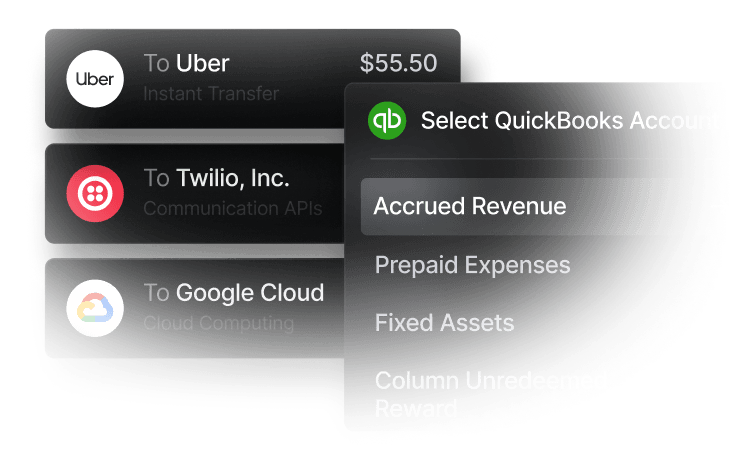
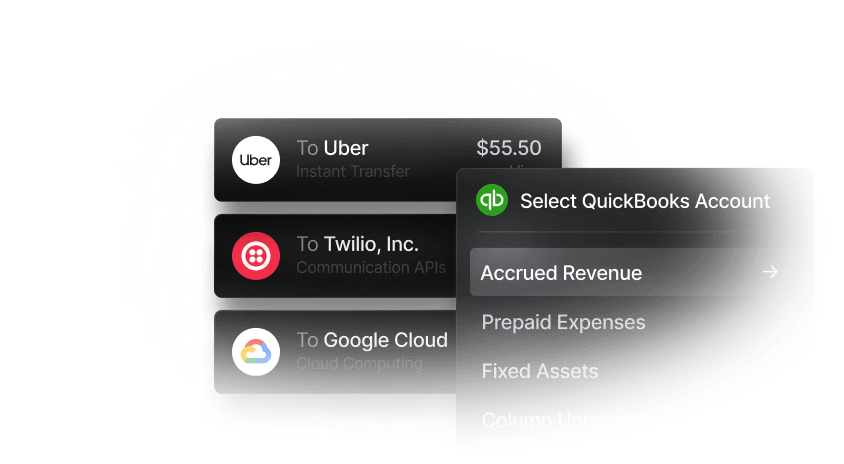
QuickBooks Online is primarily accounting software, but it includes built-in budgeting tools that let businesses create profit-and-loss budgets and compare actual results against forecasts. Budgets can be broken down by class, customer, or location, and historical financial data can be used to inform projections. QuickBooks Online also integrates directly with Slash, allowing financial data to sync automatically without manual entry.
- Best for: SMBs and early-stage startups
- Key strengths: Direct integration with Slash; budgeting integrated directly with accounting data; simple forecasting and variance reporting; easy to adopt for non-finance teams
Float
Float is a resource management platform that integrates with accounting platforms to model future cash positions and financial scenarios. Float enables scenario modeling for revenue and expenses, rolling forecasts, and visual dashboards for cash projections. However, Float focuses primarily on cash flow forecasting rather than full financial planning and budgeting, and its native integrations are concentrated around a small set of accounting platforms. Companies running other ERPs or more complex finance stacks may need additional tools to support broader FP&A.
- Best for: Small to medium sized businesses
- Key strengths: Real-time cash visibility; strong forecasting and scenario modeling; simple UI for finance teams without complex FP&A infrastructure
Xero
Xero is a cloud-based accounting platform that includes built-in budgeting tools through its Budget Manager feature. Businesses can create monthly or annual budgets, track revenue and expenses by account or tracking category, and compare actual financial performance against planned budgets using variance reports. Xero also allows budgets to be imported from spreadsheets and updated alongside real accounting data, helping businesses monitor financial performance as transactions are recorded.
- Best for: SMBs and startups
- Key strengths: Direct integration with Slash; automatic comparison of actual vs. planned spending through variance reports; strong ecosystem of integrations with banking and financial tools
Anaplan
Anaplan is a large-scale enterprise planning platform used for financial planning, sales forecasting, supply chain planning, and workforce modeling across entire organizations. Anaplan’s core budgeting features include driver-based financial planning, multi-dimensional financial modeling, and scenario analysis across departments. Pricing varies depending on the modules and usage required, but businesses can typically expect to pay at least $30,000 per year, with some enterprise deployments exceeding $100,000 annually.
- Best for: Large enterprises with complex planning processes
- Key strengths: Highly scalable modeling environment; cross-department planning capabilities; real-time collaborative financial modeling
PlanGuru
PlanGuru is a financial planning and budgeting platform designed to help businesses build budgets, financial forecasts, and long-term financial models. With PlanGuru, businesses get multi-year financial forecasting, scenario analysis, KPI and financial ratio tracking, and multi-department budgeting capabilities. However, PlanGuru has a relatively small integration ecosystem compared with newer cloud FP&A platforms, and its reporting and interface are more traditional than many modern planning tools.
- Best for: SMBs and early-stage startups
- Key strengths: Structured financial modeling framework; supports up to 10-year projections
Workday Adaptive Planning
Workday Adaptive Planning is an enterprise performance management (EPM) platform used for financial and workforce planning, forecasting, and financial reporting across large organizations. The platform supports rolling forecasts, driver-based planning, workforce planning models, and scenario analysis. Workday Adaptive Planning is also structured for use by a dedicated finance or FP&A team, so pricing and setup can be complex. While the platform offers a free trial, businesses can expect pricing to start at around $25,000/year.
- Best for: Mid-market and enterprise finance teams
- Key strengths: Native integration with Workday ecosystem; planning engine for complex organizations
Datarails
Datarails is an FP&A platform designed for finance teams that rely heavily on Excel but want additional automation, data consolidation, and forecasting capabilities. The platform supports budgeting and forecasting, automated financial consolidation, scenario analysis, and AI-assisted FP&A insights. Companies looking to move fully away from spreadsheets may find Datarails somewhat limited, since the platform is built around maintaining Excel-based workflows.
- Best for: SMBs to mid-market teams that want to keep Excel workflows
- Key strengths: Automated data consolidation from multiple systems; strong reporting and visualization tools
Prophix
Prophix is another EPM platform that helps finance teams automate planning, budgeting, forecasting, reporting, and financial consolidation. With Prophix, businesses get multi-dimensional budgeting models, scenario planning, KPI tracking and analytics, and additional AI-powered financial performance management tools. Prophix typically requires a more involved implementation process than lighter FP&A tools, and its pricing and setup requirements can make it better suited for organizations with a dedicated finance team.
- Best for: Mid-market companies with growing finance teams
- Key strengths: Centralized financial performance platform; automated workflows for planning processes; strong collaboration tools for finance teams
Why are budgeting tools alone not enough for financial control?
Adding budgeting software to your tech stack can improve financial planning, but it rarely solves every financial management challenge on its own. Even after implementing budgeting software, companies may still struggle with operational issues such as:
- Delayed spend visibility: Expenses are often recorded after the fact through accounting entries or expense reports, which can make it harder to see how actual spending compares to the budget in real time.
- Manual reconciliation work: When financial systems do not sync cleanly, finance teams may still need to manually reconcile transactions between banking, accounting, and budgeting tools.
- Limited control over spending activity: Budgeting software usually does not control how cash moves through cards, bank transfers, or vendor payments, which can create gaps between planned and actual spending.
- Disconnects between forecasts and actual results: As companies grow and spending patterns change, forecasts can fall out of sync with real activity if financial data is not continuously flowing into the budgeting process.
Using an integrated financial platform alongside budgeting software can help close these gaps by connecting planning workflows with real transaction data. With Slash, businesses can track every transaction across company cards, bank transfers, payment inflows, and treasury activity in real time. The Slash analytics dashboard provides a clear view of cash flow, helping finance teams identify spending trends, monitor major cost centers, and make more informed decisions about vendor relationships or operational costs.
How to choose the right financial planning budgeting software: Key criteria
Not every business needs an enterprise-grade financial planning platform. If your company does not rely on complex ERP systems or have a fully built-out finance team, tools like Anaplan or Workday Adaptive Planning may be unnecessarily complex and expensive.
Choosing the right budgeting software is about finding balance between functionality and practicality. You don’t want to go overkill; the goal should be getting a tool that supports your planning process without paying for advanced capabilities that your team will rarely use. Here are some important factors to consider when selecting the right platform for your business:
Company size and operational complexity
The scale of your business should strongly influence which budgeting tools you consider. Small businesses may only need simple forecasting and budgeting features integrated with their accounting software. Mid-market companies with dedicated finance teams can benefit from more structured financial planning tools that support multi-department budgeting and forecasting. Larger organizations with complex operations may require enterprise planning systems that can model multiple business units, revenue streams, and operational drivers.
Integration with accounting, ERP, and other financial tools
Budgeting software is most effective when it integrates with the rest of your financial systems. Leading platforms connect directly, or via APIs, with accounting software, ERPs, payroll tools, and banking platforms. These integrations allow financial data to flow automatically between systems, reducing manual data entry and ensuring your budgets and forecasts are based on accurate, up-to-date information.
For example, QuickBooks Online syncs directly with Slash. On Slash, you manage your cards, accounts, payments, and AR/AP activity. On QuickBooks, you have access to financial reports, audit trails, reconciliation workflows, and budgeting tools. When these systems are connected, transaction data flows seamlessly from your operational banking layer into your accounting and budgeting environment.
Forecasting depth and scenario planning
Different tools offer varying levels of forecasting capability. Some platforms focus on simple budget creation and variance tracking, while others support rolling forecasts and detailed scenario modeling. Businesses that expect frequent changes in revenue, hiring plans, or operational costs may benefit from tools that make it easy to test multiple financial scenarios.
Reporting and dashboard sophistication
This is a consideration that closely ties to choosing the right software for your company’s size and financial maturity. Onboarding to a budgeting system with a complex UI designed for large finance teams can create unnecessary friction if you’re simply trying to monitor your spending. If the system you choose has a steep learning curve, it may actually limit how much value you get from the platform.
Again, avoid going overkill. If your goal is to make smarter financial decisions for your SMB and you don’t have a deep background in financial management systems, feature-hunting may lead you in the wrong direction. For many business owners, easy-to-understand financial summaries will be far more useful than advanced reporting environments that require significant setup and expertise.
Collaboration and approval workflows
Budgeting often involves multiple stakeholders across your team, especially for larger companies. Platforms that support structured collaboration can make it easier to collect budget inputs, track revisions, and manage approval processes. Features such as role-based permissions, comment tracking, and workflow approvals can help maintain transparency and reduce confusion during the budgeting process.
Strengthen your financial foundation with Slash
Slash can support your budgeting goals in several ways. First, the Slash business banking platform integrates directly with accounting and ERP systems like QuickBooks Online, Xero, and Sage Intacct. These platforms can be configured to handle budgeting, forecasting, and financial reporting. But simply laying out budgets in a spreadsheet or accounting system does not help you enforce them. To keep spending aligned with your forecasts, businesses also need financial tools that support real-time visibility and spending controls.
With Slash, you can set rules for employee spending to help keep costs within budget. Corporate cards can be configured with customizable controls, including restrictions by category, merchant, or country. At the same time, company spending can help strengthen your working capital through rewards. With up to 2% cashback on card transactions, businesses can generate additional value from everyday operational spending. And with Slash Perks, you can unlock up to $1M in savings across 100+ third-party software subscriptions including HubSpot, AWS, Google Cloud, QuickBooks, and more.
The Slash analytics dashboard also helps finance teams make faster financial planning decisions by providing real-time visibility into cash flow, expense tracking, and transaction patterns. Instead of waiting for monthly reports to understand where money is going, teams can track spending across vendors, departments, and payment methods as it happens. This level of visibility makes it easier to identify cost centers, monitor financial trends, and keep actual spending in line with budget expectations.
Some other ways that Slash can support your businesses finances include:
- Slash Visa Platinum Card: Earn up to 2% cash back on company spending, issue unlimited virtual cards, and set granular controls to restrict spending by category, merchant, or limit.
- Diverse payment methods: Send global ACH and wire transfers to 180+ countries or move money domestically in real time through RTP and FedNow. Pro users pay no additional per-transaction fees on U.S. transfers.
- High-yield treasury: Earn up to 3.82% APY on idle cash through treasury accounts backed by Morgan Stanley and BlackRock money market funds.
- Native cryptocurrency support: Hold, send, and receive USD-pegged stablecoins USDC and USDT across eight supported blockchains for faster, lower-cost global payments.⁴
- Separate virtual accounts: Create multiple accounts to separate funds by project, department, or client, with real-time visibility across balances.
Apply in less than 10 minutes today
Join the 10,000+ businesses already using Slash.
Frequently asked questions
How do I create a budget plan for my business?
Start by reviewing your past revenue and expenses to understand how money moves through your business. From there, estimate future income and expected costs such as payroll, software, marketing, and vendor payments. Many businesses build monthly or quarterly budgets and compare actual results against those projections to keep spending on track.
Spend Analysis Software: Automate Expense Management

How much does business budgeting software typically cost?
Pricing varies depending on the complexity of the platform. Small business tools may cost around $20 to $100 per month, while more advanced financial planning platforms can cost several hundred or thousands of dollars per year. Enterprise systems with deeper modeling and forecasting capabilities are usually priced higher.
Can budgeting software replace a financial controller?
No. Budgeting software helps organize financial data and build forecasts, but it does not replace financial expertise. A controller is still responsible for financial oversight, compliance, and interpreting financial results.
What Is Business Spend Management? Key Components Explained

How long does it take to implement budgeting software?
Basic tools that connect to accounting software can often be set up in a few days. More advanced financial planning systems may take several weeks to configure and integrate with other financial tools.
Read more from us


