

Expensify vs. Ramp: Key differences in modern spend management
Choosing the right spend management platform can transform the way your team handles day-to-day finances. The right software cuts countless hours of manual work, helps prevent unnecessary spending, and keeps your approval policies on track. When businesses start comparing their options, three names often rise to the top: Expensify, Ramp, and Slash. Each one can help you manage company spending, but they take very different paths to get there.
Most teams expect a spend platform to offer corporate cards, clear visibility into employee spending, accounting integrations, and the ability to move money across borders. Ramp and Slash build these features into a broader financial stack that can act as a replacement for traditional business banking.¹ Expensify focuses more on connecting to your existing bank accounts and simplifying reimbursements and expense reporting. It might seem like a minor distinction, yet it can result in very different user experiences and limitations within each platform’s range of capabilities.
This guide breaks down how Expensify, Ramp, and Slash fit into a modern finance workflow. You will learn how their tools compare, where each platform excels, and what to expect from their financial products. It also highlights why many growing companies choose Slash, which pairs the banking stack with AI-assisted expense management, automated AP/AR tools, integrated treasury, and more.⁶
What You Need to Know About Expensify and Ramp
Before comparing these two platforms head-to-head, it helps to understand what each one is designed to do on their own. Let’s take a look at Expensify and Ramp individually and highlight what sets each platform apart:
What is Expensify?
Founded in 2008, Expensify has been around for more than twice as long as Ramp. Expensify is an expense tracking tool that’s designed to sit alongside your existing accounts and cards rather than fully replace your business bank account. This setup makes Expensify broadly accessible – in fact, individual employees can use the app on their own to track expenses even if their company hasn’t adopted it. However, this also means the platform remains somewhat separate from a company’s central financial workflows.
This platform also offers the Expensify Card, a corporate charge card that automatically pulls funds from a connected business account to settle balances each day. The card is the only financial product Expensify offers. There are no built-in checking or treasury accounts, which may limit its ability to serve as a full banking stack. Additionally, while the Expensify Card offers “up to 2% cash back”, that percentage is only unlocked if your company spends over $250,000 per month. For everyone else with a less-than-enormous spending level, the bonus drops to 1%.
Below is more information about Expensify’s key features and notable drawbacks:
- Expense tracking: Expensify’s core strength is its expense management workflow. The platform supports submissions, approvals, and reimbursements, and its Concierge AI monitors policy compliance or auto-categorize expenses. Expensify is also known for its SmartScan tool, which can quickly upload receipt details to the dashboard.
- Limited payment options: Outside of integrations with Venmo and Paypal, Expensify only supports ACH transfers and card payments for money transfers. Compared to other platforms, these options aren’t very impressive. Slash, for example, supports ACH, wire, stablecoin payments, RTP/FedNow, and card-based transfers.⁴
- Global reimbursements: Expensify allows users to reimburse employees via direct deposit to more than 190 countries in “nearly any currency”, according to their messaging. While cross-border reimbursements are a more niche use case than international payments via wire, they can certainly come in handy for widespread teams.
What is Ramp?
Ramp is largely similar to Expensify; it’s foremost an expense management platform that offers corporate cards. Its banking and account features come secondary, as Ramp users can pair an external business checking account with the platform to run their card spend.
The Expensify Card and Ramp Card work similarly – they’re both charge cards that sync with the platform – but Ramps’ offers a cash back rate of 1.5% on all eligible business purchases, giving it an edge over Expensify. Let’s take a look at a few more of Ramp’s core features and limitations:
- Payment methods: Ramp supports B2B transfers through ACH, wire, card, stablecoins, and the RTP Network. Since its corporate card draws from affiliated Ramp business accounts, it’s relatively simple for businesses to track different types of spending.
- Business banking: Ramp provides both business checking accounts and treasury accounts that can be managed from the same interface.
- Tough barrier to entry: To qualify for Ramp, you’ll need at least $25,000 in a connected business bank account. This can make it tough for fledgling businesses to access the platform, even if their early revenue is strong
- No built-in financing tools: Ramp doesn’t offer a working capital financing product, which quite a few similar competitors support. Slash, for example, provides flexible financing to strengthen short-term liquidity and allows businesses to choose 30, 60, or 90 day payment terms based on their needs.
What Are the Pros and Cons of Using Expensify vs. Ramp?
Here’s a quick comparison of Expensify and Ramp at a glance before we dive into more specific detail:
Top differences between Expensify and Ramp
Expensify and Ramp were both built to help companies manage spending, but each platform is built around a different core model. Expensify focuses on seamless reimbursements and employee-submitted expense reports, while Ramp prioritizes automation and card-driven controls through its integrated platform. These differences become clearer once you look at each platform's features side by side:
Corporate cards and spending controls
Ramp and Expensify both offer corporate charge cards that allow administrators to configure spending rules and monitor activity across accounts. They can also categorize transactions and prepare spend data for exporting into accounting software.
When it comes to determining value between similar corporate cards, it often comes down to the rewards. Ramp’s cashback is capped at 1.5%, while Expensify’s is usually 1% unless you’re a very high-spend team. The Slash Visa® Platinum Card is a stronger option than both, with up to 2% cashback on eligible spending.
Reimbursement and payments
Reimbursements are one of Expensify’s strong suits, with support for mileage tracking, per diems, contractor workflows, and reimbursements in 190+ countries. The platform’s a strong fit for companies where employees frequently pay out-of-pocket. Ramp’s reimbursement capabilities are decent, but its range of features isn’t quite as wide as Expensify’s.
When it comes to all other types of payments, Expensify and Ramp leave a bit to be desired. Expensify only supports ACH, card payments, and Venmo/Paypal. Ramp supports ACH, wire, card payments, stablecoins, and the RTP Network (but not FedNow). Platforms like Slash were designed to cover as many bases as possible, allowing users to make payments through RTP/FedNow, stablecoins, and traditional rails.
Expense reporting and accounting
Expensify and Ramp both help streamline expense reporting by automatically capturing transactions and categorizing them, which reduces manual work and supports more accurate tax filing, stronger compliance, and better audit readiness. Receipt management is one of Expensify’s core strengths, with a SmartScan feature that captures receipt details from uploaded photos. Its Concierge AI tool handles expense categorization, flags policy violations, and helps call out manual errors.
Ramp's expense tools are tightly connected to its card, which means you only get full reporting capabilities for card transactions. In these cases, Ramp captures the receipt after a card is swiped and pre-fills details automatically. Afterwards, employees can make edits to the transaction’s information and submit the result via SMS, Slack, or Microsoft Teams.
Pricing models, usability, and overall value
Expensify offers a $5 per employee per month “Collect” plan and a custom-priced “Control” plan that unlocks access to features like custom expense rules and deeper integrations. This variable pricing can range from $9/user/mo to $36/user/mo, so its value depends on the price you end up with.
With Ramp, you’ll choose between a free plan, a $15/user/mo Plus plan, or a custom-priced Enterprise plan. Again, the opaque pricing model of the highest-cost plan means the exact value is tough to evaluate, so it might be best to look at what you don’t get with the cheaper plans. On their free plan, for example, users can’t access most integrations, multi-entity tools, custom user roles, or three-way matching for purchase orders.


How to Choose Between Expensify and Ramp
Instead of trying to figure out which platform is the best choice based on a list of features, it can be more helpful to think about real-world scenarios that demonstrate how each tool performs in practice. Below are several examples that highlight when Expensify or Ramp is the strongest fit. We also decided to throw Slash in the mix, since in real life, you’ll have the choice of more than two platforms:
You run a larger business with 50–100 employees, and most of your team pays out-of-pocket for daily expenses
While Expensify is designed for reimbursement-heavy workflows, its pricing model can become expensive for mid-sized companies. With 50 employees, you could pay between $450-$1800 per month just to access Expensify’s Control plan, and you would still lack deeper automation or the features of a full banking stack. It might be a better idea to allow employees to use virtual corporate cards through Ramp or Slash, which centralizes spending, strengthens transaction visibility, and eliminates most reimbursement management.
Best choice: Slash and Ramp
Both platforms allow admins to issue unlimited virtual cards that can be configured with custom spend rules. However, Slash offers up to 2% cashback against Ramp’s 1.5%, meaning there’s potential for extra capital if your team spends with the Slash Visa® Platinum Card.
You’re a small business owner who regularly handles paper invoices, POs, or receipts
Expensify’s SmartScan OCR is super useful for digitizing paper receipts and bringing them into your financial dashboard. While corporate cards that generate automated reports can create a more streamlined workflow overall, Expensify is still the strongest option when physical documents are part of daily operations. Its Concierge AI is purpose-built to process receipts, POs, and invoices in a way that other competitors can’t quite measure up to. Ramp does offer invoice tools, but they’re geared more toward AP automation than the broader procurement and receivables cycle.
Best choice: Expensify
Digital-first platforms like Slash and Ramp help eliminate much of the manual work around paper, but if your company needs to handle physical documents is unavoidable, Expensify’s the right pick.
You need deeper visibility into company-wide spending across multiple entities
Expensify works well for handling personal expenses or small pockets of company spend, but it lacks the depth needed for multi-entity organizations or businesses with complex reporting structures. Both Ramp and Slash offer multi-entity support that includes a centralized view of all payment activity and the ability to generate individual reports for each subsidiary. However, these features are locked behind Ramp’s Plus tier, while they’re free for Slash users.
Best choice: Slash
If your company spans multiple entities or locations, Slash multi-entity support allows users to easily view, track, and manage the financial activity within each.
You operate ecommerce storefronts and pay overseas vendors
Expensify provides broad currency coverage for reimbursements specifically, but it lacks diverse global payment rails that you’ll likely need for all other types of international transfer. Both Ramp and Slash support international wire payments, global ACH, and stablecoin transfers, making them each flexible options for worldwide teams.
Best choice: Slash and Ramp
Sending USD-pegged stablecoins allows you to pay overseas vendors quickly without high fees and the need to rely on slow intermediaries. Between crypto and their more traditional global rails, Slash and Ramp will have you covered.
Make the Right Financial Move With Slash
Expensify and Ramp can each serve particular needs pretty well. Expensify handles receipt-heavy workflows with reliability, while Ramp delivers strong automation for companies prioritizing efficiency. Both are capable tools, but neither offers a complete financial solution.
Slash doesn't ask you to choose between expense management and banking tools. It delivers both, along with capabilities that neither competitor can match: a card with up to 2% cash back regardless of volume, a full suite of payment rails, integrated working capital, and a unified dashboard that allows you to see it all in one spot. You get full visibility and control without the operational overhead of stitching together separate systems.
While Expensify and Ramp can certainly help manage your business expenses, they may not be able to fully support your growth from startup to mid-sized company. That’s exactly what we built Slash to do.
Believe it or not, there are still a few Slash features we haven’t touched upon up to this point. These include:
- High-yield treasury: Earn up to 3.80% annualized yield on idle funds with money market investments from BlackRock and Morgan Stanley, managed directly within your Slash account.
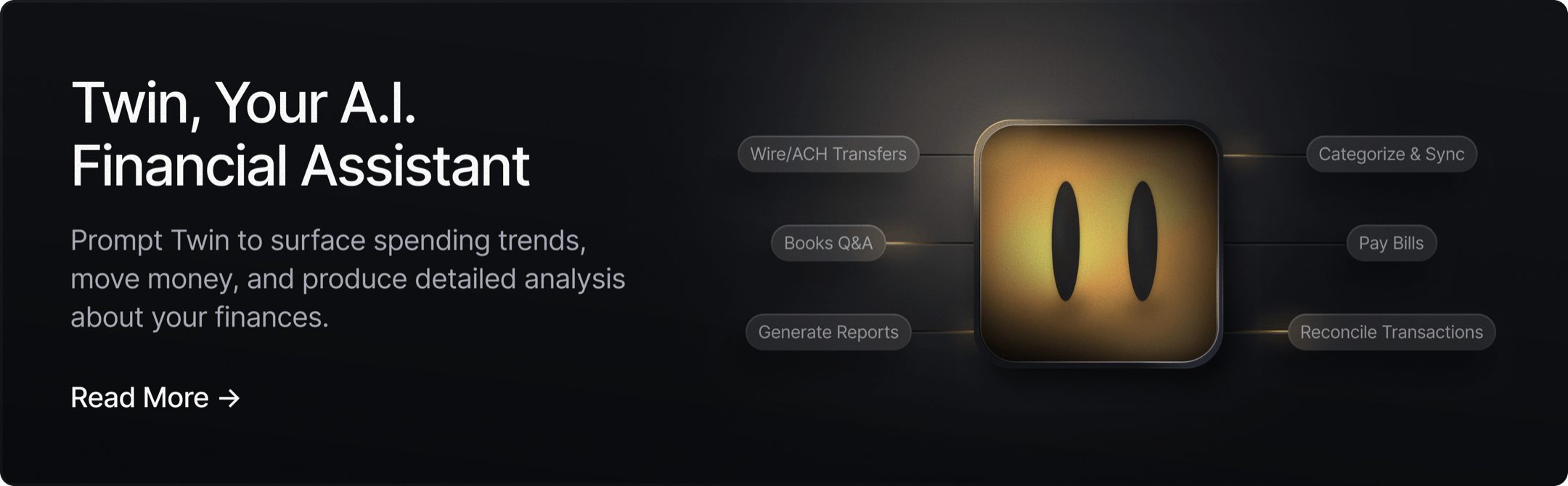
- AI-powered finance: Our platform comes with Twin, a built-in AI agent that can be prompted with natural language to complete complex tasks. Users can ask it to create cards, track spending, pay invoices, review your cash flow, and much more.
- Global USD: The Slash Global USD Account is designed as an alternative for foreign founders who want access to USD without forming a US entity.³ Balances are held in USDC on Base, a stablecoin designed to maintain a one-to-one value with the U.S. dollar.
- The Action Center: A one-stop spot for employees to see pending tasks assigned to them. These may include card requests, expense submissions, reimbursement reviews, and more.
- Unlimited virtual accounts: Create multiple business accounts to silo cash flows by project, department, or client with real-time analytics across each of them.
Apply in less than 10 minutes today
Join the 10,000+ businesses already using Slash.
Frequently Asked Questions
Can you use Expensify for free?
Technically, yes. Expensify offers a basic free plan with simple features such as receipt capture and simple peer-to-peer payments. Most businesses, however, will need to use their paid plan to actually assist their financial operations. The Collect plan starts at $5 per member per month, while the higher-tier Control plan can cost up to $36 per member per month depending on the configuration.
The 8 Best Free Business Bank Accounts in 2026

What accounting software does Expensify and Ramp integrate with?
Expensify and Ramp integrate with a wide variety of accounting softwares. The main four you'll want to keep an eye out for are QuickBooks, Sage Intacct, NetSuite, and Xero. Fortunately, these integrations are supported across Expensify, Ramp, and Slash.
The Best Accounting Automation Software Tools in 2026

How long does it take to onboard with Expensify and Ramp?
Since Expensify's platform is relatively simple, onboarding and connecting the service with your company's finances can take 2-3 days. Ramp, meanwhile, can take up to 3 weeks to fully integrate its software. As a disclaimer, average onboarding times can vary depending on customer support.


