

Corporate P-Cards Explained: Everything Finance Teams Need to Know
Those who decide to offer cards to their team are faced with a question: between business credit cards, corporate cards, and charge cards, what works best for your team’s needs? The decision often comes down to a company’s spending habits. For instance, businesses can rely on credit cards for large expenses that can take several months to repay on credit. However, it’s not always necessary to assign all workers the same cards used for these transactions. For companies that want to keep employee spending simple and streamlined, the purchase card (P-card) may fit the bill.
A P-card allows employees to make approved business purchases directly without relying on cumbersome purchase order systems. These specialized payment tools can reduce administrative overhead, improve spending visibility, and accelerate procurement while maintaining necessary controls.
In this guide, we'll explain how P-cards work, highlight their benefits, and outline best practices for implementing an effective program that balances employee autonomy with financial oversight. We’ll also discuss how the Slash Visa® Platinum Card combines the best features of both purchase cards and corporate cards, with expense tracking features and up to 2% cash back on eligible purchases.¹
The standard in finance
Slash goes above with better controls, better rewards, and better support for your business.


Key Takeaways:
- A P-card is a charge card built for procurement, meaning the balance is paid in full each month, and it comes with merchant category restrictions that work well for vendors and supplies rather than travel or meals.
- The point of a P-card is skipping purchase orders and approval chains on routine, high-frequency purchases that never needed them.
- Since controls run at the point of sale rather than after the fact, a transaction over a limit or at a restricted merchant can decline automatically.
- P-cards typically carry lower per-transaction ceilings than corporate cards, often between $500 and $5,000, but higher monthly limits because the purchases are constant.
- P-cards operate under corporate liability with no personal guarantee, unlike business credit cards, which often require one from the owner.
What Is a Corporate Purchasing Card?
A corporate purchasing card (P-card) is a specialized business payment card designed specifically for the procurement process. In fact, P-card can also stand for procurement card. Unlike general business credit cards, P-cards are optimized for low-value, high-frequency purchases such as office supplies, maintenance items, and operational necessities.
These cards also come with a different payment cycle than credit cards. P-cards are a type of charge card, which means their balance must be paid in full at the end of each month. While these cards don’t offer as much long-term flexibility, they enable tighter controls and better tracking, which can be important for frequent expenses.
P-cards are designed to cut down on purchase orders and approvals for routine transactions that shouldn't need them. They’re typically meant for vendor payments and procurement transactions rather than meals, travel, or other everyday purchases. That’s because they usually come with merchant category restrictions and transaction controls aligned with the cardholder's role. Organizations can issue P-cards to employees who regularly make operational purchases, such as facilities managers, administrative staff, or department heads.
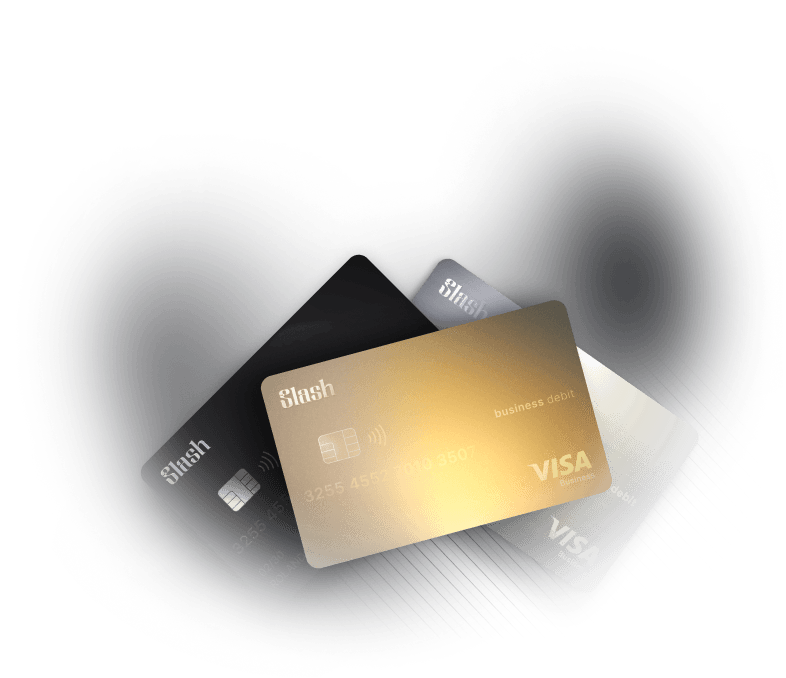
The choice of corporate card isn’t limited to just credit cards and P-cards, however. The Slash Visa® Platinum Card takes the best features of both and combines them on one charge card. With the Slash Card, businesses get the granular controls and spend limits common in P-cards alongside the cash back rewards and wide use cases of a corporate card.
How Does a P-Card Program Work?
Once you understand the P-card workflow, you can plan your program and its spending restrictions more effectively. Here's the step-by-step process:
Issuance and Program Setup
An organization chooses a card provider to establish a P-card program that’s aligned with their corporate policies and spending patterns. Finance teams can configure system parameters governing all activity, including default spend limits, restricted merchant categories, transaction frequency limits, and reporting requirements.
Card Assignment to Employees and Departments
Cards can be issued to any employees with purchasing responsibilities. Each assignment can include cardholder-specific spending limits, merchant category restrictions based on authorized purchases, transaction frequency and size limits, and initial training on usage and compliance.
As an example, a facilities manager might receive a card with a $5,000 monthly limit restricted to hardware stores and maintenance suppliers, while an office administrator gets a $2,000 monthly limit for office supplies and software.
Spending Controls and Limits
Modern P-card programs implement multiple layers of control to prevent misuse and ensure policy compliance. Individual transaction limits restrict the maximum amount per single purchase, while monthly limits cap total spending over a billing cycle.
Merchant Category Code (MCC) restrictions block purchases from unauthorized merchant types like entertainment venues, restaurants, or personal retail stores. These automated controls enforce policy compliance proactively so businesses don’t have to wait for the card statement to come in to notice broken rules.
Purchase Process
The P-card’s purchase process is designed to be straightforward. Your cards will only be enabled at approved vendors, and when a purchase is made, transactions can automatically be categorized in your expense management and accounting system, then settled. This skips the approval processes and purchase orders that often end up being utilized on standard credit cards.
Real-Time Tracking and Reporting
As transactions occur, they appear immediately in the P-card’s management system. Finance teams gain instant visibility into all purchases including cardholder identity, merchant information, transaction amount, date and time, and merchant category. Solutions like Slash offer dashboards that provide aggregated views of spending by department, category, vendor, or time period, helping identify trends and opportunities.
Monthly Reconciliation and Auditing
At the end of the month, finance teams review submissions for completeness and policy compliance, match receipts to transactions, verify appropriate business purposes, and route questionable purchases for additional review. Approved transactions post to the general ledger with appropriate expense categorization, while any exceptions require cardholder explanation and management approval.
What Are the Benefits of Using a Purchasing Card?
Let’s take a look at some of the reasons why you might your team to start using P-cards:
- Streamlined procurement and reduced admin burden: Since they’re built for routine purchases, P-cards can eliminate purchase order paperwork and lengthy approval processes.
- Better budget control and real-time visibility: With real-time dashboards, finance teams see spending as it occurs rather than weeks later during expense processing.
- Fewer manual expense reports: P-cards handle both direct vendor purchases and procurement through a single system, reducing the amount of necessary expense reports.
- Faster vendor payments and improved supplier relationships: Vendors receive immediate payment rather than waiting much longer for invoice processing.
- Enhanced spend controls and policy enforcement: Automated controls enforce policy at the point of purchase, so transactions that exceed limits or come from restricted merchants will be declined.
- Simplified reconciliation and reporting: Electronic transaction data feeds directly into accounting systems, leading to comprehensive reporting that provides spending insights for better financial planning.

Business P-Cards vs. Other Business Cards: A Complete Comparison
Understanding the differences between P-cards and other business payment cards helps organizations choose the right tools for specific use cases:
P-Cards vs. Corporate Cards
While P-cards focus on procurement and vendor payments for operational needs, corporate credit cards serve broader purposes including travel expenses, client entertainment, and general business expenditures. P-cards implement strict merchant category restrictions, transaction limits, and approval requirements tailored to procurement. Corporate cards typically have more flexible spending parameters that allow more purchases in more places.
Corporate cards typically go to executives, managers, and any employees who travel frequently or entertain clients, while P-cards are meant for team members with regular purchasing responsibilities, such as facilities managers and office administrators.
When it comes to transaction limits, P-cards generally have lower ceilings ($500-$5,000 per purchase) but may have higher monthly limits due to frequent operational purchases. Corporate cards, on the other hand, often have higher transaction limits to accommodate travel and entertainment expenses. These cards can actually carry relatively low monthly limits, since these expenses aren’t constant.
P-Cards vs. Business Credit Cards
Business credit cards are like small-scale corporate cards, often serving as general-purpose payment tools for small businesses or departments. They sometimes lack sophisticated controls, relying on overall credit limits. P-cards provide granular controls including merchant restrictions, transaction limits, and category-based approvals.
Business credit cards may include personal guarantees from business owners, while P-cards operate under corporate liability with no personal guarantees required. Since business credit cards are meant for small business owners, cardholders often include a few select employees.
Both of these cards can offer rewards programs, though their structures differ. It's a good idea to evaluate cashback programs, as platforms offering competitive rates can generate solid returns on procurement spending, effectively reducing net costs for business purchases.
P-Cards vs. the Slash Card
Like P-cards, the Slash Visa® Platinum Card provides real-time spending visibility on a charge card that must be paid in full on a monthly basis. However, the Slash Card surpasses P-cards in its ability to offer up to 2% cashback on eligible business purchases.
While P-cards are meant for specific employees in charge of procurement and vendor purchases, the Slash Card can be given to any team member at any level of administration. Expenses from graph paper to conference tickets are gathered and automatically sorted on one platform. Since such a wide array of expenses are possible with the Slash Card, your per-transaction and monthly limits are completely customizable. You can even assign multiple virtual cards to a team and set a collective limit for that group.
Not all P-cards integrate with accounting tools, but Slash syncs both ways with solutions like QuickBooks Online and Sage Intacct, allowing financial data to be connected quickly and clearly. The Slash Card and all-in-one dashboard enable a higher level of organization and flexibility that isn’t easy with P-cards, business credit cards, or corporate cards.
Managing P-Card Spending: Best Practices for Implementation
Successful P-card programs require thoughtful implementation and ongoing management. Let’s go over some tips:
- Set card-specific limits and controls: Customize each card based on the user's role and purchasing needs.
- Automate transaction oversight: If possible, connect your P-card program directly to your accounting software. Transactions should flow into the general ledger with appropriate expense categorization, saving you time on reconciliation and manual work.
- Track spending and watch for fraud: Real-time monitoring enables immediate intervention when suspicious activity occurs, such as multiple quick transactions, purchases at unauthorized merchants, or odd-looking spending patterns.
- Audit usage regularly and adjust limits: Conduct quarterly reviews of all P-card activity. Look for cards that don’t get used and cards consistently hitting spending limits, and adjust accordingly.
- Train cardholders on policy: When given P-cards, employees need to understand policy requirements, proper documentation procedures, merchant restrictions, and consequences for violations.
- Leverage automation to simplify reconciliation and reporting: A great P-card platform will offer automated receipt matching, expense categorization based on merchant data, policy compliance checking, exception flagging for unusual transactions/fraud, and customizable reporting dashboards.
How to Choose a P-Card Provider: Top Features to Look For
Not all P-card providers offer the same benefits. Here are some key features you may want to prioritize when making your choice:
Unlimited Physical and Virtual Cards
Your corporate cards shouldn’t hinder your business’s spending with needlessly low limits or excessive fees. Virtual cards are particularly valuable for online purchases, vendor-specific arrangements, or temporary purchasing needs. Slash allows businesses to assign unlimited physical and virtual cards for any category of spend.
Customizable Spending Limits per Card
Each cardholder should have limits tailored to their role, spending patterns, and business needs. Look for platforms allowing granular control at multiple levels: per-transaction limits, daily spending caps, monthly budget allocations, and merchant category restrictions.
Real-Time Visibility into All Transactions
Some P-card solutions support dashboards that display current transaction data, spending against budgets, merchant information, and cardholder details. The ability to filter and analyze spending by department, category, vendor, or time period turns transaction data into helpful insights. With Slash, you get access to an agentic AI assistant named Twin that can dive into your financial data and create forecasts and graphs with simple prompts.
Vendor-Specific Restrictions
Platforms like Slash allow restrictions at the individual vendor level, not just merchant categories. Many P-cards offer tools that allow procurement only at specific approved vendors, or require additional approval for purchases from new suppliers.
Accounting Software Integration
Seamless integration with accounting platforms can be particularly helpful, as transactions can sync automatically with proper expense categorization. Slash offers connections with QuickBooks Online, NetSuite, Sage Intacct, and Xero, as well as API tooling that helps link with other platforms, depending on availability.
Simplify Corporate Spending with Slash
Purchase cards represent a significant advancement in corporate procurement, replacing purchase order processes with quick, controlled spending from employees. The Slash Visa® Platinum Card improves upon that formula by combining the advanced visibility, spend controls, and financial responsibility of the P-card with the freedom of the corporate charge card.
The sky is the limit when it comes to spending thresholds and expense categories – but when you want to bring that limit back down to earth, you can set controls of your choice. Our fraud protection tools ensure transactions outside of set limits are automatically declined, helping you to prevent out-of-policy spending before it happens.
You can also earn up to 2% cashback on eligible purchases, effectively reducing net procurement costs. Unlike rewards programs that require complex redemption or offer limited value, Slash delivers straightforward cashback that directly helps your bottom line. The inclusion of unlimited virtual cards means employees from all levels of administration can help earn that cashback with each eligible business expense.
Outside of our card, the Slash platform also comes with the following:
- Business banking: FDIC-insured business checking, protected up to $150M through Column N.A.'s insured cash sweep network.²
- Accounts payable and receivable: Create invoices, track payment status, and collect payments via multiple methods all in your dashboard. For your bills, Slash can parse an uploaded invoice, route each bill for approval, and track its status from pending to paid, so payables don't slip through the cracks.
- Native cryptocurrency support: Send and receive USD-pegged stablecoins USDC and USDT across eight supported blockchains for faster, lower-cost global payments.⁴
- Diverse payment rails: Slash supports a wide range of payment methods, including card spend, global ACH, international wire transfers to over 180 countries via SWIFT, and real-time domestic payments through RTP and FedNow.
- Global USD: The Slash Global USD account is designed as an alternative for foreign founders who want access to USD without forming a US entity.³ Accounts are backed on Base by a balance held in USDC, which is designed to maintain a one-to-one value with the US dollar.
If your organization is seeking a corporate card with sharper spend controls or a P-card that allows a wider range of purchasing ability, the Slash Visa® Platinum Card may be the answer.
Apply in less than 10 minutes today
Join the 10,000+ businesses already using Slash.
Frequently Asked Questions
Is there a difference between a procurement card and a purchasing card?
P-card providers may refer to their "P" with either one of these words, but ultimately, procurement cards and purchasing cards mean the same thing. Procurement and purchasing themselves, however, have slightly different meanings: procurement refers to the specific acquisition of items meant for business, while purchasing generally refers to any expense.
Corporate Cards vs Business Credit Cards: 5 Differences You Need to Know

How can I prevent fraud among my P-cards?
Many P-card solutions offer automatic fraud detection, alerting administrators to unauthorized purchases attempted outside approved vendors or amounts. Without these tools, the increased visibility these cards offer still enables finance teams to spot fraud -- but the process will be more manual and error-prone.
What is the procurement process?
The procurement process is the strategic, end-to-end cycle of identifying, sourcing, negotiating, and acquiring goods or services from external suppliers to meet operational needs. The P-card simplifies this process by skipping steps like purchase orders and invoice approvals, which can lower processing costs.
What is Procurement? A Guide for Business Owners


