


What Is a Billing Cycle? Definition, How It Works, and Why It Matters for Businesses
Whether you’re launching your own startup or running a mid-sized company, working on a schedule is a handy way to keep yourself organized. You might decide to organize your receipts each week, or you may plan to forecast your cash flow every six months. Sometimes, like in the case of billing cycles, that schedule is decided for you.
Simply put, a billing cycle is the gap between one bill and the next. Each transaction made during that time period accumulates until the cycle closes, at which point a statement is generated showing what's owed and when it's due. This is true of credit card bills, subscription services, and B2B vendor relationships.
Beyond determining when you send a payment, billing cycles can affect cash flow projections, influence your liquidity, and even shape how vendors and customers perceive your reliability. This article walks through how a billing cycle works step by step, breaks down key terms, and covers how different billing structures can affect businesses. We’ll also take a look at Slash, a modern financial platform that combines business banking, corporate cards, and payments in one place.¹ With the enhanced visibility that Slash’s dashboard provides, finance teams can stay on top of their billing cycles and spot which payments are stuck pending.
What Is a Billing Cycle? Core Definition and Key Terms
Billing cycles are the time periods during which all transactions are recorded before they’re invoiced or charged. It starts on a specific date, runs for a set number of days, and then closes. Whatever activity accumulated during that window appears on the resulting statement.
When discussing billing cycles, there are a few related terms that may be easy to confuse with one another. Here’s what each of them mean:
- Billing period and statement period are also terms for the active window during which transactions are tracked. They’re more or less interchangeable, but we’ll be sticking with “billing cycle” going forward.
- The statement closing date is the last day of the billing cycle, when the running total of charges is finalized and a statement is issued.
- The payment due date is the deadline by which the balance must be paid to avoid late fees or interest. For credit card accounts, this is typically around 21 to 25 days after the closing date.
- The grace period is the window between the closing date and the payment due date. A vendor may give you a grace period based on your relationship, and most credit cards come with a grace period that charges no interest.
Credit card billing cycles are typically pretty straightforward. All purchases, fees, and payments between June 2 and July 1 appear on a statement that closes on July 1, with a payment due around July 22 to July 26. Purchases made on July 2 belong to the next cycle, not the one that just closed.
B2B billing cycles are similar, but they can vary more based on your business partners. Rather than closing dates and statement dates, vendors issue invoices with terms like net 15, net 30, net 45, or net 60, which specify how many days the buyer has to pay from the invoice date. Unlike most credit cards, these can change or be negotiated over time.
How a Billing Cycle Works: Step-by-Step Timeline
Regardless of the actual length of a billing cycle, they each move through a predictable set of stages. Following these stages closely can help you avoid any extra interest or late fees. Here’s what a typical billing cycle looks like:
- The cycle begins on a start date, often tied to when the account was opened. From that moment, every charge, credit, refund, and fee is tracked. A business with a card cycle starting March 5 accumulates charges through April 3.
- When April 3 arrives, the cycle closes. The statement shows the total balance, applicable fees, minimum payment, and payment due date. For most card accounts, that due date comes about 3 weeks later, around April 24. Under the Credit CARD Act of 2009, credit card companies must deliver a statement at least 21 days before the payment due date.
- In this example, April 3 to April 24 is the grace period. For businesses that pay the full balance by the due date, no interest is charged on the purchases that appeared on that statement. If you only pay the minimum and balance is carried over, interest typically begins accruing on new purchases right away. For many cards, the minimum is around 2-4% of your total balance.
It’s important to note that the next billing cycle doesn’t wait until you pay the previous one. Once April 24 passes, a new cycle that started April 4 is already accumulating charges toward a statement closing in early May. Unpaid balances from the prior cycle roll forward, either accruing interest on a card or triggering late fees from vendors.
Credit Card Billing Cycles: How They Affect Payments and Credit
Most corporate credit cards work similarly to your everyday consumer card. All charges made between two closing dates are summed on the statement, perhaps including flights booked in August, software subscriptions, office supplies, advertising spend, and any other purchases that you used a card on during that period
Let’s look at an example: an e-commerce business has a card cycle running from August 10 to September 8. During that window, the company spends $15,000 across vendors, software, and travel. The statement closes on September 8, showing a $15,000 balance with a payment due date of September 29. If the company pays the full $15,000 by September 29, they don’t get charged any interest. On the other hand, if only the minimum payment is made, interest begins accruing on the remaining balance and the grace period on charges made after September 8 may be suspended until the balance returns to zero. With a high outstanding balance and a steep APR, paying late can get expensive pretty quickly.
Grace periods vary by issuer. For many business credit cards, the grace period is 21 to 25 days between the closing date and the payment due date. Some issuers only extend the grace period if you pay your bill in full, meaning if a balance was carried from the prior cycle, interest may begin accruing on new purchases from the day they post.
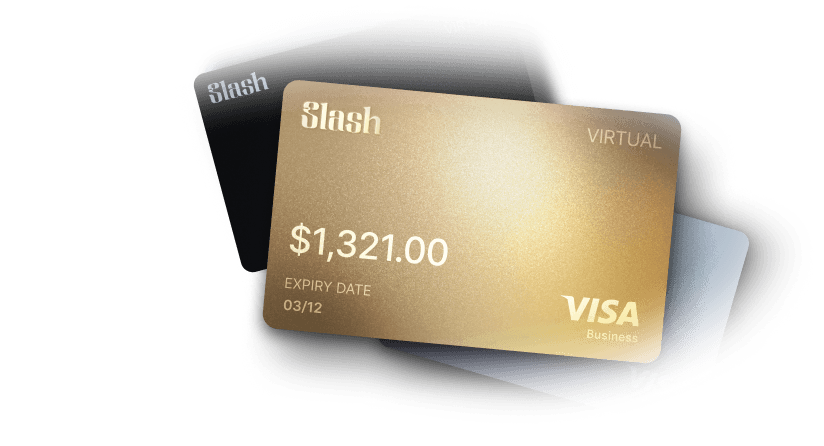
Not all corporate cards are credit cards, however. If you’re not interested in managing billing cycles, you can use a charge card like the Slash Visa® Platinum Card, which requires balances to be paid in full at the end of each day. Since funds are drawn automatically from a card collateral account you’ve pre-filled, you won’t have to worry about late payments.
Why Billing Cycles Matter For Businesses
As you analyze your finances, one of the things you’ll probably be keeping your eye on is your cash flow. Your billing cycles will have a big impact on that flow, as a large chunk of funds consistently leaves your account each month or so. If you don’t know your billing cycles well enough, you might experience unexpected dips in liquidity, especially if you get hit by fees and interest from paying late.
Consider this scenario: a small business is trying to manage their finances while –
- Rent is due on the 1st
- The corporate card statement closes on the 3rd
- Card payment is due on the 24th
- Three software subscriptions renew on the 5th, 10th, and 12th
- Payroll runs on the 1st and 15th
If this company has consistent revenue, like a retail or service business, they might be able to make it all work without moments of low liquidity. However, some successful businesses only receive large payments from their customers a few times a month, meaning the gaps in between are subject to the timing of their billing cycles. Even if they’re profitable, money could get tight after payroll and rent are due. This happens more than you may think; according to a survey QuickBooks took in 2025, businesses whose customers pay in 60-90 day payment terms are 50% more likely to report cash flow problems than businesses whose customers pay immediately.

Other Common Billing Cycle Structures
Not all billing cycles operate based around the calendar. Here are some other cycles you may encounter while partnering with different vendors:
Usage-based
Usage-based billing, also known as consumption billing, runs based on how you use a product. A cloud infrastructure provider might meter API calls, compute hours, and data transfer over a 30-day period, then charge the accumulated total when the cycle closes. The billing period still has defined start and end dates, but the length of time varies. If possible, it can be helpful for teams to monitor their consumption throughout the cycle so finance teams are ready for the statement.
Project-based
Milestone and project-based billing are common in agencies, construction, and consulting. A $100,000 deal might be structured as 30% at contract signing, 40% at a defined project milestone, and 30% at the end. Each event triggers an invoice, meaning the billing cycle is defined by a couple stages in the project.
Rolling
Rolling billing ties the cycle to the customer's signup date. In practice, it’s pretty similar to calendar-based billing, but you won’t necessarily be paying at the beginning or end of the month. For example, a subscription that started September 12 bills on the 12th of each month, running from September 12 to October 11 rather than on the 1st.
Strategies to Manage Billing Cycles Effectively
While it might seem like you’re subject to the whims of your billing cycles, you can actually manage them without asking to change your due dates. Ultimately, you want to make sure cash is available when it's needed and identify timing mismatches before they cause big issues..
You can start by mapping every major billing cycle onto a single calendar view, including card statement due dates, vendor invoice due dates, software subscription renewals, loan payments, and payroll runs. When these are visible together, you might be able to spot some gaps. For example, you might notice that four bills are due in the first week of the month, while a couple big customer payments don’t come in until a couple weeks afterwards. It’s inconvenient, but as long as you’re profitable, you can plan around it.
If your customers pay their invoices several days after your own bills are due, you might be able to nudge one of those due dates so your income arrives before your payments depart. Generally speaking, you’ll probably have more control over your customers’ closing dates than your vendors’. However, you can occasionally negotiate due dates with suppliers, especially if you’ve developed a good relationship with them over time.
You can also improve the actual process of paying your bills. In the case of fixed billing cycles, platforms like Slash allow users to schedule automated payments so they don’t have to worry about missed due dates. That said, some large or variable charges like usage-based cloud bills may be better fit for manual payments, as unusual spikes can be caught before funds fly out of the account.
How Slash Can Help You Manage Billing Cycles
If you want to manage your billing cycles effectively, you should know exactly what you owe and when. The problem is that too many businesses work with their cards, vendors, and subscriptions across completely different payment platforms and accounts. It might take you so long to get a clear picture of your income and outstanding balances that you miss a due date while you’re putting it all together.
With Slash, all your payment methods, outstanding invoices, and incoming revenue are centralized in one spot: our integrated financial dashboard. You can get a clean look at all your due dates and payment trends in the same place you manage your bank accounts, corporate cards, and treasury.⁶ No matter the payment rail your vendors request or the grace period your card providers offer, Slash makes it easier to keep your bills organized.
Even with everything in the same system, we know it can still be a pain to gather all your billing cycles together and compare them with each other. Thanks to our agentic AI assistant, Twin, it doesn’t have to be. With simple English prompts, you can ask Twin to take a look at your payment cycles and point out any cash flow dry spots that could be coming down the pipe. After you get a good handle on your billing cycles, you can then ask it to forecast your cash flow for the next several months and generate a chart that shows how it all works.
Slash also comes with features like:
- The Slash Visa® Platinum Card: The Slash Card allows you to set customizable spending controls and issue unlimited virtual cards for handling team expenses, vendor payments, subscriptions, and more. Users can also earn up to 2% cash back on business purchases.
- Working capital financing: Access short-term financing with flexible 30-, 60-, or 90-day repayment terms to help bridge cash flow gaps.⁵
- Accounting integrations: Sync transaction data with QuickBooks Online, Xero, NetSuite, or Sage Intacct to streamline reconciliation, reporting, and month-end close.
- Stablecoin support: Send and receive USD-pegged stablecoins USDC and USDT across eight supported blockchains for faster, lower-cost global payments.⁴
- A wide range of payment methods: Slash supports a diverse set of payments, including card spend, global ACH, international wire transfers to over 180 countries via SWIFT, and real-time domestic payments through RTP and FedNow.
Billing cycles are supposed to be predictable. If you don’t monitor them and let them live in different systems, they can be anything but. Try arranging and paying them all in the same spot with Slash.
Apply in less than 10 minutes today
Join the 10,000+ businesses already using Slash.
Frequently Asked Questions
What does net 30 mean?
Net 30 is an invoice payment term meaning the full balance is due within 30 calendar days from the invoice date. You’ll also commonly see net 60 and net 90, each referring to the number of days away a payment is due.
How the Vendor Payment Process Works (and How to Improve It)

Is payroll considered a billing cycle?
Payroll isn’t exactly a billing cycle, since your employees’ wages aren’t bills. However, as you map out your cash flow, you can treat the payroll cycle like one. Just keep in mind that you can’t negotiate those due dates, and there definitely isn’t a grace period for late payments.
What is Payroll Processing? Steps, Challenges, and Solutions

Are credit card billing cycles always a month long?
Credit card cycles are almost always a month long, though some due dates may be at the end of the month while others will be the beginning.
Read more from us


